MAN00000772_SI-G200BB_SVCPDFA.pdf - 第171页
Set-up HLGB-10201-01 RT A xis Origin Position Set up SHEET 4/4 8 When the position is determined, press the ON button to turn ON the servo. 9 Click the Save button. The present position is saved and the R T Axis Home scr…
Set-up
HLGB-10201-01
RT Axis Origin Position Setup
SHEET
3/4
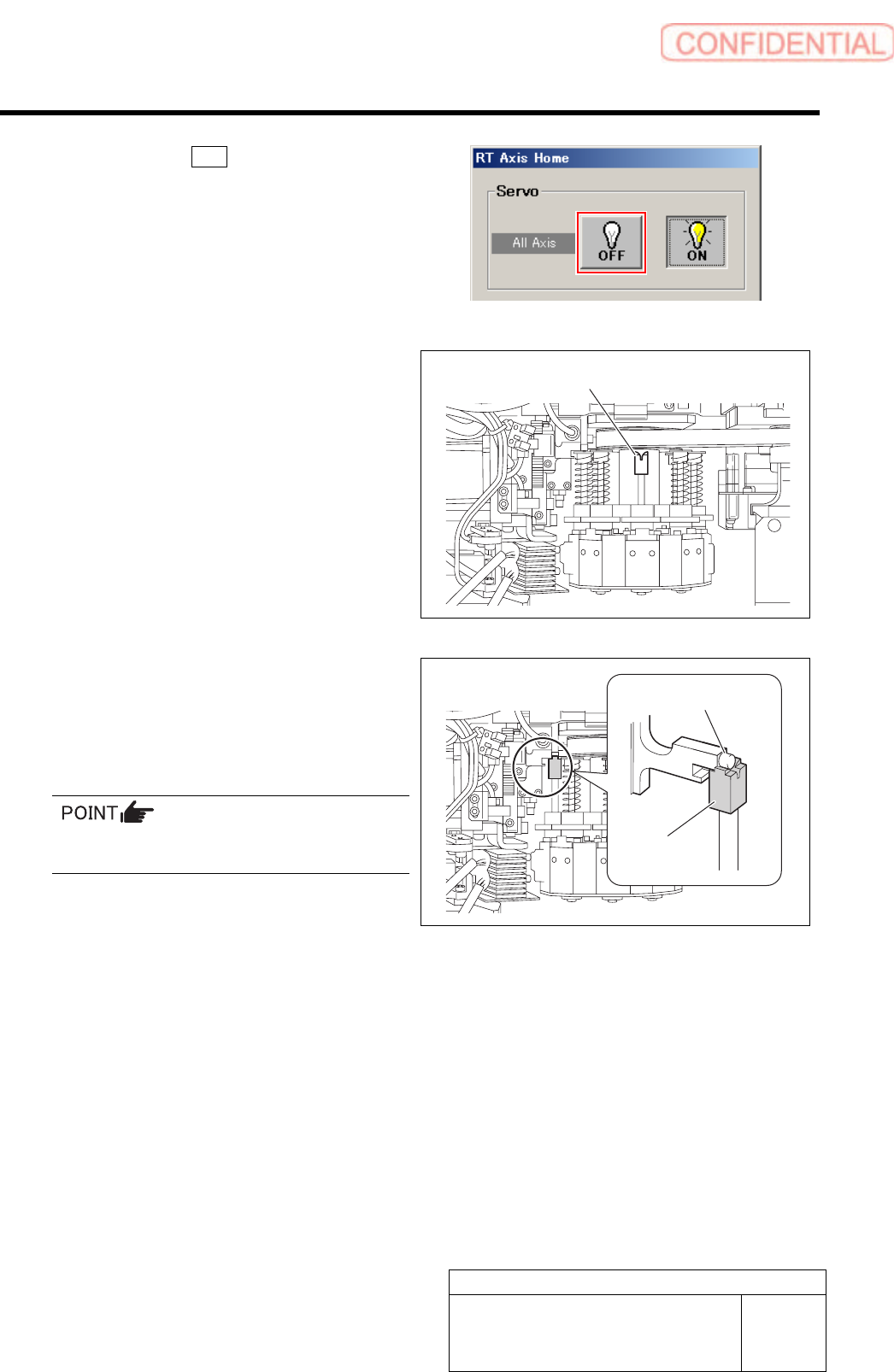
5 Click the servo OFF button to turn off the
servos for all axes.
6 Remove the spring holder and spring for
turret No.1 and put the RT origin jig on the
upper part of the inner shaft.
7 Put the H axis cam follower on the RT origin
jig.
Slightly lower the H axis with the cam follower being
on the RT origin jig to avoid positional deviation.
Be careful not to enter H axis OT and rotate the
RT axis.
RT origin jig
RT origin jig
H axis cam follower
Set-up
HLGB-10201-01
RT Axis Origin Position Setup
SHEET
4/4
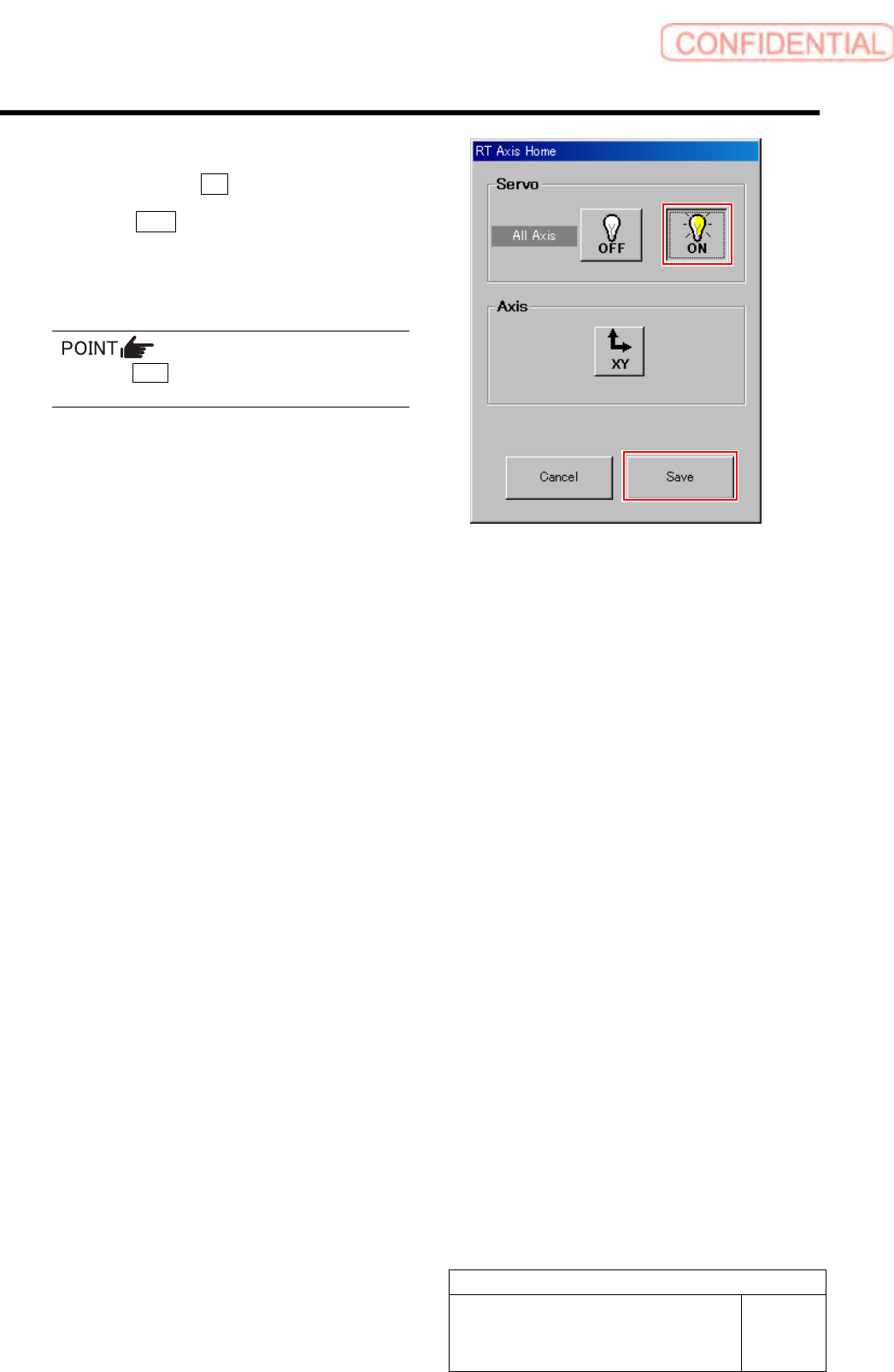
8 When the position is determined, press the
ON button to turn ON the servo.
9 Click the Save button.
The present position is saved and the RT Axis Home
screen closes.
Press the Save button with the servo ON.
10 Remove the RT origin jig to re-install the
spring and spring holder.
Set-up
HLGB-10202-01
H Axis Origin Position Setup
SHEET
1/4
H Axis Origin Position Setup
Perform this working on both heads on the front side and rear side.
[Necessary jigs]
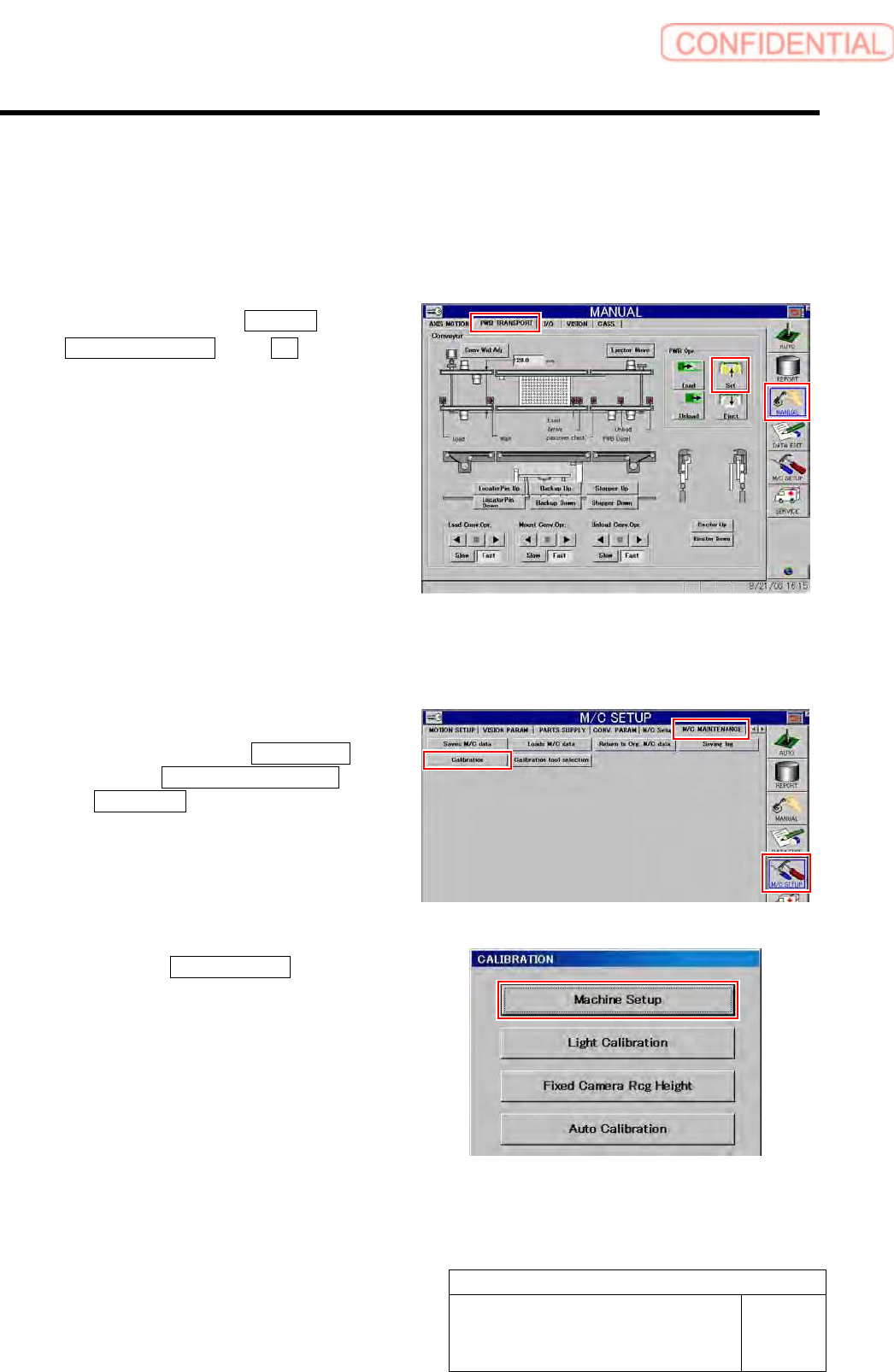
1 Click in an order of MANUAL menu
PWB TRANSPORT tab Set button.
The backup plate rises.
2 Press the [ORG] button on the operation
panel to perform origin position return.
3 Display H Axis Home screen.
1. Click in an order of M/C SETUP
menu M/C MAINTENANCE tab
Calibration button.
CALIBRATION screen is displayed.
2. Click the Machine Setup button on the
CALIBRATION screen.
Machine Setup screen is displayed.