MAN00000772_SI-G200BB_SVCPDFA.pdf - 第172页
Set-up HLGB-10202-01 H A xis Origin Position Setu p SHEET 1/4 H Axis Origin Position Setup Perform this working on both heads on the front sid e and rear side. [Necessary jigs] 1 Click in an order of MANUAL menu PWB TR…
Set-up
HLGB-10201-01
RT Axis Origin Position Setup
SHEET
4/4
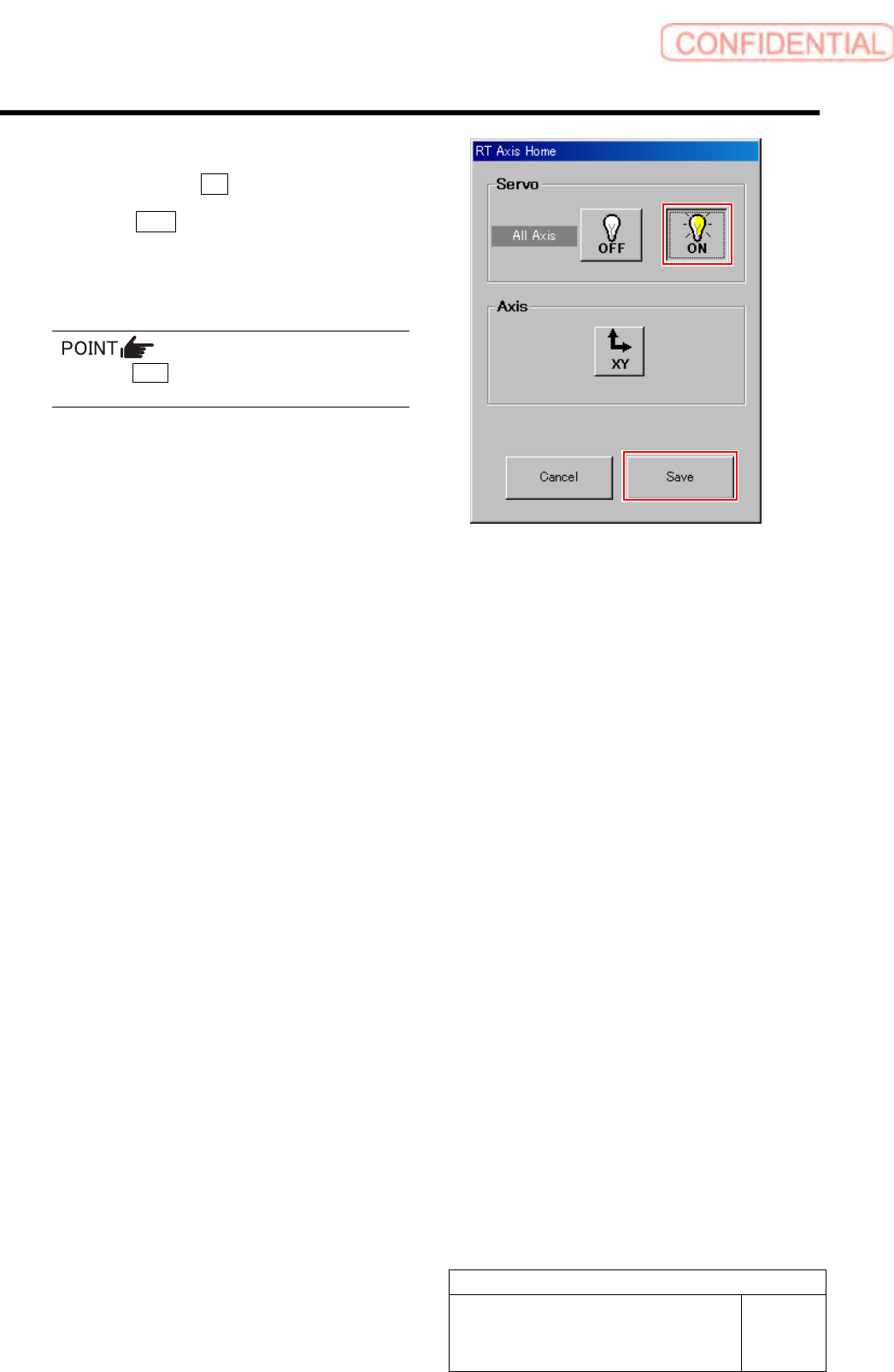
8 When the position is determined, press the
ON button to turn ON the servo.
9 Click the Save button.
The present position is saved and the RT Axis Home
screen closes.
Press the Save button with the servo ON.
10 Remove the RT origin jig to re-install the
spring and spring holder.
Set-up
HLGB-10202-01
H Axis Origin Position Setup
SHEET
1/4
H Axis Origin Position Setup
Perform this working on both heads on the front side and rear side.
[Necessary jigs]
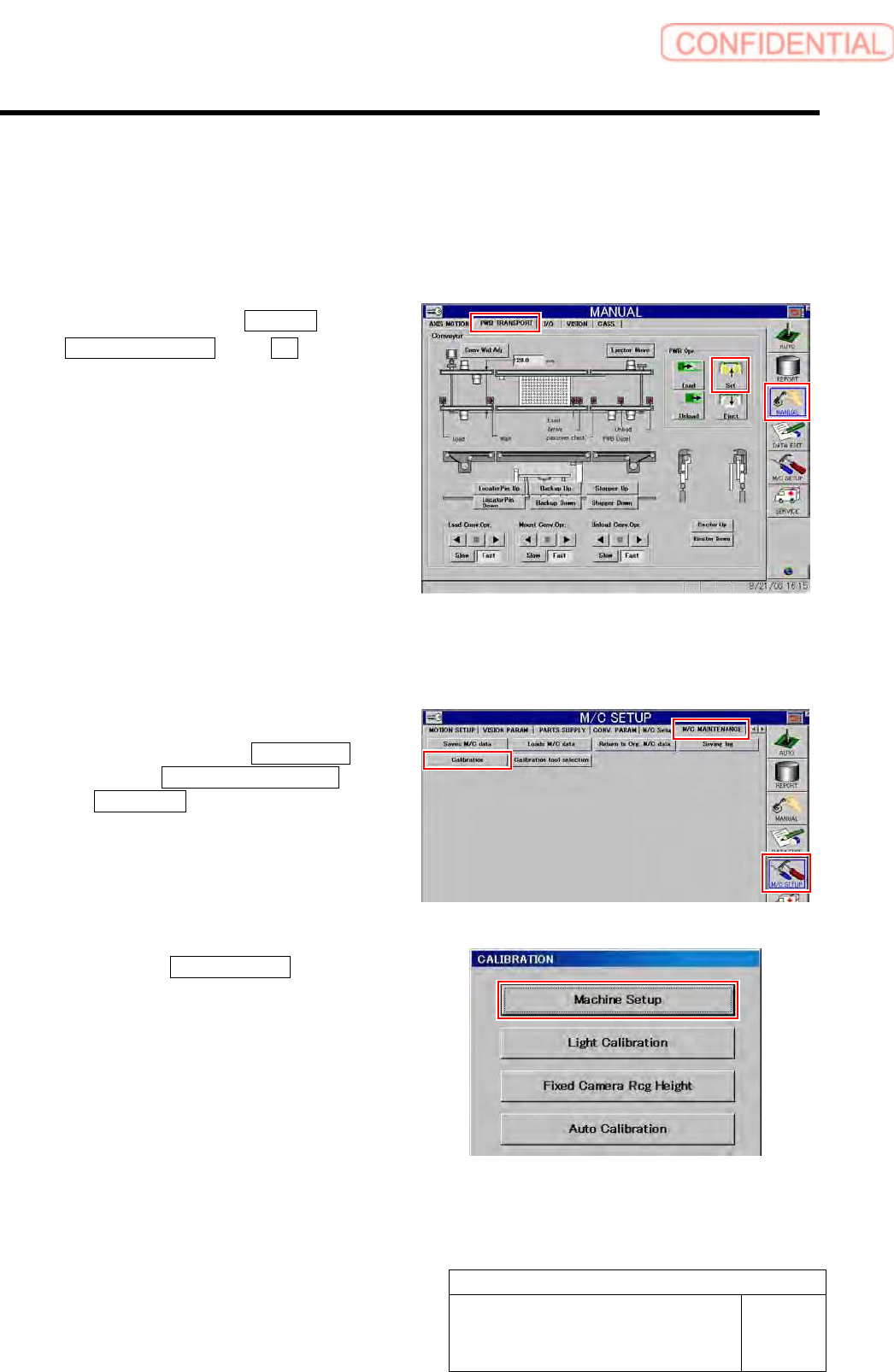
1 Click in an order of MANUAL menu
PWB TRANSPORT tab Set button.
The backup plate rises.
2 Press the [ORG] button on the operation
panel to perform origin position return.
3 Display H Axis Home screen.
1. Click in an order of M/C SETUP
menu M/C MAINTENANCE tab
Calibration button.
CALIBRATION screen is displayed.
2. Click the Machine Setup button on the
CALIBRATION screen.
Machine Setup screen is displayed.
Set-up
HLGB-10202-01
H Axis Origin Position Setup
SHEET
2/4
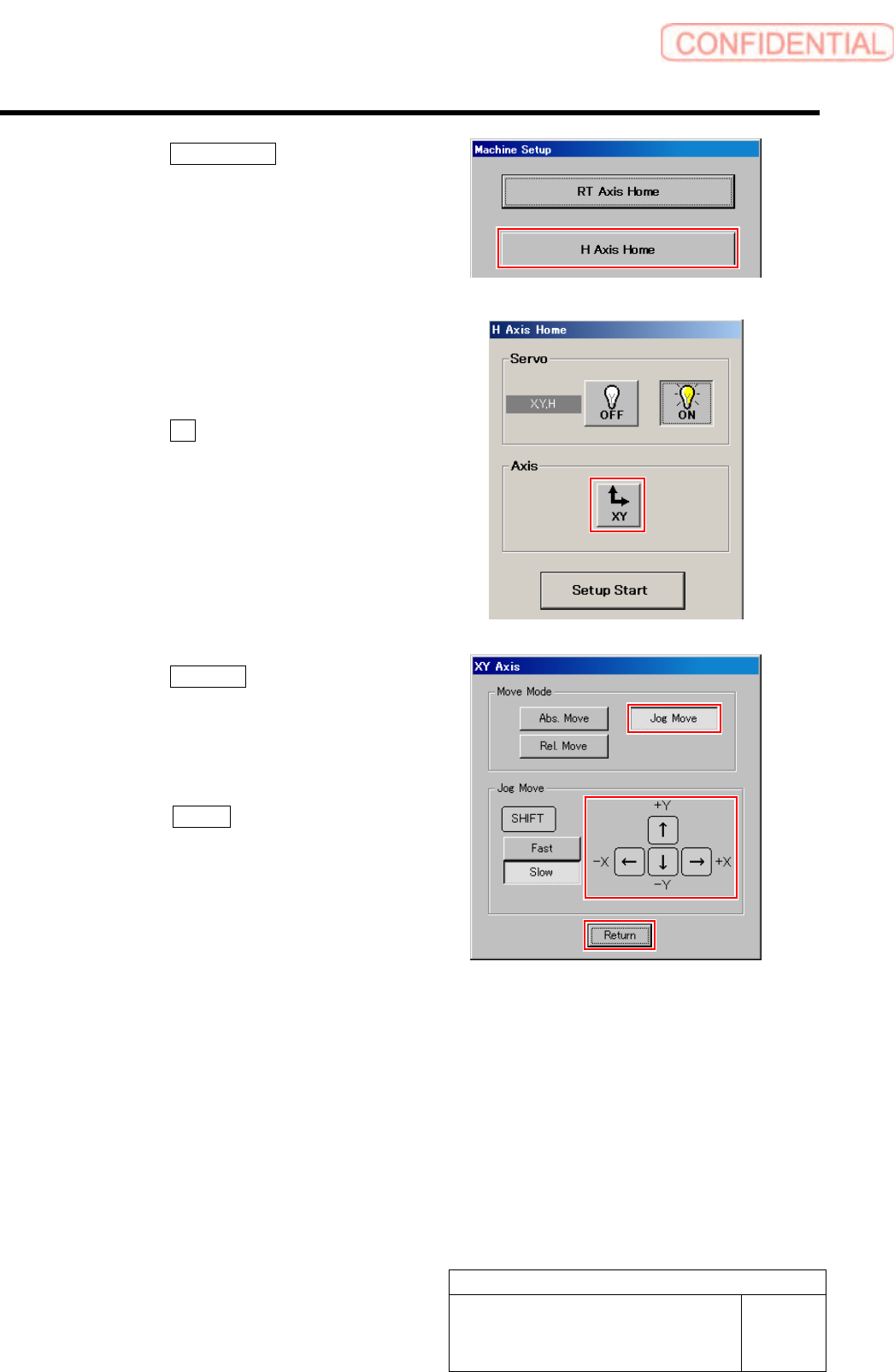
3. Click the H Axis Home button on the
Machine Setup screen.
H Axis Home screen is displayed.
4 Use the XY move screen to move the head
to a position where working is easily
performed.
1. Click the XY button on the H Axis
Home screen.
XY Axis screen is displayed.
2. Click the Jog Move button in the move
mode.
3. Press the cursor key to move the head
to a position where working is easily
performed.
4. Press the Return button after the
head moves to close the XY axis
screen.