MAN00000772_SI-G200BB_SVCPDFA.pdf - 第175页
Set-up HLGB-10202-01 H A xis Origin Position Setu p SHEET 4/4 6 Check that numeric valu e is displayed in the “H Offset ” box on the H axis origin screen, and click the Save button. The H axis origin position is saved an…
Set-up
HLGB-10202-01
H Axis Origin Position Setup
SHEET
3/4
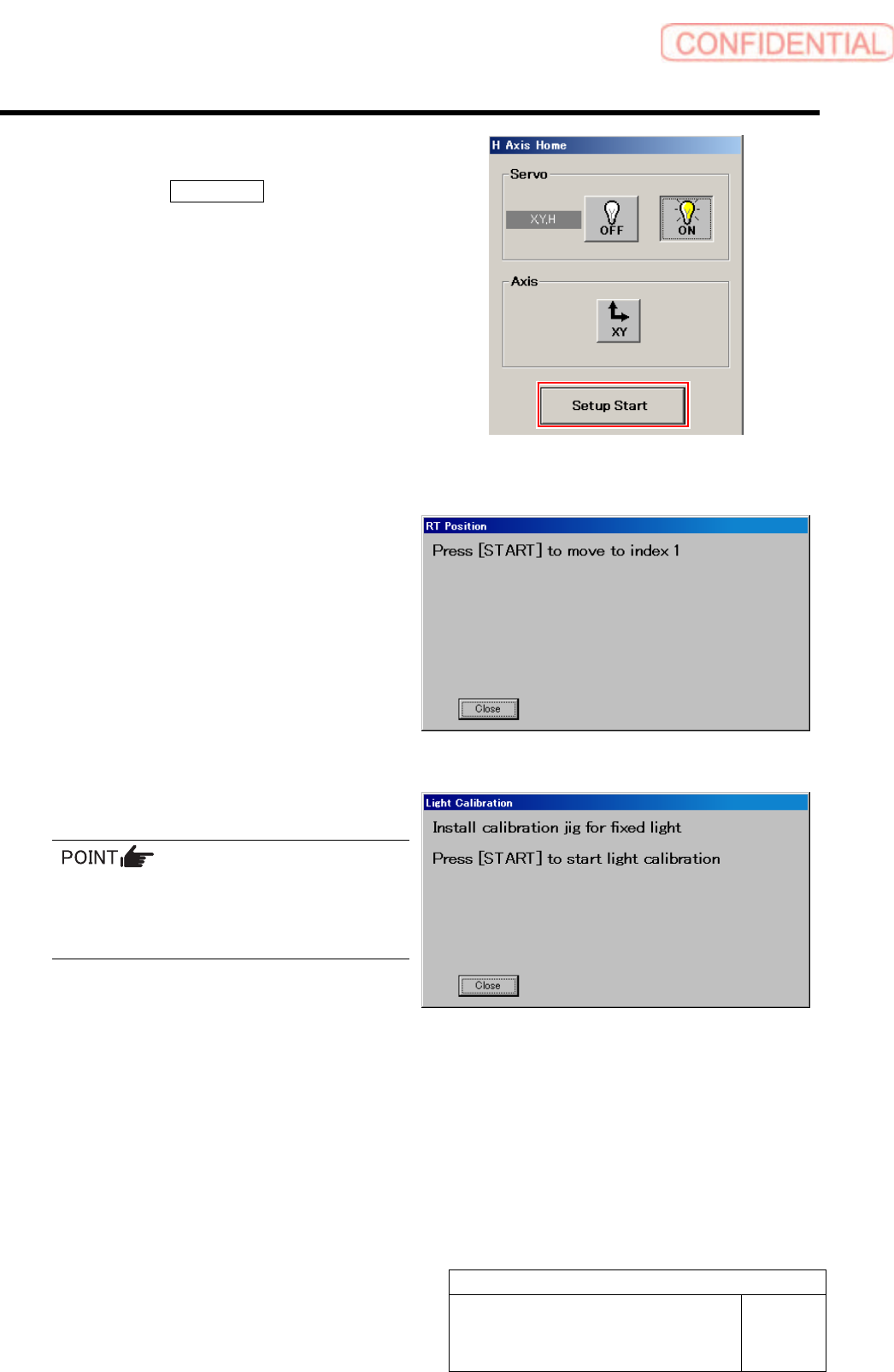
5 Set up H Axis Origin Position.
1. Click the Setup Start button on the H
Axis Home screen.
“Press [START] to move to index 1” is displayed
on the message screen.
2. Press the [START] button on the
operation panel.
The inner shaft of the turret No.1 moves to just
below H axis pusher, then “When [START]
button is pressed, captures H height and moves to
the next index” is displayed on the message
screen.
And, the servo is automatically turned OFF.
3. Lower the H axis roller by hand and
gradually return it to the top end.
After returning the H axis, push up the inner
shaft from lower section by finger and check
that the inner shaft has returned to the
uppermost end.
4. Press the [START] button on the
operation panel.
H axis standby position is automatically
captured, and “When [START] button is pressed,
moves to Index 2” is displayed on the message
screen.
5. Repeat working of the procedure 2.-4.
up to the turret No.8.
Set-up
HLGB-10202-01
H Axis Origin Position Setup
SHEET
4/4
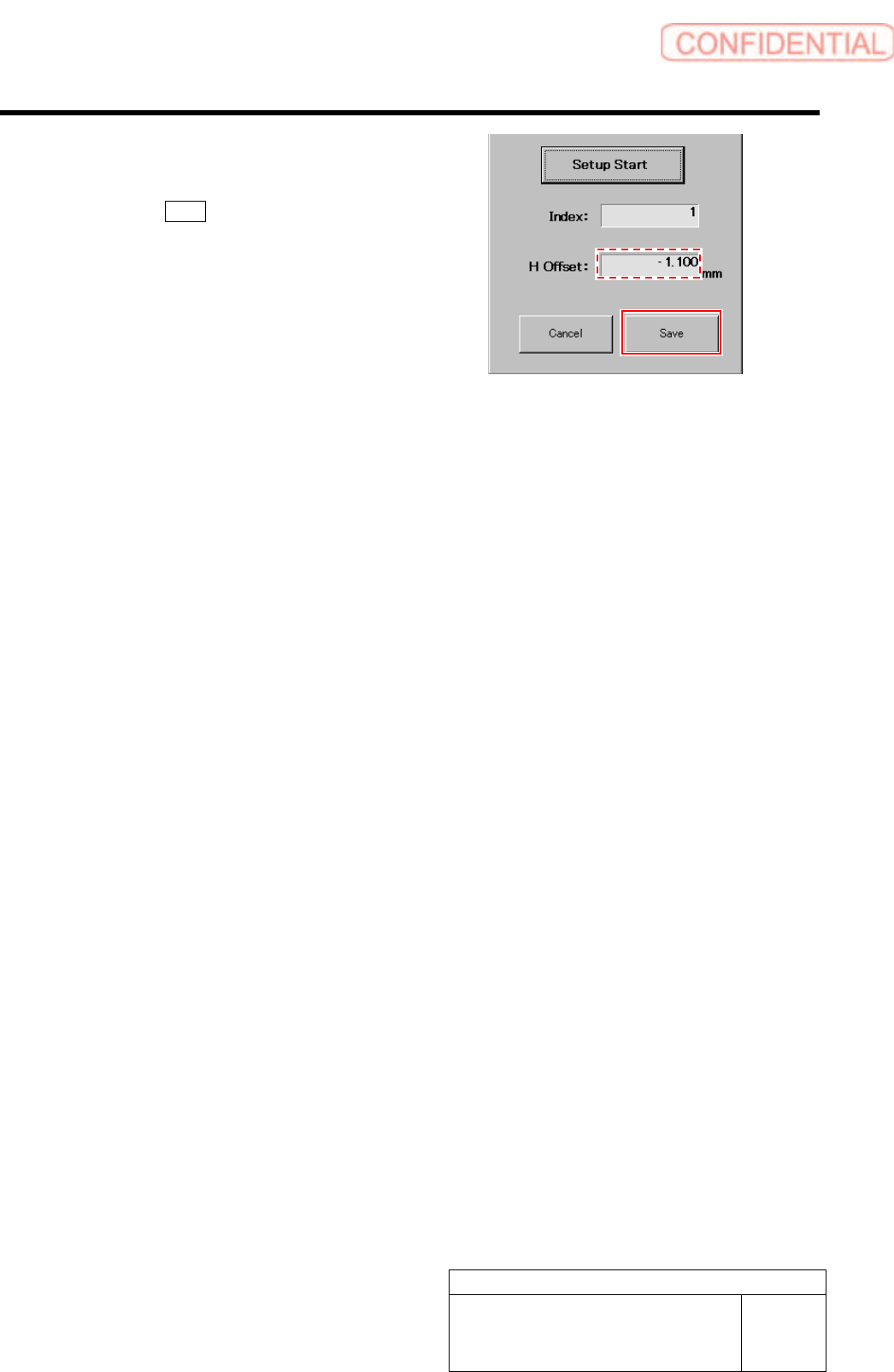
6 Check that numeric value is displayed in the
“H Offset” box on the H axis origin screen,
and click the Save button.
The H axis origin position is saved and H Axis Home
screen closes.
Set-up
HLGB-10203-01
Acquiring Mounting Stroke Setup
SHEET
1/5
Acquiring Mounting Stroke Setup
Perform this working on both heads on the front side and rear side.
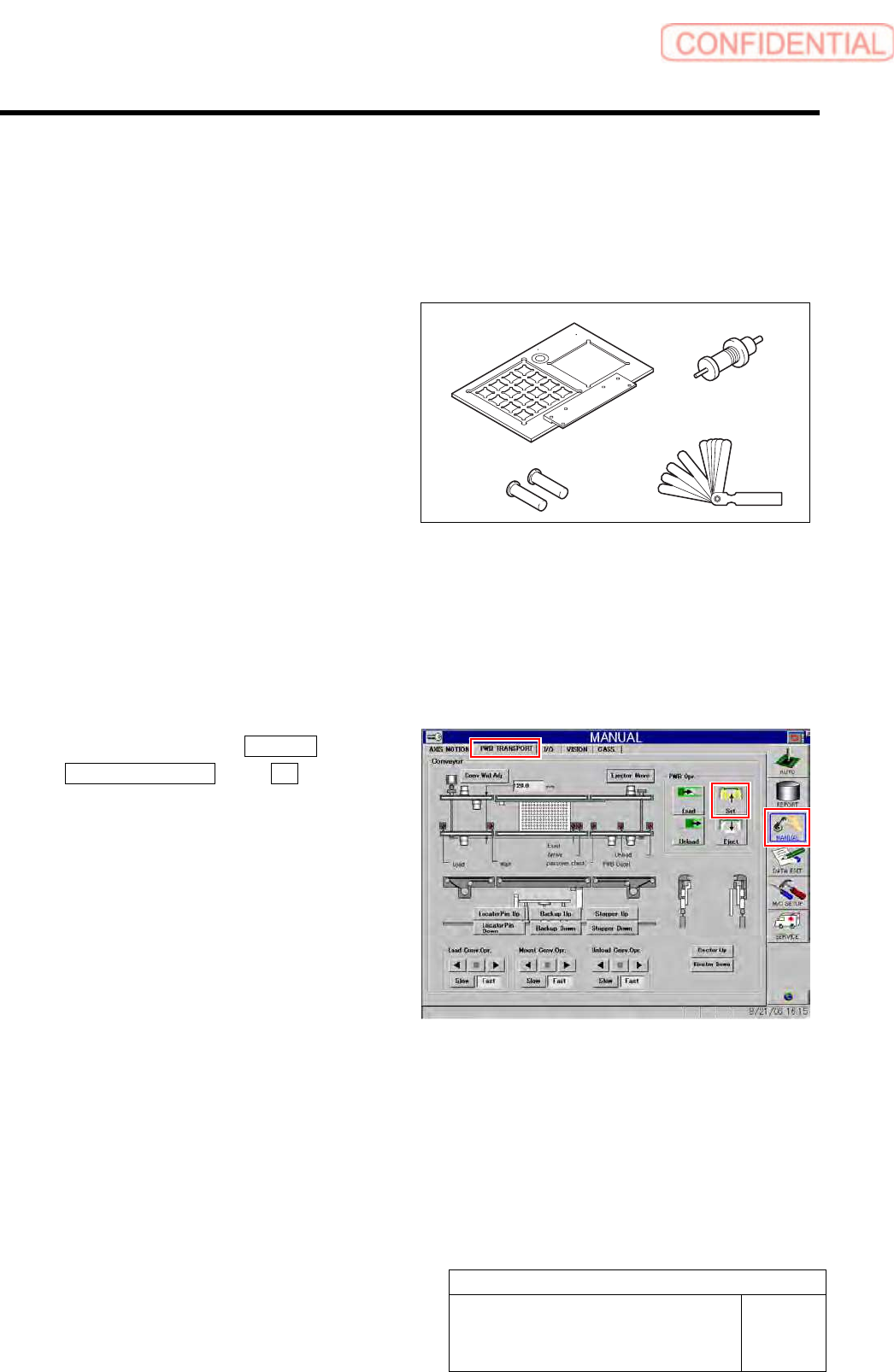
[Necessary jigs]
A Calibration plate jig
B Jig positioning pin
C Length reference nozzle jig
D Thickness gauge (t=0.03 mm)
[Procedure]
1 Install the calibration plate jig.
For mounting method of the calibration plate jig, refer to “Install the Calibration Plate Jig [HLGB-10101-01]”.
2 Click in an order of MANUAL menu
PWB TRANSPORT tab Set button.
The backup plate rises.
3 Press the [ORG] button on the operation
panel to perform origin position return.
A
BD
C