MAN00000772_SI-G200BB_SVCPDFA.pdf - 第180页
Set-up HLGB-10203-01 Acquiring Mounting S troke Setup SHEET 5/5 3. Input a value of 1/1000 of the va lue described in calib.in i into the Mount height. Example: Description of Calib.ini : NOZZLE_S_TYPE_G=-23162 PWB mount…
Set-up
HLGB-10203-01
Acquiring Mounting Stroke Setup
SHEET
4/5
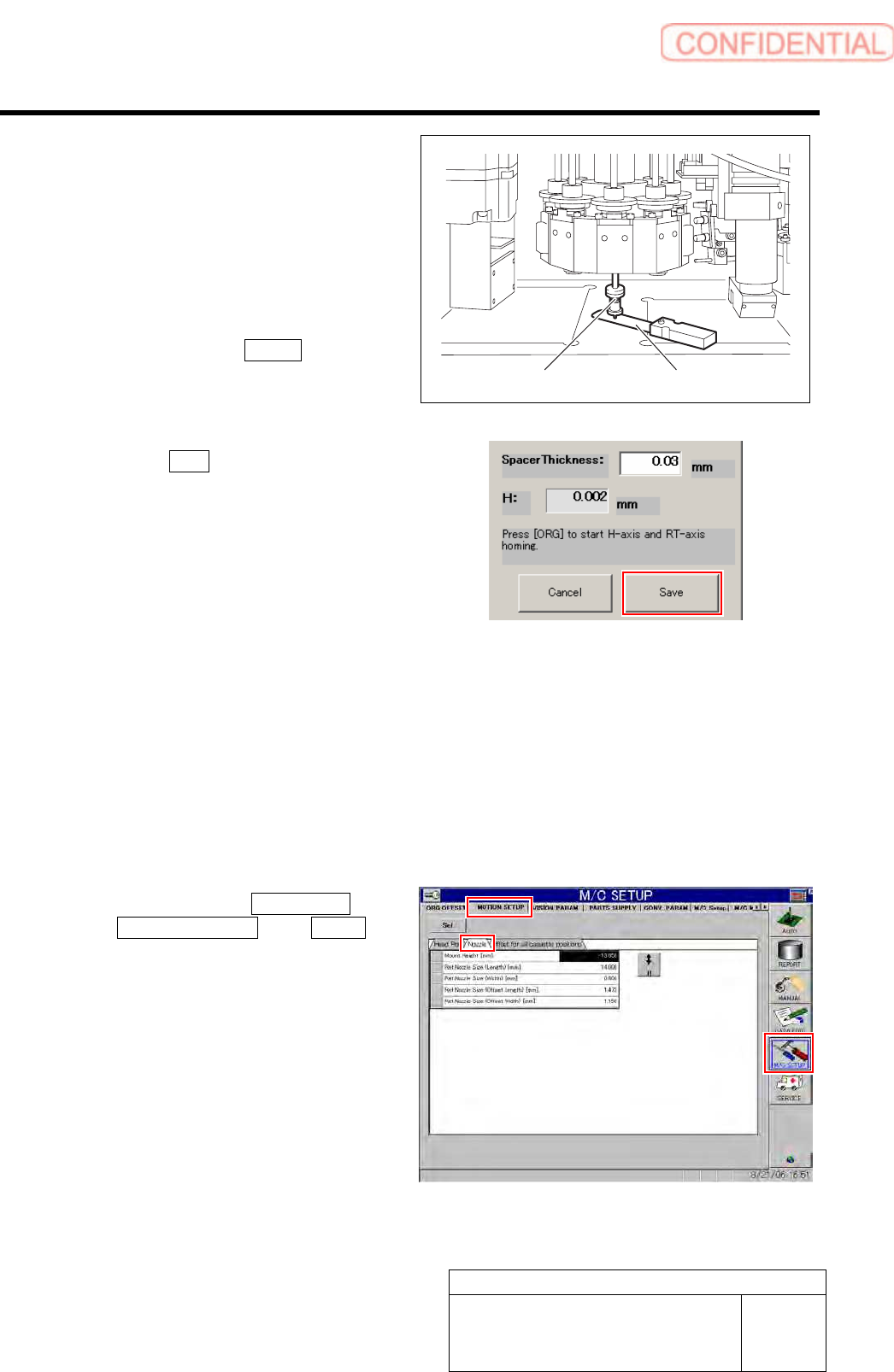
4. Check the gap between the length
reference nozzle jig and calibration
plate jig using thickness gauge of
0.03mm.
Set a height so hat thickness gauge of 0.03mm is
inserted and thickness gauge of 0.04mm is not
inserted.
5. After completing to adjust the gap of
0.03mm, press the Return button on
the RN/H Axis screen to return to the
Acquiring mounting stroke screen.
6. Click the Save button on the Acquiring
mounting stroke screen.
Height of adjusted H axis is saved, and value of
“Nozzle_s_TYPE_G” in the calib.ini file is
updated.
< Storing area of calib.ini file >
Front side: C:¥asm¥mcdata1¥calib.ini
Rear side: C:¥asm¥mcdata2¥calib.ini
9 Set the PWB fitting height.
1. Record the value of
NOZZLE_S_TYPE_G described in
calib.ini.
< Storing area of calib.ini file >
Front side: C:¥asm¥mcdata1¥calib.ini
Rear side: C:¥asm¥mcdata2¥calib.ini
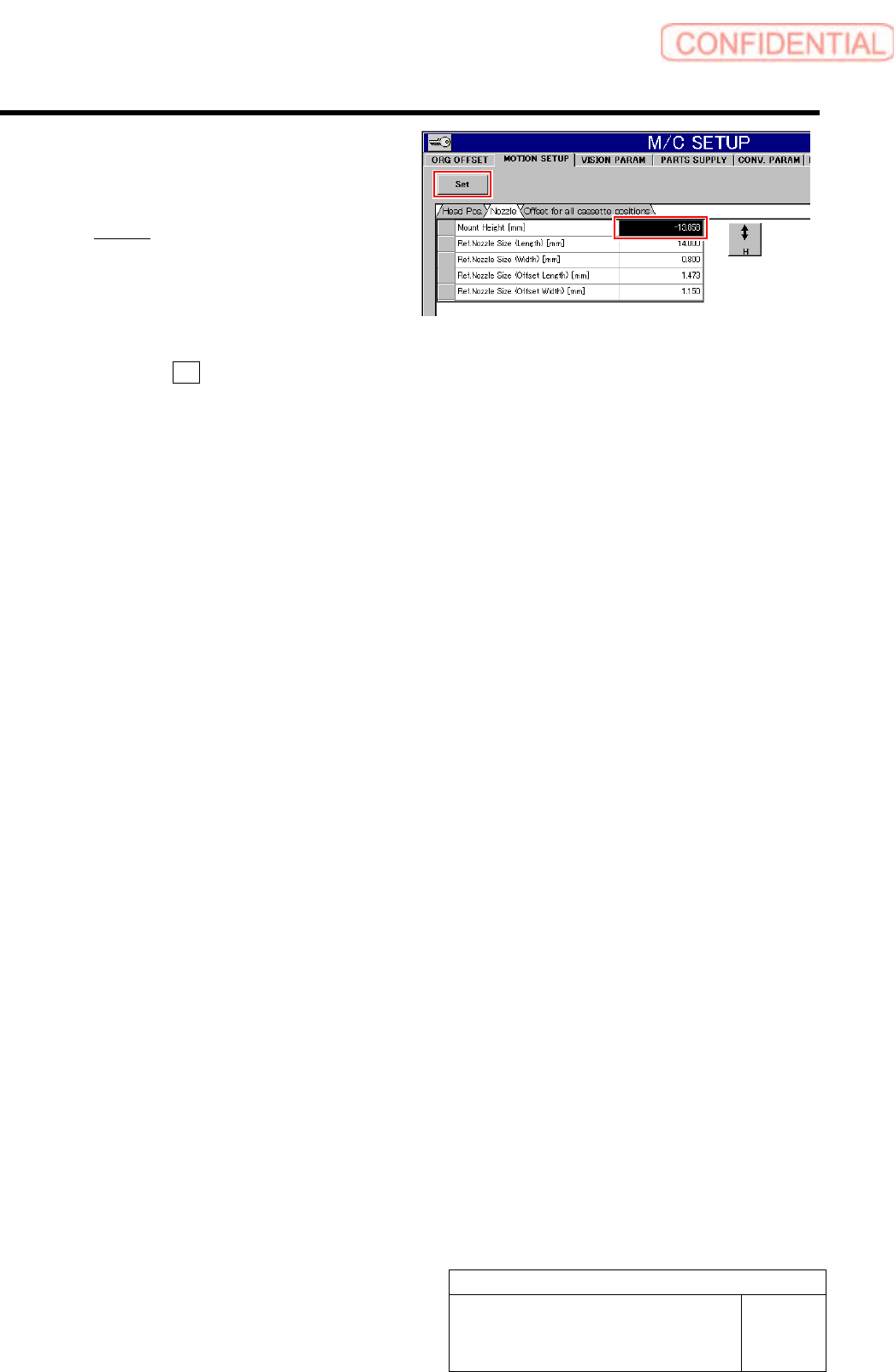
2. Click in an order of M/C SETUP menu
MOTION SETUP tab Nozzle tab.
A nozzle motion setup screen is displayed.
Length reference nozzle jig
Thickness gauge
Set-up
HLGB-10203-01
Acquiring Mounting Stroke Setup
SHEET
5/5
3. Input a value of 1/1000 of the value
described in calib.ini into the Mount
height.
Example:
Description of Calib.ini:
NOZZLE_S_TYPE_G=-23162
PWB mount height input value :-23.162
4. Press the Set button.
The inputted PWB fitted height is set.
10 When setting is ended, remove the
reference jig nozzle and calibration plate.
Set-up
HLGB-10204-01
PWB Camera Setup
SHEET
1/4
PWB Camera Setup
Perform this working on both heads on the front side and rear side.
[Necessary jigs]
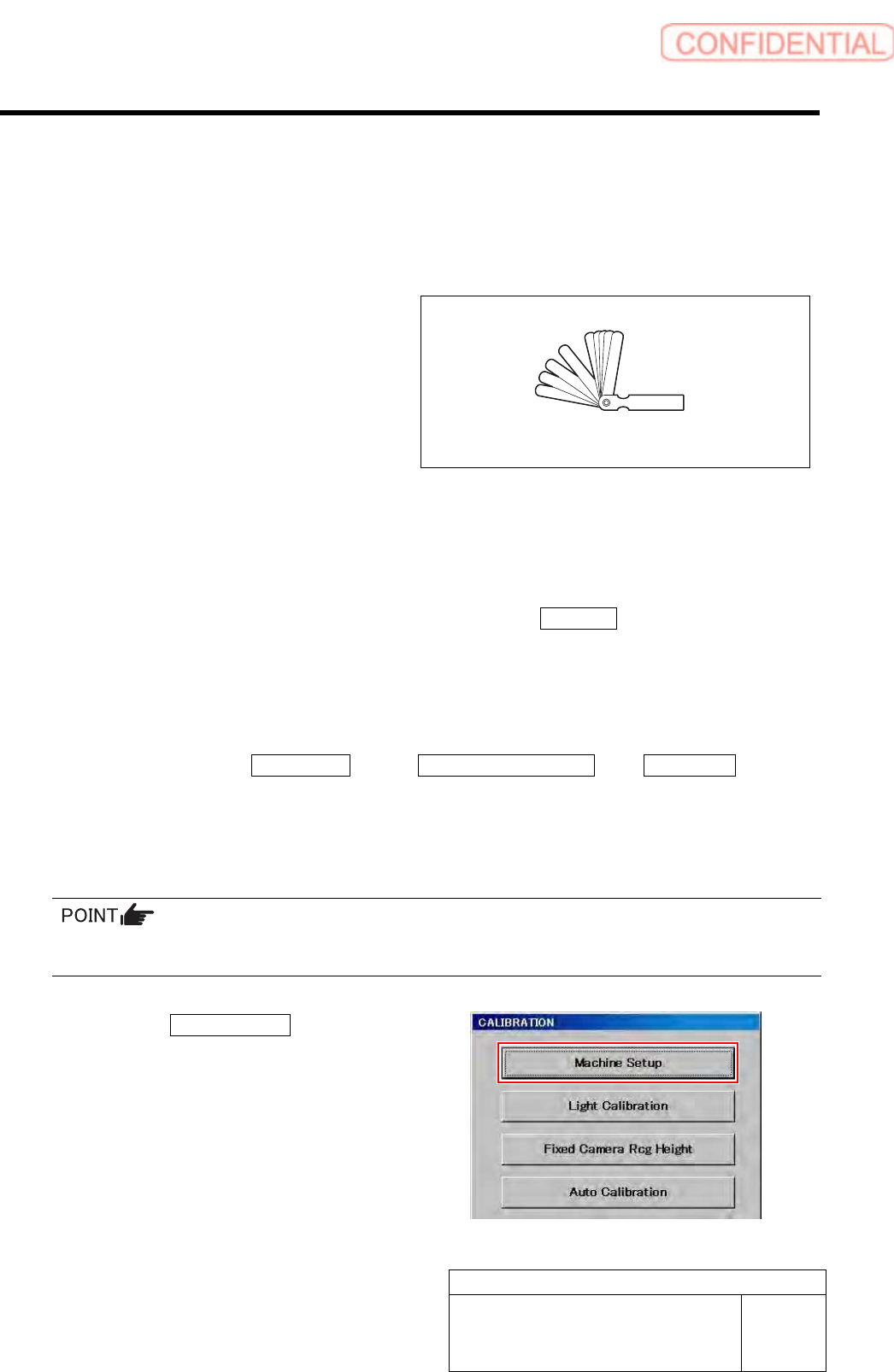
• Thickness gauge (t=1.0 mm)
[Procedure]
1 Perform the origin position return on the HI screen.
1. When the CALIBRATION screen is displayed, press the Complete button to return to the
HI screen.
2. Press the [ORG] button on the operation panel.
Origin position return is performed.
2 Display PWB Camera Setup screen.
1. Click in an order of M/C SETUP menuM/C MAINTENANCE tabCalibration button.
“Head at opposite position will be moved to noninterference area. Press the [START] button if you are really OK.”
is displayed on the message screen.
2. Press the [START] button on the operation panel.
CALIBRATION screen is displayed.
For procedures when selecting head for which calibration is performed, and when changing calibration jig,
refer to the “How to display calibration screen (HLGB-10105-01)”.
3. Click the Machine Setup button.
Machine Setup screen is displayed.
Thickness gauge