MAN00000772_SI-G200BB_SVCPDFA.pdf - 第189页
Set-up HLGB-10206-01 F Ax is Setup SHEET 2/5 3 Display the F Axis Home screen. 1. Click in an order of M/ C SETUP menu M/C MAINTENANCE tab Calibrat ion button. “ Head at opposite posit ion will be moved to noninterfe…
Set-up
HLGB-10206-01
F Axis Setup
SHEET
1/5
F Axis Setup
Perform this working on respective F axis on the front side and rear side.
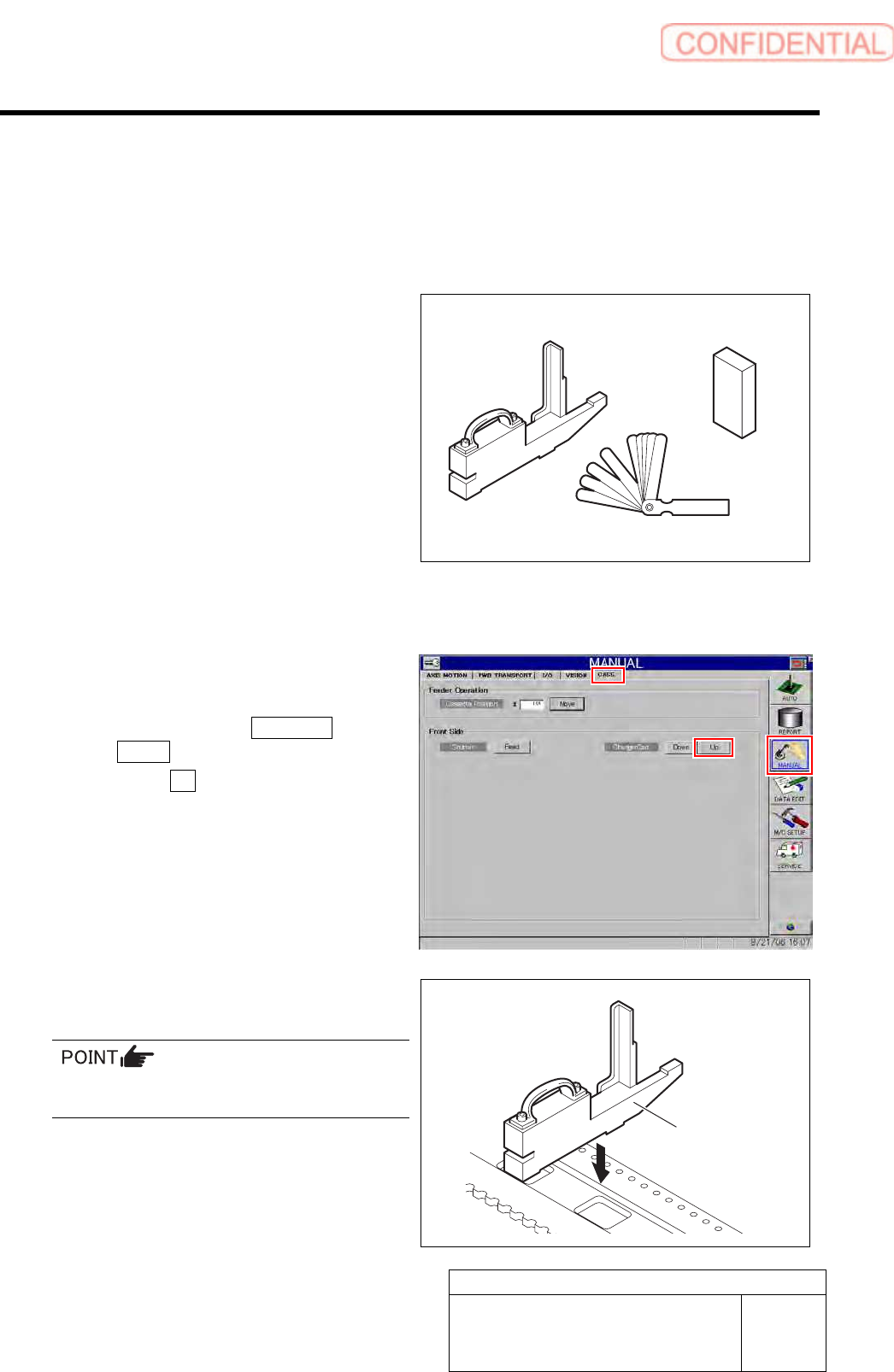
[Necessary jigs]
• Feed adjusting jig
• Part feed height jig
• Thickness gauge
[Procedure]
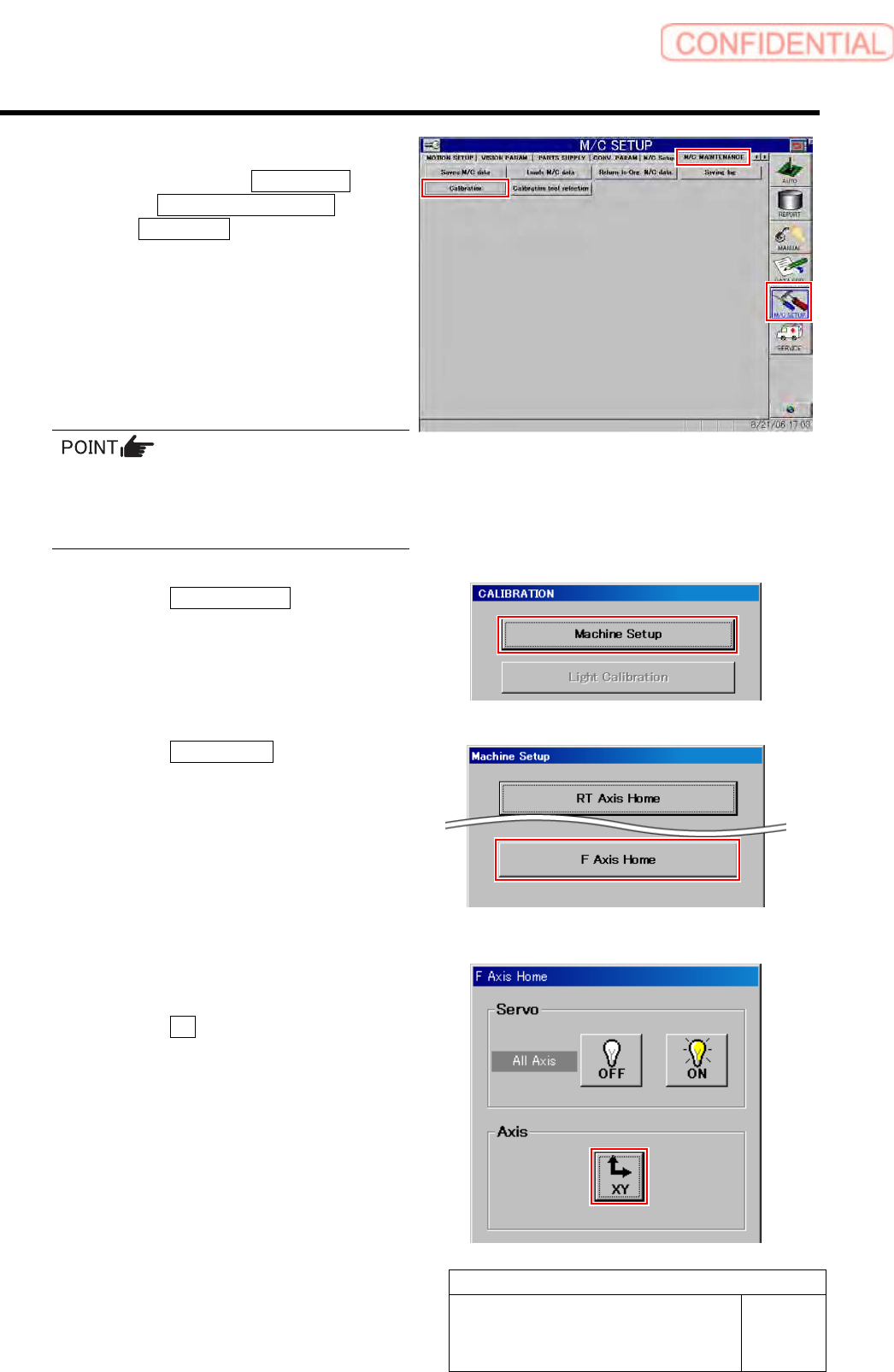
1 Set the replacing carrier.
1. Set the replacing carrier on the unit.
2. Click in an order of MANUAL menu
CASS. tab.
3. Click the Up button for the replacing
carrier on the front or rear side.
4. Press the [START] button on the
operation panel.
The cassette table on the replacing carrier is
locked.
2 Set the feed adjusting jig to the No.20
position on the cassette table.
There should be no gap between the feed
adjusting jig and the cassette table.
Feed adjusting jig
Part feed height jig
Thickness gauge
Feed adjusting jig
Set-up
HLGB-10206-01
F Axis Setup
SHEET
2/5
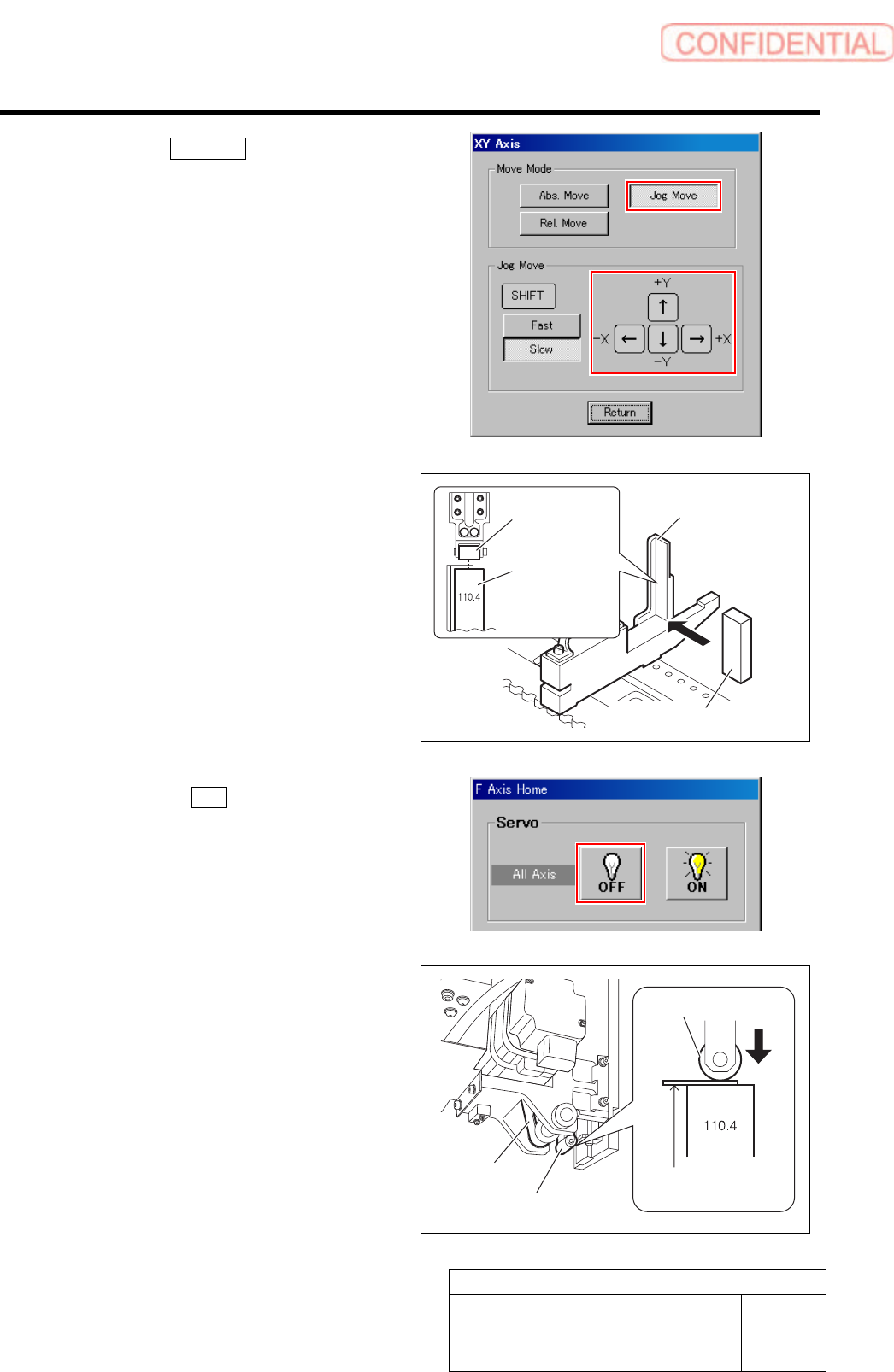
3 Display the F Axis Home screen.
1. Click in an order of M/C SETUP
menuM/C MAINTENANCE
tabCalibration button.
“Head at opposite position will be moved to
noninterference area. Press the [START] button if
you are really OK.” is displayed on the message
screen.
2. Press the [START] button on the
operation panel.
CALIBRATION screen is displayed.
For procedures when selecting head for which
calibration is performed, and when changing
calibration jig, refer to the “How to display
calibration screen (HLGB-10105-01)”.
3. Click the Machine Setup button on the
CALIBRATION screen.
Machine Setup screen is displayed.
4. Click the F Axis Home button.
F Axis Home screen is displayed.
4 Move the feed part onto the feed adjusting
jig.
1. Click the XY button on the F Axis
Home screen.
XY Axis screen is displayed.
Set-up
HLGB-10206-01
F Axis Setup
SHEET
3/5
2. Click the Jog Move button.
3. Press the cursor key to move the feed
part onto the feed adjusting jig.
4. Place the part feed height jig
(110.4mm) on the feed adjusting jig.
5. Adjust position so that center of the
feed roller is on the center of the part
feed height jig.
5 Click the servo OFF button on the F Axis
Home screen.
Servos for all axes are turned off.
6 Rotate the pulley of the F axis belt to lower
the feed roller to the setup position.
1. Pinch a thickness gauge of 0.1mm on
the part feed height jig.
2. Rotate the pulley of the F axis belt to
lower the feed roller to a position
where it contacts the thickness gauge.
Feed adjusting jig
Feed roller
Part feed
height jig
Part feed height jig (110.4 mm)
Feed roller
F axis belt
Feed roller
Thickness gauge
(t = 0.1 mm)