MAN00000772_SI-G200BB_SVCPDFA.pdf - 第195页
Set-up HLGB-10207-01 RN A xis Origin Offset Setup SHEET 3/4 5 Check the rot ating angle when rot ating the RN axis belt counterclockwise. 1. T urn on the servo for the RN axis at a position wher e the RN axis is rotated …
Set-up
HLGB-10207-01
RN Axis Origin Offset Setup
SHEET
2/4
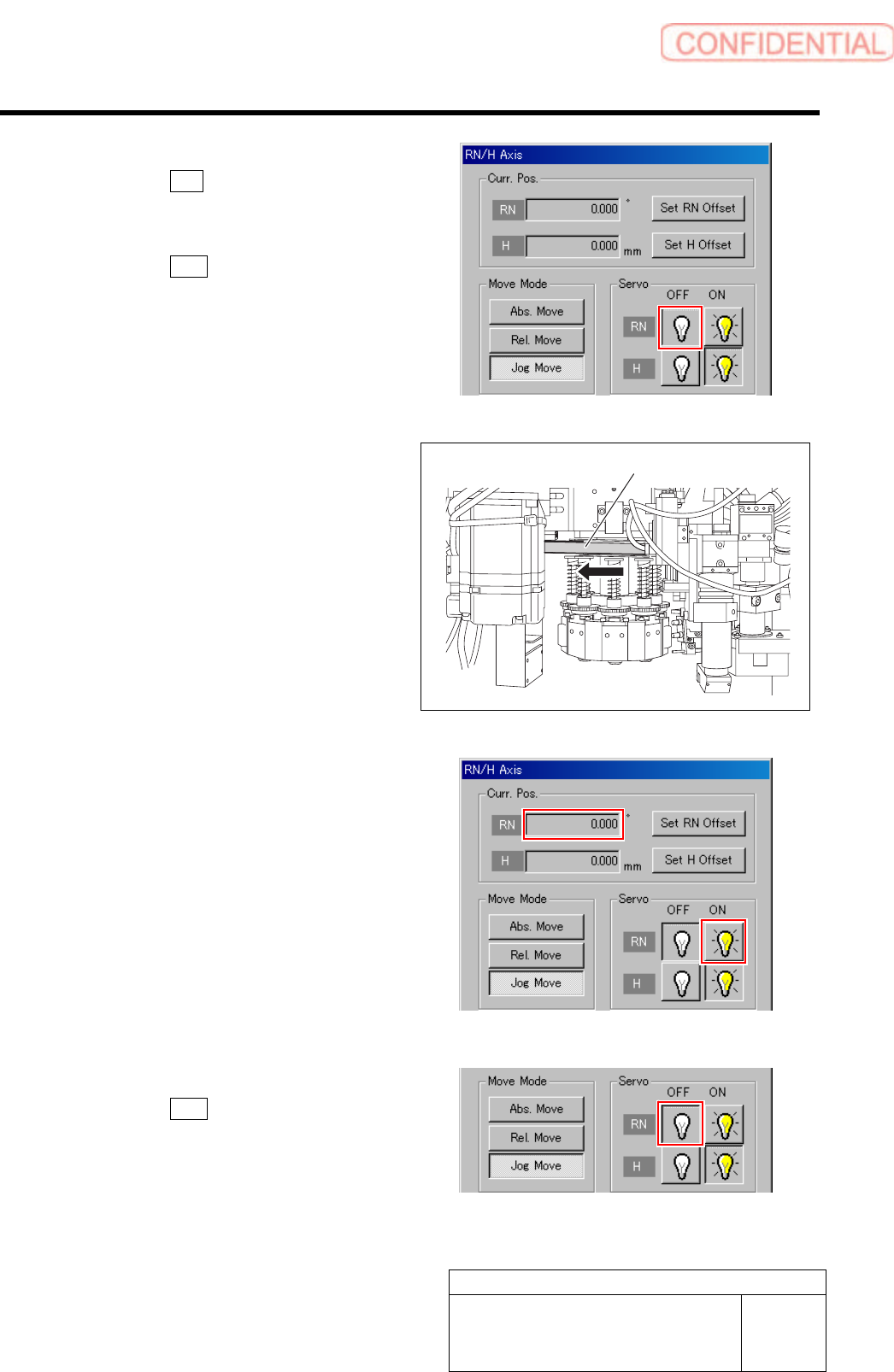
2 Turn off the servo for RN axis.
1. Click the R.H button on the ORG
OFFSET screen.
RN/H Axis screen is displayed.
2. Click the OFF button for the RN axis
servo.
3 Check the rotating angle when rotating the
RN axis belt clockwise.
1. Turn on the servo for the RN axis at a
position where the RN axis is rotated
clockwise and stops.
2. Take note of angle of the RN axis
displayed on the RN/H Axis screen.
(Example: 369.7˚)
4 Turn off the servo for RN axis.
1. Click the OFF button for the RN axis
servo on the RN/H Axis screen.
RN axis belt
Set-up
HLGB-10207-01
RN Axis Origin Offset Setup
SHEET
3/4
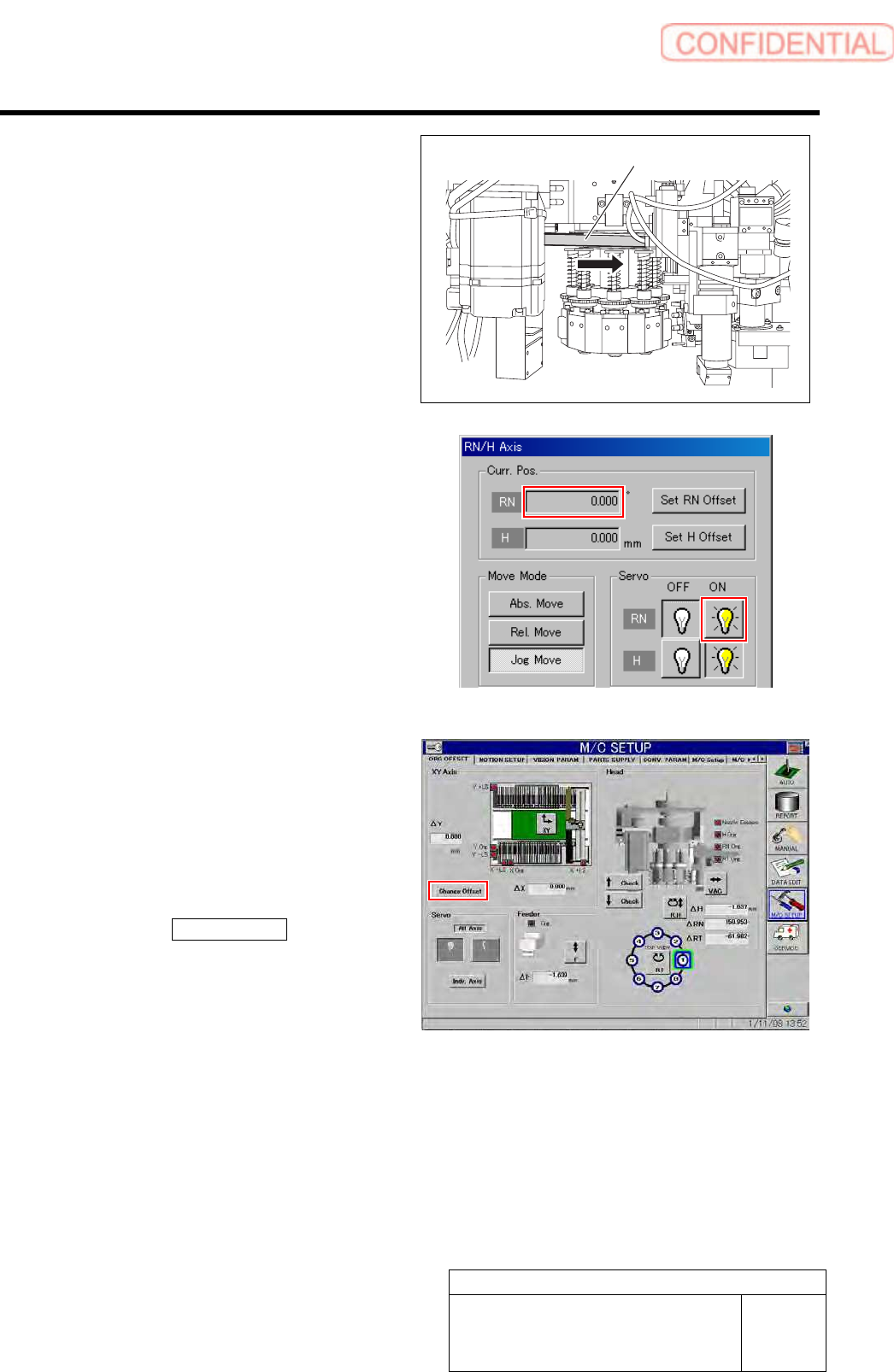
5 Check the rotating angle when rotating the
RN axis belt counterclockwise.
1. Turn on the servo for the RN axis at a
position where the RN axis is rotated
counterclockwise and stops.
2. Take note of angle of the RN axis
displayed on the RN/H Axis screen.
(Example: -149.5˚)
6 Set a half of the value for which the angle
when rotated clockwise and the angle when
rotated counterclockwise are added as a RN
axis offset value.
1. Calculate the offset value of the RN axis.
Example: (369.7 + (-149.5)) / 2 = 110.1
2. Click the Change Offset button on the
ORG OFFSET screen.
Offset screen is displayed.
RN axis belt
Set-up
HLGB-10207-01
RN Axis Origin Offset Setup
SHEET
4/4
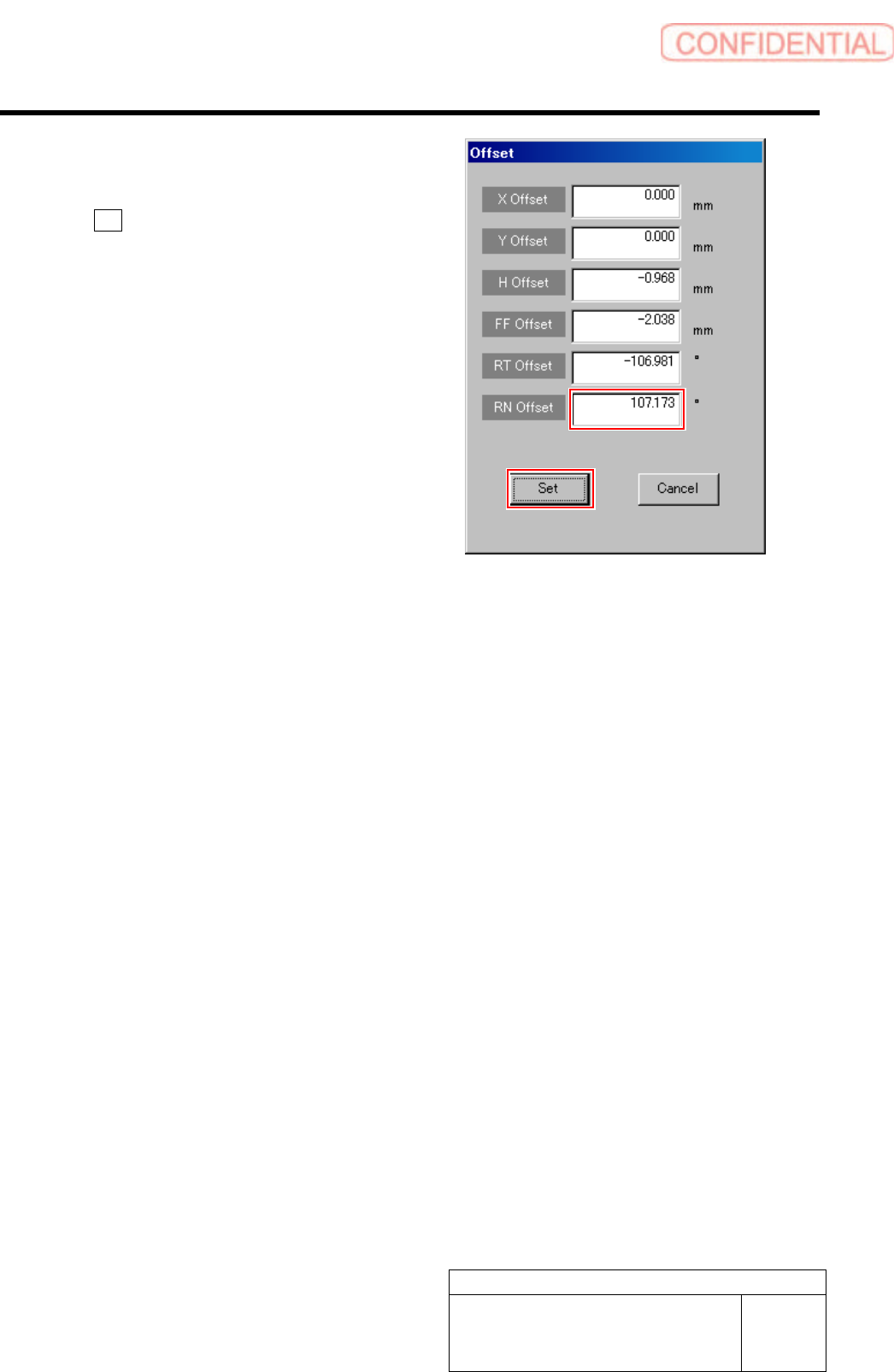
3. Input the value (example: 110.1)
obtained in the previous procedure
into the RN Offset box, and click the
Set button.
RN offset value is set.