MAN00000772_SI-G200BB_SVCPDFA.pdf - 第199页
Set-up HLGB-10208-01 Pickup Check Camera Setu p SHEET 3/5 4 Check length of nozzle end displaye d on the HEIGHT DISPLA Y screen. 1. Click in an order of Manu al menu V ision tab Chec k button. Jig nozzle end is displ…
Set-up
HLGB-10208-01
Pickup Check Camera Setup
SHEET
2/5
5 Install the stop bracket to the original
position with cap screws (4-CP2.5×6).
Before tightening cap screws (4-CP2.5×6),
apply small amount of adhesive “1401B” of
THREE BOND to prevent looseness.
6 Install the F axis to the previous state.
[Position adjustment for lowering end stopper]
1 Move the head to a position where working
can be easily performed and turn the power.
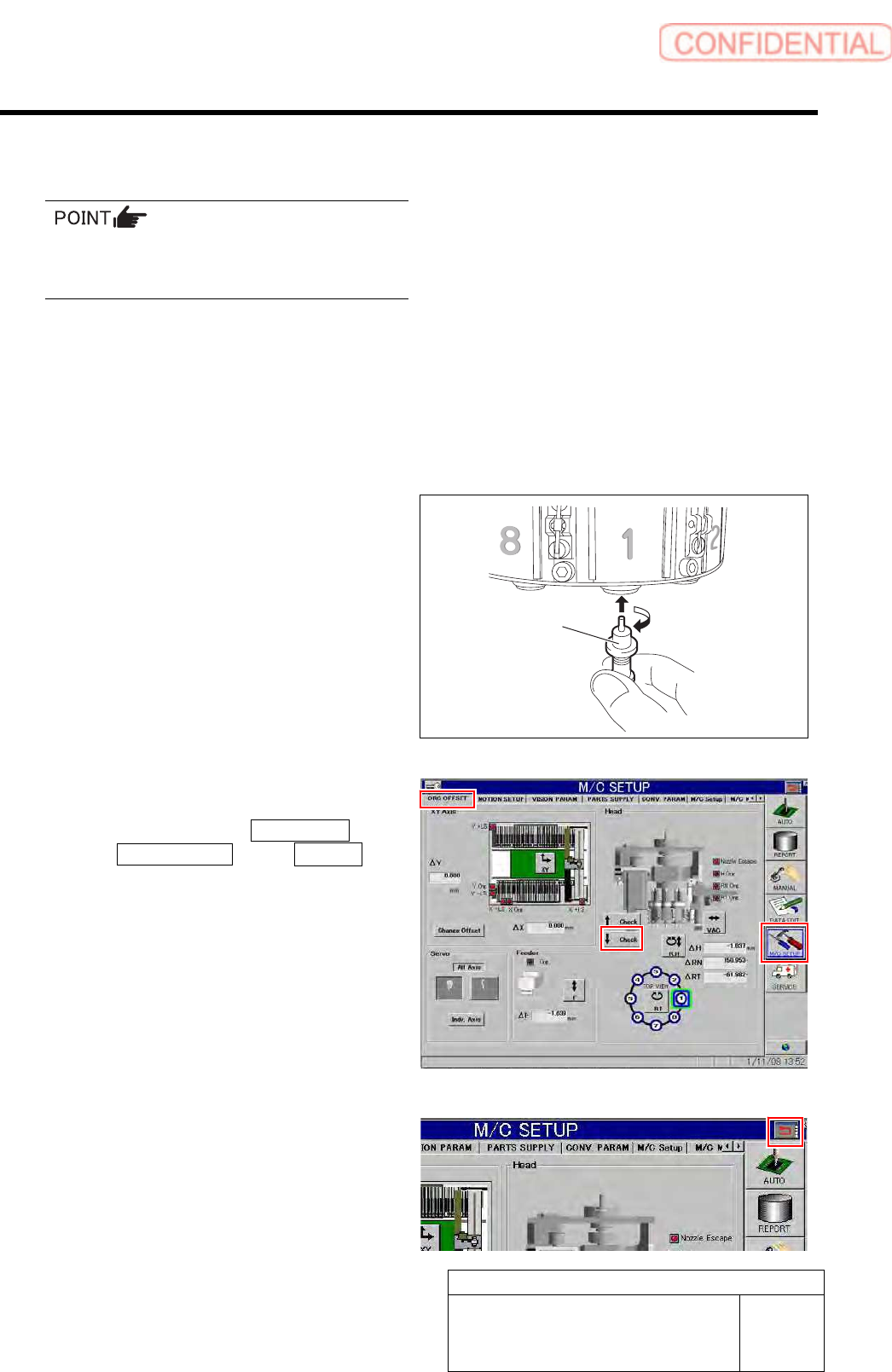
2 Install the length reference nozzle jig to the
turret No.1.
3 Lower the pickup check camera.
1. Click in an order of M/C SETUP menu
ORG OFFSET tab ↓Check
button.
2. Press the arrow mark on the right
upper section of the screen.
The Pickup check camera lowers.
Length reference
nozzle jig
Set-up
HLGB-10208-01
Pickup Check Camera Setup
SHEET
3/5
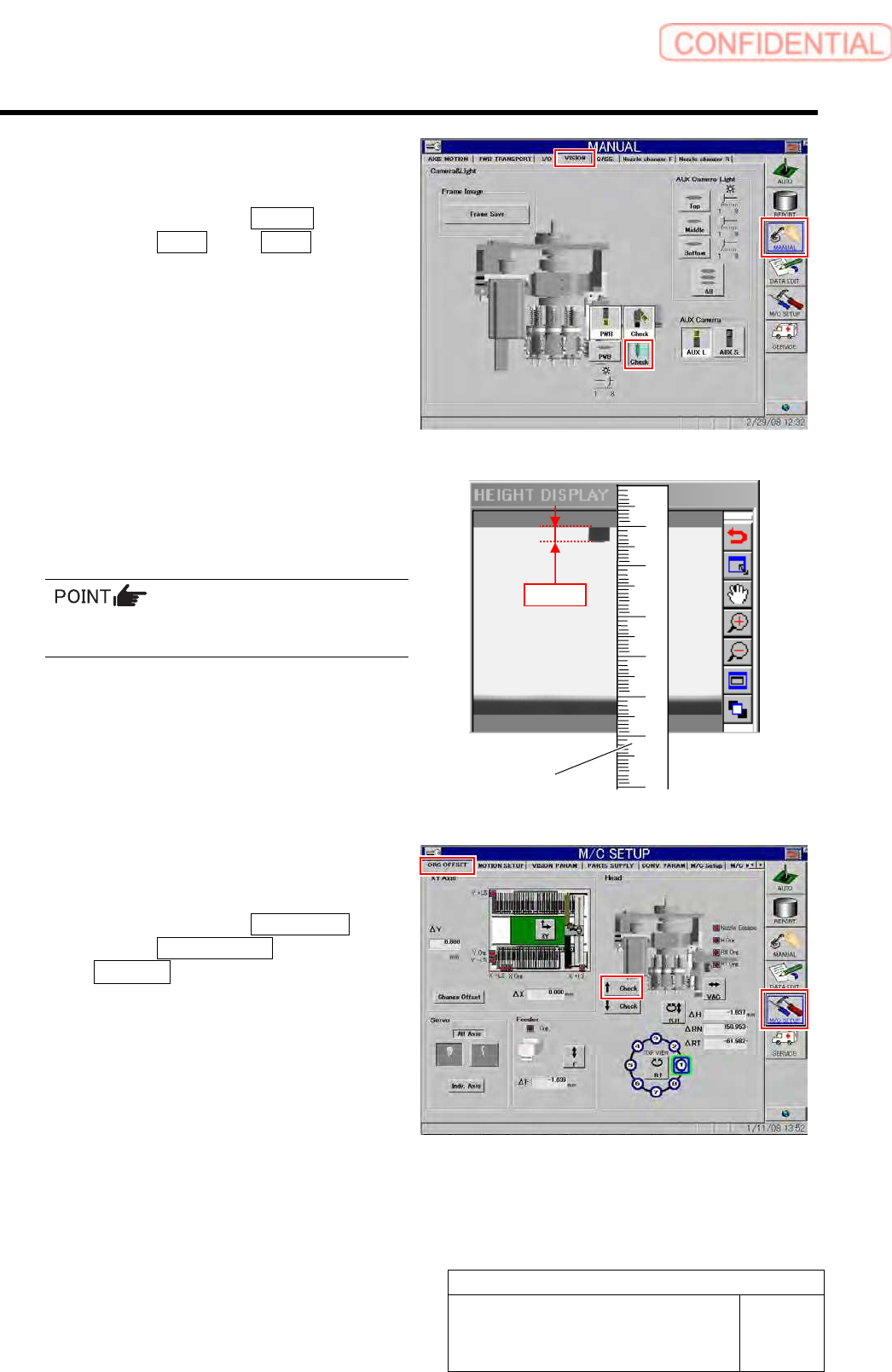
4 Check length of nozzle end displayed on the
HEIGHT DISPLAY screen.
1. Click in an order of Manual
menuVision tab Check button.
Jig nozzle end is displayed on the HEIGHT
DISPLAY screen.
2. Apply a scale on the screen to check
that length of the displayed jig nozzle
end is 3.0mm.
For actual dimension of the nozzle, end of 1mm
is displayed on the screen.
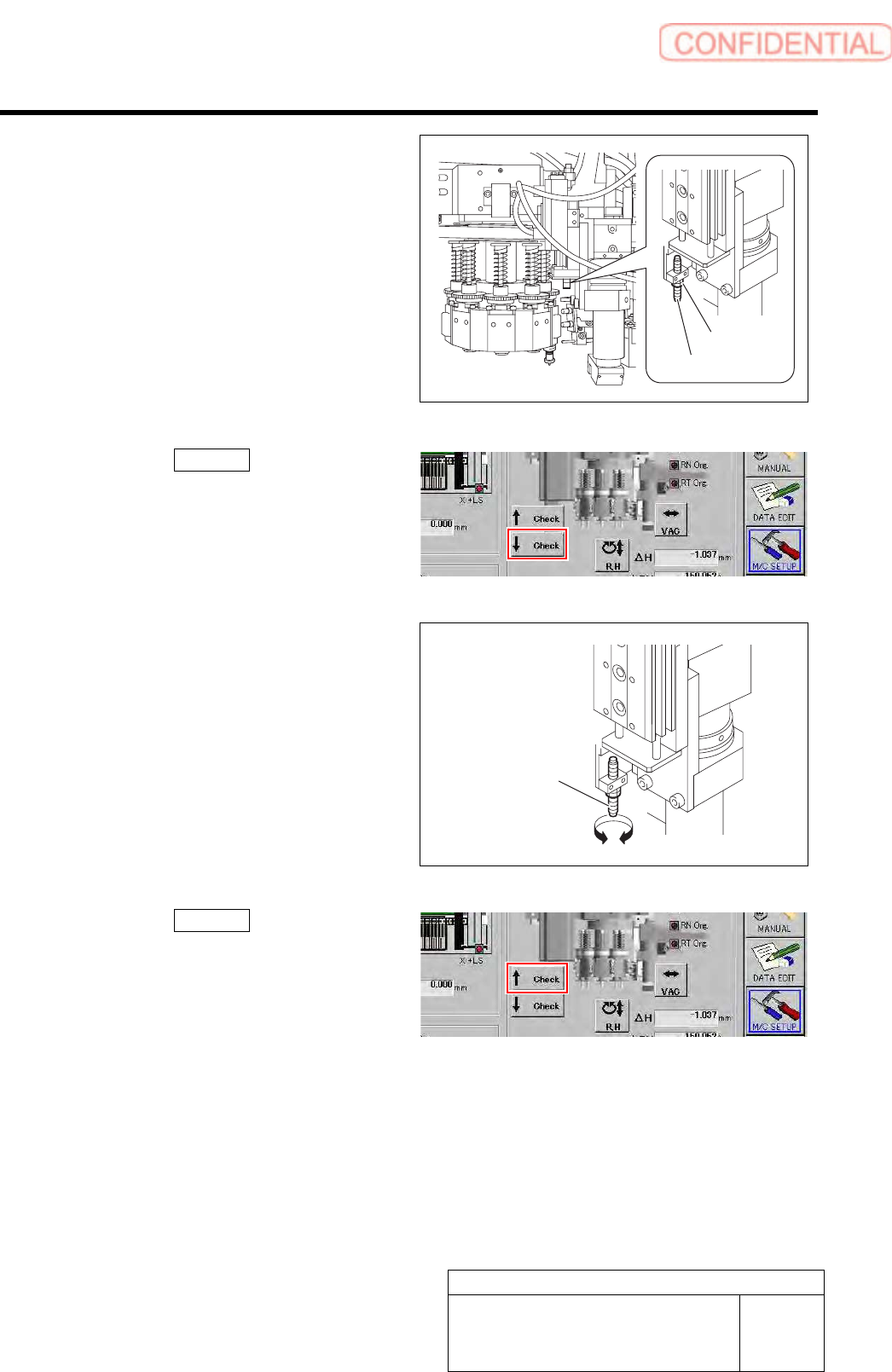
5 Adjust the absorber if the nozzle length on
the HEIGHT DISPLAY screen is not 3.0mm.
1. Click in an order of M/C SETUP
menuORG OFFSET tab
↑ Check button to raise the Pickup
check camera.
Scale
3.0mm
Set-up
HLGB-10208-01
Pickup Check Camera Setup
SHEET
4/5
2. Loosen the locknut for the absorber.
8
7
6
3. Click the ↓ Check button on the
origin offset screen to lower the Pickup
check camera.
4. Turn the absorber to adjust the
protrusion amount.
5. Click the ↑ Check button on the
origin offset screen to raise the Pickup
check camera again.
6. Tighten the locknut for the absorber.
A
bsorbe
r
Locknut
Absorbe
r