MAN00000772_SI-G200BB_SVCPDFA.pdf - 第201页
Set-up HLGB-10208-01 Pickup Check Camera Setu p SHEET 5/5 [Lateral alignment] 1 Click the ↓ Check button on the origin offset scre en to lower the Pickup check camera. 2 Visually ch eck that top end of the nozzle is disp…
Set-up
HLGB-10208-01
Pickup Check Camera Setup
SHEET
4/5
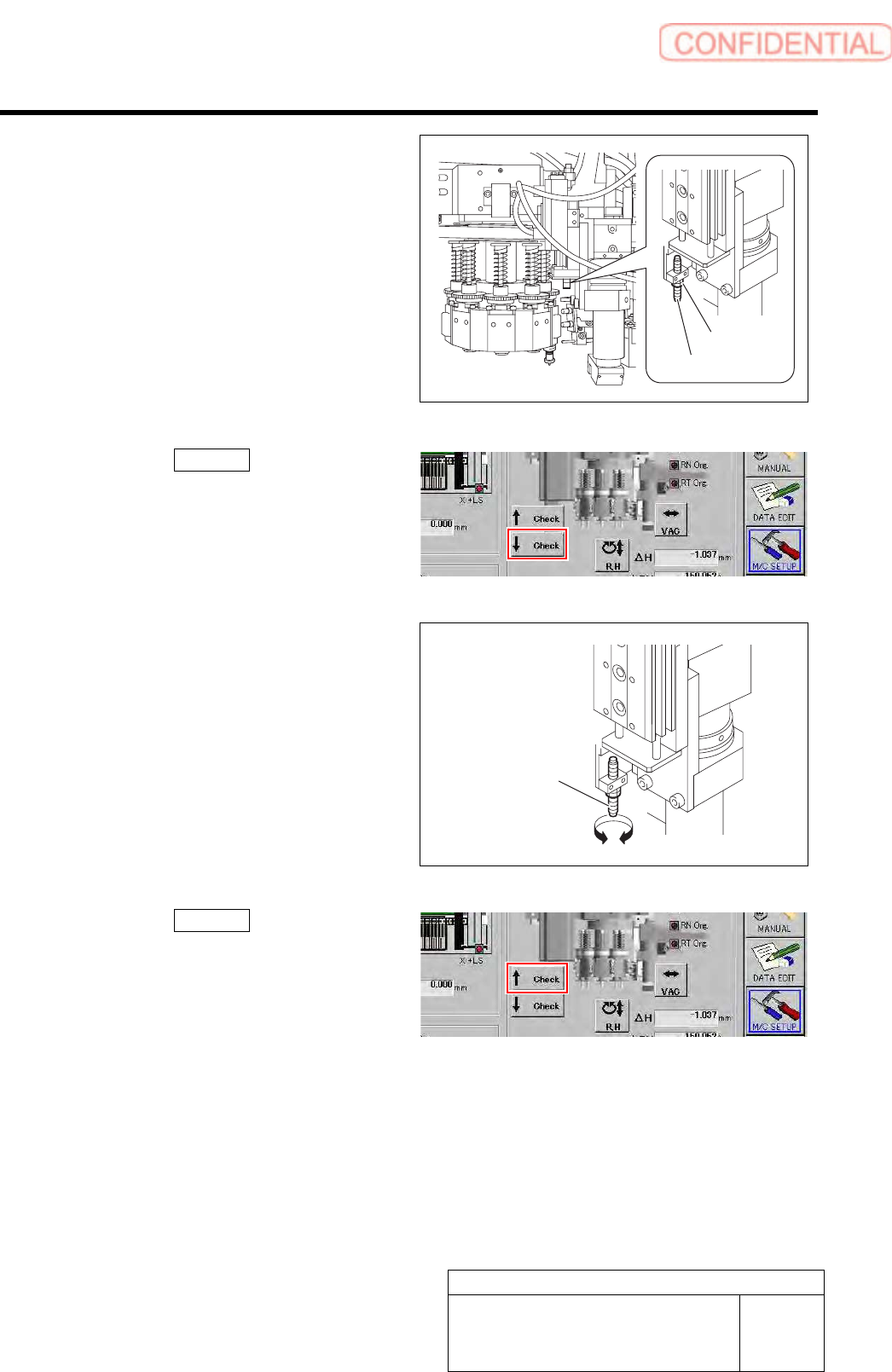
2. Loosen the locknut for the absorber.
8
7
6
3. Click the ↓ Check button on the
origin offset screen to lower the Pickup
check camera.
4. Turn the absorber to adjust the
protrusion amount.
5. Click the ↑ Check button on the
origin offset screen to raise the Pickup
check camera again.
6. Tighten the locknut for the absorber.
A
bsorbe
r
Locknut
Absorbe
r
Set-up
HLGB-10208-01
Pickup Check Camera Setup
SHEET
5/5
[Lateral alignment]
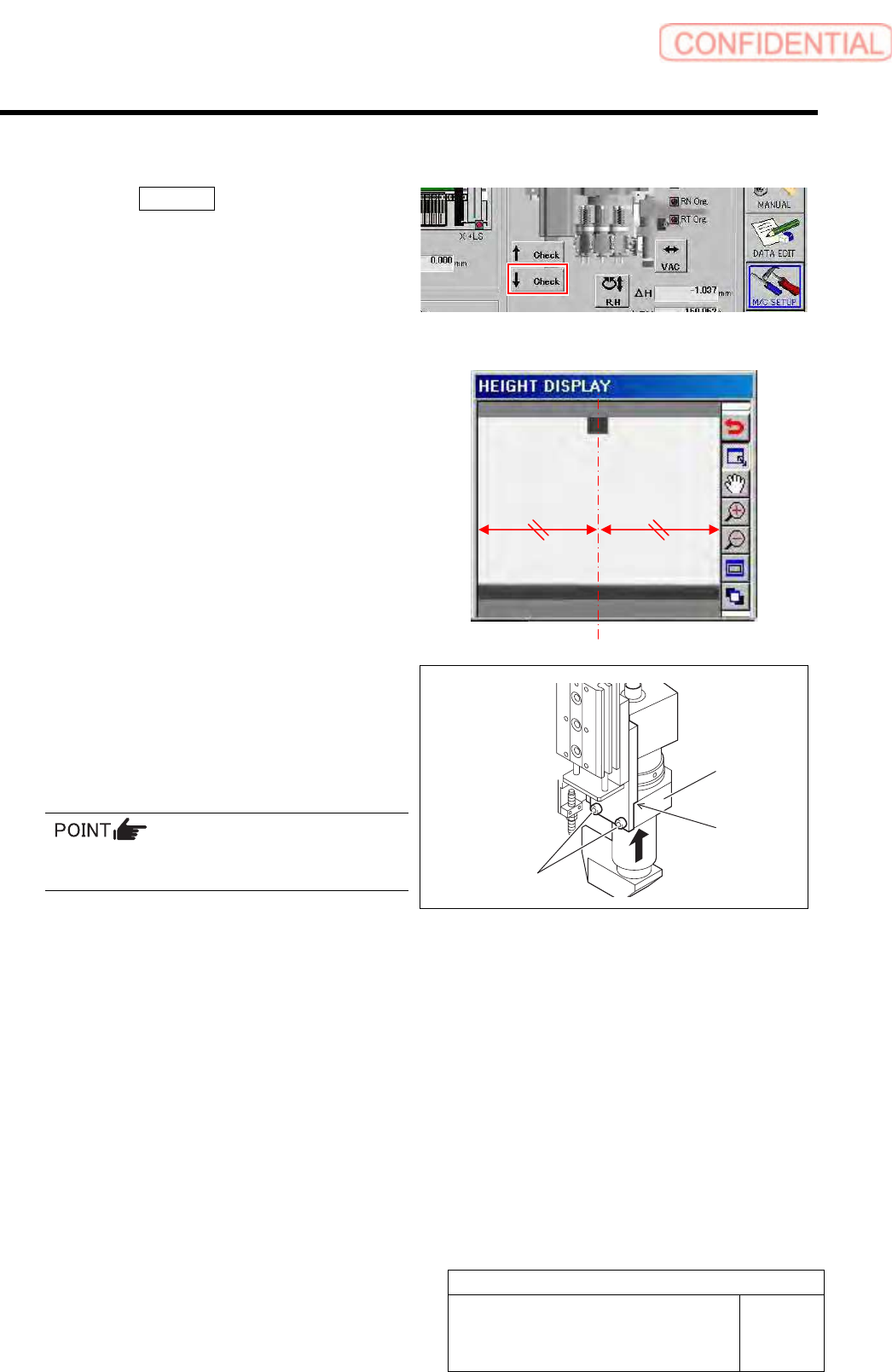
1 Click the ↓ Check button on the origin
offset screen to lower the Pickup check
camera.
2 Visually check that top end of the nozzle is
displayed on the center of the HEIGHT
DISPLAY screen.
3 Unless top end of the nozzle is on the center
of the window, loosen cap screws (2-CP4x8)
to adjust installing position of the check
camera.
Fix the Pickup check camera with pressing it
against upward.
4 Setup of the Pickup check camera is
completed.
1. Press the [ORG] button on the
operation panel to perform origin
position return.
2. Remove the length reference nozzle jig
from the turret No.1.
Cap screw
Press-against
location
Pickup check
camera
Calibration
HLGB-10301-01
PWB Camera Light Calibration
SHEET
1/3
PWB Camera Light Calibration
Perform this working on both heads on the front side and rear side.
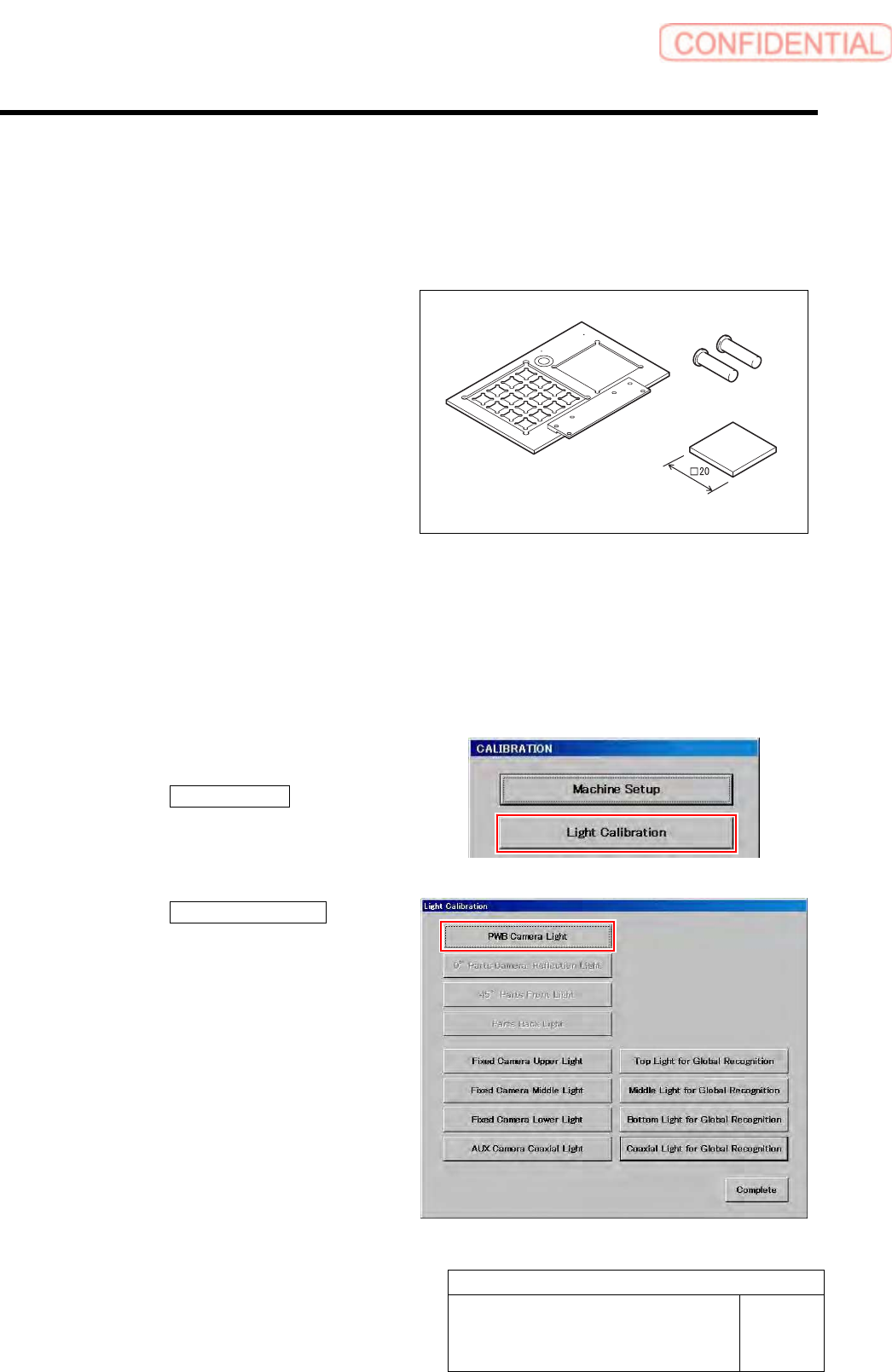
[Necessary jigs]
• Calibration plate jig
• Jig positioning pin
• Light Calibration jig
[Procedure]
1 Install the calibration plate jig.
For mounting method of the calibration plate jig, refer to “Install the Calibration Plate Jig [HLGB-10101-01]”.
2 Press the [ORG] button on the operation panel to perform origin position return.
3 Display a PWB Camera Light screen screen.
1. Click the Machine Setup button on the
CALIBRATION screen.
Machine Setup screen is displayed.
2. Click the PWB Camera Light button
on the Light Calibration screen.
PWB Camera Light screen is displayed.
Calibration plate jig
Jig positioning pin
Light Calibration jig