MAN00000772_SI-G200BB_SVCPDFA.pdf - 第208页
Calibration HLGB-10303-01 Light calibration f or Global Recognition SHEET 1/3 Light calibration for Global Recognition (T op Light / Middle Light / Bottom Light / Coaxial Light) Calibration procedure of T op Light for Gl…
Calibration
HLGB-10302-01
Fixed Camera Light Calibration
SHEET
3/3
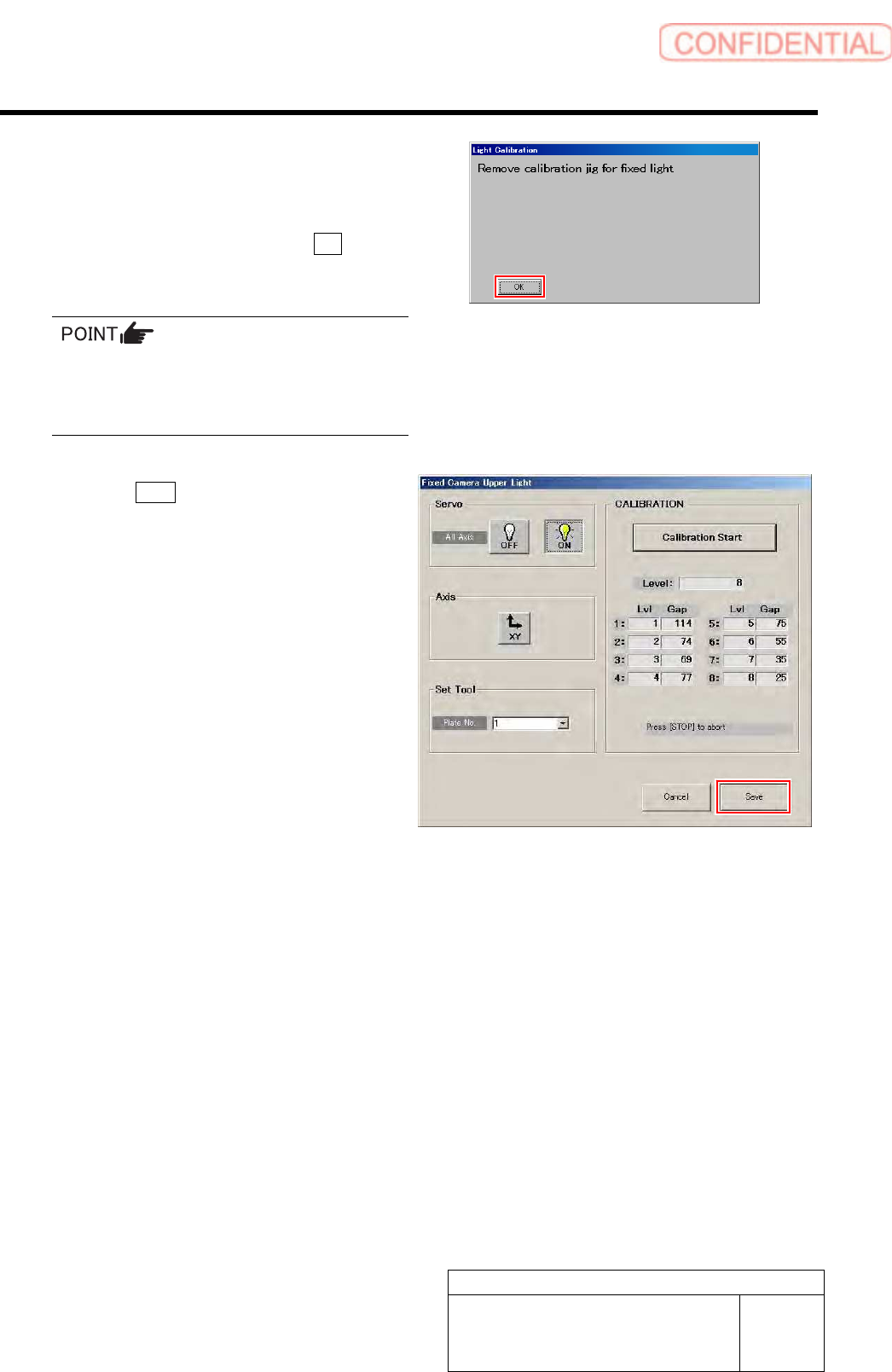
After a few minutes, the calibration ends, and
“Remove calibration jig for fixed light” is
displayed on the message screen.
2. Remove the fixed camera light
calibration jig and click the OK
button.
When subsequently performing calibrations of
fixed camera middle light/fixed camera lower
light/fixed camera coaxial light, it is
unnecessary to remove the jig.
6 Click the Save button.
The Gap values of Lvl 1 to 8 are saved and the Fixed
Camera Upper Light screen closes.
7 Perform calibrations of fixed camera middle
light/fixed camera lower light/fixed camera
coaxial light by the same procedure.
Calibration
HLGB-10303-01
Light calibration for Global
Recognition
SHEET
1/3
Light calibration for Global Recognition
(Top Light/Middle Light/Bottom Light/Coaxial Light)
Calibration procedure of Top Light for Global Recognition will be described here as an example.
Also perform calibrations of Middle Light for Global Recognition/ Bottom Light for Global
Recognition/ Coaxial Light for Global Recognition by the same procedure.
[Necessary jigs]
• Fixed camera light calibration jig
• Reflection intensity spacer
[Procedure]
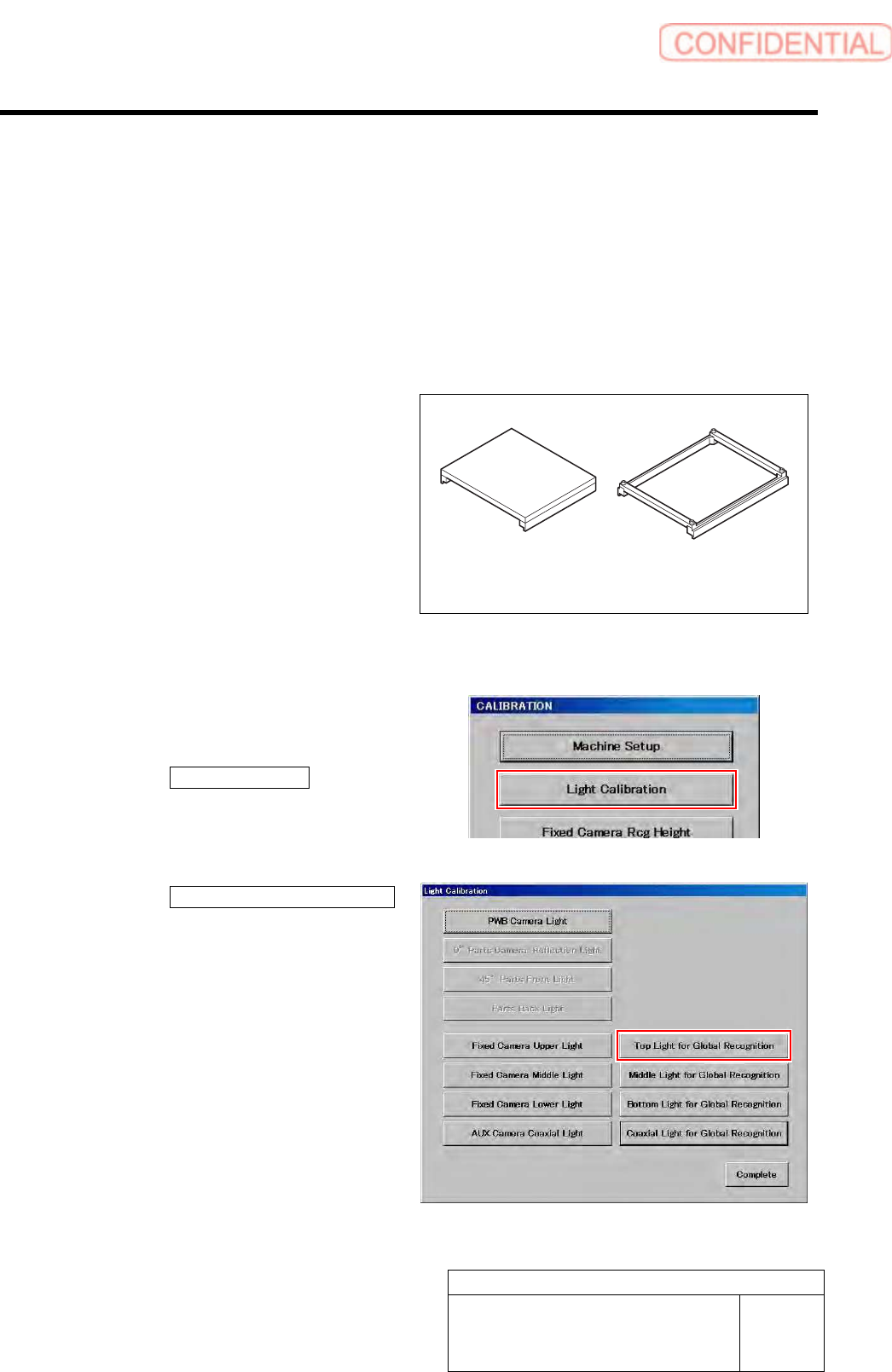
1 Display a Light for Global Recognition
screen.
1. Click the Light Calibration button on
the CALIBRATION screen.
Light Calibration screen is displayed.
2. Click the Light for Global Recognition
button on the Light Calibration
screen.
Top Light for Global Recognition screen is
displayed.
Fixed camera light
calibration jig
Reflection intensity spacer
Calibration
HLGB-10303-01
Light calibration for Global
Recognition
SHEET
2/3
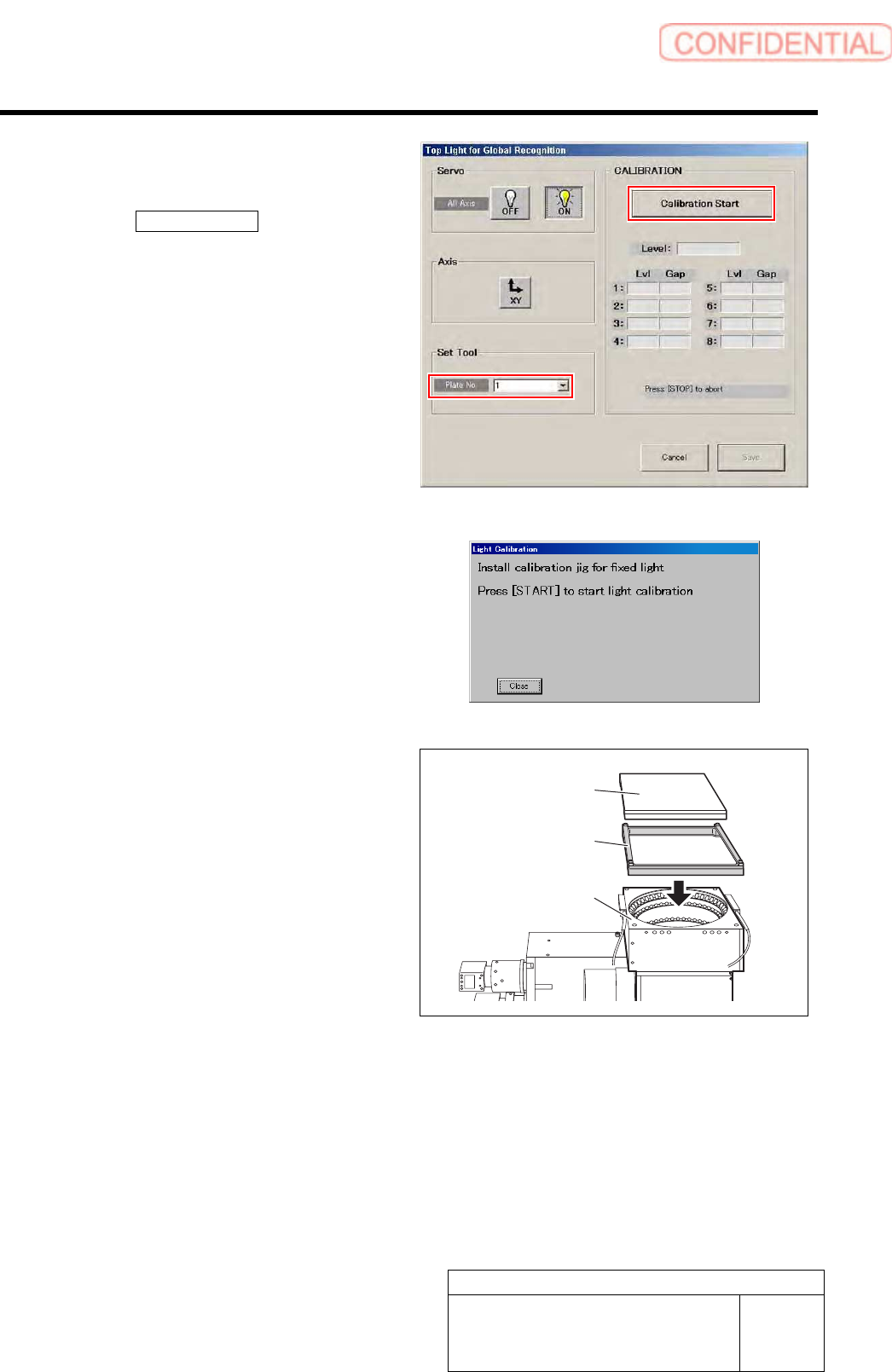
2 Select jig No. of fixed camera light
calibration jig from the list box.
3 Click the Calibration Start button.
“Install calibration jig for fixed light. Press [START]
to start light calibration” is displayed on the message
screen.
4 Install the reflection intensity spacer and
fixed camera light calibration jig to the fixed
camera.
5 Start calibration of Top Light for Global Recognition.
1. Press the [START] button on the operation panel.
Calibration is started.
Fixed camera
light calibration jig
Reflection intensity
spacer
Fixed camera