MAN00000772_SI-G200BB_SVCPDFA.pdf - 第232页
Calibration HLGB-10308-01 Pickup Check Camera Calibration SHEET 2/5 4 Click the Calibration S tart button. “ Press [ORG] button to start ho ming ” is displayed on the message screen. 5 Press the [ORG] button on the opera…
Calibration
HLGB-10308-01
Pickup Check Camera Calibration
SHEET
1/5
Pickup Check Camera Calibration
Perform this working on both heads on the front side and rear side.
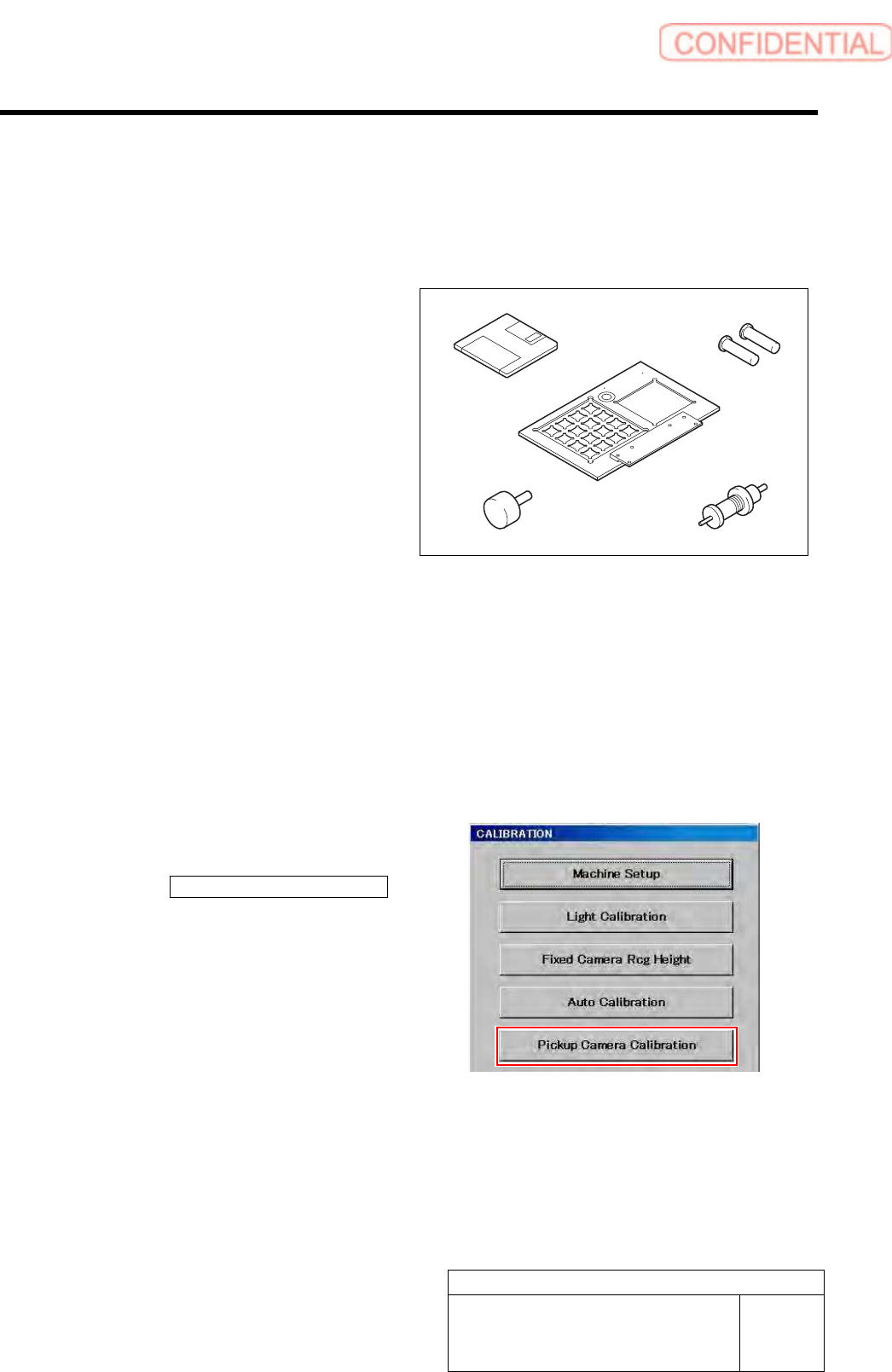
[Necessary jigs]
A Calibration data FD
B Calibration plate jig
C Jig positioning pin
D Pickup check resolution inspection jig B
E Length reference nozzle jig
[Procedure]
1 Load the calibration data.
For calibration data loading procedure, refer to “Calibration Data Load [HLGB-10105-01]”.
2 Install the calibration plate jig.
For calibration plate installation procedure, refer to “Install the Calibration Plate Jig [HLGB-10101-01]”.
3 Display a Pickup Camera Calibration
screen.
1. Click the Pickup Camera Calibration
button on the CALIBRATION screen.
Pickup Camera Calibration screen is displayed.
A
B
C
D
E
Calibration
HLGB-10308-01
Pickup Check Camera Calibration
SHEET
2/5
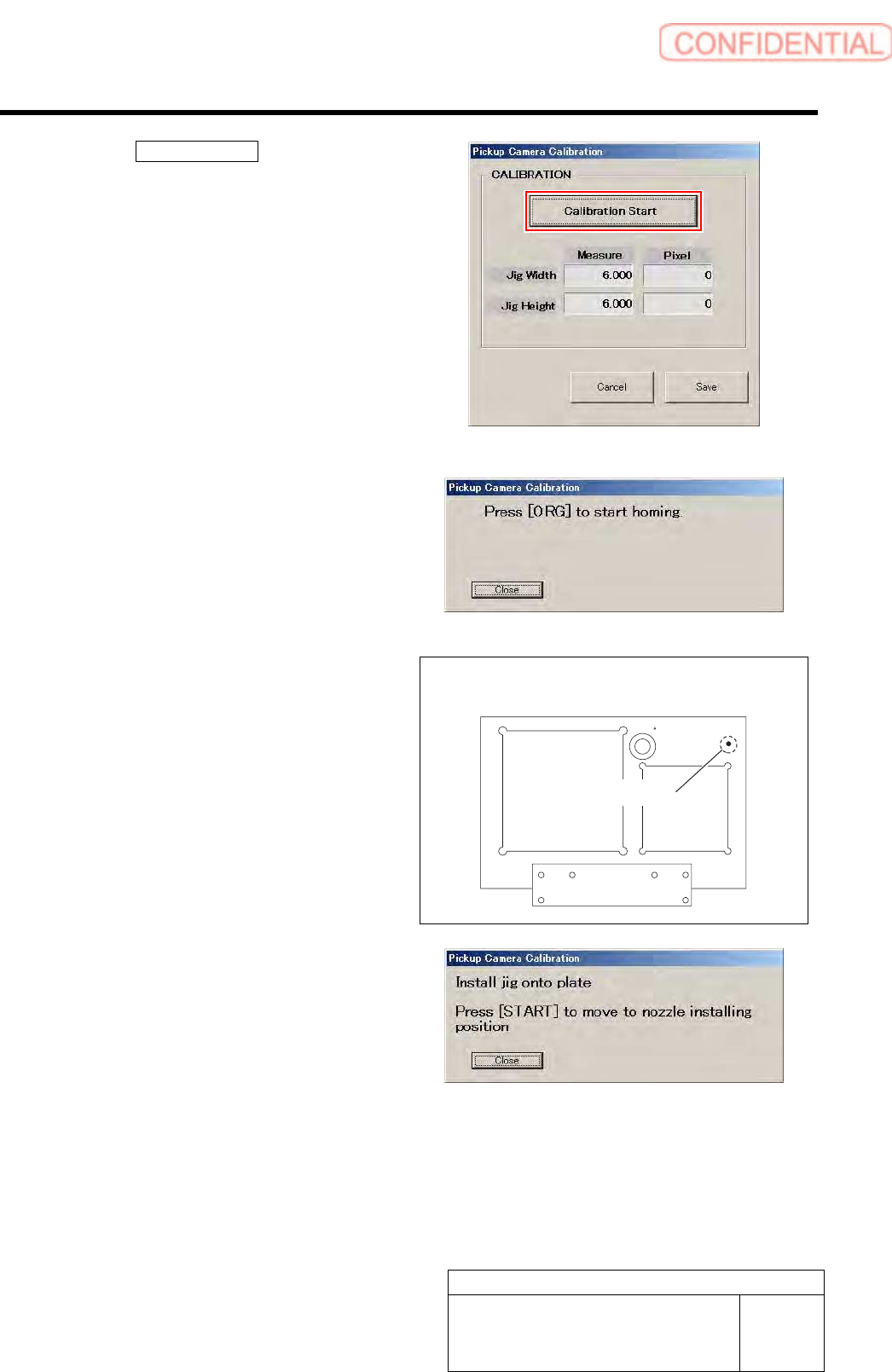
4 Click the Calibration Start button.
“Press [ORG] button to start homing” is displayed on
the message screen.
5 Press the [ORG] button on the operation
panel.
Origin position return is performed and “Install jig
onto plate” is displayed on the message screen.
6 Set a detection resolution check jig into the
insertion hole on the calibration plate jig, and
press the [START] button on the operation
panel.
Head portion moves to the jig setup position, and
“Install nozzle for pickup inspection to index 1” is
displayed on the message screen.
Calibration plate upper surface figure
Insertion hole
Calibration
HLGB-10308-01
Pickup Check Camera Calibration
SHEET
3/5
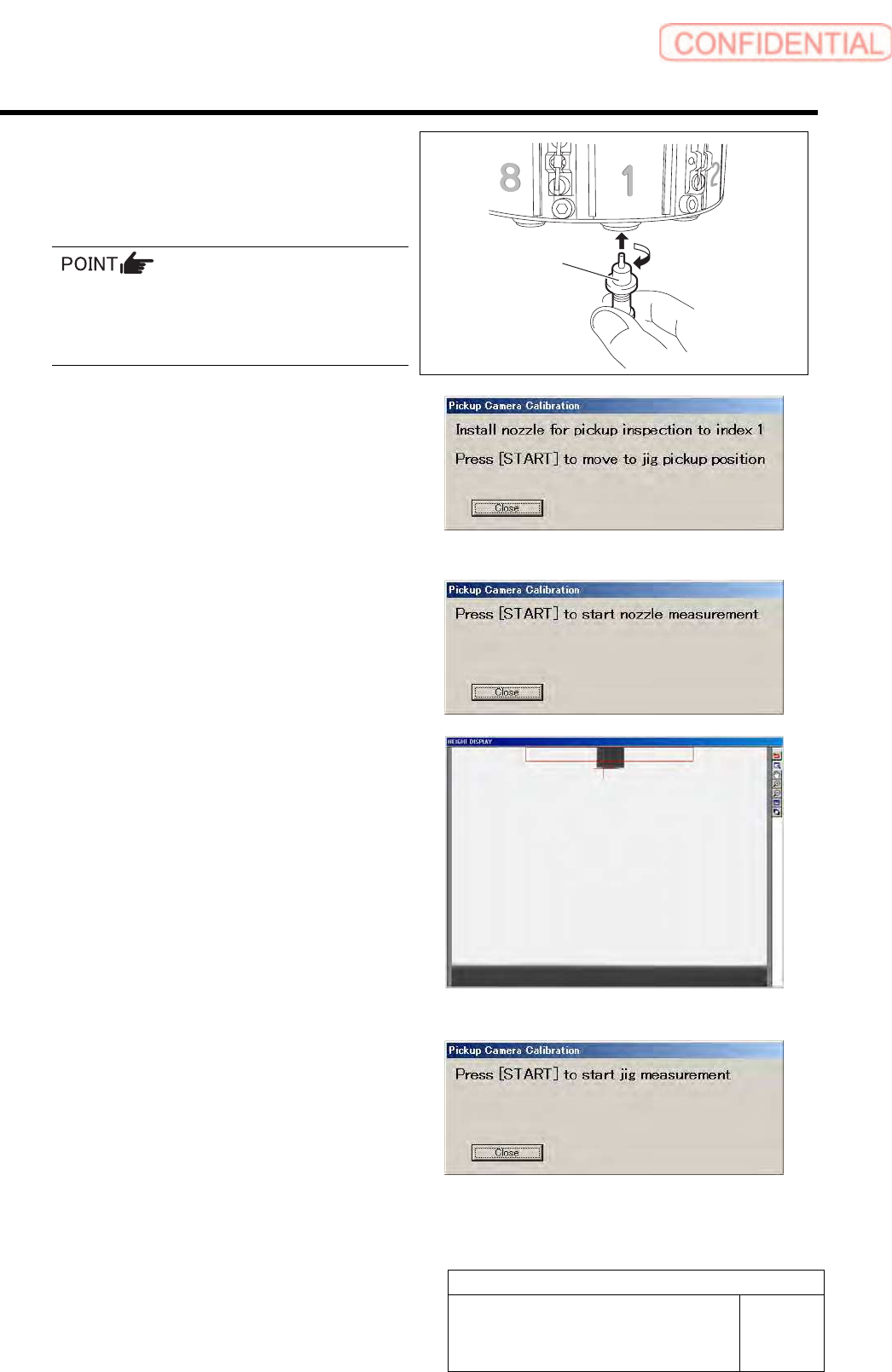
7 Install the length reference nozzle jig to the
turret No.1 and press the [START] button on
the operation panel.
When installing the nozzle, insert it while
slowly turning.
After inserting the nozzle, check that it is not
drawn out by pulling downward.
The length reference nozzle jig moves to the
measuring position and “ Press [START] to start
nozzle measurement” is displayed on the message
screen.
8 Press the [START] button on the operation
panel.
Length reference nozzle jig measurement is
performed and “ Press [START] to start jig
measurement” is displayed on the message screen.
Check that end of the reference jig nozzle is displayed
on the HEIGHT DISPLAY at this time.
9 Press the [START] button on the operation
panel.
The reference position nozzle picks up the detection
resolution check jig, and measurement is made.
Length reference
nozzle jig