MAN00000772_SI-G200BB_SVCPDFA.pdf - 第236页
Calibration HLGB-10309-01 Calibration Data Edit SHEET 1/4 Calibration Dat a Edit When revising the parts fitting p osition without pe rforming c alibration, edit the cal ibration data according to the fol lowing procedur…
Calibration
HLGB-10308-01
Pickup Check Camera Calibration
SHEET
5/5
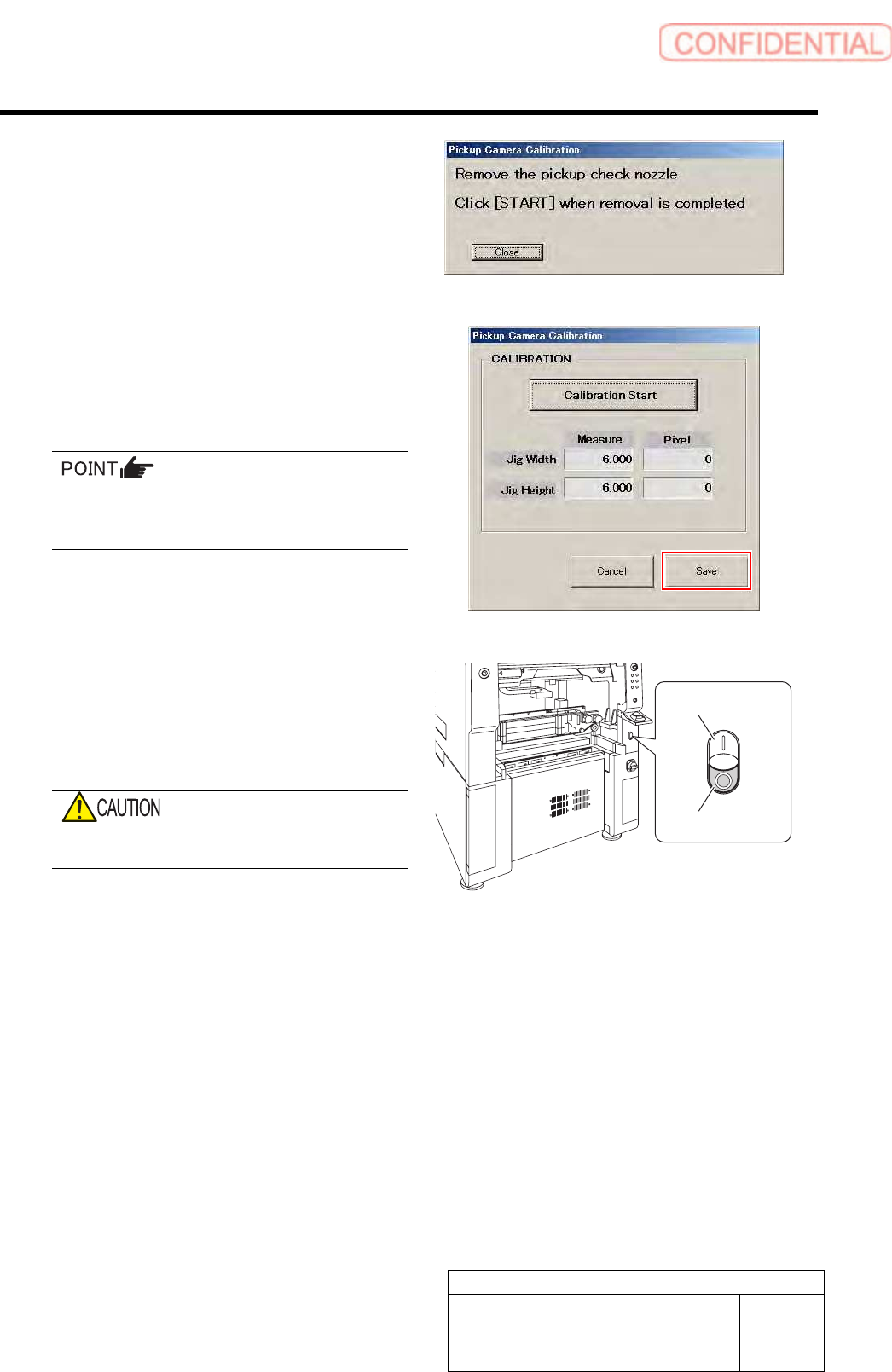
13 Remove the length reference nozzle jig and
press the [START] button on the operation
panel.
The message screen closes and returns to the Pickup
Camera Calibration screen.
14 Click the Save button on the Pickup Camera
Calibration screen.
Calibration information is saved and the Pickup
Camera Calibration screen closes.
In order to store the calibration result in the
unit, be sure to re-start the unit before
operating the unit.
15 Re-start the unit.
1. Close the Calibration screen.
2. Press the power off switch.
Shutting down of the system starts and the power
is automatically shut off.
Do not shut down the power from the start
menu of Windows
®
.
3. Press the power on switch.
The unit starts in a state that the pickup camera
calibration result is reflected on the system.
Power off switch
Power on switch
Calibration
HLGB-10309-01
Calibration Data Edit
SHEET
1/4
Calibration Data Edit
When revising the parts fitting position without performing calibration, edit the calibration data
according to the following procedure.
[Procedure]
1 Prepare a file of CSV format for correction in advance according to working which you want to
correct.
File can be arbitrarily named. The extension is “.csv”.
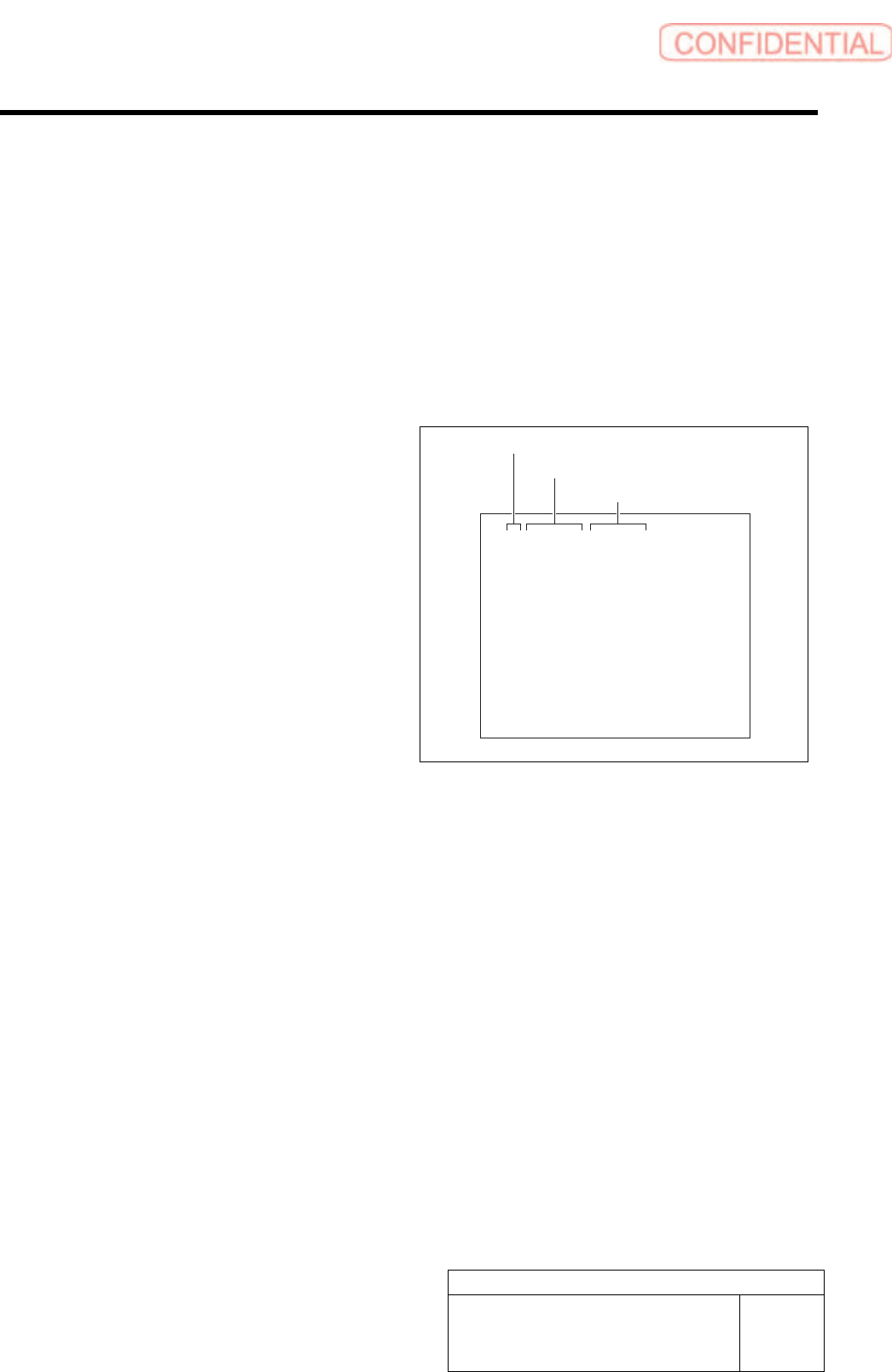
Format of CSV file for rotation center
correction
1. “1 to 8” on the left row are Index No.
2. Input correction amount in X direction
into the middle row.
・ When the fitting result in 180 degree deviates
to the left against the fitting result in 0 degree,
input half of the deviated amount with
positive sign.
・ When the fitting result in 180 degree deviates
to the right against the fitting result in 0
degree, input half of the deviated amount with
negative sign.
3. Input correction amount in Y direction
into the right row.
・ When the fitting result in 180 degree deviates
to the upper against the fitting result in 0
degree, input half of the deviated amount with
positive sign.
・ When the fitting result in 180 degree deviates
to the lower against the fitting result in 0
degree, input half of the deviated amount with
negative sign.
1,0.000,0.000
2,0.000,0.000
3,0.000,0.000
4,0.000,0.000
5,0.000,0.000
6,0.000,0.000
7,0.000,0.000
8,0.000,0.000
Index No.
Correction value in X direction
Correction value in Y direction
Calibration
HLGB-10309-01
Calibration Data Edit
SHEET
2/4
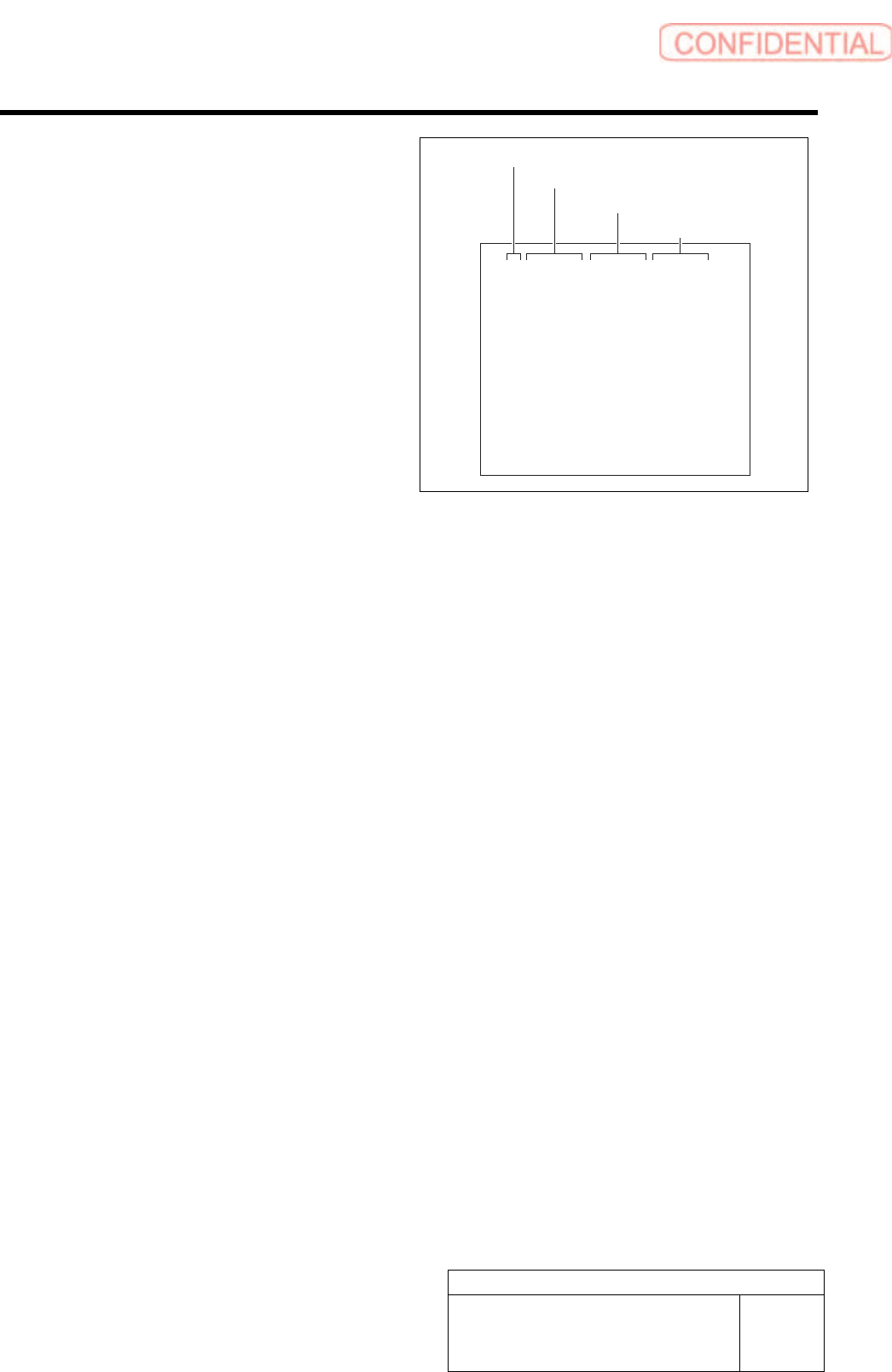
Format of CSV file for transcription correction
1. “1 to 8” on the left row are Index No.
2. Input correction amount in X direction
into the second row from the left.
・ When attempting to correct the fitting
position to the right side (+X direction), input
a value with negative sign.
・ When attempting to correct the fitting
position to the left side (-X direction), input
a value with positive sign.
3. Input correction amount in Y direction
in the third row from the left.
・ When attempting to correct the fiting position
to the upper side (+Y direction), input a
value with negative sign.
・ When attempting to correct the fiting position
to the lower side (-Y direction), input a
value with positive sign.
4. Input angle correction value into the
rightmost row.
・ When correcting the fitting result clockwise,
input a value with positive sign.
・ When correcting the fitting result
counterclockwise, input a value with negative
sign.
1,0.000,0.000,0.000
2,0.000,0.000,0.000
3,0.000,0.000,0.000
4,0.000,0.000,0.000
5,0.000,0.000,0.000
6,0.000,0.000,0.000
7,0.000,0.000,0.000
8,0.000,0.000,0.000
Index No.
Correction value in X direction
Correction value in Y direction
Angle correction value