MAN00000772_SI-G200BB_SVCPDFA.pdf - 第253页
Calibration HLGB-1031 1-01 Pickup Position Setup SHEET 9/9 3. Click the Update button. X, Y , H position data for parts pickup position is updated. 4. Check that the front p osition data value was updated. The above comp…
Calibration
HLGB-10311-01
Pickup Position Setup
SHEET
8/9
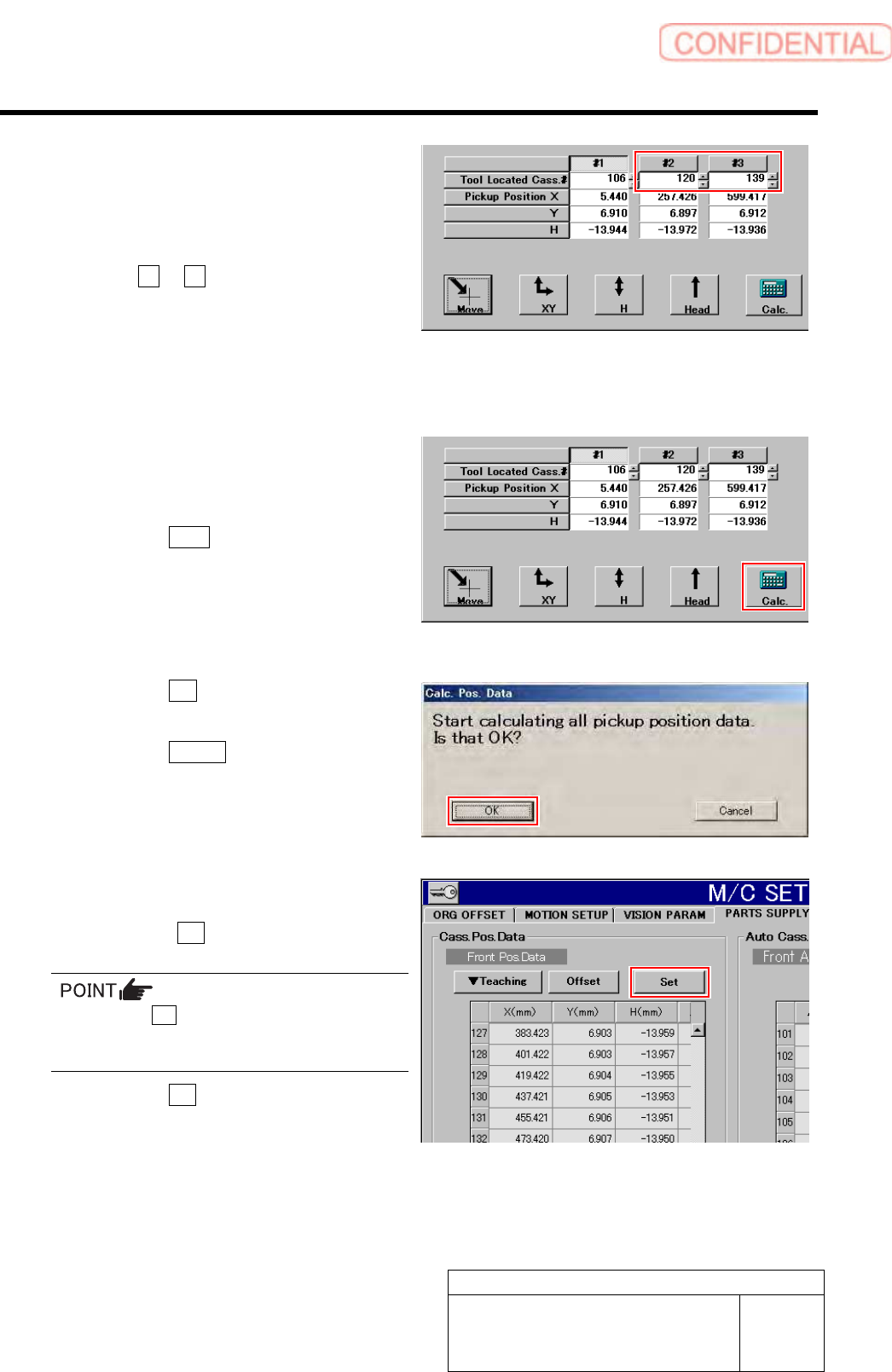
4 Perform XY position data teaching and H
position data teaching at Z120 and Z139.
1. Move the pickup point jig to the
positions of Z120 or Z139.
2. Click #2 or #3.
3. Acquire pickup position data of Z120
and Z139 in the same procedure as
those in the “XY Position Data
Teaching” and “H Position Data
Teaching” (procedure 1 to 3).
5 When teaching is ended on three locations
of #1、#2、#3, pickup position coordinate is
calculated.
1. Click the Calc. button.
Confirmation window for calculating position
data.
2. Click the OK button.
Calculation for position data is performed.
3. Click the Return button on the
Front/All Cass. Pos. Teaching by Tools
screen to close the screen.
6 Set the calculated position data.
1. Check the Set button for the Front
Pos. Data is displayed in blue letter.
Unless the Set button is displayed in blue,
position calculation is not performed. Again,
perform “Acq.Pos.” or “Calc.”.
2. Click the Set button.
Confirmation window for setting is displayed.
Calibration
HLGB-10311-01
Pickup Position Setup
SHEET
9/9
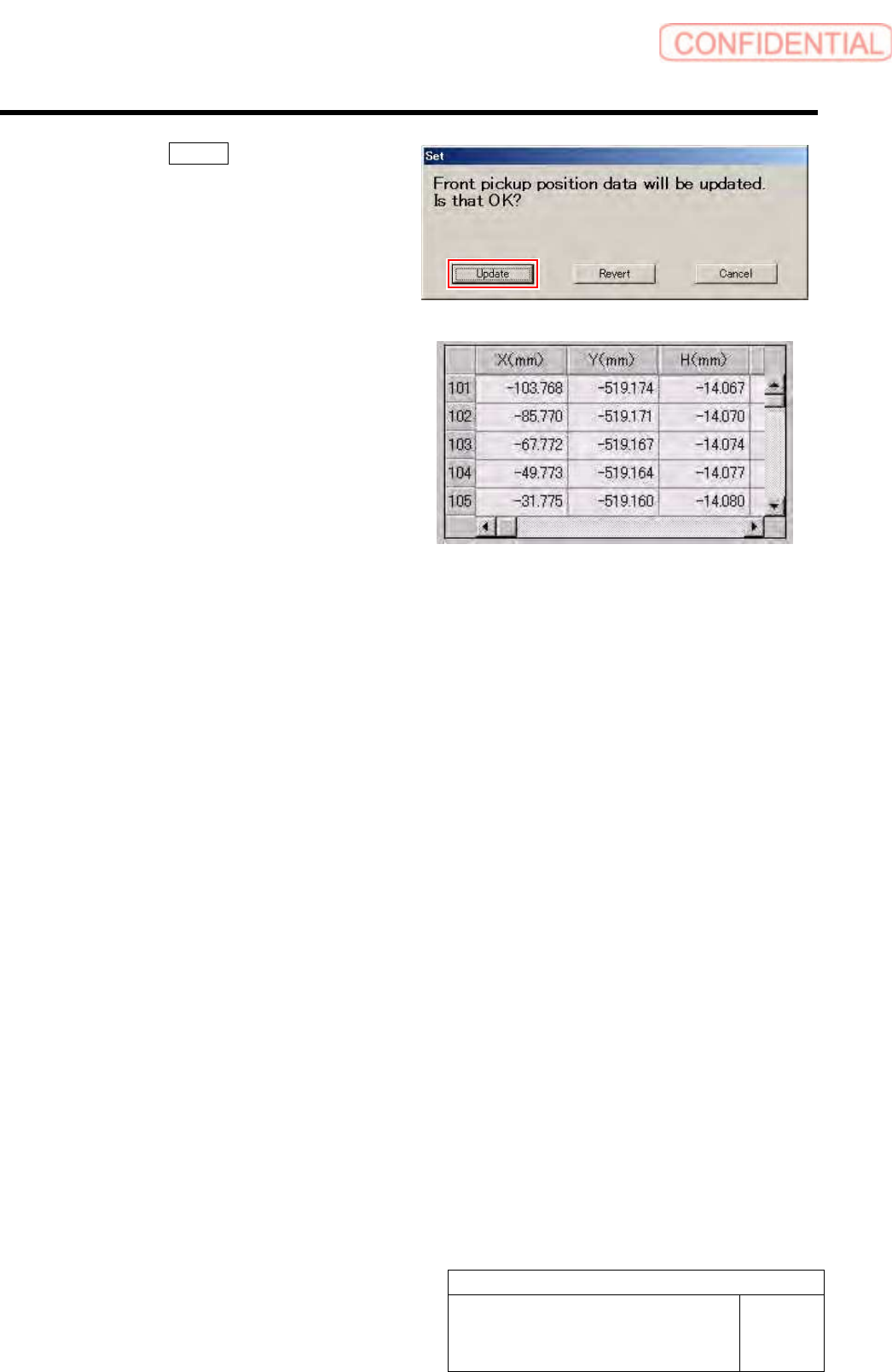
3. Click the Update button.
X, Y, H position data for parts pickup position is
updated.
4. Check that the front position data
value was updated.
The above completes pickup position setup.
Subsequently, check that pickup position has
been correctly set up according to a procedure in
the “Checking pickup position” in the ext item.
Calibration
HLGB-10312-01
Checking Pickup Position
SHEET
1/4
Checking Pickup Position
Check pickup positions at three locations of cassette tables (Z101、Z120、Z140) on the front side, and
three locations of cassette tables (Z101、Z120、Z140) on the rear side.
[Necessary jigs]
• Pickup point Jig
• Length reference nozzle jig
[Procedure]
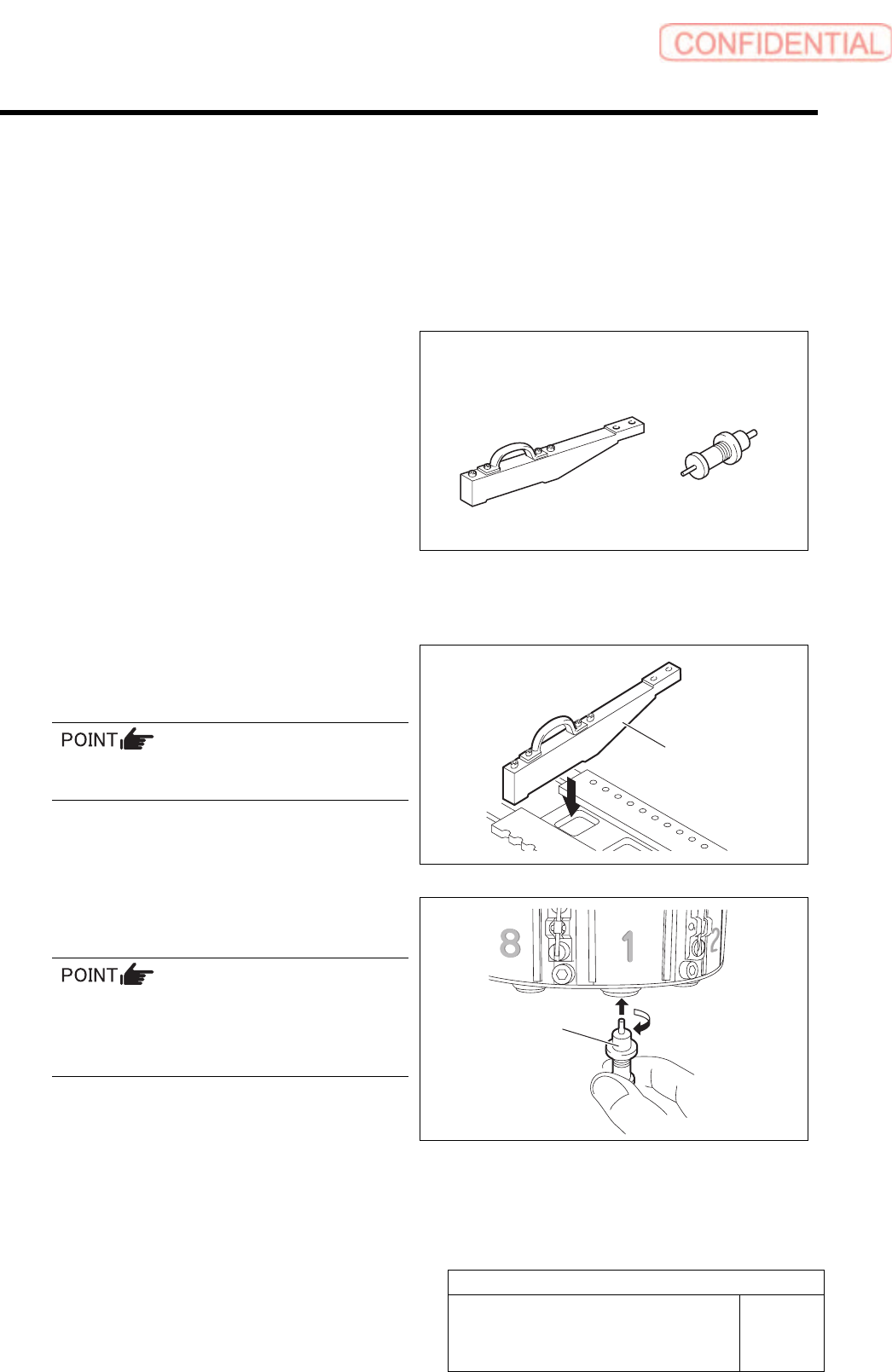
1 Set the jig.
1. Set pickup point jig to Z101 on the
cassette table.
There should be no gap between the feed
adjusting jig and the cassette table.
2. Install the length reference nozzle jig
to the turret No.1.
When installing the nozzle, insert it while
slowly turning.
After inserting the nozzle, check that it is not
drawn out by pulling downward.
Pickup point Jig
Length reference
nozzle jig
Length reference
nozzle jig
Pickup point Jig