MAN00000772_SI-G200BB_SVCPDFA.pdf - 第259页
Calibration HLGB-10313-01 Mount Accuracy Calibration SHEET 2/1 1 3 Change the conveyer wid th to 70 [mm], and then align the PWB stopper and the locator pin position with the glass PWB frame. 1. Click in an order of PWB …
Calibration
HLGB-10313-01
Mount Accuracy Calibration
SHEET
1/11
Mount Accuracy Calibration
By recognizing the mounted part position with the PWB camera, this system can calculate the
correction value and calibrate the mount position. When the pickup position is unstable, the stability
of the mounting accuracy may not be assured. Before applying the calculated correction value,
execute the test mounting two or three cycles.
There are two calibration modes: “Transcription calibration” and “Batch recognition calibration”. Be
sure to execute the batch recognition calibration after executing the transcription calibration.
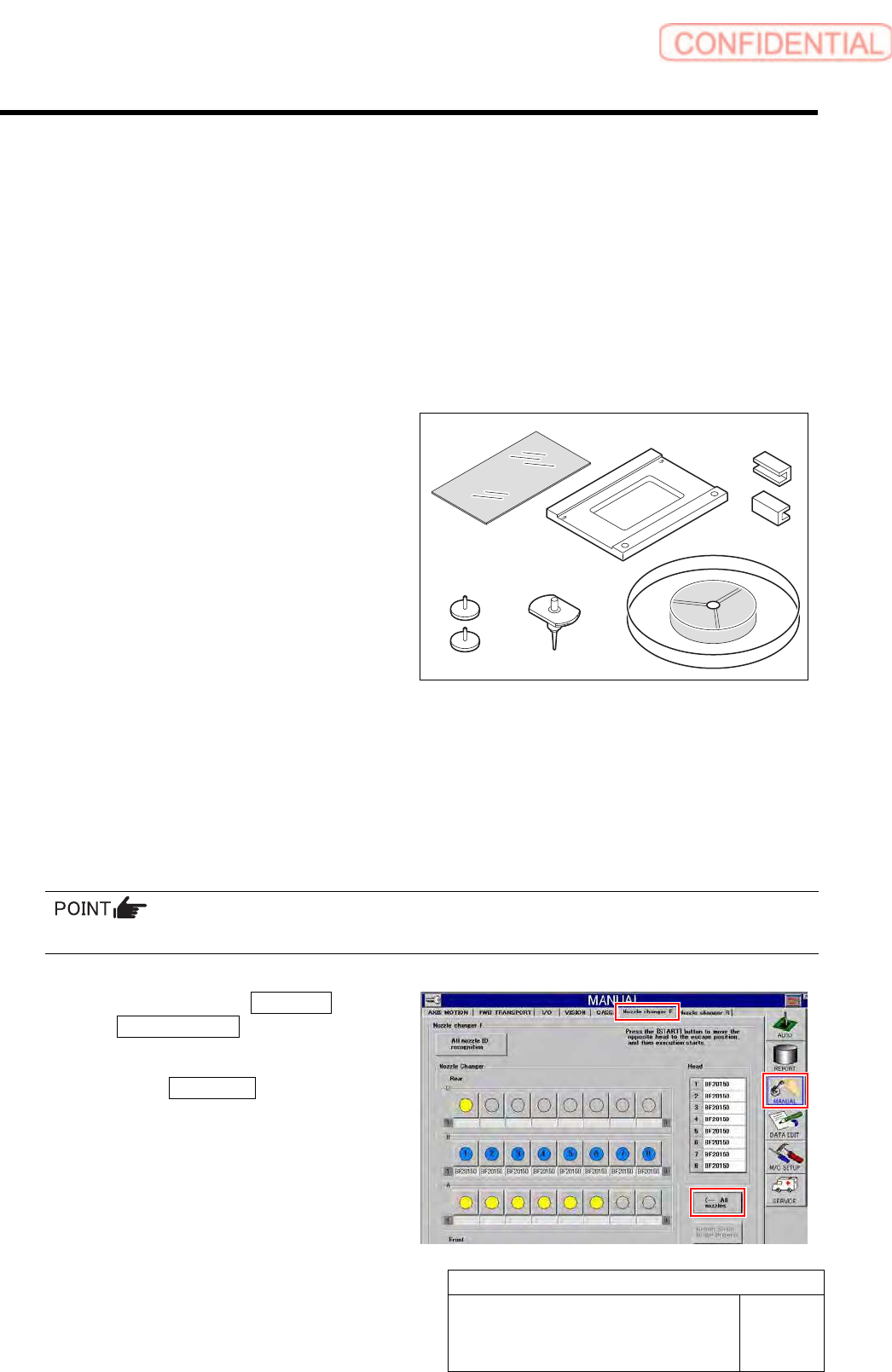
[Necessary jigs]
A Glass PWB for easy measurement
(Accuracy improvement function kit)
B Glass PWB frame for easy measurement
(Accuracy improvement function kit)
C Clamp (Accuracy improvement function
kit)
D Knurled knob with pad (Accuracy
improvement function kit)
E BF1305R nozzle (8 pcs.)
F Mounting accuracy correction jig 1005C
chip (3-276-548-01)
G Parts cassette GAK0802/P100
H Double-stick tape
[Preparation before work]
1 Switch the USER LEVEL to SERVICE.
For change procedure on user level, refer to the “Change on user level [HLGB-10104-01].”
2 Collect all the nozzles for production.
When BF1305R nozzles are attached to all the Indexes, this step is not required.
1. Click in an order of MANUAL menu
Nozzle changer tab.
Nozzle Changer screen is displayed.
2. Click the All nozzles button.
All nozzles installed on the head are returned to
the nozzle cartridge.
A
B C
DE
F
Calibration
HLGB-10313-01
Mount Accuracy Calibration
SHEET
2/11
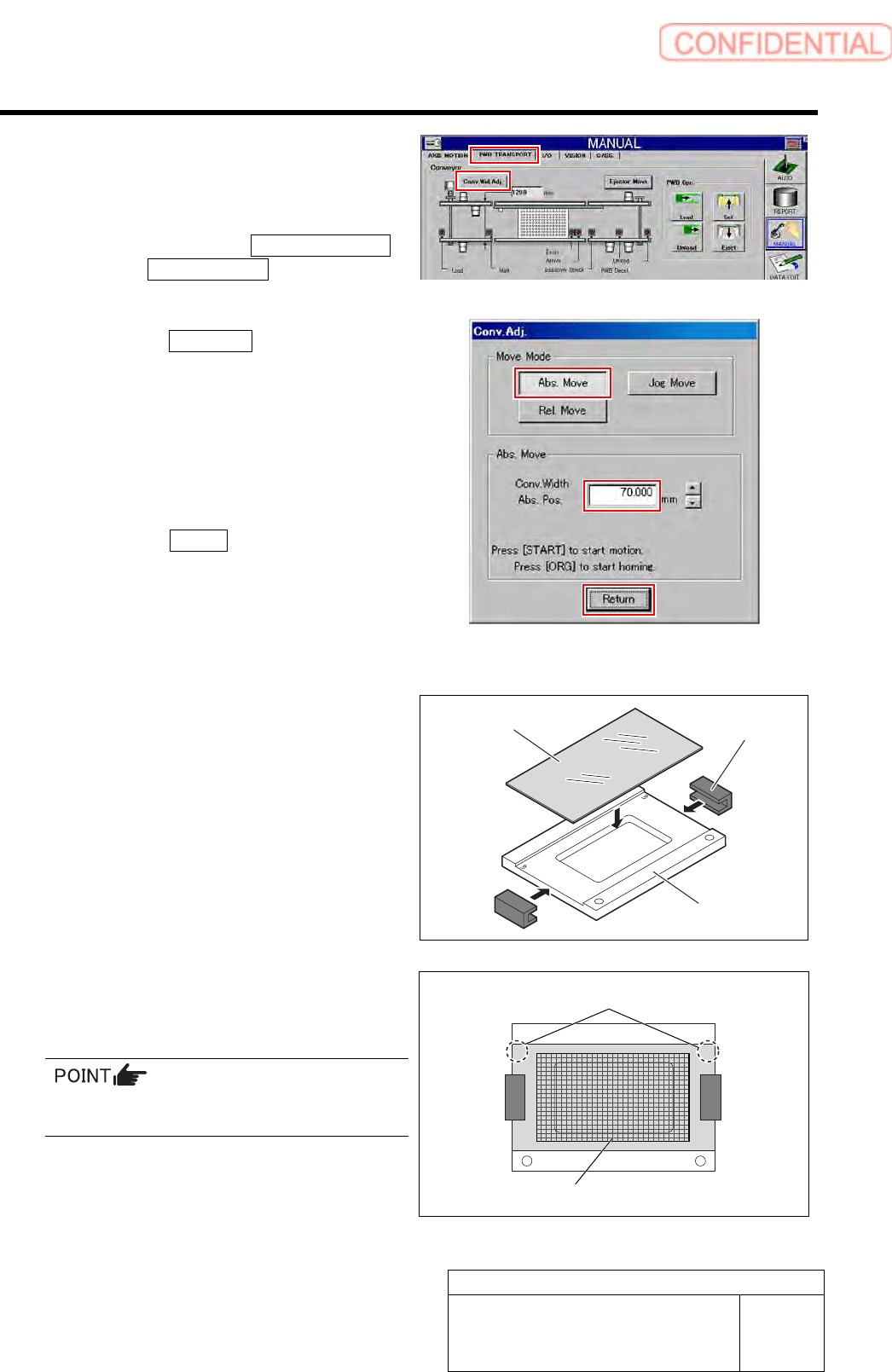
3 Change the conveyer width to 70 [mm], and
then align the PWB stopper and the locator
pin position with the glass PWB frame.
1. Click in an order of
PWB TRANSPORT
tab Conv. Wid. Adj. button.
Conv. Adj. screen is displayed.
2. Click the Abs. Move button.
3. Input “70” into the input box of the
Conv. Width Abs. Pos.
4. Press the [START] button on the
operation panel.
Conveyor width is widened to the position of 70
mm.
5. Click the Return button to close the
Conv. Adj. screen.
4 Set the eight BF1305R nozzles onto the
nozzle cartridge.
5 Prepare a glass PWB for simple
measurement.
1. Put glass PWB on glass PWB frame
and hold it with clamp.
2. Attach double-stick tape on area of the
glass PWB in the figure.
Attach the double-stick tape paying attention to
the position and tape attachment area.
UP UP
Glass PWB
Clamp
Glass PWB frame
“UP” mark
Double-stick tape attachment area
Calibration
HLGB-10313-01
Mount Accuracy Calibration
SHEET
3/11
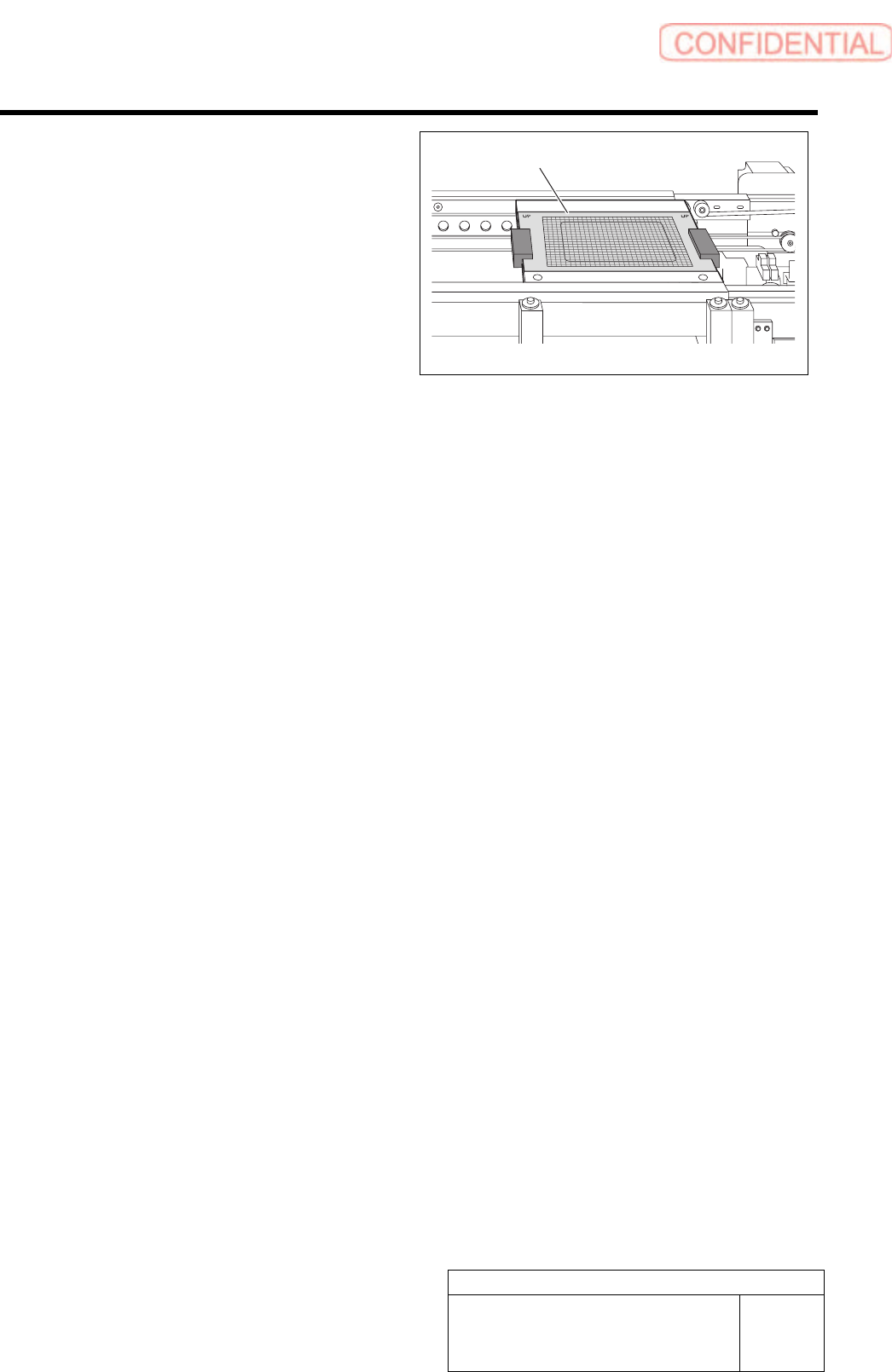
6 Place the glass PWB with double-stick tape
on the conveyor for positioning.
7 Place the parts cassette on any supply unit.
Glass PWB