MAN00000772_SI-G200BB_SVCPDFA.pdf - 第269页
Calibration HLGB-10314-01 XY A xis Sof tware Limit Setup SHEET 1/1 1 XY Axis Sof tware Limit Setup [Setup procedure] 1 Use the following calculating equ ations to carry out coordinate cal culation of software limit for e…
Calibration
HLGB-10313-01
Mount Accuracy Calibration
SHEET
11/11
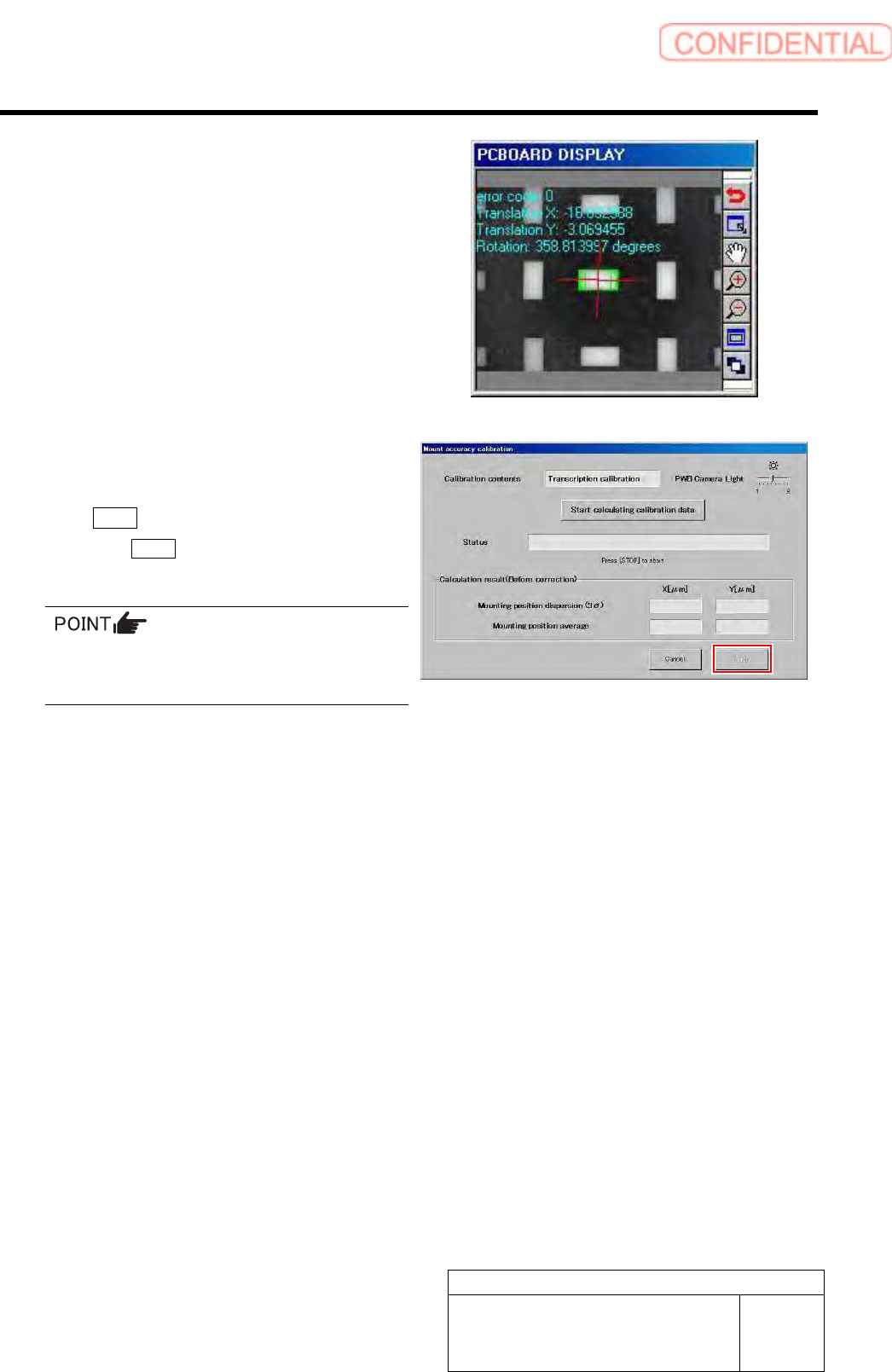
Wait until the parts recognition by the PWB camera
ends.
7 Check the displayed result and, if the
correction value needs to be applied, click
the Apply button.
When the Cancel button is clicked, the process ends
without executing the calibration.
When the calculation result is 3Sigma <
±40[µm] and Avg < 10[µm], the catalog SPEC
(±60[µm] CPK > 1.0) is satisfied.
Calibration
HLGB-10314-01
XY Axis Software Limit Setup
SHEET
1/11
XY Axis Software Limit Setup
[Setup procedure]
1 Use the following calculating equations to carry out coordinate calculation of software limit for each
axis.
Front side X-Axis
SOFT_LIMIT_PLUS=(X coordinate of front Z101) +798.7
SOFT_LIMIT_MINUS=(X coordinate of front Z101) +69.7
Front side Y-Axis
SOFT_LIMIT_PLUS=(Y coordinate of front Z101) +653.9
SOFT_LIMIT_MINUS=(Y coordinate of front Z101) -26.8
Rear side X-Axis
SOFT_LIMIT_PLUS=(X coordinate of rear Z101) -73.8
SOFT_LIMIT_MINUS=(X coordinate of rear Z101) -802.7
Rear side Y-Axis
SOFT_LIMIT_PLUS=(Y coordinate of rear Z101) +26.7
SOFT_LIMIT_MINUS=(Y coordinate of rear Z101) -653.7
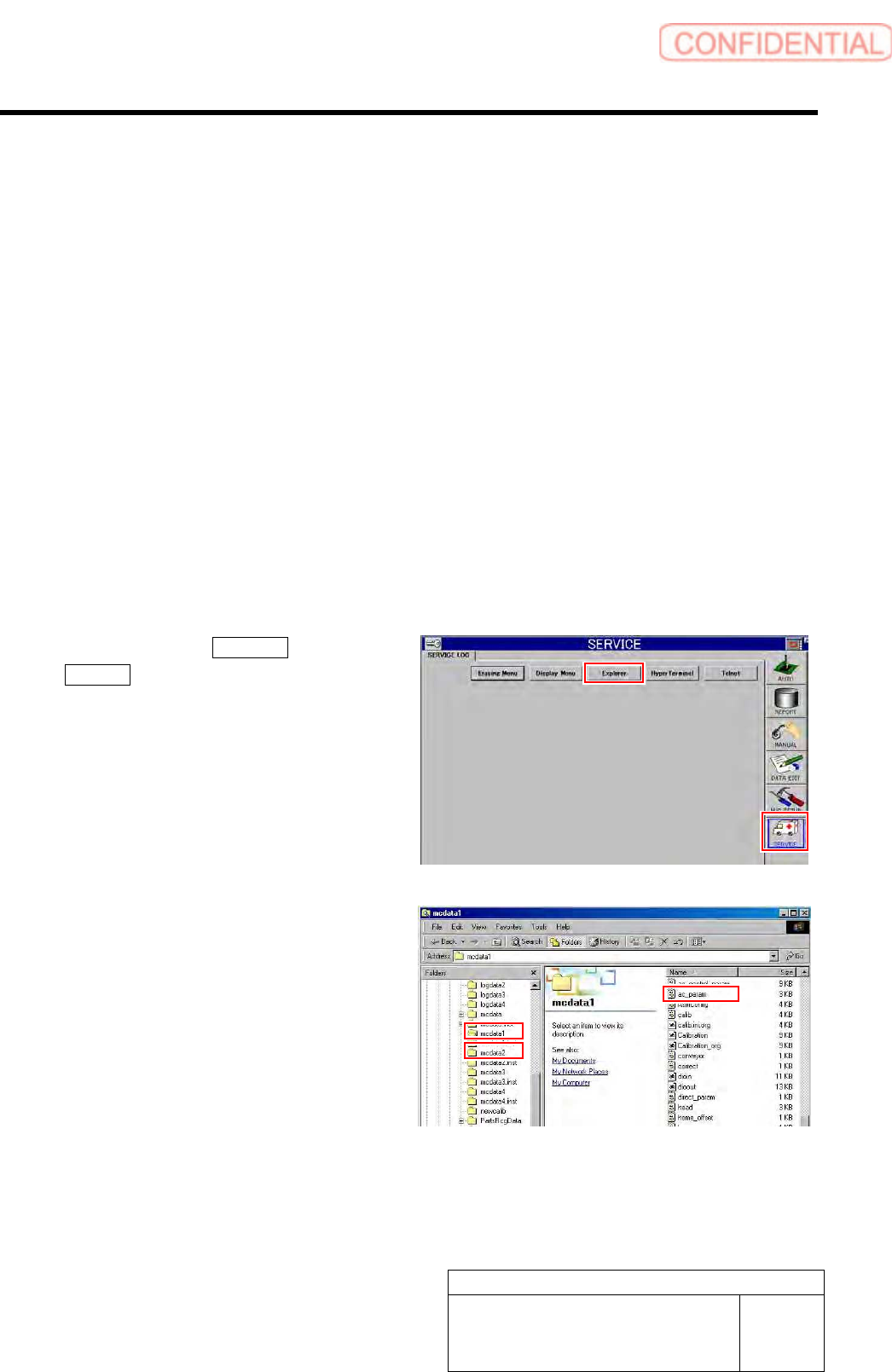
2 Click in an order of SERVICE menu
Explorer button.
Explorer screen is displayed.
3 Put ac_param.ini file for front side and rear
side into a rewritable status.
1. For the front side, open Properties
window for ac_param.ini file in
C:¥asm¥mcdata1.
2. For the rear side, open Properties
window for ac_param.ini file in
C:¥asm¥mcdata2.
Right-click the file and select “Properties” from
the shortcut menu to open the Properties window.
Calibration
HLGB-10314-01
XY Axis Software Limit Setup
SHEET
2/11
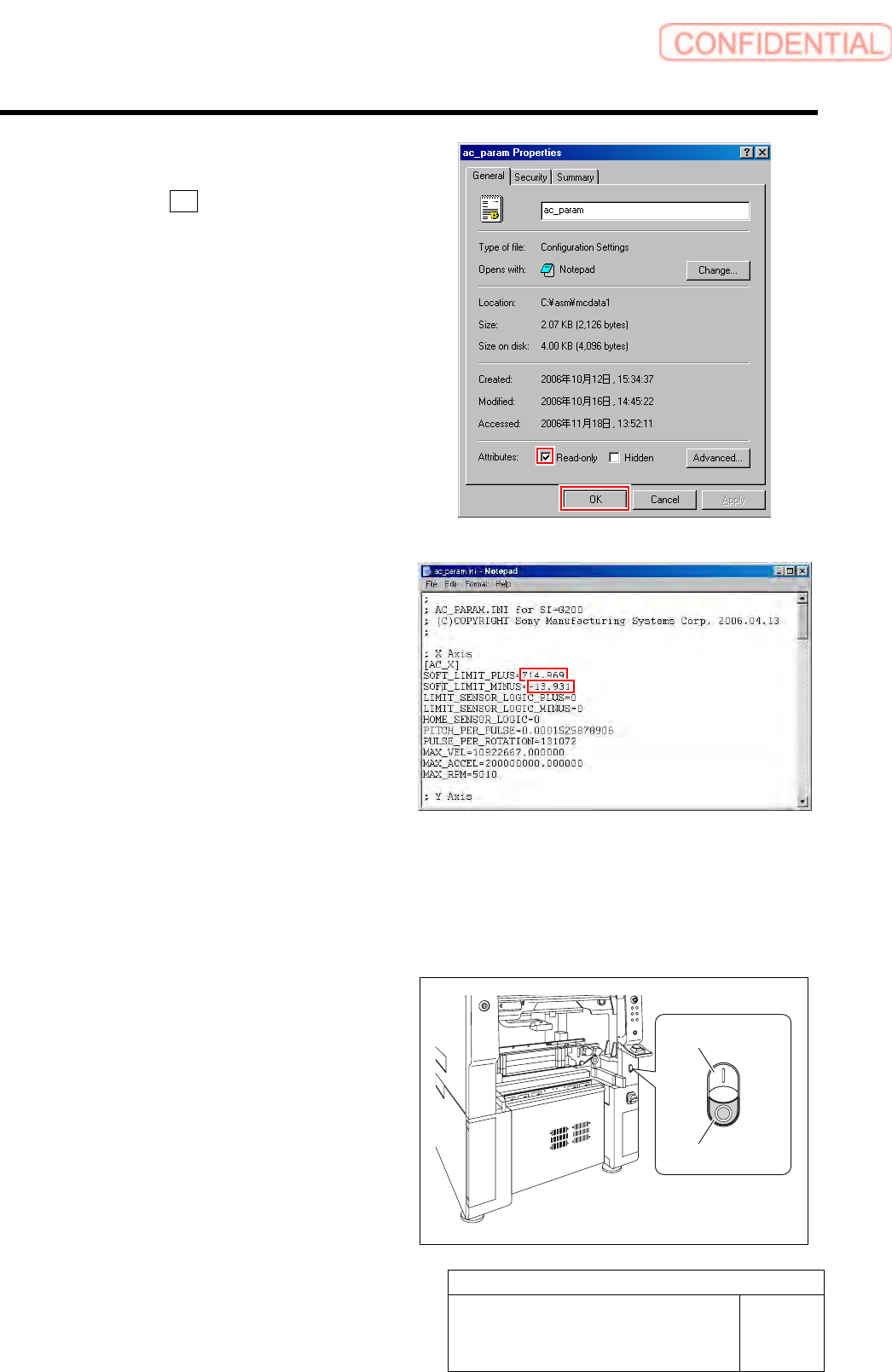
3. Uncheck “Read-only” on the Properties
window of the ac_param.ini file.
4. Click the OK button.
4 Change values in the ac_param.ini file for
the front and rear sides.
1. Open Notepad by the ac_param.ini
file.
2. Input the values calculated in the
procedure 1 into spaces of
“SOFT_LIMIT_PLUS” and
“SOFT_LIMIT_MINUS” of [AC_X].
3. Similarly, input the values calculated
in the procedure 1 into spaces of
“SOFT_LIMIT_PLUS” and
“SOFT_LIMIT_MINUS” of [AC_Y].
4. Save the ac_param.ini file and end.
5. Open the Properties window of the
ac_param.ini file, and check the
“Read-only”.
5 Re-start the unit.
1. Close the explorer window.
2. Press the power off switch.
Shutting down of the system starts and the power
is automatically shut off.
3. Press the power on switch.
The system starts, and the set value is reflected
on the equipment.
Power on switch
Power off switch