MAN00000772_SI-G200BB_SVCPDFA.pdf - 第28页
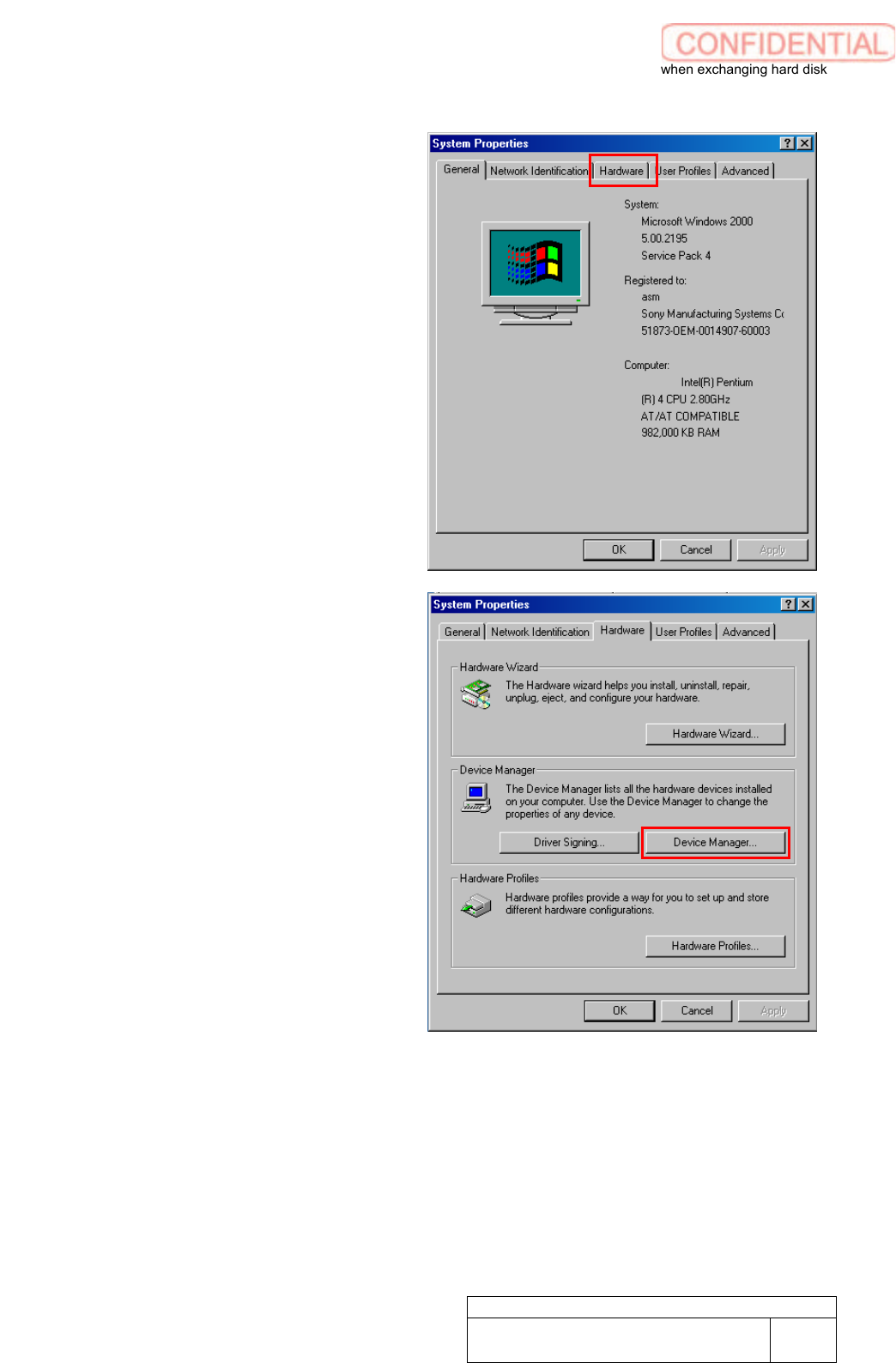
Setting UPS w h e n exchanging h a r d disk WKGB-10103-02 Setting UPS when exchanging hard disk 3/14 3. Click Hardware tab of System Proper ties wind ow . 4. Click Device Manager button of System Properties window .
Setting UPS when exchanging hard disk
WKGB-10103-02
Setting UPS when exchanging
hard disk
2/14
[Device driver re-installation]
This work should
be done on the machine
front and rear separately.
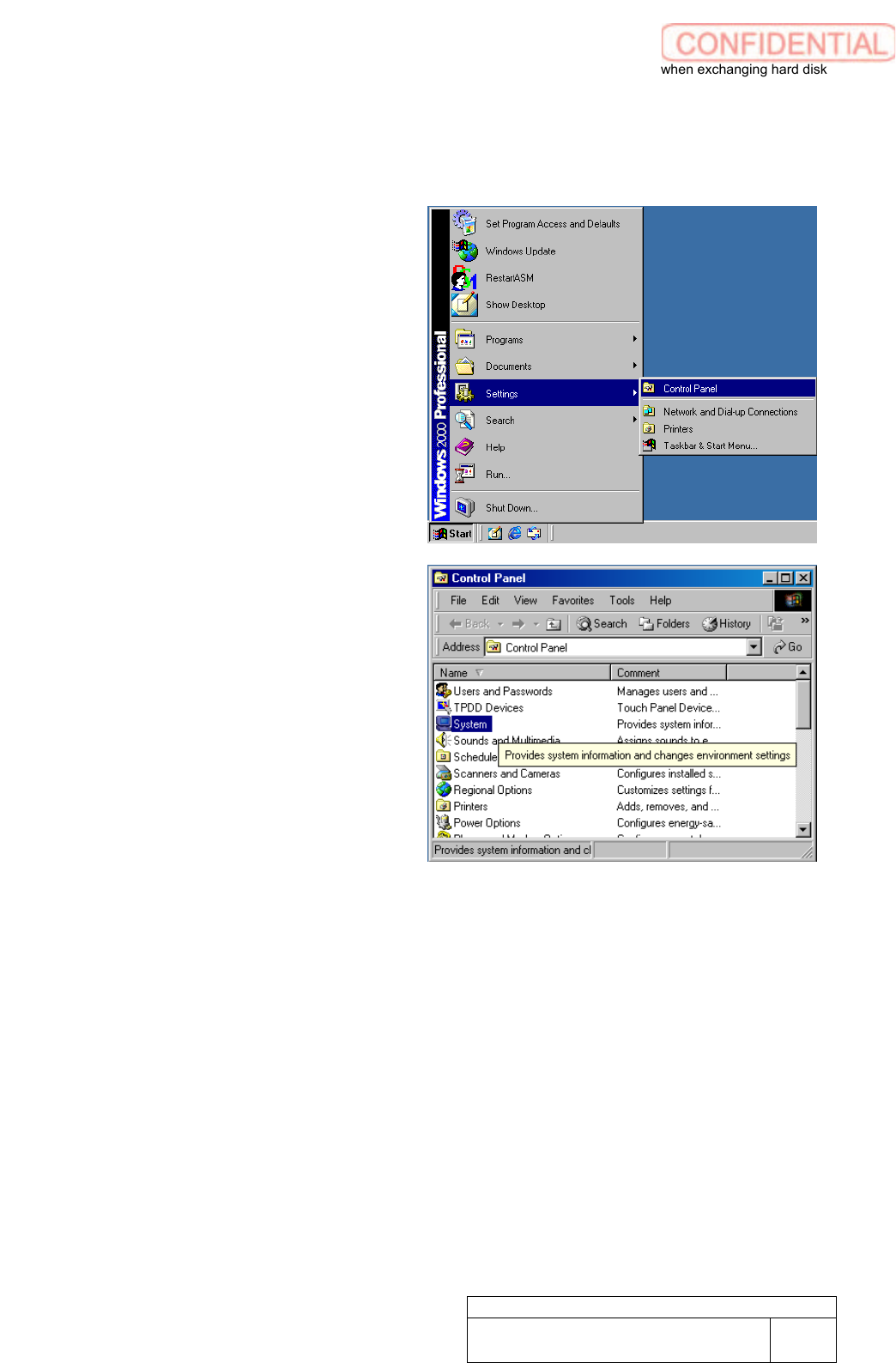
1. Open Control Panel window.
Open Control Panel window from
Windows Start Menu.
2. Make double click on the System to
show System Properties window.
Setting UPS when exchanging hard disk
WKGB-10103-02
Setting UPS when exchanging
hard disk
3/14
3. Click Hardware tab of System
Properties window.
4. Click Device Manager button of
System Properties window.
Setting UPS when exchanging hard disk
WKGB-10103-02
Setting UPS when exchanging
hard disk
4/14
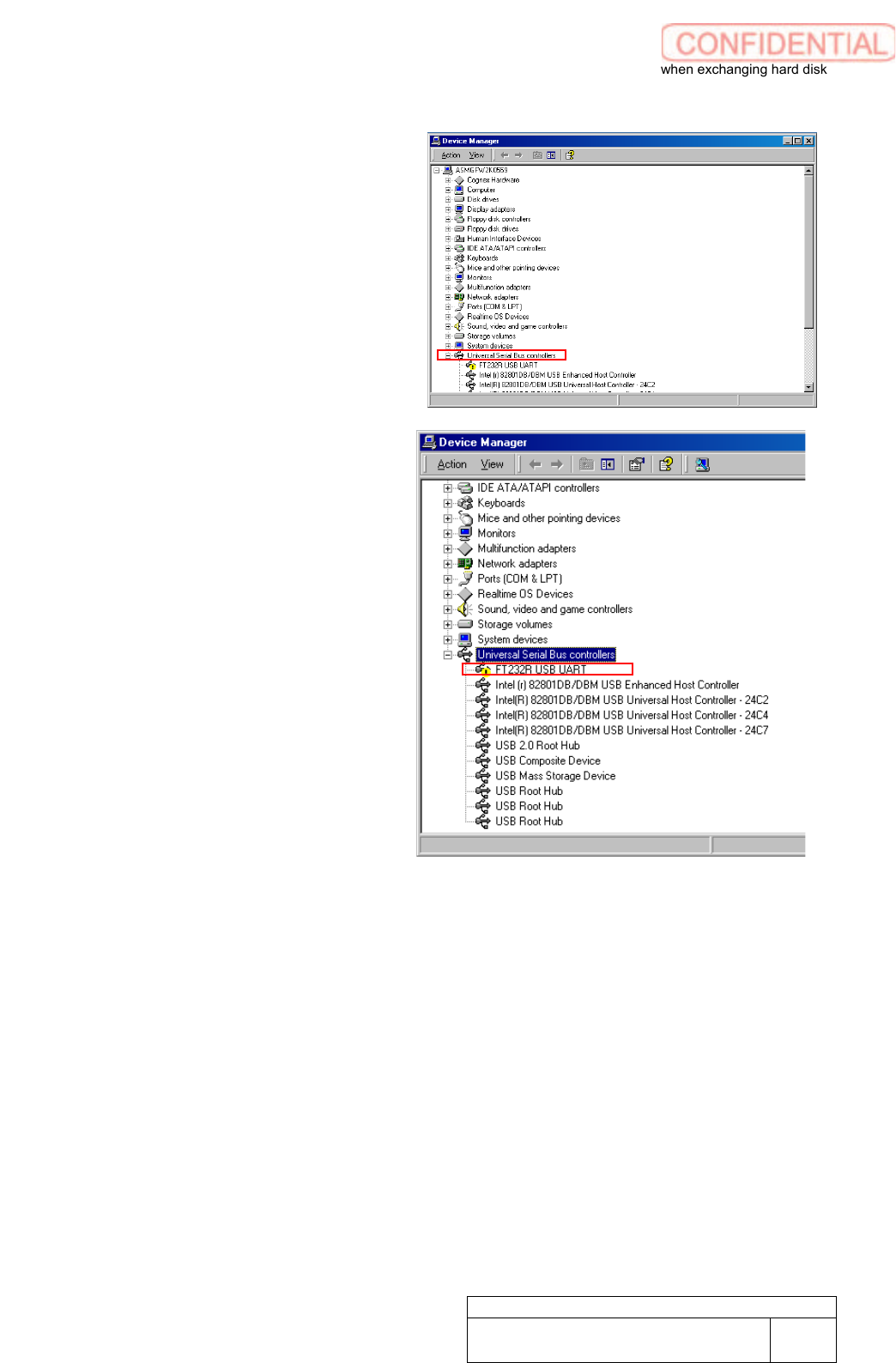
5. Click Universal Serial Bus
controllers to open the linkage.
6. Make a double click on FT232R USB
UART to show property window.