MAN00000772_SI-G200BB_SVCPDFA.pdf - 第294页
Adjustment HLGB-10403-01 H A xis Gear Z-phase Matching SHEET 2/5 4 Put ac_control_param.ini file for front si de and rear side into a rewrit able statu s. 1. For the front side, op en Properties window for ac_con trol_pa…
Adjustment
HLGB-10403-01
H Axis Gear Z-phase Matching
SHEET
1/5
H Axis Gear Z-phase Matching
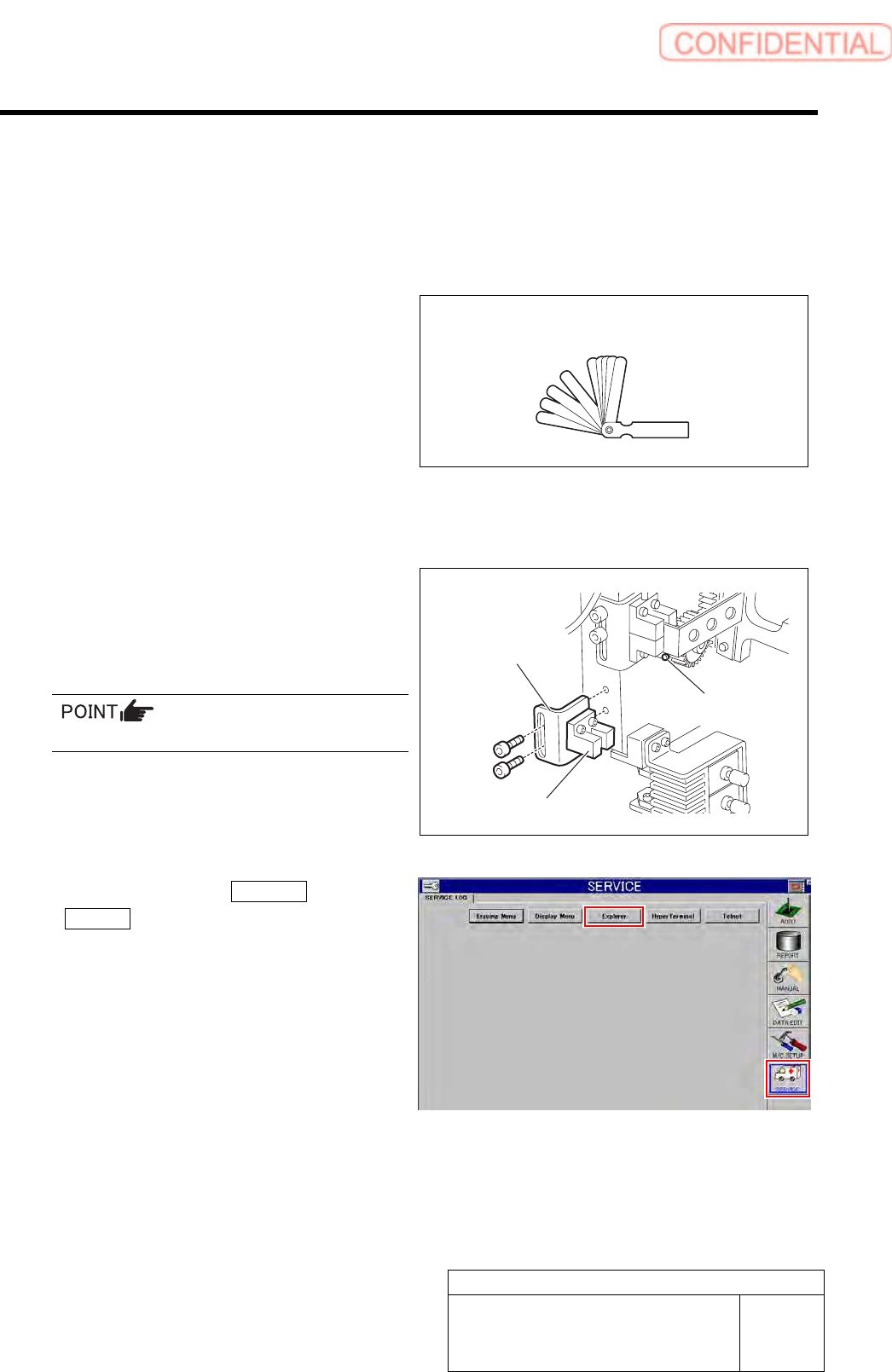
Perform this working on both heads on the front side and rear side.
[Necessary jigs]
• Thickness gauge (t=1.0 mm)
[Procedure]
1 Remove the lower end sensor (H-CW)
together with the bracket.
2 Loosen split fastening screw on the H axis
motor pinion to make free from motor shaft.
Rotate pinion for easy access of alain key.
3 Click in an order of SERVICE menu
Explorer button.
Explorer screen is displayed.
Thickness gauge (t=1.0mm)
Bracket
Lower end sensor (H-CW)
Split fastening screw
Adjustment
HLGB-10403-01
H Axis Gear Z-phase Matching
SHEET
2/5
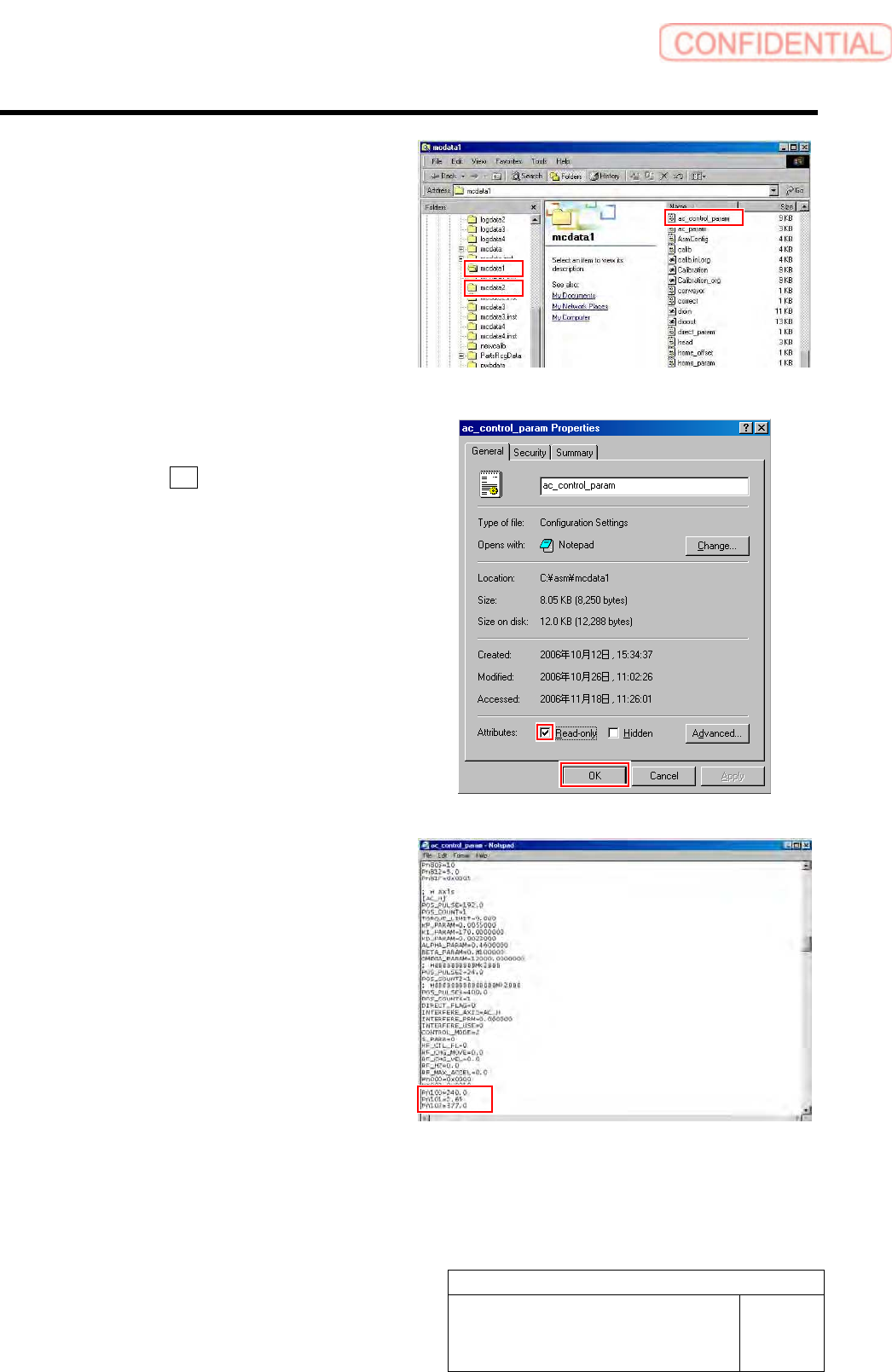
4 Put ac_control_param.ini file for front side
and rear side into a rewritable status.
1. For the front side, open Properties
window for ac_control_param.ini file
in C:¥asm¥mcdata1.
2. For the rear side, open Properties
window for ac_control_param.ini file
in C:¥asm¥mcdata2.
Right-click the file and select “Properties” from
the shortcut menu to open the Properties window.
3. Uncheck “Read-only” on the Properties
window of the ac_param.ini file.
4. Click the OK button.
5 Change the values in the
ac_control_param.ini file for the front side
and rear side.
1. Open the ac_control_param.ini file by
Notepad.
2. Change the value of
PN100-PN101-PN102 of [AC_H].
PN100 (Speed Loop Gain) 180.0 40.0
PN101
(Speed Loop Integral Constant) 3.54 20.0
PN102 (Position Loop Gain) 282.7 40.0
3. Save the ac_control_param.ini file and
end.
4. Open the Properties window of the
ac_control_param.ini file and check
the “Read-only”.
Adjustment
HLGB-10403-01
H Axis Gear Z-phase Matching
SHEET
3/5
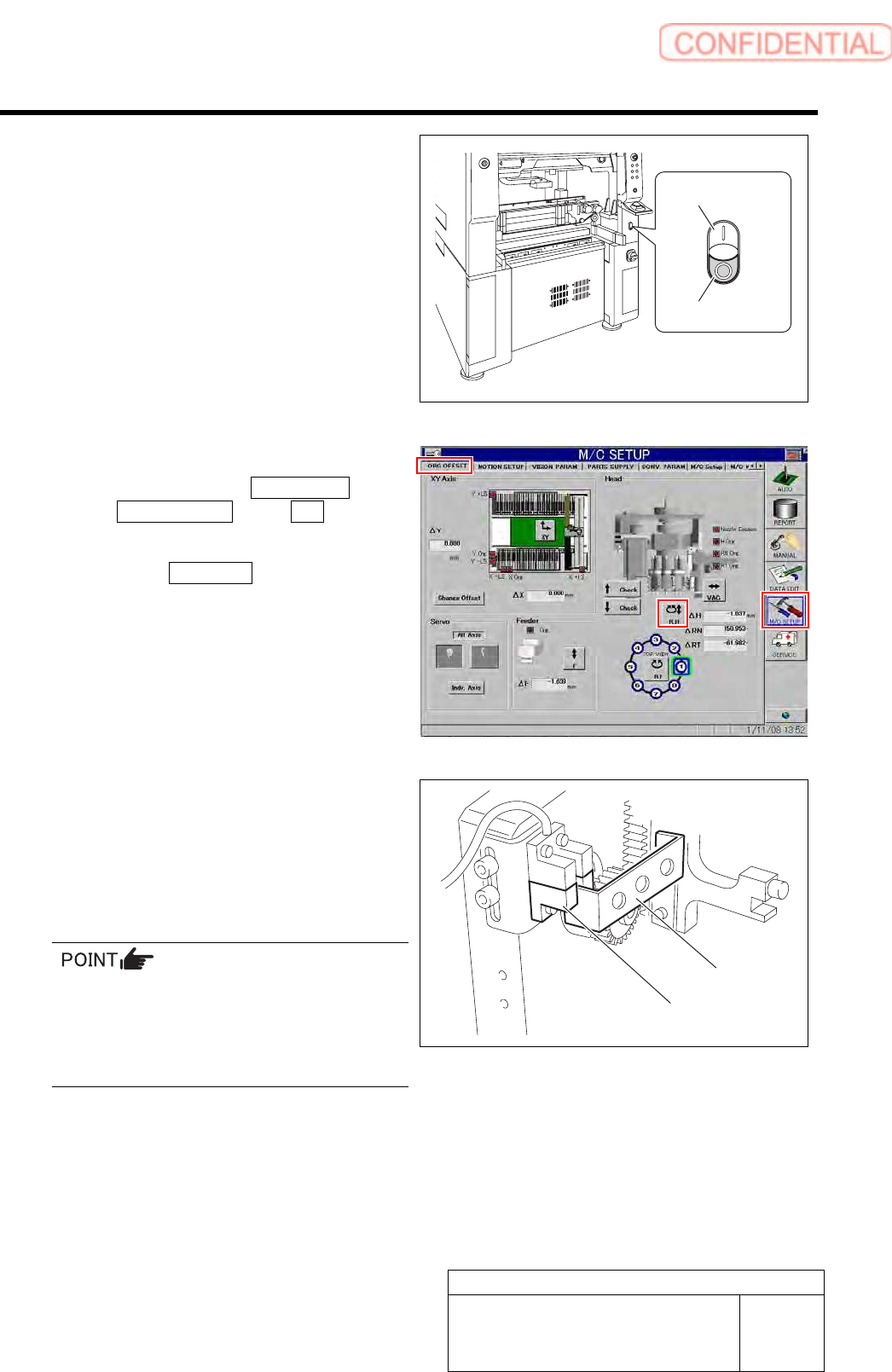
6 Re-start the unit.
1. Close the explorer window.
2. Press the power off switch.
Shutting down of the system starts and the power
is automatically shut off.
3. Press the power on switch.
The system starts, and the set value is reflected
on the equipment.
7 Perform origin position return for H axis only.
1. Click in an order of M/C SETUP menu
ORG OFFSET tab R.H button.
RN/H Axis screen is displayed.
2. Click the Abs. Move button for move
mode and put checkmark on H axis.
3. Press the [ORG] button on the
operation panel.
Origin position return is performed for the H axis
only.
8 Check that the motor shaft is idling while
origin position return is performed, once
escape the dog for H axis sensor from the
ORG sensor.
The motor shaft slowly stops in Z-phase after a few
seconds.
Unless the gear is free against the motor shaft
of the H axis, the dog obstructs the CCW sensor
and the servo is turned off.
Check that the gear is completely free against
the motor shaft of the H axis.
9 Check if the inner shaft lowers by pushing
upward.
Power on switch
Power off switch
Dog
ORG sensor