MAN00000772_SI-G200BB_SVCPDFA.pdf - 第30页
Setting UPS w h e n exchanging h a r d disk WKGB-10103-02 Setting UPS when exchanging hard disk 5/14 7. Click Reinstall Driver button. Upgrade Device Driver W izard screen appears. 8. Click Ne xt button. 9. Click Ne xt b…
Setting UPS when exchanging hard disk
WKGB-10103-02
Setting UPS when exchanging
hard disk
4/14
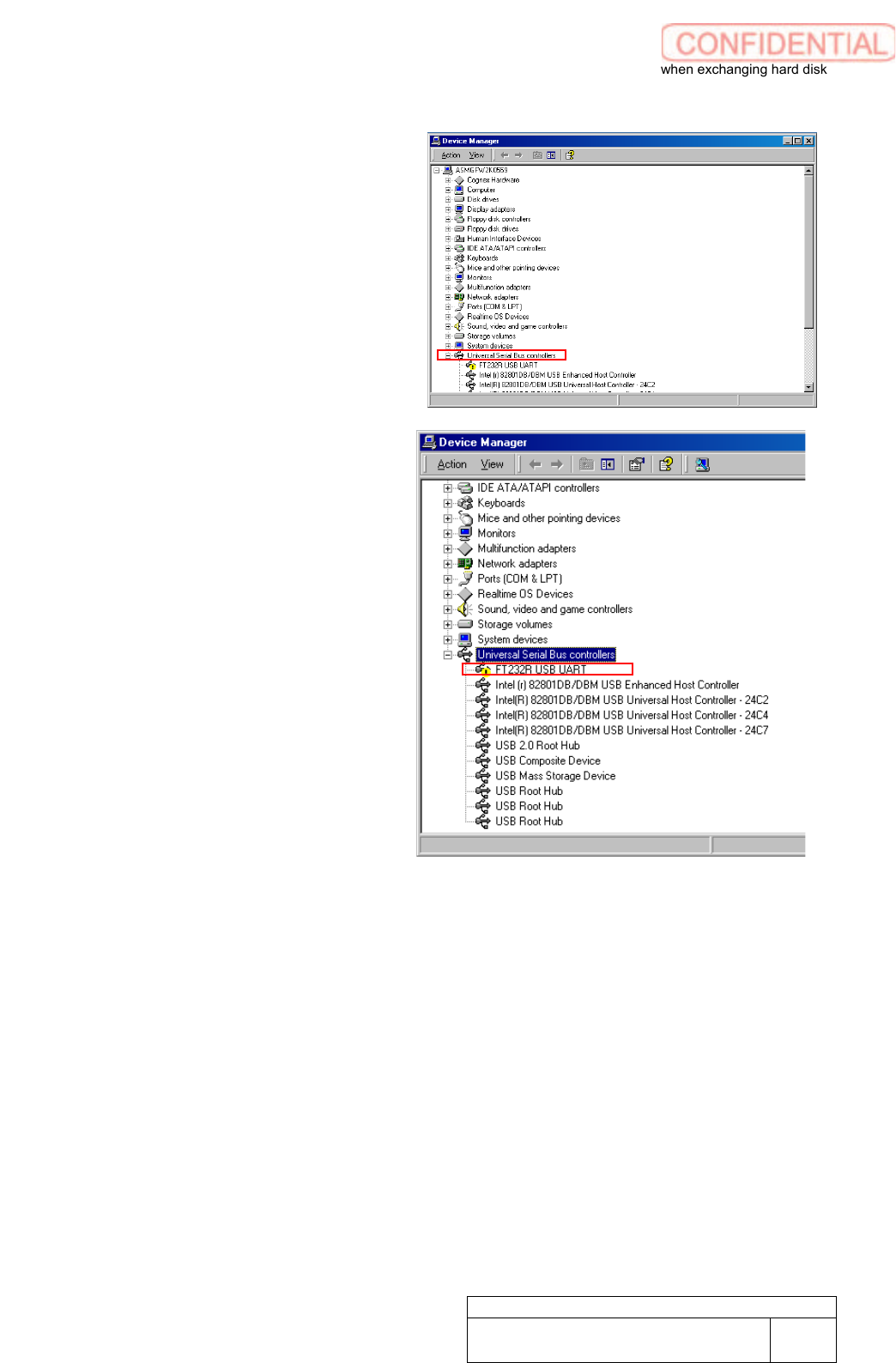
5. Click Universal Serial Bus
controllers to open the linkage.
6. Make a double click on FT232R USB
UART to show property window.
Setting UPS when exchanging hard disk
WKGB-10103-02
Setting UPS when exchanging
hard disk
5/14
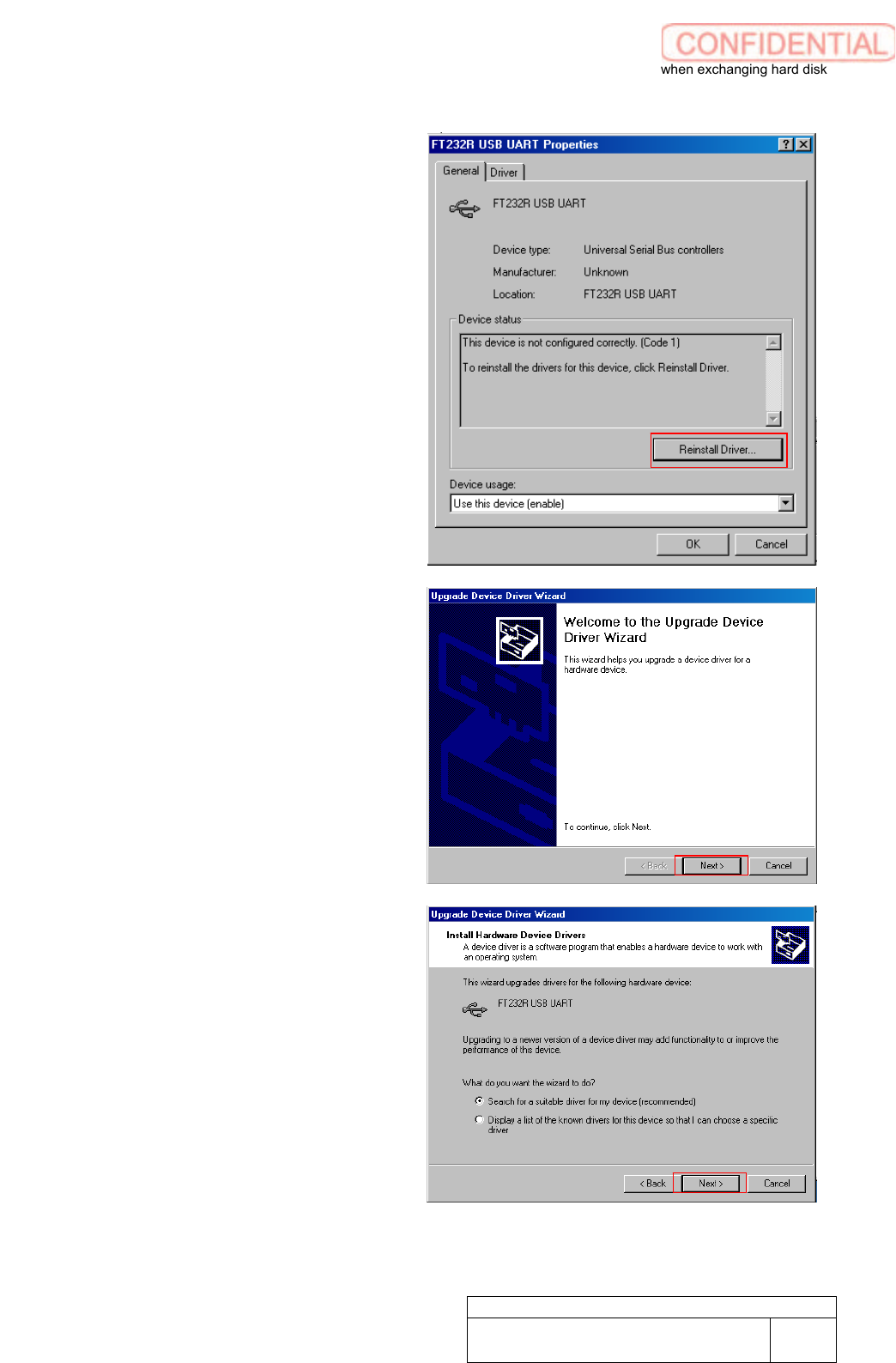
7. Click Reinstall Driver button.
Upgrade Device Driver Wizard screen
appears.
8. Click Next button.
9. Click Next button.
Setting UPS when exchanging hard disk
WKGB-10103-02
Setting UPS when exchanging
hard disk
6/14
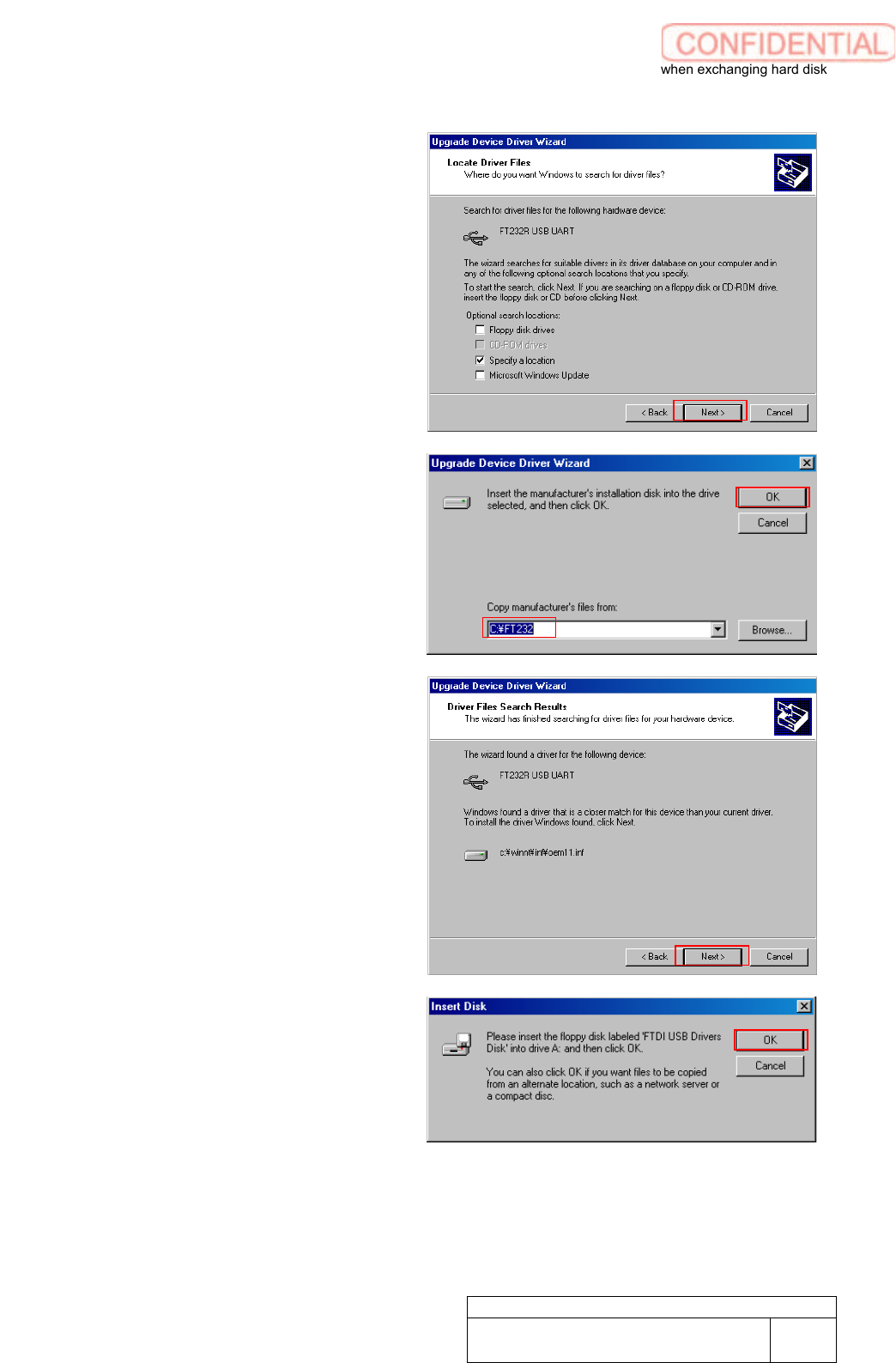
10. Click Next button.
11. Confirm if Copy manufaturer’s files
from field is filled “C:\FT232” to click
OK button.
Driver Files Search Results appears.
12. Click Next button.
Insert Disk screen appears.
13. Click OK button.
Files Needed screen appears.