MAN00000772_SI-G200BB_SVCPDFA.pdf - 第335页
Adjustment HLGB-10415-01 Nozzle Sensor Adjus tment SHEET 3/7 [Coordinate value setup for sensor] 1 Move the head to a better position to work with, and then attach the jig nozzle to tu rret No.1. Attach the jig nozzle so…
Adjustment
HLGB-10415-01
Nozzle Sensor Adjustment
SHEET
2/7
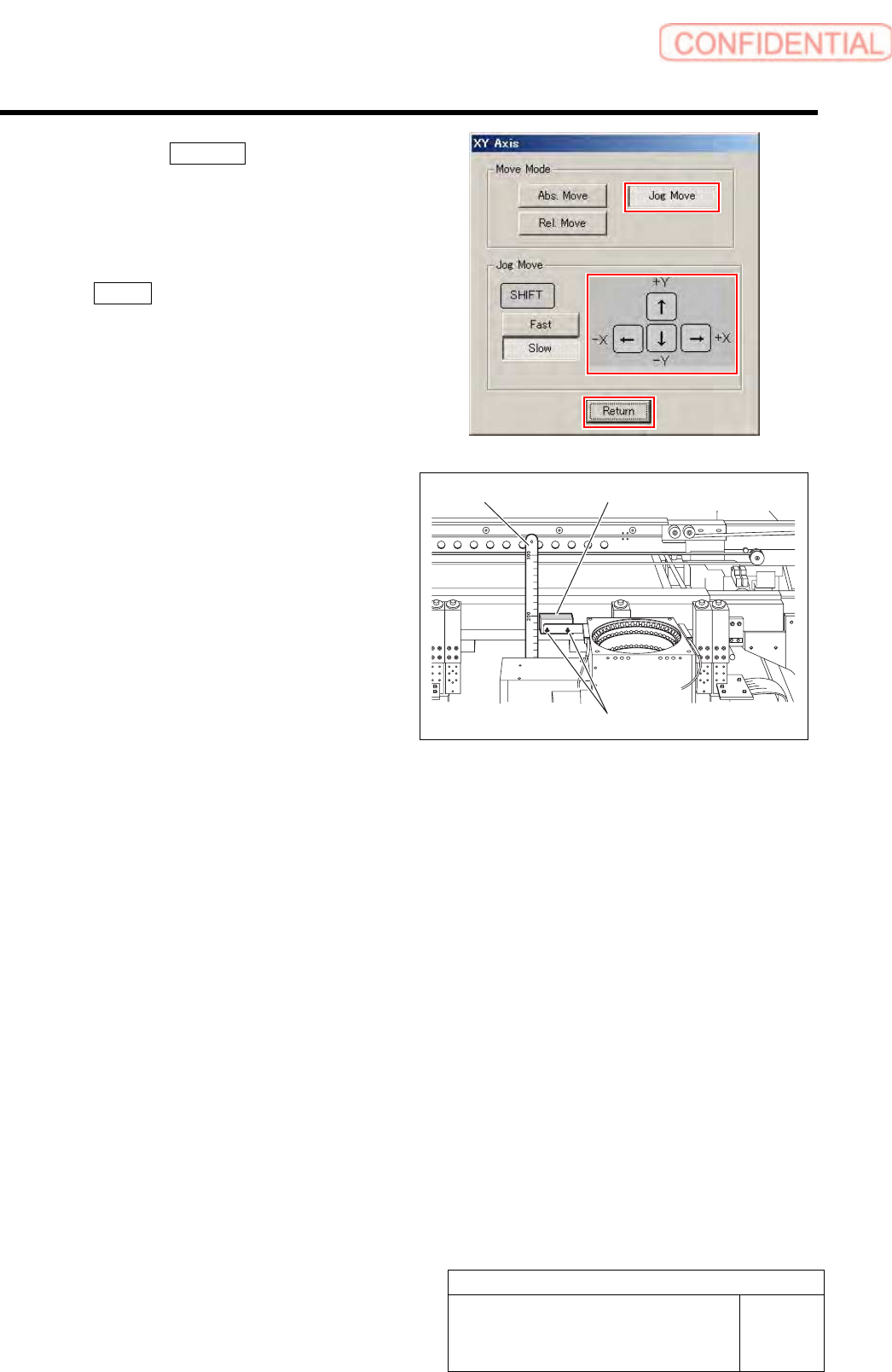
2. Click the Jog Move button.
3. Press the cursor key to move the head
to a position where working is easily
performed.
4. After moving the head, click the
Return button to close the XY Axis
screen.
3 Adjust detecting surface height of the nozzle
sensor (BS145, BS405) from upper face of
the stand.
1. Use a scale to measure detecting
surface height of the nozzle sensor
from upper face of the stand.
2. Loosen the installing bolts (2-CP2.5x8)
to adjust installing height of the nozzle
sensor so that the detecting surface
height becomes 203[mm].
3. After adjusting height, loosen the
installing bolts to fix the nozzle sensor.
4 Remove the scale and return the unit to the
origin.
Scale
Nozzle sensor
Installing bolts
Adjustment
HLGB-10415-01
Nozzle Sensor Adjustment
SHEET
3/7
[Coordinate value setup for sensor]
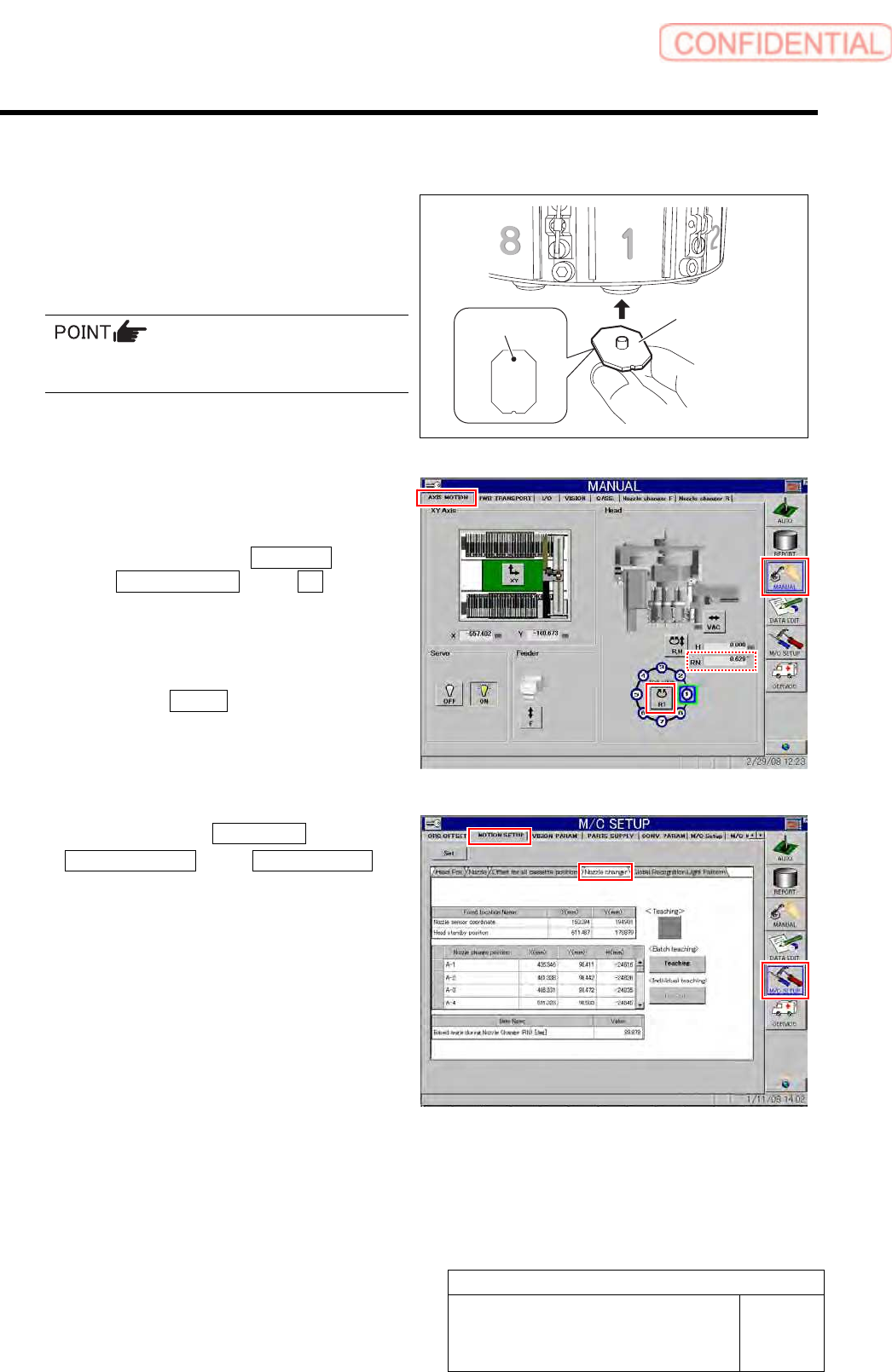
1 Move the head to a better position to work
with, and then attach the jig nozzle to turret
No.1.
Attach the jig nozzle so that the black dot on the
bottom of the nozzle comes inward of the turret.
2 Move the turret No.1 down to the H axis, and
check that the RN axis is 0°.
1. Click in an order of MANUAL menu
AXIS MOTION tab RT button.
Turret RT Axis screen is displayed.
2. Operate the RT axis screen and move
the turret No.1 down to the H axis.
3. Click the Return button to close the
Turret RT Axis screen.
4. Check that angle of the RN axis is 0°
on the axis operation screen.
3 Click in an order of M/C SETUP menu
MOTION SETUP tab Nozzle changer
tab.
Nozzle changer screen is displayed.
Jig nozzle for
nozzle changer
Black dot
Adjustment
HLGB-10415-01
Nozzle Sensor Adjustment
SHEET
4/7
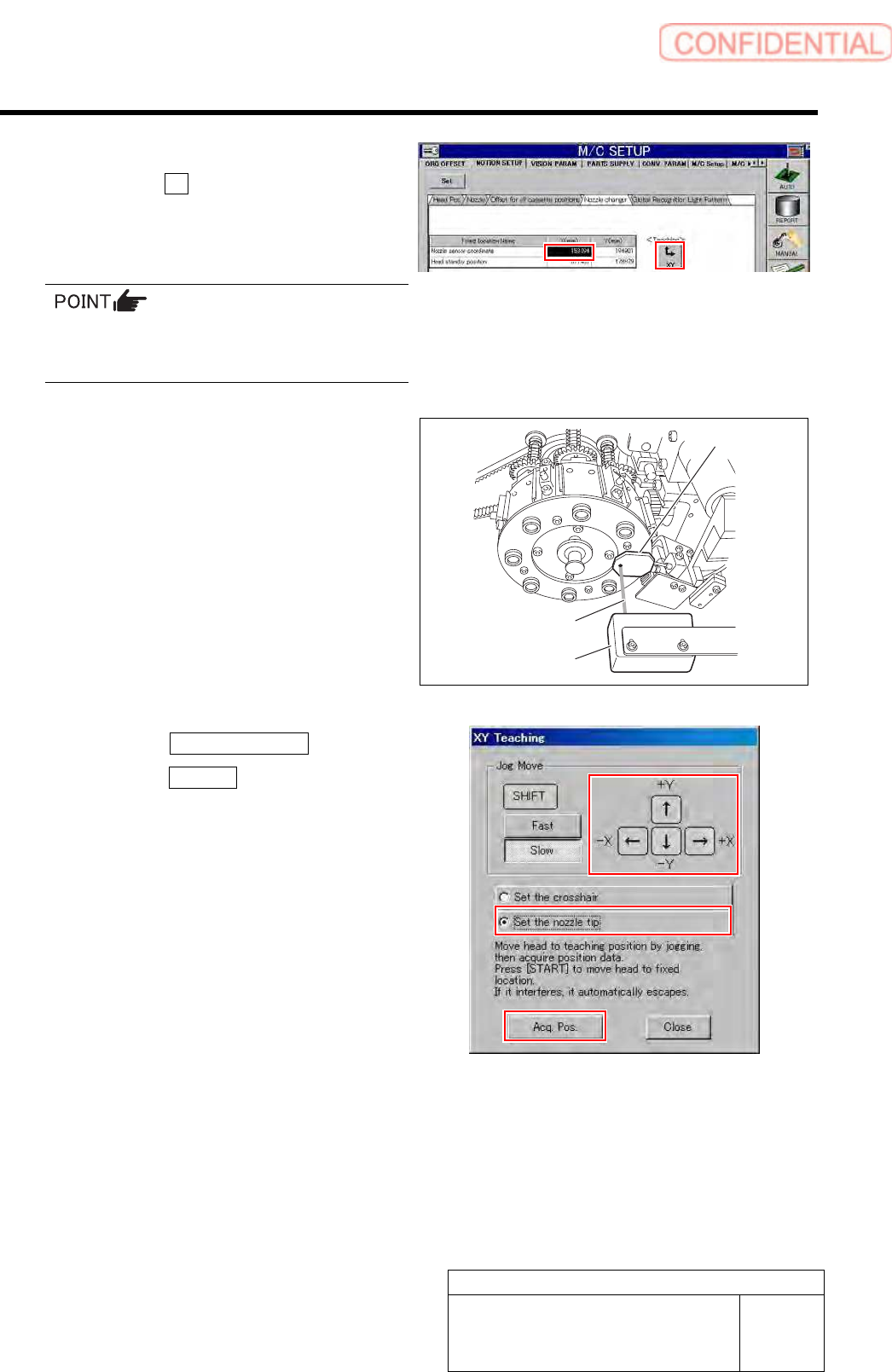
4 Select a nozzle sensor coordinate space
and click the XY button for teaching.
XY teaching screen is displayed.
If the Teaching button does not become enabled,
click on the “Nozzle sensor coordinate” column
and then click the Teaching button again.
5 Acquire coordinate at a position where black
dot on the back of the jig nozzle is aligned
with opticl axis of the nozzle sensor.
1. Operate the XY Teaching window to
align the light axis of the sensor and
the black dot on the bottom of the jig
nozzle.
2. Click the Set the nozzle tip button.
3. Click the Acq Pos. button.
Coordinate of the current position is acquired.
6 Move the head to a better position to work
with, and then remove the jig nozzle.
Opticl axis
Nozzle sensor
Jig nozzle