MAN00000772_SI-G200BB_SVCPDFA.pdf - 第34页
Setting UPS w h e n exchanging h a r d disk WKGB-10103-02 Setting UPS when exchanging hard disk 9/14 4. Click “ Ports [COM & LPT] ” to open the link. Make a double click on “ USB Serial Port [COM 8] ”. USB Serial P o…
Setting UPS when exchanging hard disk
WKGB-10103-02
Setting UPS when exchanging
hard disk
8/14
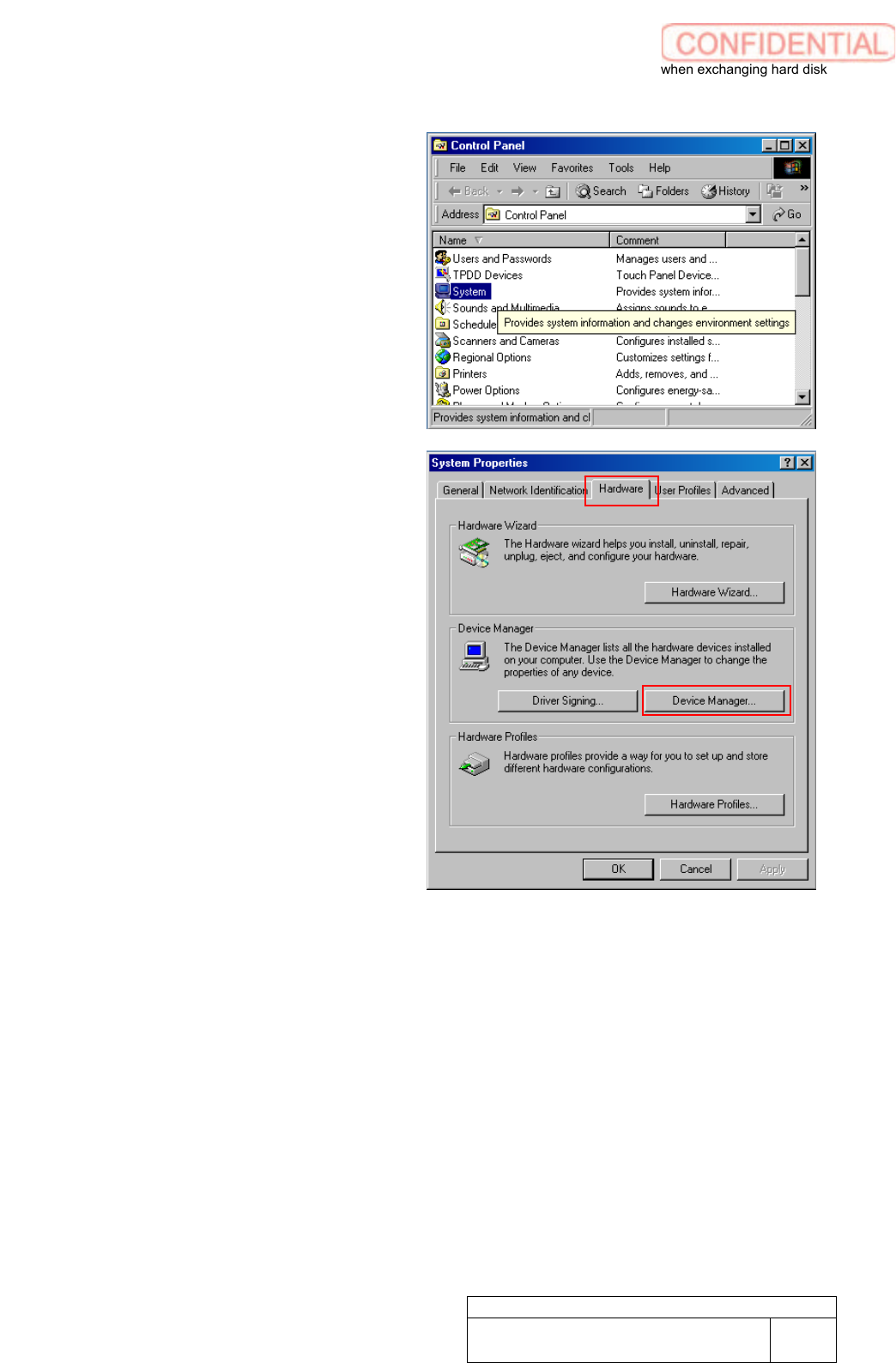
2. Make a double click on the System
folder of the Control panel. System
Properties window appears.
3. Click Hardware tab of System
Properties screen. Click Device
Manager button.
Setting UPS when exchanging hard disk
WKGB-10103-02
Setting UPS when exchanging
hard disk
9/14
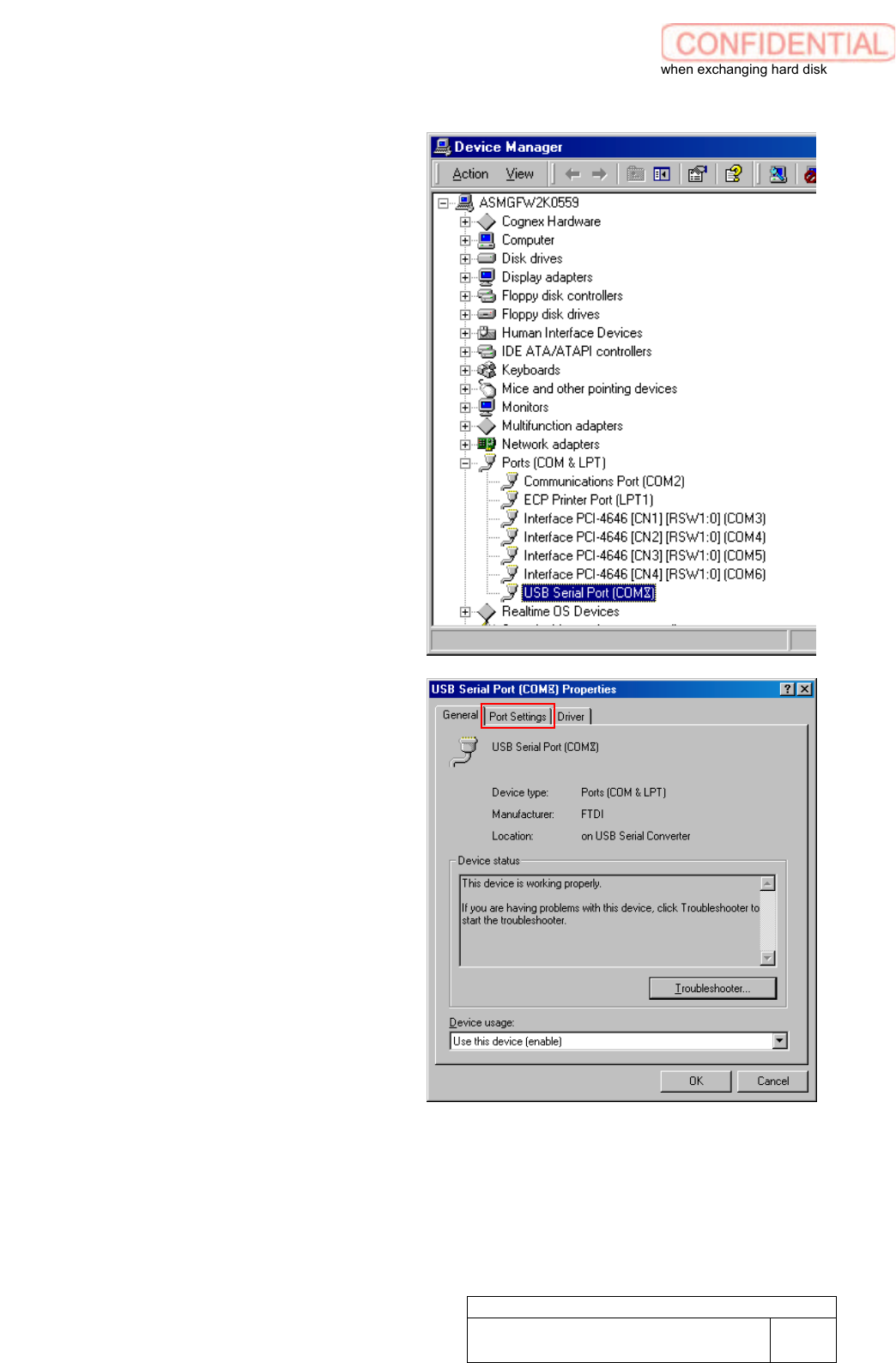
4. Click “
Ports [COM & LPT]
” to open
the link. Make a double click on
“
USB Serial Port [COM 8]
”. USB
Serial Port Properties
window
appears.
5. Click “
Port Setting
” tab to show Port
Setting window.
Setting UPS when exchanging hard disk
WKGB-10103-02
Setting UPS when exchanging
hard disk
10/14
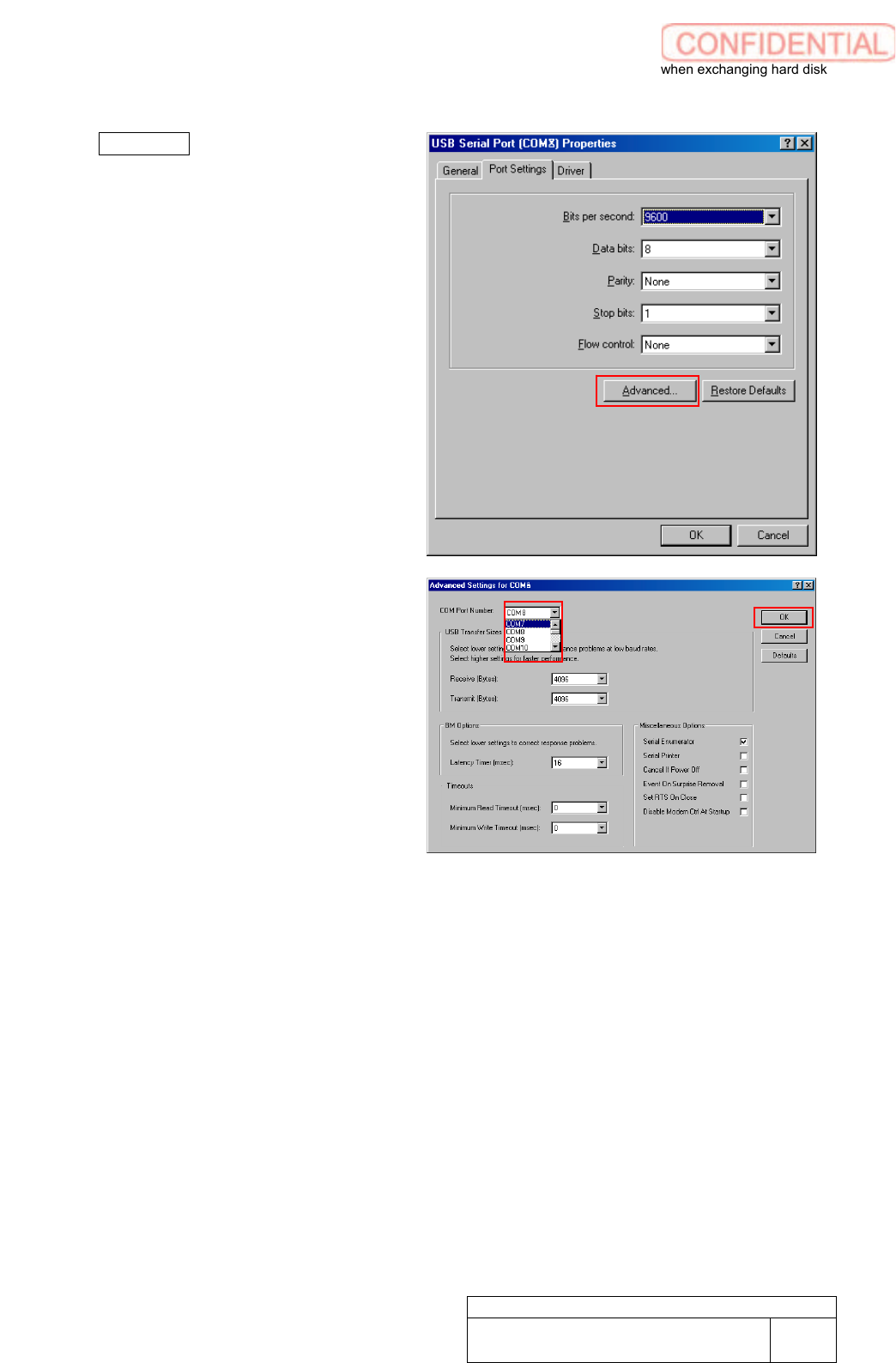
6. Click Advanced. Advanced Settings
for COM8 appears.
7. Select “
COM7
” from list box of COM
Port Number. Click OK button.
COM No. change has been completed.
Close all windows.