MAN00000772_SI-G200BB_SVCPDFA.pdf - 第365页
Adjustment HLGB-10424-01 Supplied A ir Sensor Setup SHEET 2/2 6 Press the U and V button to display the G-ON. 1 kPa 2 7 Press the MODE button one time. MP A on the display screen. 1 kPa 2 8 Press the MODE button two time…
Adjustment
HLGB-10424-01
Supplied Air Sensor Setup
SHEET
1/2
Supplied Air Sensor Setup
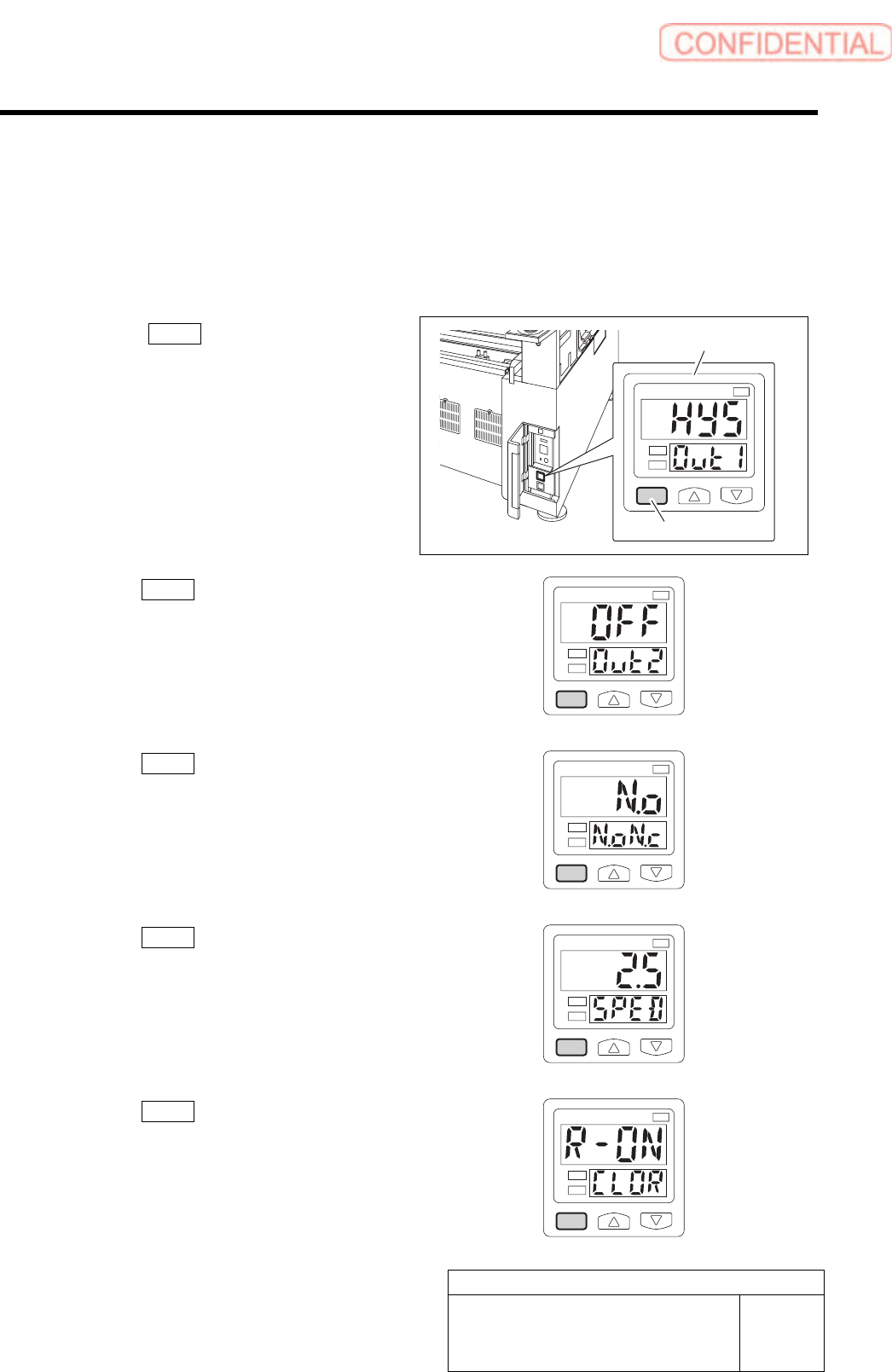
This section describes setting procedure for the Supplied Air sensor located on the on the interface
panel on the back of the unit.
[Procedure]
1 Press the MODE button for longer than 2
seconds.
HYS on the display screen.
1
kPa
2
2 Press the MODE button one time.
OFF on the display screen.
1
kPa
2
3 Press the MODE button one time.
N.o on the display screen.
1
kPa
2
4 Press the MODE button one time.
2.5 on the display screen.
1
kPa
2
5 Press the MODE button one time.
R-ON on the display screen.
1
kPa
2
Supplied air sensor
MODE button
Adjustment
HLGB-10424-01
Supplied Air Sensor Setup
SHEET
2/2
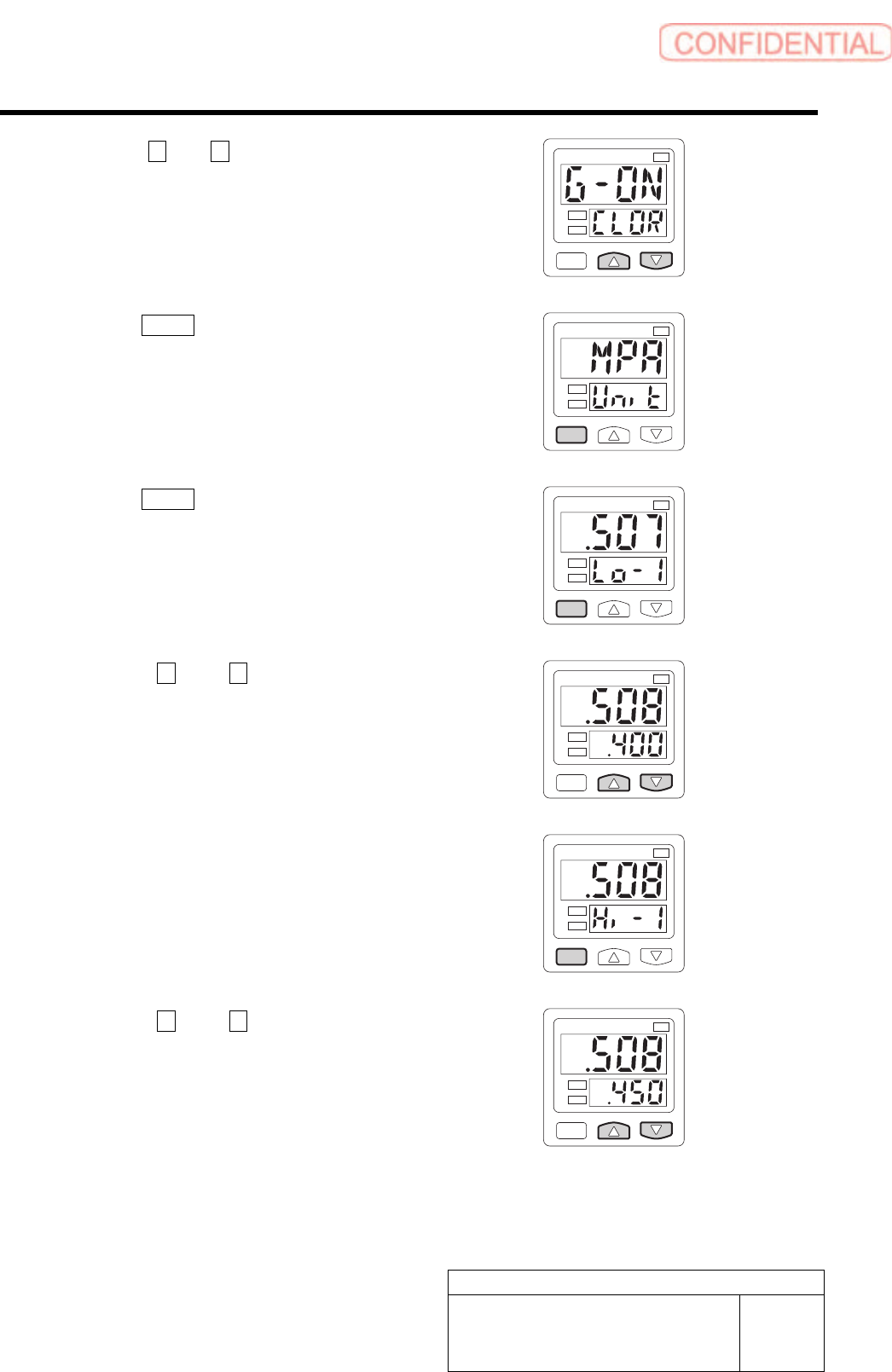
6 Press the U and V button to display the
G-ON.
1
kPa
2
7 Press the MODE button one time.
MPA on the display screen.
1
kPa
2
8 Press the MODE button two time.
Lo-1 on the display screen.
1
kPa
2
9 Press the U and V button to display
the .400.
1
kPa
2
10 Press the MODE button one time.
Hi-1 on the display screen.
1
kPa
2
11 Press the U and V button to display
the .450.
Setting is completed.
1
kPa
2
Adjustment
HLGB-10425-01
Adjustment and checking of H-axis
software limit
SHEET
1/6
Adjustment and checking of H-axis software limit
[Procedure]
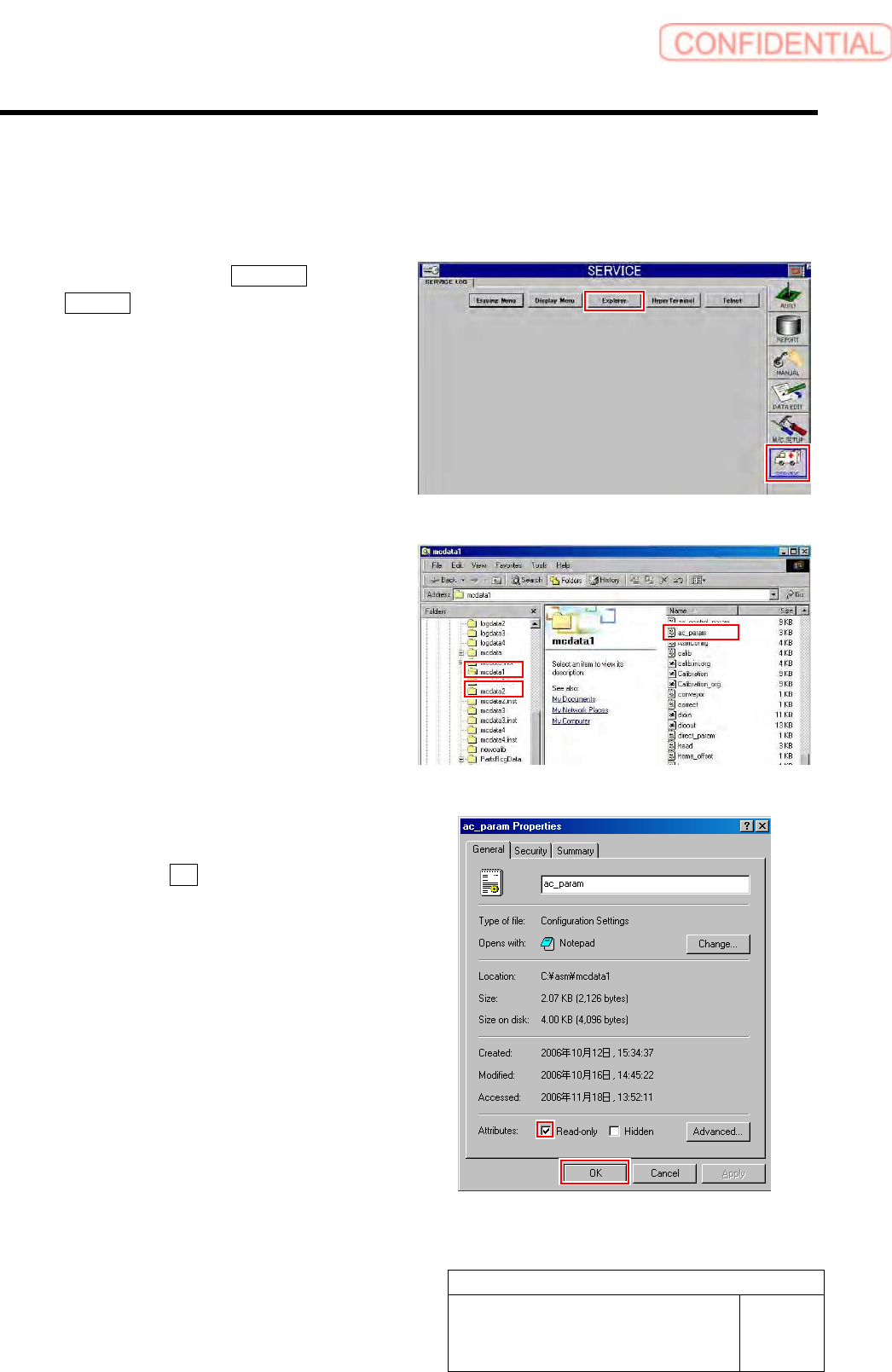
1 Click in an order of SERVICE menu
Explorer button.
Explorer screen is displayed.
2 Put ac_param.ini file for front side and rear
side into a rewritable status.
1. For the front side, open Properties
window for ac_param.ini file in
C:¥asm¥mcdata1.
2. For the rear side, open Properties
window for ac_param.ini file in
C:¥asm¥mcdata2.
Right-click the file and select “Properties” from
the shortcut menu to open the Properties window.
3. Uncheck “Read-only” on the Properties
window of the ac_param.ini file.
4. Click the OK button.