MAN00000772_SI-G200BB_SVCPDFA.pdf - 第366页
Adjustment HLGB-10425-01 Adjustment and checking of H-axis soft ware limit SHEET 1/6 Adjustment and checking of H-axis sof tware limit [Procedure] 1 Click in an order of SER VICE menu Explorer button. Explorer screen i…
Adjustment
HLGB-10424-01
Supplied Air Sensor Setup
SHEET
2/2
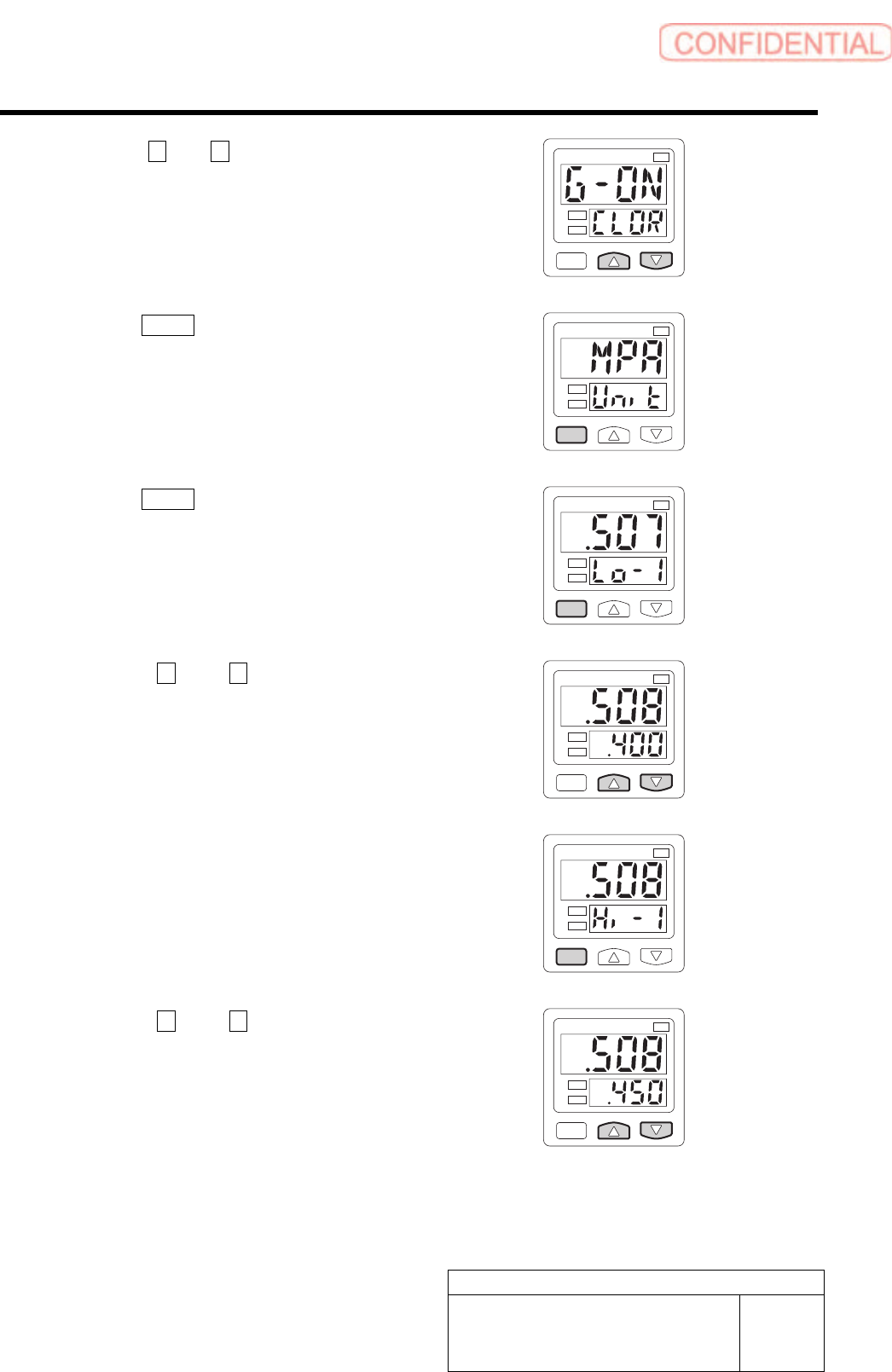
6 Press the U and V button to display the
G-ON.
1
kPa
2
7 Press the MODE button one time.
MPA on the display screen.
1
kPa
2
8 Press the MODE button two time.
Lo-1 on the display screen.
1
kPa
2
9 Press the U and V button to display
the .400.
1
kPa
2
10 Press the MODE button one time.
Hi-1 on the display screen.
1
kPa
2
11 Press the U and V button to display
the .450.
Setting is completed.
1
kPa
2
Adjustment
HLGB-10425-01
Adjustment and checking of H-axis
software limit
SHEET
1/6
Adjustment and checking of H-axis software limit
[Procedure]
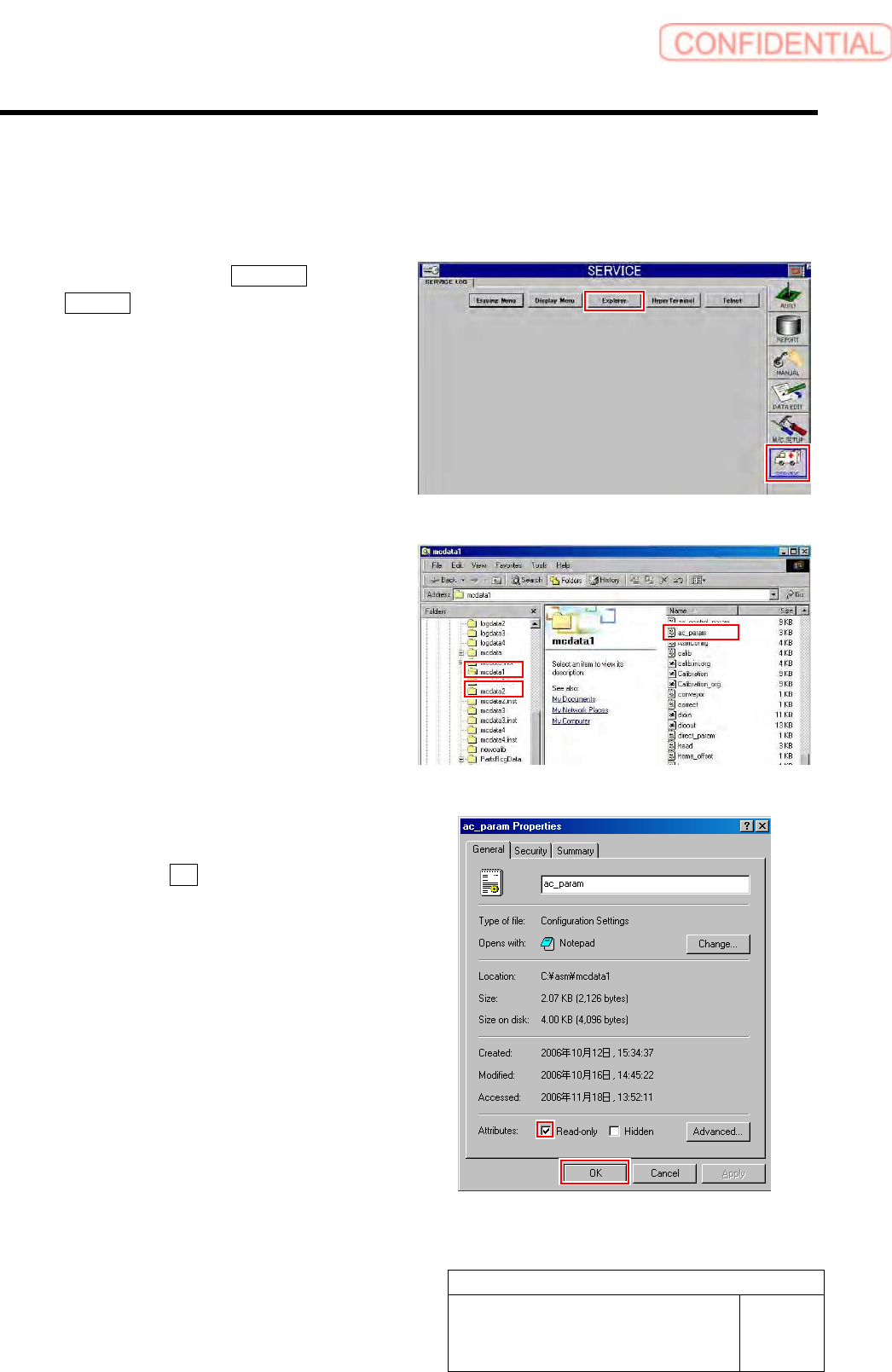
1 Click in an order of SERVICE menu
Explorer button.
Explorer screen is displayed.
2 Put ac_param.ini file for front side and rear
side into a rewritable status.
1. For the front side, open Properties
window for ac_param.ini file in
C:¥asm¥mcdata1.
2. For the rear side, open Properties
window for ac_param.ini file in
C:¥asm¥mcdata2.
Right-click the file and select “Properties” from
the shortcut menu to open the Properties window.
3. Uncheck “Read-only” on the Properties
window of the ac_param.ini file.
4. Click the OK button.
Adjustment
HLGB-10425-01
Adjustment and checking of H-axis
software limit
SHEET
2/6
3 Temporarily change value of H axis software
limit in the ac_param.ini file for the front side
and rear side to value outside of the
over-travel.
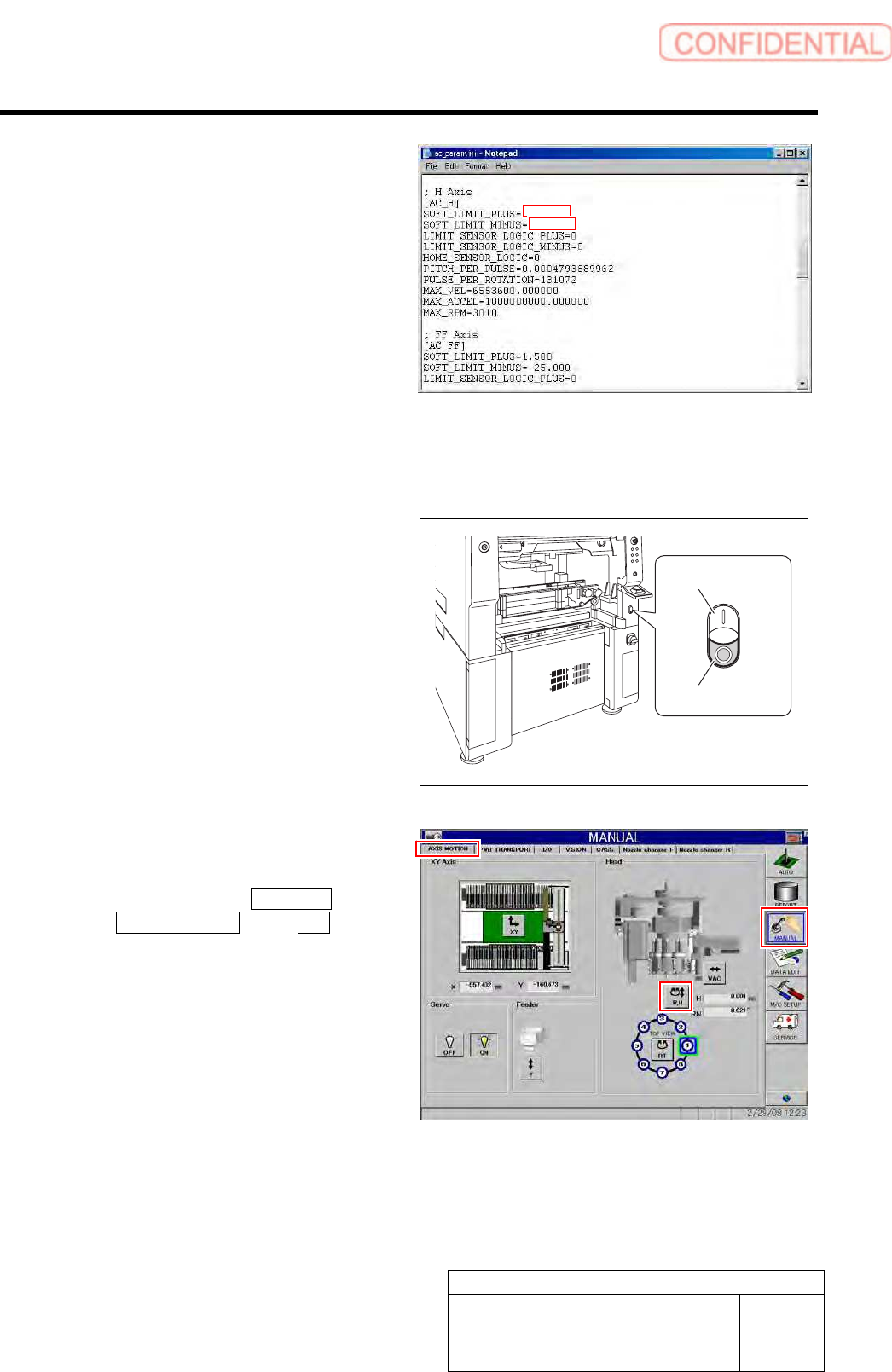
1. Open Notepad by the ac_param.ini
file.
2. Input “3.800” into a space of
“SOFT_LIMIT_PLUS” of [AC_H].
3. Input “- 30.00” into a space of
“SOFT_LIMIT_MINUS” of [AC_H].
4. Save the ac_param.ini file and end.
5. Open the Properties window of the
ac_param.ini file, and check the
“Read-only”.
4 Re-start the unit.
1. Close the explorer window.
2. Press the power off switch.
Shutting down of the system starts and the power
is automatically shut off.
3. Press the power on switch.
The system starts, and the set value is reflected
on the equipment.
5 Check motion of the OT sensor at the top
end of the H-axis.
1. Click in an order of MANUAL menu
AXIS MOTION tab R.H button.
RN/H Axis screen is displayed.
Power on switch
Power off switch
3.800
-30.00