MAN00000772_SI-G200BB_SVCPDFA.pdf - 第372页
在线预览 MAN00000772_SI-G200BB_SVCPDFA.pdf PDF 文档。
Adjustment
HLGB-10425-01
Adjustment and checking of H-axis
software limit
SHEET
6/6
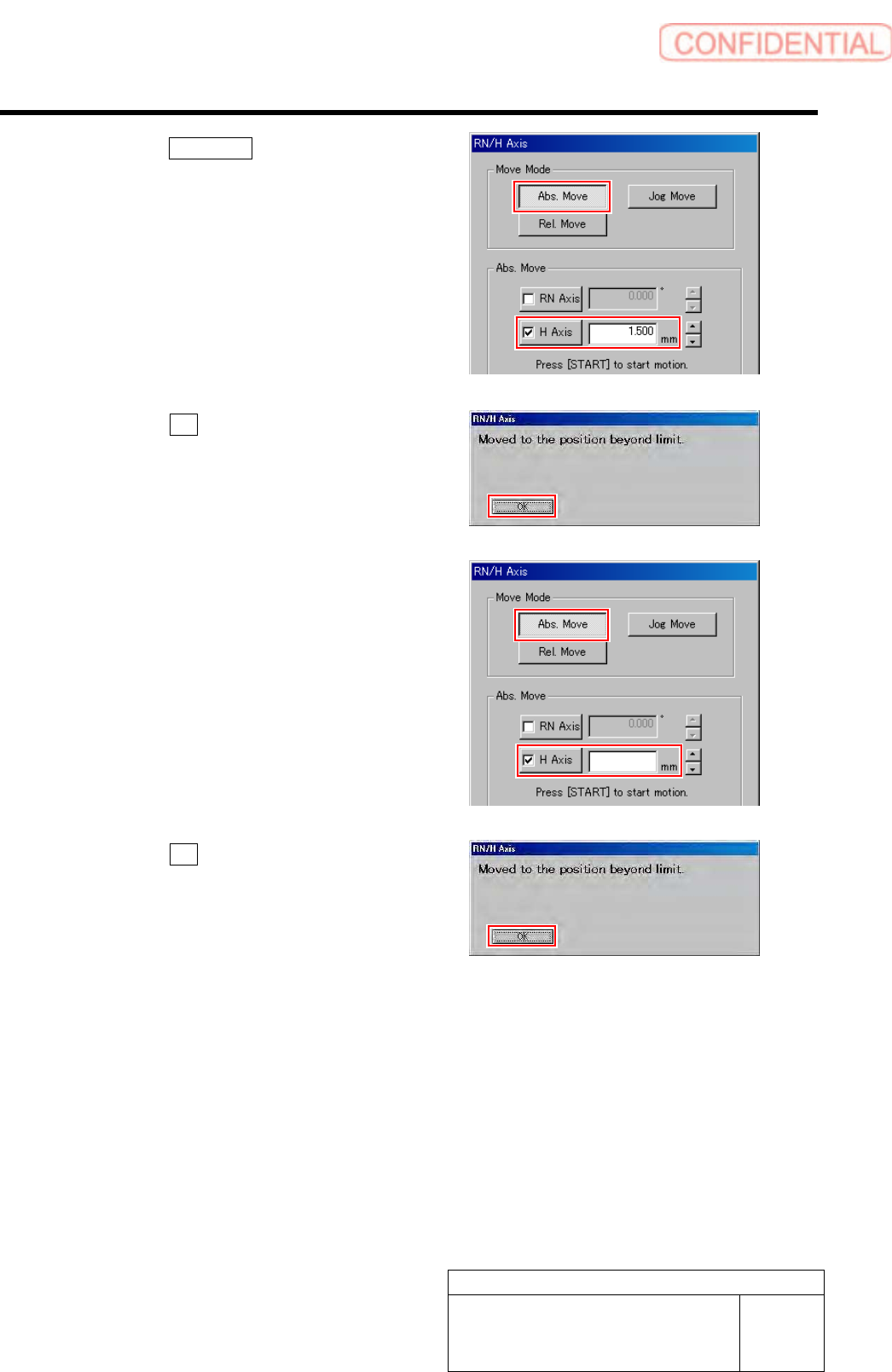
2. Click the Abs. Move button.
3. Click the H-axis button and input “1.5”
into the input space.
4. Press the [START] button on the
operation panel.
The Message of “Moved to the position beyond
limit” displayed.
5. Click the OK button.
10 Check operation of the set H axis software
limit (negative side).
1. Input “-26.4” into the input space of
the H-axis in the Abs. Move.
2. Press the [START] button on the
operation panel.
The Message of “Moved to the position beyond
limit” displayed.
3. Click the OK button.
11 Return to the HI screen and press the [ORG] button on the operation panel.
Origin position return is performed.
-26.40


3 Mechanical Layout