MAN00000772_SI-G200BB_SVCPDFA.pdf - 第6页
在线预览 MAN00000772_SI-G200BB_SVCPDFA.pdf PDF 文档。
CLGB-10105-01
SI-G200BB Service Manual
“Work Procedure Contents”
SHEET
1/1
Contents
1 Work procedure
Installing System Software....................................................WKGB-10101-01
G200BB Head Maintenance .................................................WKGB-10102-01
Setting UPS when exchanging hard disk..............................WKGB-10103-02
Install and setup tray unit including machine modification.....WKGB-10104-03
Re-setup tray unit after machine moved ...............................WKGB-10105-02
System software clear installation process ...........................WKGB-10109-01
SI-G200 AA BB SH terminals separation to prevent ground relay
..........................WKGB-20105-01

Work Procedure
WKGB-10101-01
Installing System Software
SHEET
1/8
Installing System Software
[Procedure]
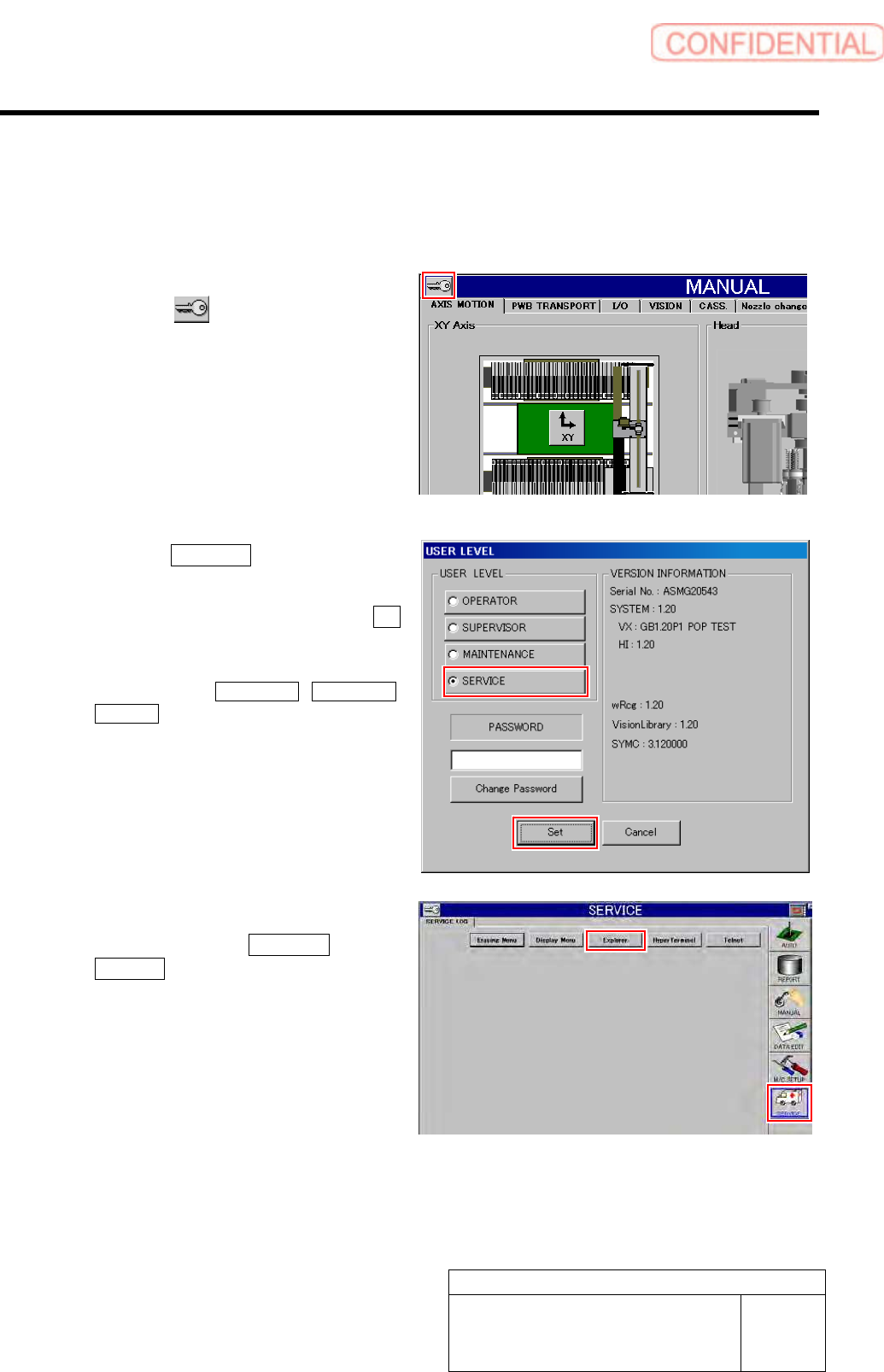
1 Change the USER LEVEL to “SERVICE”.
1. Click the
button on the left up-
per of the screen.
USER LEVEL screen is displayed.
2. Click the SERVICE button.
A cursor appears on a PASSWORD entry space.
3. Enter the password and click the Set
button.
The screen returns to HI screen and respective
menu buttons of DATA EDIT, M/C SETUP,
SERVICE appear on the right of the screen.
2 Display the USER LEVEL screen.
1. Click in an order of SERVICE menu
Explorer button.
Explorer screen is displayed.