MAN00000772_SI-G200BB_SVCPDFA.pdf - 第634页
5. Optional TFGB-10101-0 1 SI-G200 (B Head) Overview SHEET 19/20 5-3 Detection of Adhesion a nd Missing Part s (Optional) Y ou can set whet her each of adhe sion detection and missing part detection opti ons is used. Y o…
5. Optional
TFGB-10101-01
SI-G200 (B Head) Overview
SHEET
18/20
- When part recognition has been conducted before flux application, compensation of aligning the center
position of a part when it moves to the dip unit position with the center position of the application is
performed.
- When it has been judged by the pickup check after application that there is no part, parts may remain in
the dip unit, and, therefore, the process stops as an error.
- When a recognition error has occurred for parts for which pickup check is not conducted after
application, it is assumed that parts remain in the dip unit, the process stops as an error.
- When handling data on machine models on which POP parts are mounted, you cannot continue
automatic production while shortage of parts occurs. (If you change the setting, it will be ignored.)
- Simulation and aging modes can be executed without installing the dip unit.
- The retract position of the head when an error has occurred in the dip unit is the same as the standby
position when shortage of parts has occurred.
[Items to Be Set]
ON/OFF of use of the
application unit
It is set whether the application unit is used when parts are mounted.
ON: The application unit is used.
OFF: The application unit is not used.
Override during the H axis
descent for the application unit
The override is set when the H axis descends. (The setting for the overall override
is applied to this item.)
Setting range: 1 to 100 [%]
Override during the H axis
ascent for the application unit
The override is set when the H axis ascends. (The setting for the overall override
is applied to this item.)
Setting range: 1 to 100 [%]
Descent stationary time for the
application unit
The stationary time of the head at the height of application is set.
Setting range: 0 to 32,767 [msec]
Application unit position
offset X
The amount of fine adjustment of the application position in the X direction is set.
Setting range: -9999.999 to 9999.999 [mm]
Application unit position
offset Y
The amount of fine adjustment of the application position in the Y direction is set.
Setting range: -9999.999 to 9999.999 [mm]
Application unit height
offset
The thickness of solder printed in the application unit is entered.
Setting range: -9999.999 to 9999.999 [mm]
Flux thickness The push-in amount when solder is applied is entered.
Setting range: 0 to 9999.999 [mm]
Recognition-conducting timing
for the application unit
Part recognition timing when the application unit is used is selected.
0: Parts are recognized before flux is applied.
1: Parts are recognized after flux is applied.
2: Parts are recognized before and after flux is applied.
5. Optional
TFGB-10101-01
SI-G200 (B Head) Overview
SHEET
19/20
5-3 Detection of Adhesion and Missing Parts (Optional)
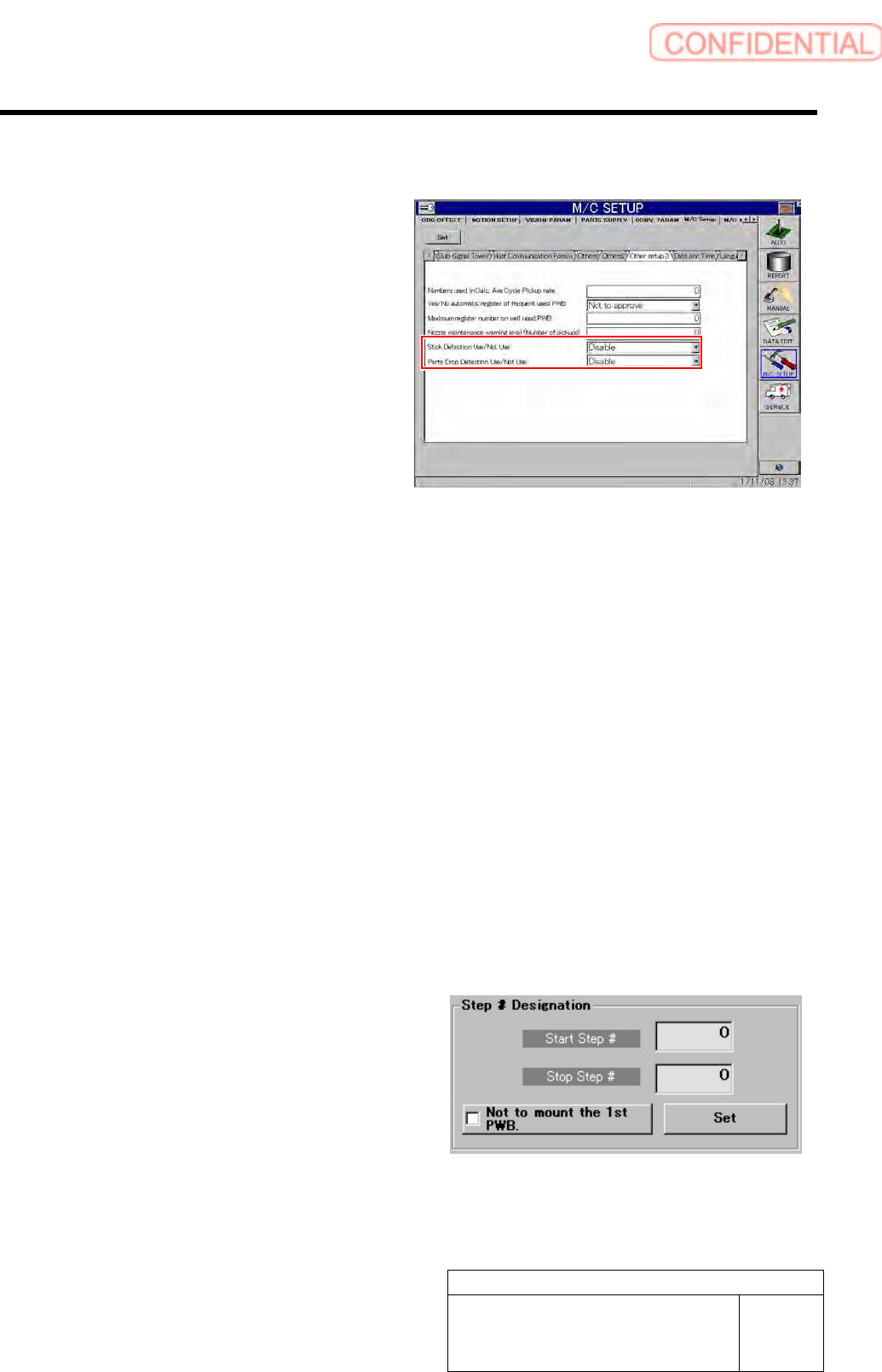
You can set whether each of adhesion
detection and missing part detection options
is used.
You can set whether to use adhesion
detection and missing part detection in
“Other settings 3” displayed after “Machine
Setup” and “Equipment Setup” have been
selected in this order.
5-3-1 Adhesion Detection
[Adhesion Detection Operation]
The state of the nozzle tip after the last part to be mounted has been mounted is checked by the pickup
check camera.
This check is conducted at one of the moments shown below.
- When a nozzle moves to the nozzle replacement position for nozzle replacement
- At the beginning of the pickup sequence
- When a part to be disposed of moves to the disposal position
- Disposal index after a part has been disposed of
When the difference between the nozzle recognition result and the check result is larger than the value set
in “nozzle_lib .ini,” it is judged that adhesion has been detected, and the process stops as an error.
In the same way as the conditions for part thickness check, adhesion detection can be performed only for
parts that can be recognized by the pickup check camera (parts in Category A).
[Treatment When Adhesion Is Generated]
- Remove a part on which adhesion has been
generated from the nozzle.
- For the step on which adhesion has been
generated, see the parameter value of the alarm.
- For a part on which adhesion has been
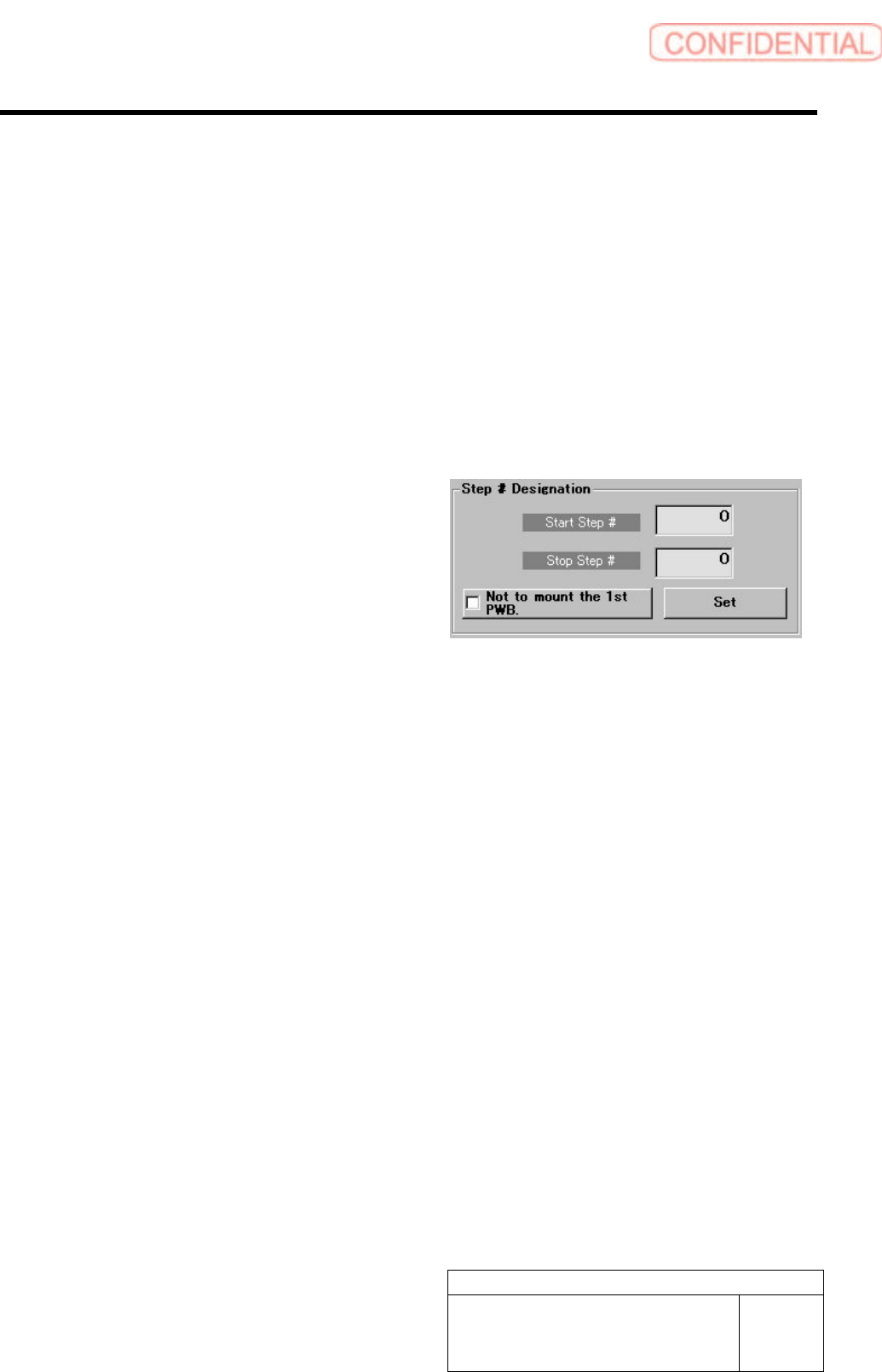
generated, specify the start and stop steps in
[Step Specification] on the “Motion Setup
(Unit)” screen displayed after “Automatic
Production” has been selected, and mount a part
again.
5. Optional
TFGB-10101-01
SI-G200 (B Head) Overview
SHEET
20/20
<Points to Note>
- Adhesion detection for the last part to be mounted on a PWB is performed after the last part has been
mounted (after the H axis has ascended).
5-3-2 Missing Part Detection(Optional)
[Missing Part Detection Operation]
On the part mounting position, the pickup check camera checks whether a part to be mounted is missing.
In the same way as the conditions for part thickness check, missing part detection can be performed only
for parts that can be recognized by the pickup check camera (parts in Category A).
[When a Part Is Actually Missing]
- When a part has dropped on a PWB, remove it.
- For a missing part, specify the start and stop
steps in [Step Specification] on the “Motion
Setup (Unit)” screen displayed after “Automatic
Production” has been selected, and mount
another part again.
<Points to Note>
- After the H axis has descended in the mounting operation, the result of missing part detection can be
obtained. Therefore, the nozzle tip may contact the solder on the surface of a PWB, depending on the
push-in amount of the nozzle when a part is mounted.