MAN00000772_SI-G200BB_SVCPDFA.pdf - 第75页
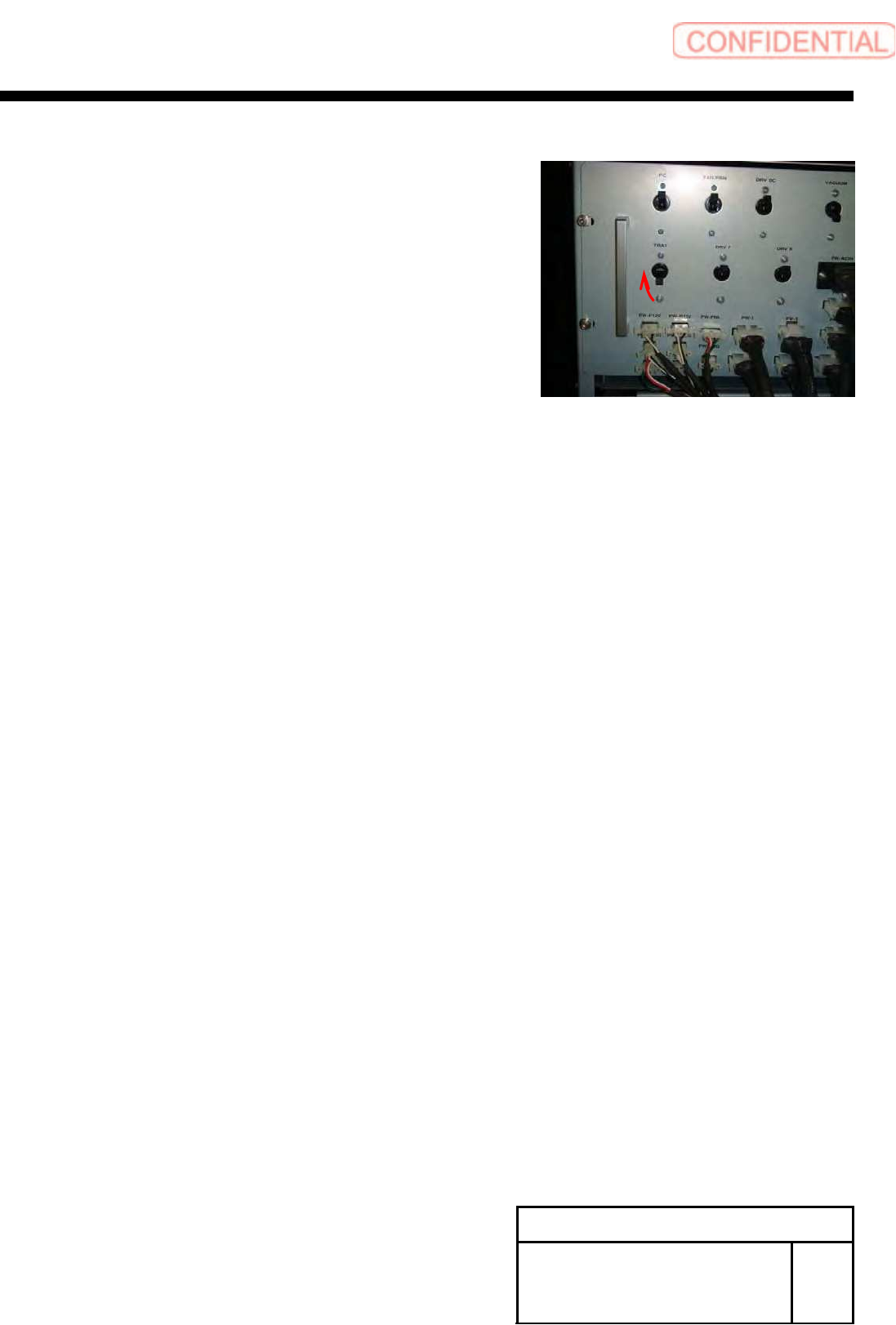
Install Tray Unit (Including machine modification) SHEET 36/73 WKGB-10104-03 Installing Tray Unit (Including machine modification) 3 T urn ON the TRA Y breaker for the rear power unit.
Install Tray Unit (Including machine modification)
SHEET
35/73
WKGB-10104-03
Installing Tray Unit
(Including machine modification)
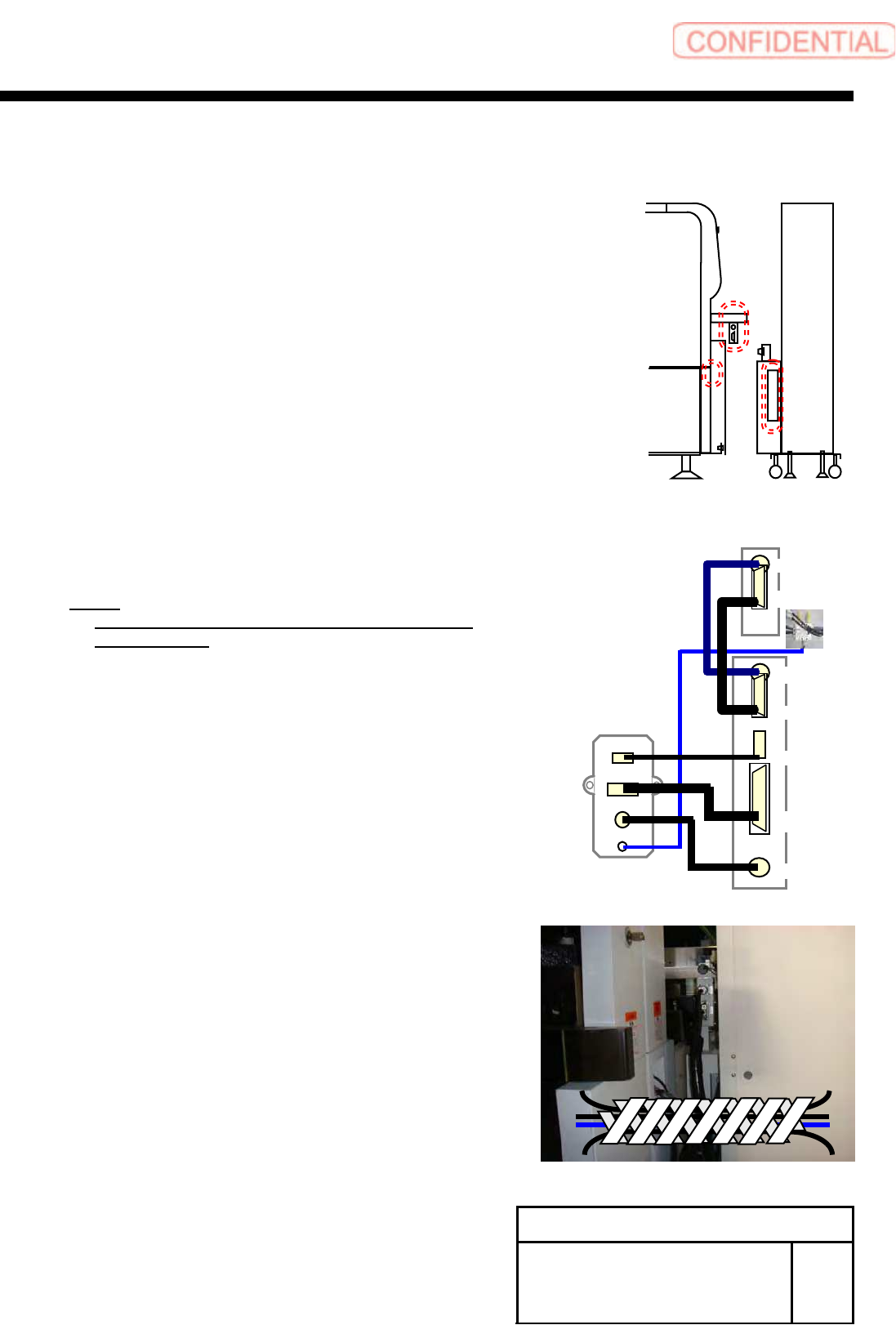
[Connection with main body]
1 Connect the tray coupling I/F plate and S
axis, V axis units.
1. Connect the AIR tube on the tray I/F plate to the
manifold on the lower section of the S axis with air
tube ofφ6.
2. Connect each connector on the tray I/F plate to
each connector on the V axis unit.
TY-MLOUT <======> CU-1
TY-CTLOUT <======> TY-CTL
TY-ACOUT <======> TY-ACIN
3. Connect the S axis unit and the V axis unit.
S-SMT1 <======> S-SMT2
VD-IO <======> S-IO
NOTE:
At this time, do not dock the tray unit and the
main body yet.
2 Bind the cable with spiral tube after
connection.
TY-MLOUT
T
Y
-CTLOUT
T
Y
-ACOUT
AIR
CU1
TY-CTL
TY-ACIN
VD-SMT
VD-IO
S-SMT2
S-IO
Install Tray Unit (Including machine modification)
SHEET
36/73
WKGB-10104-03
Installing Tray Unit
(Including machine modification)
3 Turn ON the TRAY breaker for the rear
power unit.
Install Tray Unit (Including machine modification)
SHEET
37/73
WKGB-10104-03
Installing Tray Unit
(Including machine modification)
[Change of machine data (change of specification from tray specification to
tray specification)]
1 Turn ON power for the unit and open the
explorer.
NOTE:
It is unnecessary to perform axis operation
such as origin return after start of mounted
machine.
2 Open
the ”c:¥asm¥mcdata2¥asmconfig.ini” by
word pad.
3 Change the values of “TRAY_UNIT_L”
and “TRAY_UNIT_R” for [Supply] to “1.”
4 Change the value of “CART_UNIT_F”
and“CART_UNIT_F” for [Supply] to “0.”
5 Restart the mounted machine.