MAN00000772_SI-G200BB_SVCPDFA.pdf - 第92页
Install Tray Unit (Including machine modification) SHEET 53/73 WKGB-10104-03 Installing Tray Unit (Including machine modification) 15 Adjust the height of the caster until lightly getting to the floor . NOTE: If you chan…
Install Tray Unit (Including machine modification)
SHEET
52/73
WKGB-10104-03
Installing Tray Unit
(Including machine modification)
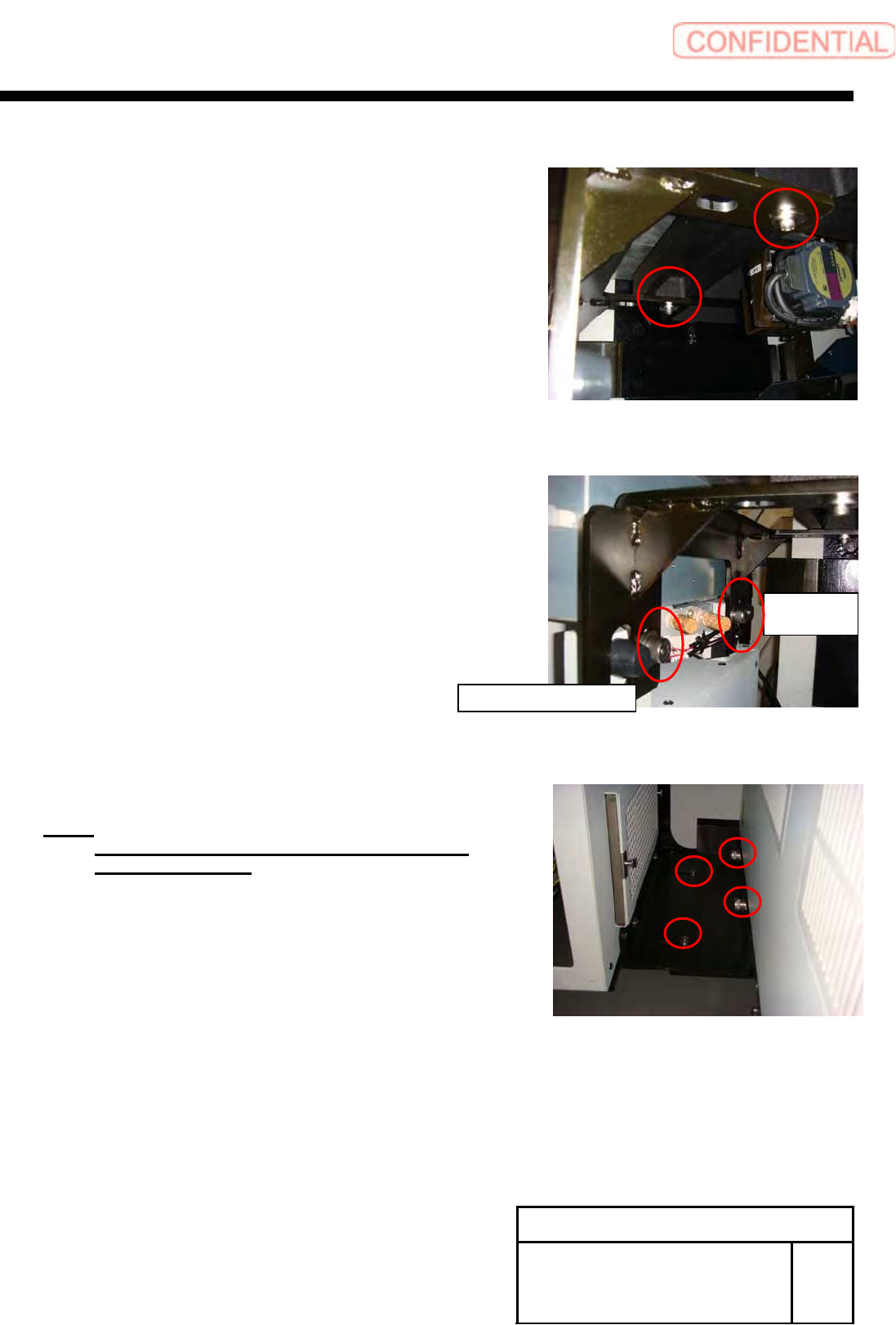
12 Fix the mount bracket to tray unit with
CP12x20.
13 Fix the mount bracket to tray unit with
CP12x20.
14 Fix joint block(1) and block(2) with
CP6x14 and CP12x20.
NOTE:
Fix joint block(1) and joint block(2) after
bumped to tray unit.
Main body
side
Tray unit side
Install Tray Unit (Including machine modification)
SHEET
53/73
WKGB-10104-03
Installing Tray Unit
(Including machine modification)
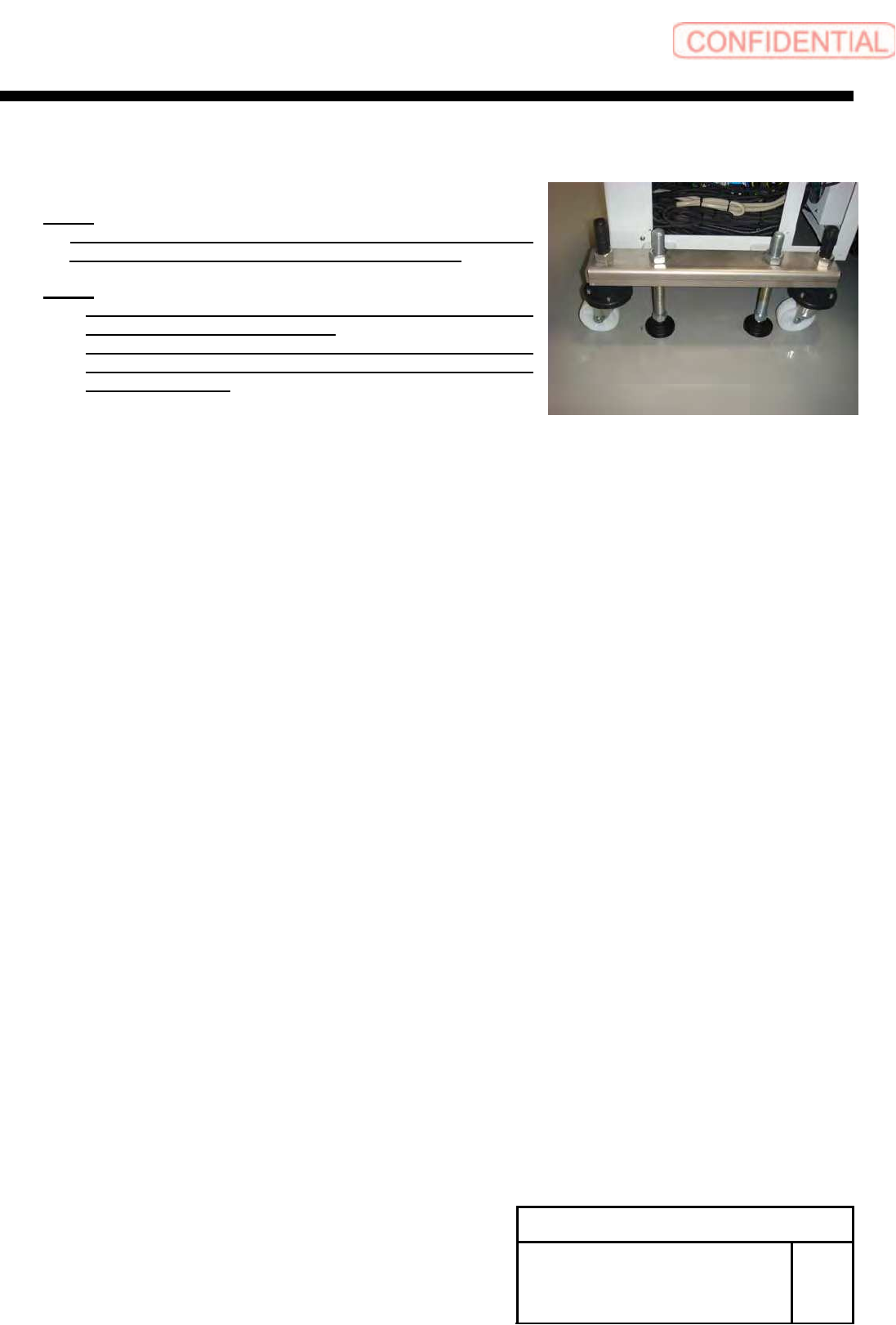
15 Adjust the height of the caster until
lightly getting to the floor.
NOTE:
If you changed shutter sensor position or shutter roller
position until this step, please adjustment it again.
NOTE:
For re-adjustment shutter roller, refer to “Adjustment
shutter roller [HLGB-10430-01]”.
For re-adjustment shutter closing detect sensor, refer to
“adjustment shutter closing detect sensor
[HLGB-10431-02]”.
Install Tray Unit (Including machine modification)
SHEET
54/73
WKGB-10104-03
Installing Tray Unit
(Including machine modification)
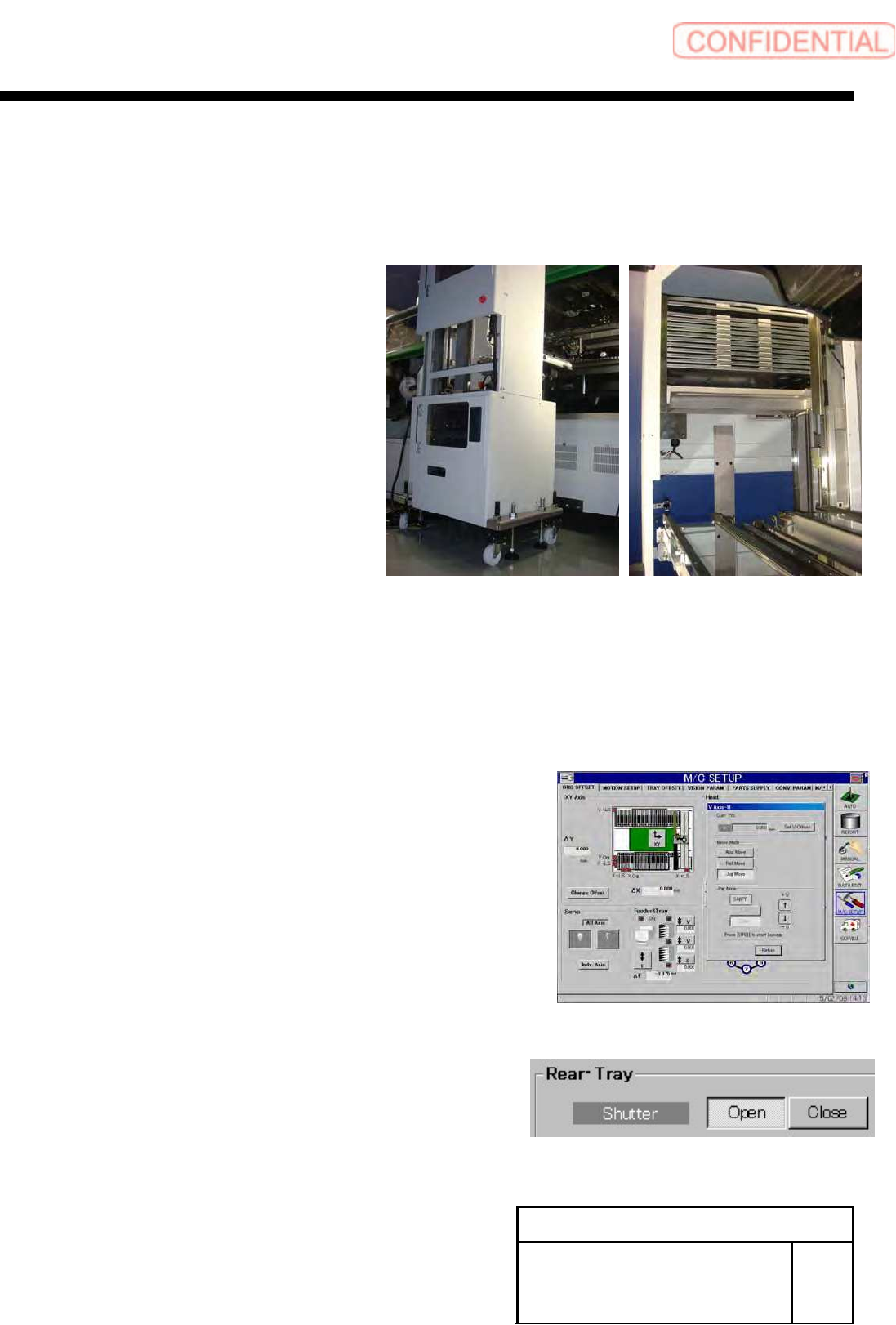
[Setup of tray supply height]
1 Remove front middle cover and rear upper
cover.
2 Adjust a right and left tilt of the tray unit
according to the tilt of S axis.
1. Set the palette to Z501.
2. Display operation window of VU axis from Feeder &
Tray group of ORG OFFSET screen on M/C SET
UP mode.
3. Move the pallet that in Z501 to supply height.
4. Display CASS screen of manual mode. And Open
shutter.