TR7500_Series_Software_ch-v5-0-0.pdf - 第225页
Test Research Inc. TRI 7500 Series User Gu ide – Software 213
Test Research Inc.
212 TRI7500SeriesUserGuide–Software
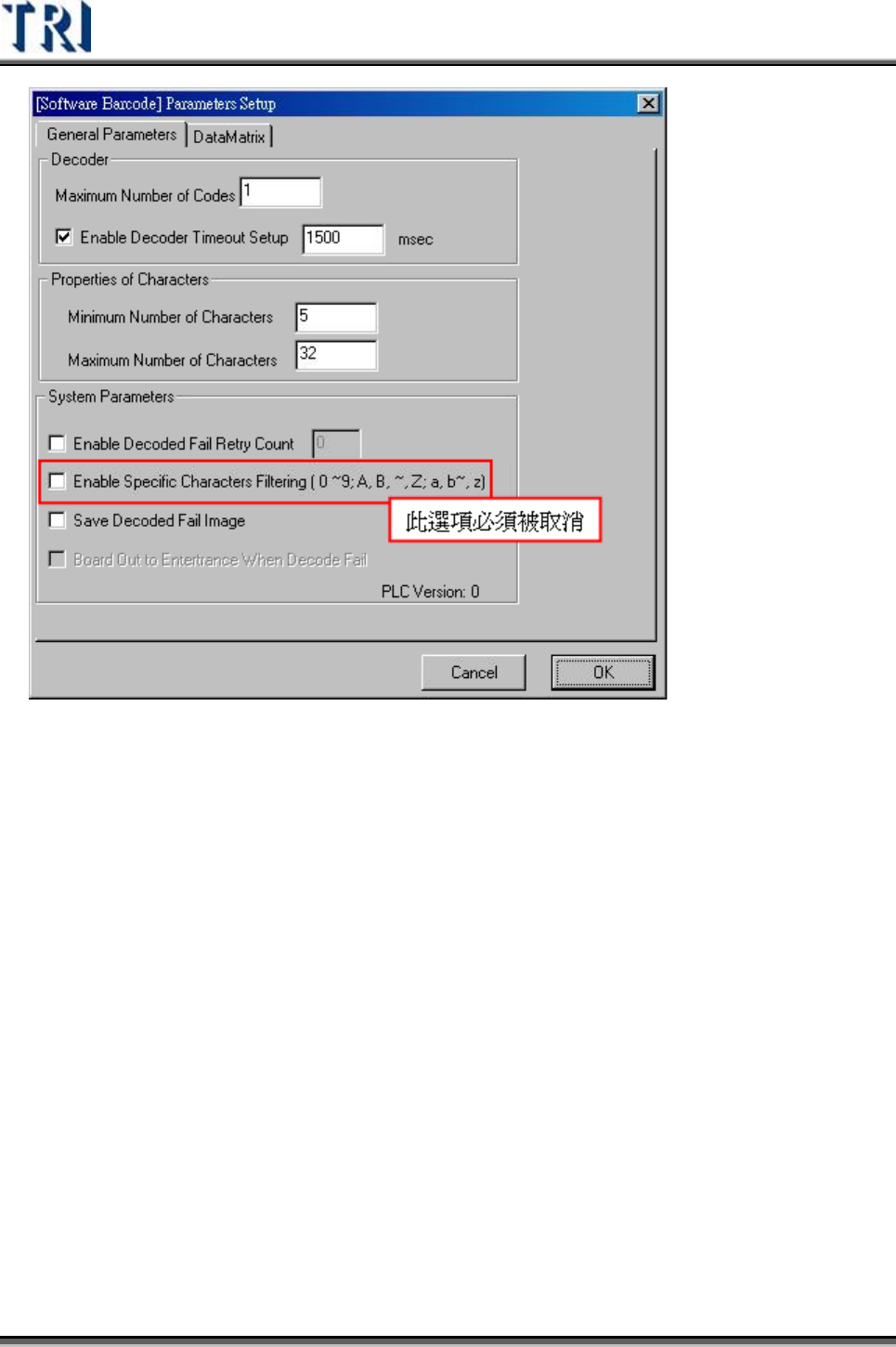
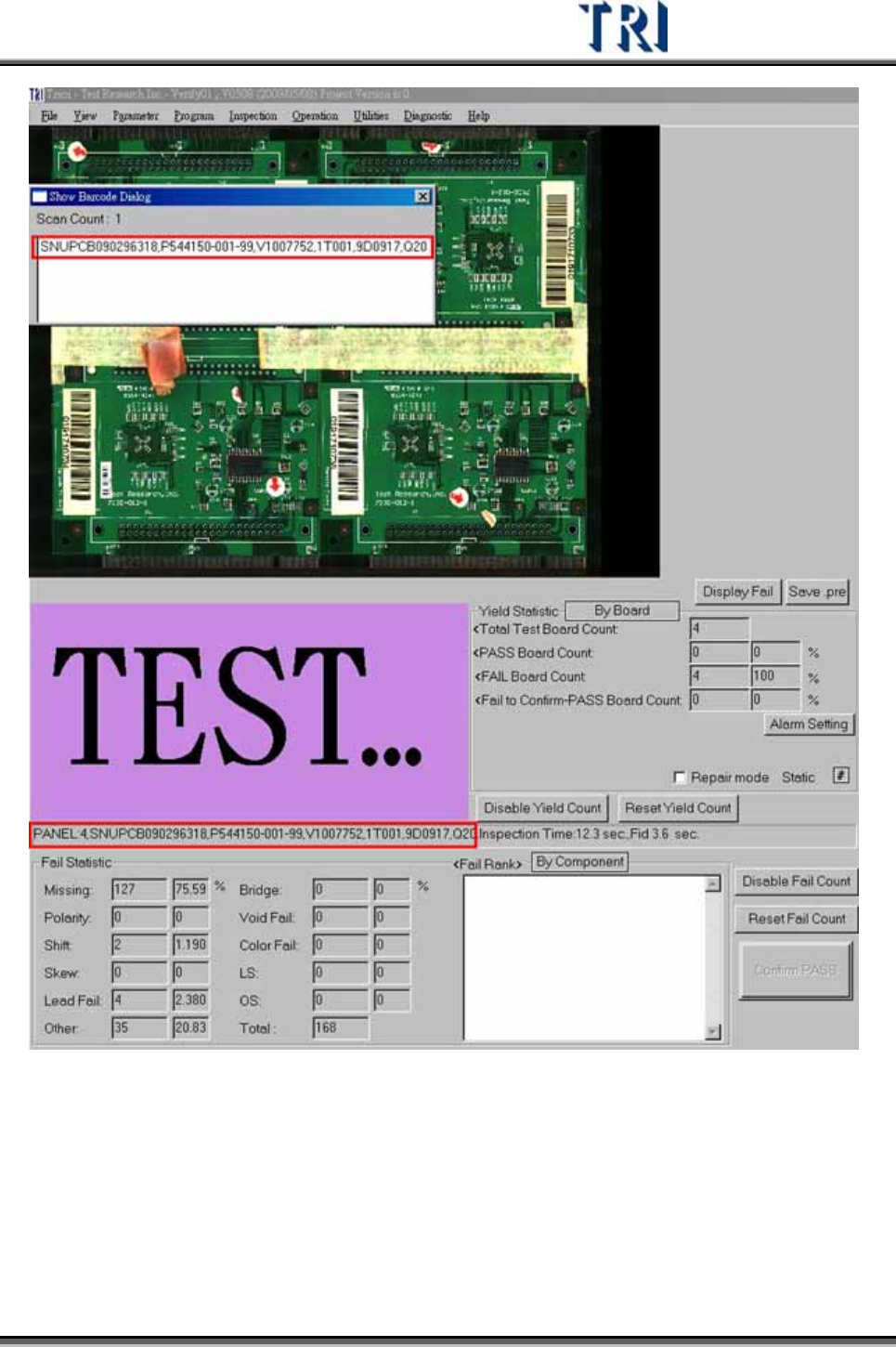
檢測完成所顯示的畫面,以及丟給 RS 的條碼內容,均為不會做分割處理。
Test Research Inc.
TRI7500SeriesUserGuide–Software 213
Test Research Inc.
214 TRI7500SeriesUserGuide–Software
使用說明
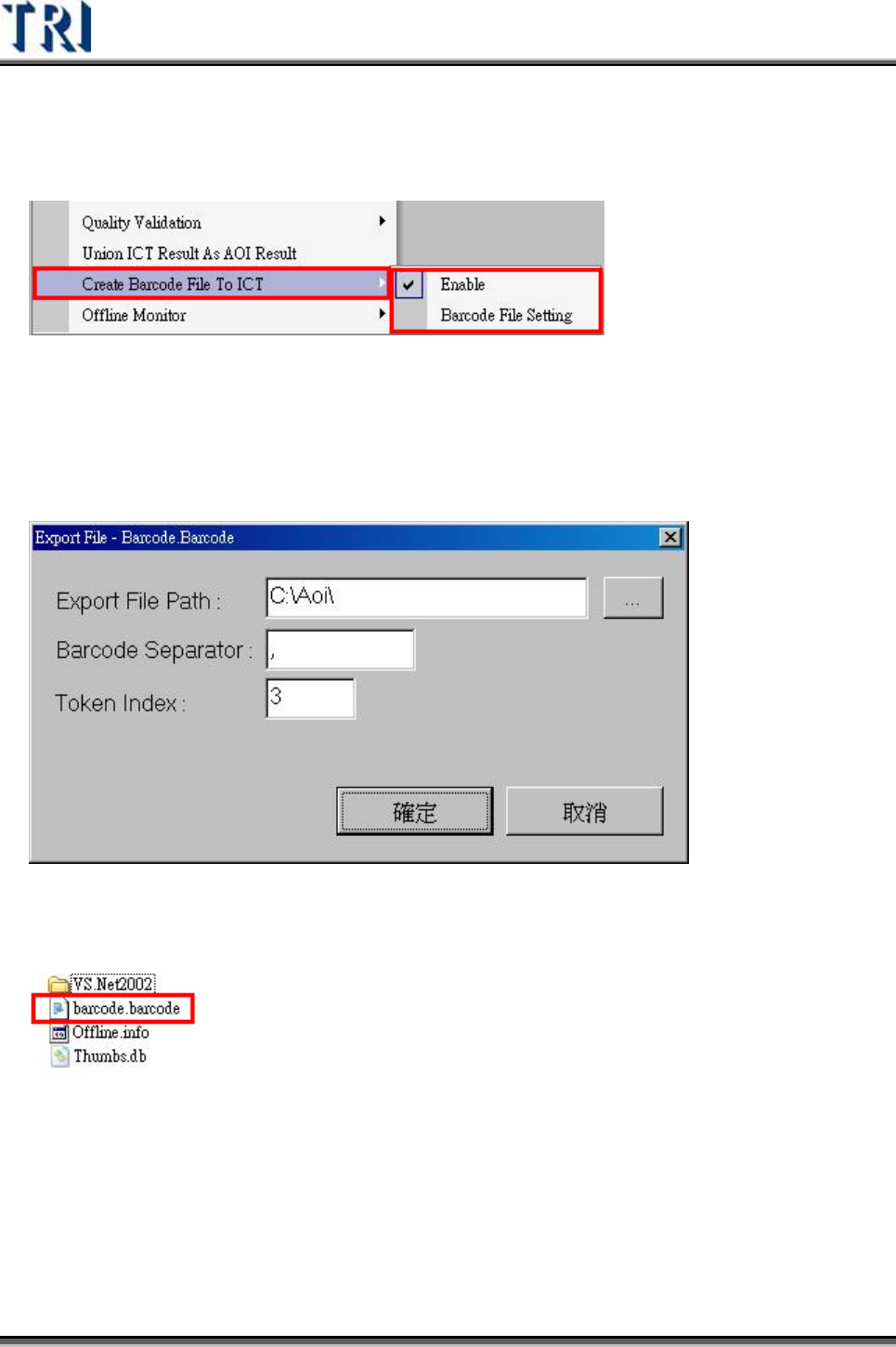
1) 啟動 [Utilities/ Create Barcode File To ICT]
2) 啟動 [Utilities/ Barcode File Setting] 設定 Barcode檔(barcode.barcode)。
A. 存放位置預設值為[C:\AOI]
B. 條碼的分割字元,預設值為[,](逗號)。
C. 選擇的條碼索引,預設值為 1。
3) [barcode.barcode]檔案會在檢測完成後產生。