TR7500_Series_Software_ch-v5-0-0.pdf - 第528页
516 TR7600 User Guide – Software 3) When using Auto-Train, it is bette r to have the clear background. 6.2 Constraint of TRI-OCR 1) There must be more than 2 characters for a string and more than 4 characters for…
Test Research Inc.
TRI7500SeriesUserGuide–Software 515
6 Notice of In-Line /Run-Time Inspection
6.1 Build an OCR inspection window
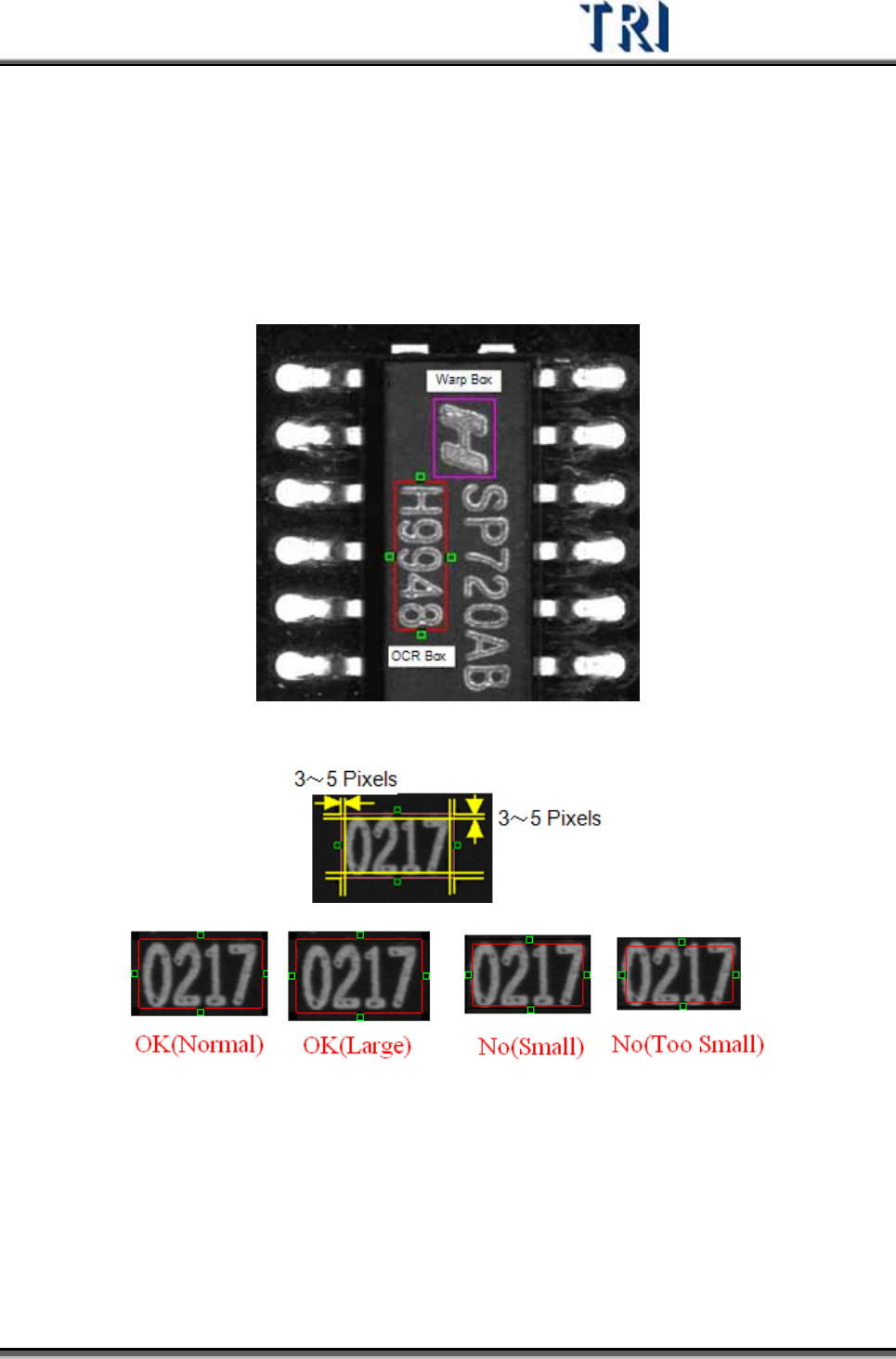
1) When create a OCR box, user should add a Warp box to help locating the OCR
box. The Warp box is suggested to add on the top of the component so that
the Warp box can be moved together with the OCR box.
2) It is better to leave a 3~5 pixels space between string and the boundary.
516 TR7600UserGuide–Software
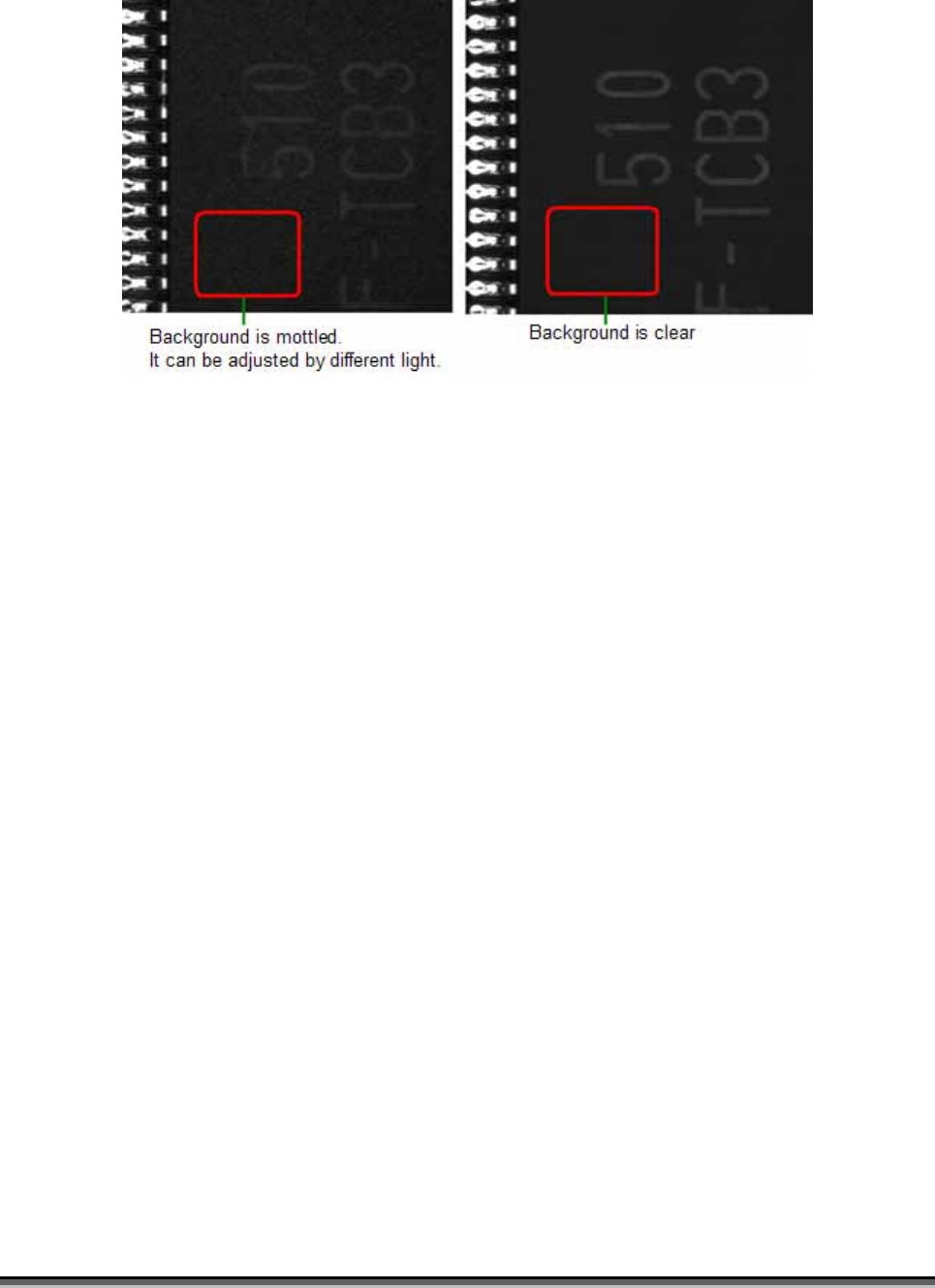
3) When using Auto-Train, it is better to have the clear background.
6.2 Constraint of TRI-OCR
1) There must be more than 2 characters for a string and more than 4 characters
for Date-Code.
2) The size of a character has to above 20x20 pixels.
3) When training, there must be a number in a string, the contrast between black
and white must be strong (it can be achieved by using ring light). In run-time
recognition, the constraint mentioned above doesn’t have to be cared.
4) In run-time test, if there are two different kinds of components available, and
they are with different font or size, user has to build two OCR inspection
windows. And set logic “OR” to these two OCR window.
Test Research Inc.
TRI7500SeriesUserGuide–Software 517
附錄 4 MICRO SCAN MS-3 BARCODE READER
1 Micro Scan 硬體安裝步驟
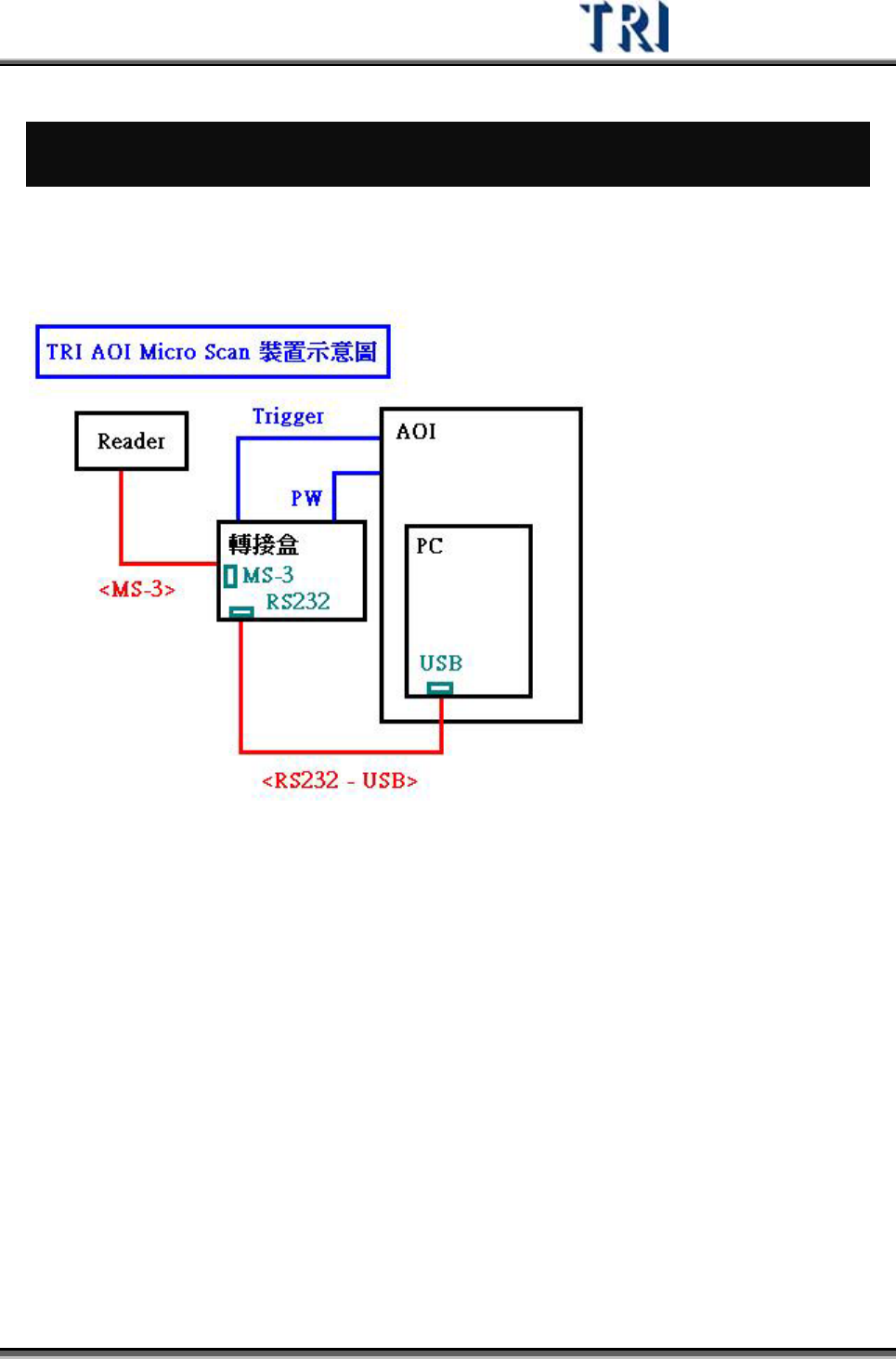
Micro Scan MS-3 需要透過轉接盒與 AOI 機台連接
RS232 通訊埠使用 SICK 的連接埠(COM3)
正面接線方式 (與 AOI機台的連接方式)