WaferTransportSolutionManual.pdf - 第110页
INSTALLATION EQUIPMENT INSTALLATION 3.34 Wafer Transport Solutio n Chapter Issue 1 Aug 11 Running a Product WARNING HEAVY OBJECT. EXTREME CAUTION SHOULD BE EXERCIS ED WHEN MANUALLY HANDLING HEAVY ITEMS INTO OR OUT OF THE…
INSTALLATION
EQUIPMENT INSTALLATION
Chapter Issue 1 Aug 11 Wafer Transport Solution 3.33
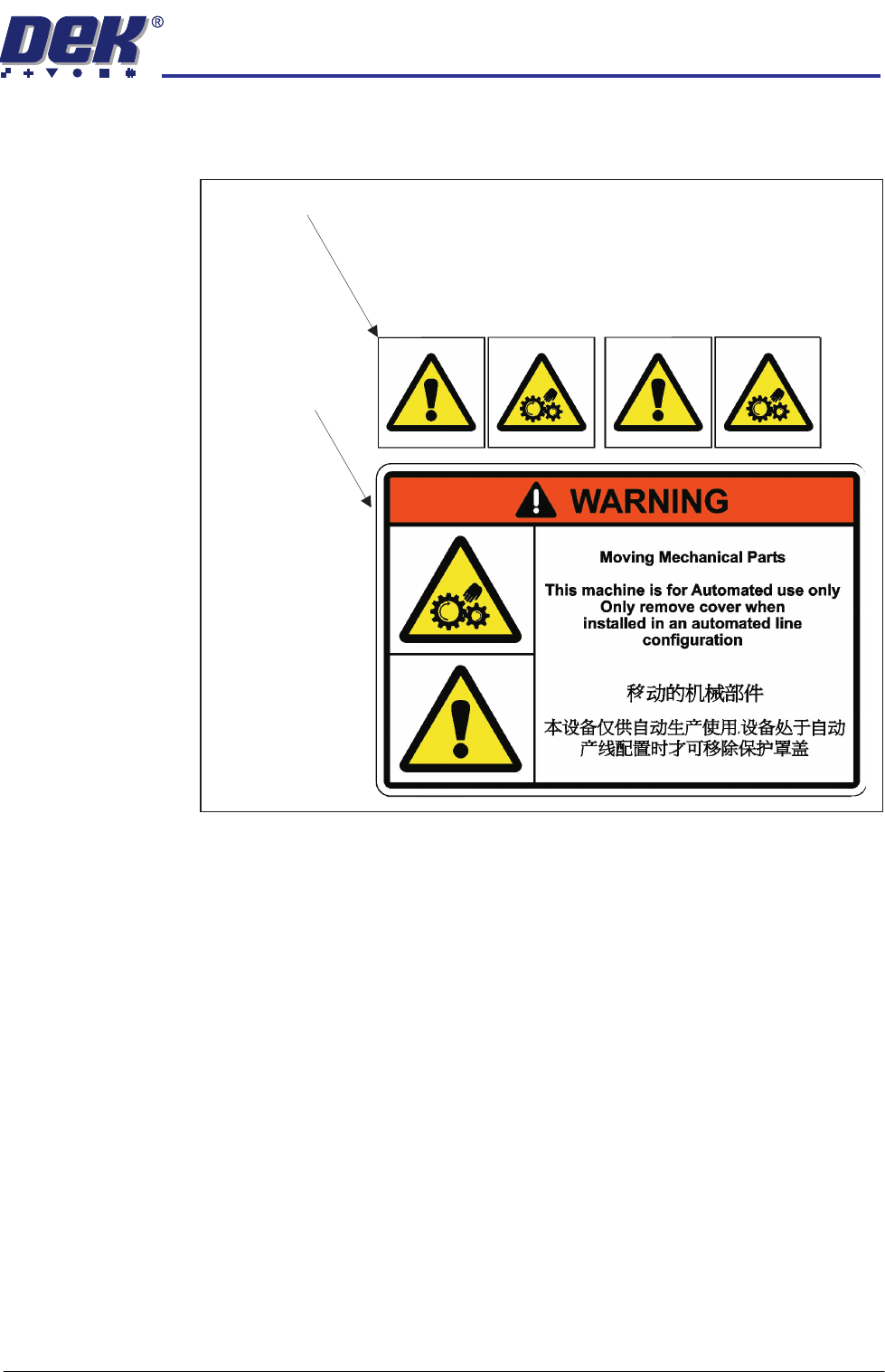
Warning Labels Check that the correct warning labels are attached to the appropriate areas of
all machines.
Situated behind the safety covers
Situated on the
safety covers
INSTALLATION
EQUIPMENT INSTALLATION
3.34 Wafer Transport Solution Chapter Issue 1 Aug 11
Running a Product
WARNING
HEAVY OBJECT. EXTREME CAUTION SHOULD BE EXERCISED WHEN
MANUALLY HANDLING HEAVY ITEMS INTO OR OUT OF THE MACHINE.
Semi Automatic
Load
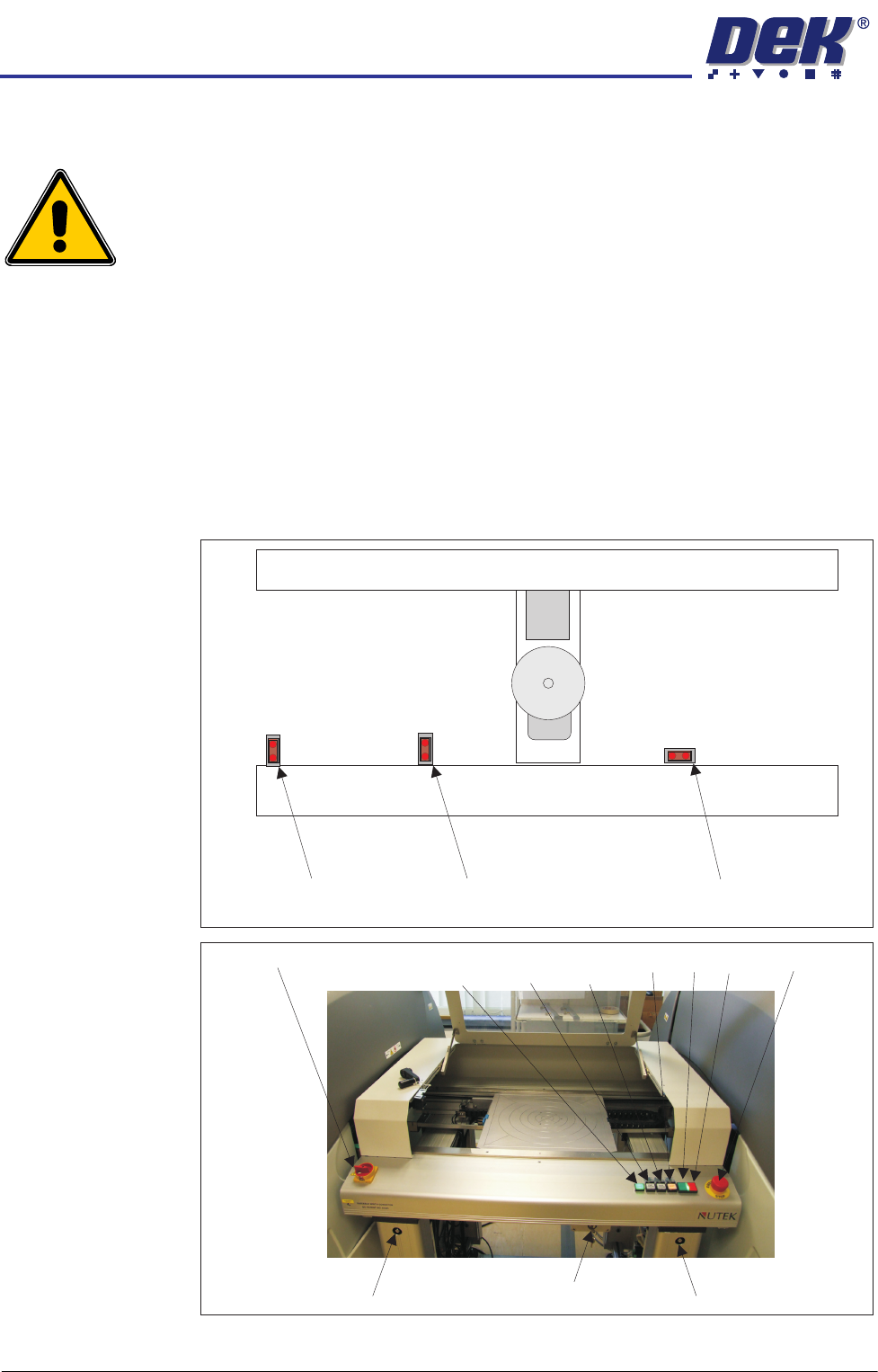
In this mode of operation, the operator must load pallets into and out of the
NUTEK transfer station.
The printer is set up and ready to run. Assume that the print mode is left to left.
1. Turn the transfer station’s mains isolator to ON.
2. Open the transfer station’s front cover.
3. Check that the pallet is laid flat onto the transport rails and a shim is placed
on the pallet.
4. The pallet is positioned ensuring it covers both alignment sensors.
5. The keyswitch mode is MODE1 for Left to Left conveyor operation
Rail End Sensor
Left Alignment Sensor Right Alignment Sensor
Rail Width Adjuster Rail Width AdjusterKey Switch
Mains Isolator
E Stop
Power
Lamp Vacuum Vacuum
Start Plate Reset ON OFF
INSTALLATION
EQUIPMENT INSTALLATION
Chapter Issue 1 Aug 11 Wafer Transport Solution 3.35
6. The green power lamp is ON.
7. Press the green ON button. The vacuum pins raise.
8. Load the first production wafer onto the pins.
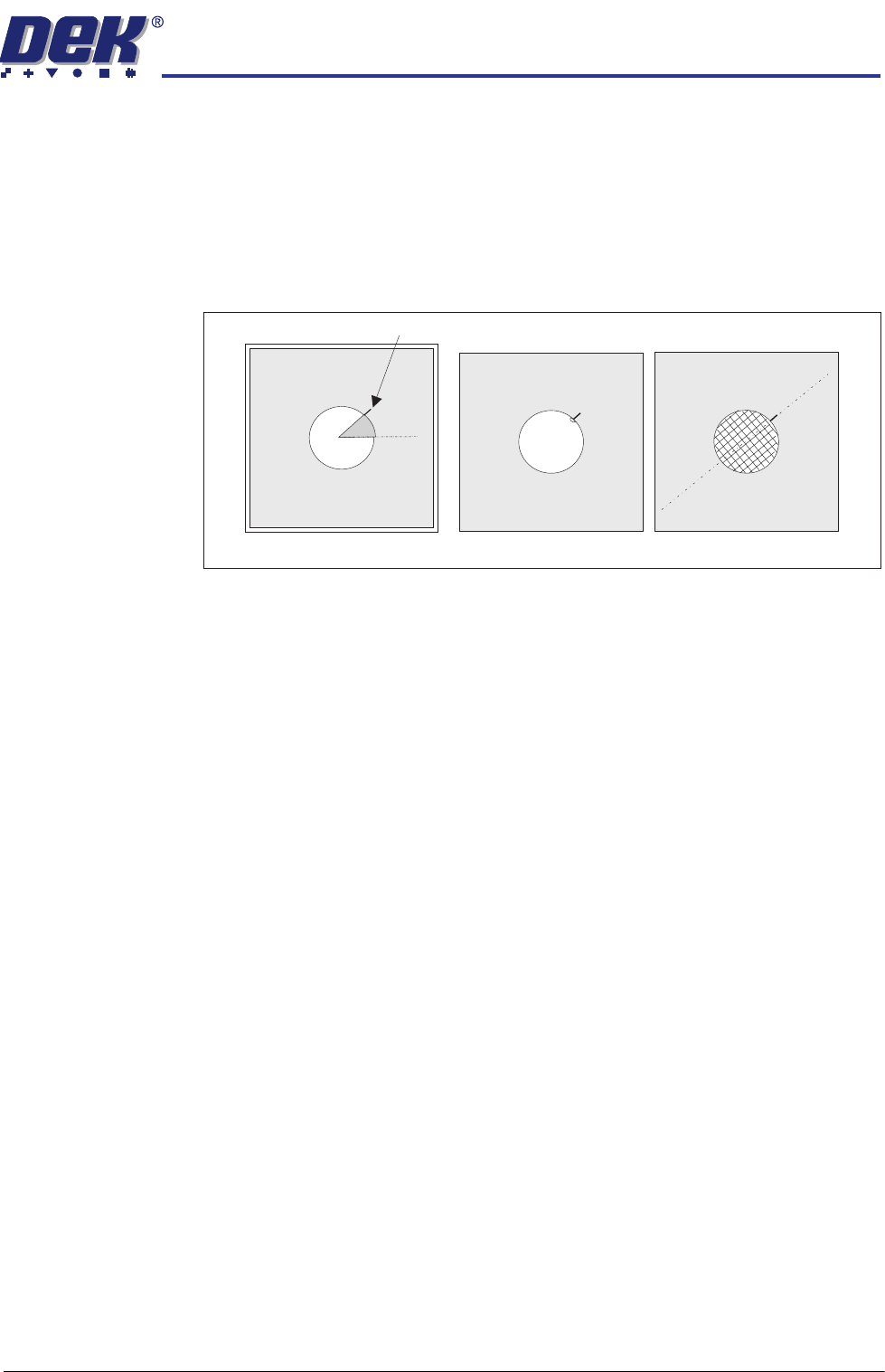
9. Users can decide the alignment options; however, DEK suggest following
the procedure below:
a. Make an alignment mark, on the shim, measured 45 degrees above
horizontal as shown.
b. Align the wafer notch or pattern to the alignment mark.
10. Close the front cover.
11. Press PLATE Vacuum. The Plate Vacuum button light is ON. The pins
retract. Shim vacuum holds the shim in place.
12. Press START Vacuum. The Start Vacuum button light is ON. The pallet
moves to the selected conveyor output. If the printer is ready to demand a
product, the pallet transfers into the printer.
13. After printing, the pallet transfers back to the NUTEK Linking Conveyor.
NOTE
If the process is to continue with another printer, the mode switch is set to
position two. If the process has been set up for same side return, the mode
switch is set to one or three.
14. If the keyswitch is set to Mode 1 or 3 the front cover can be opened. The
printed wafer is removed and a blank wafer is loaded. If the keyswitch is set
to mode 2 the pallet is transferred to the ball placement printer for process-
ing. On completion, the pallet is returned to the transfer station
15. Remove the wafer and restart the cycle for the next wafer.
16. The print quality can be monitored in the printer as part of its production
cycle. Software that is available to do this includes: Statistical Process
Control (SPC), 2D inspection™, HawkEye™ and HawkEye Bridging™.
External inspection systems include Sentinel™. Contact DEK for advice on
the best option for the application.
Wafer Notch Aligned Wafer Pattern Aligned
45
0
Alignment Mark
45
0