WaferTransportSolutionManual.pdf - 第37页
HEAVY PALLET RAILS ADJUST MENTS & SE TTINGS Chapter Issue 1 August 11 Wafer Transport Solutio n 1.29 keep the clamp fixings in cont act with the beam ends. 15. Place a tooling pin in the centre of the tooling t able.…
HEAVY PALLET RAILS
ADJUSTMENTS & SETTINGS
1.28 Wafer Transport Solution Chapter Issue 1 August 11
8. Using Decr. or Incr. navigate to Raise Table to Vision Height
9. Select Run Diagnost..
10. Open the printhead front cover. The software pauses and displays the
System Error - System Suspended While Covers Open warning.
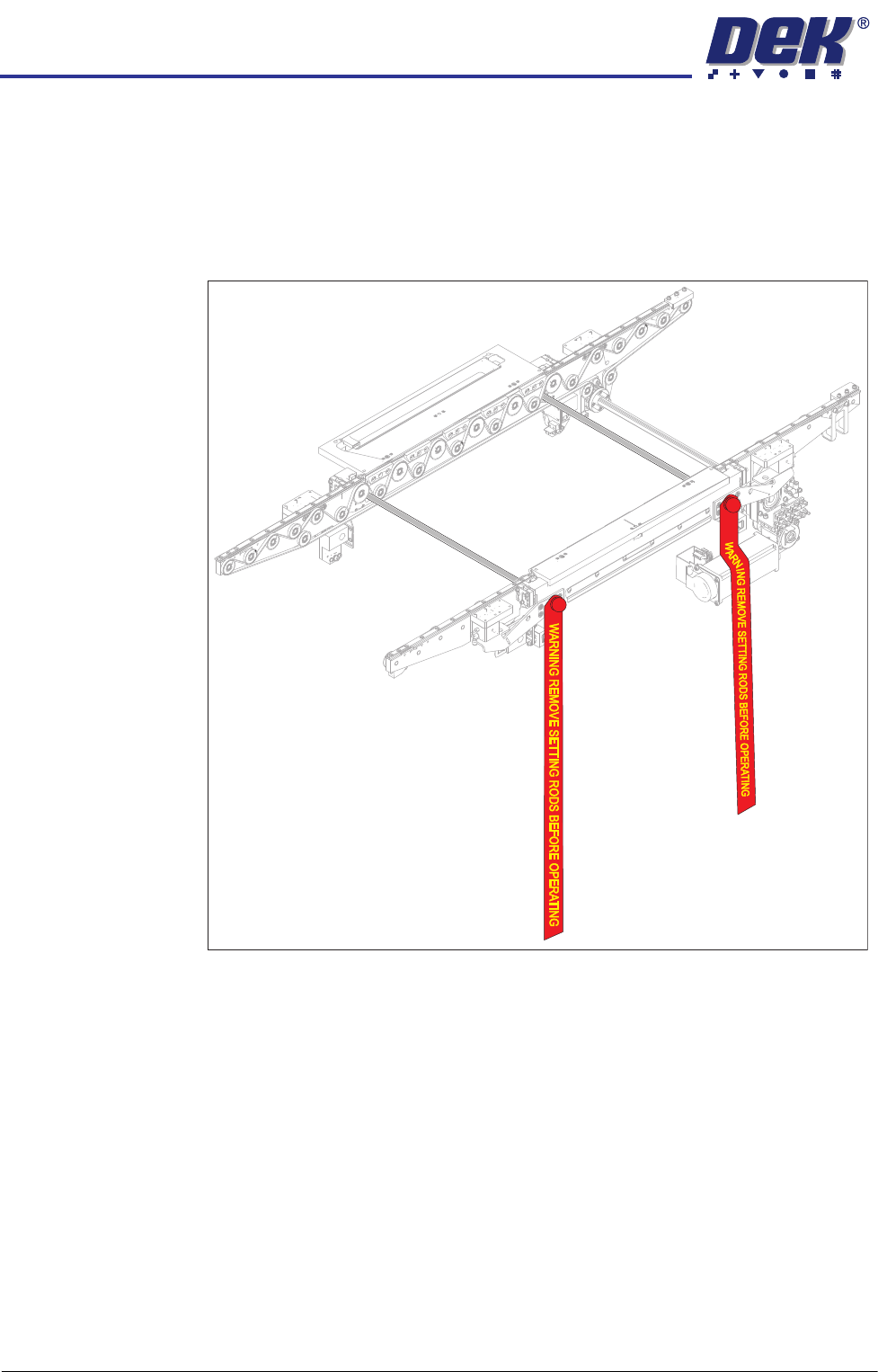
11. Fit the two setting rods.
Figure 1-6 Setting Rods Fitted Through Both Rails
12. Activate the E Stop.
13. Remove the Pallet and Shim.
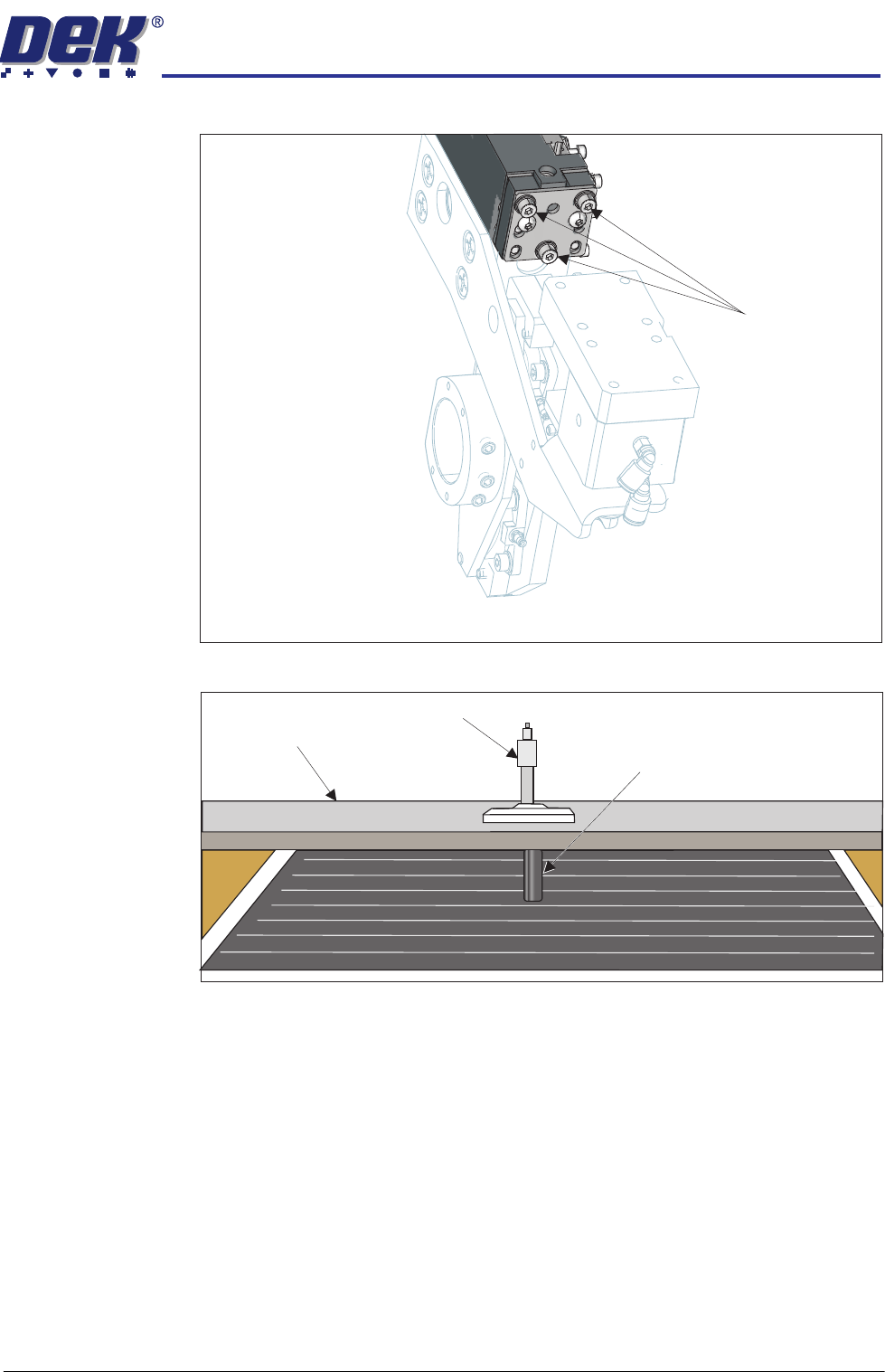
14. Slacken the three clamp locking screws on both sides of the front and rear
rails, sufficient enough to allow adjustment. Maintain enough preload to
HEAVY PALLET RAILS
ADJUSTMENTS & SETTINGS
Chapter Issue 1 August 11 Wafer Transport Solution 1.29
keep the clamp fixings in contact with the beam ends.
15. Place a tooling pin in the centre of the tooling table.
16. Align setting bar (201121) in the chase, with its centre hole over the tooling
pin.
17. Insert the depth micrometer into the centre hole of the setting bar touching
the tooling pin top.
18. Note the reading of the depth micrometer to the tooling pin.
Locking Screws
View on Left Hand End of the Rear Rail
Setting Bar
Depth Micrometer
Tooling Pin
HEAVY PALLET RAILS
ADJUSTMENTS & SETTINGS
1.30 Wafer Transport Solution Chapter Issue 1 August 11
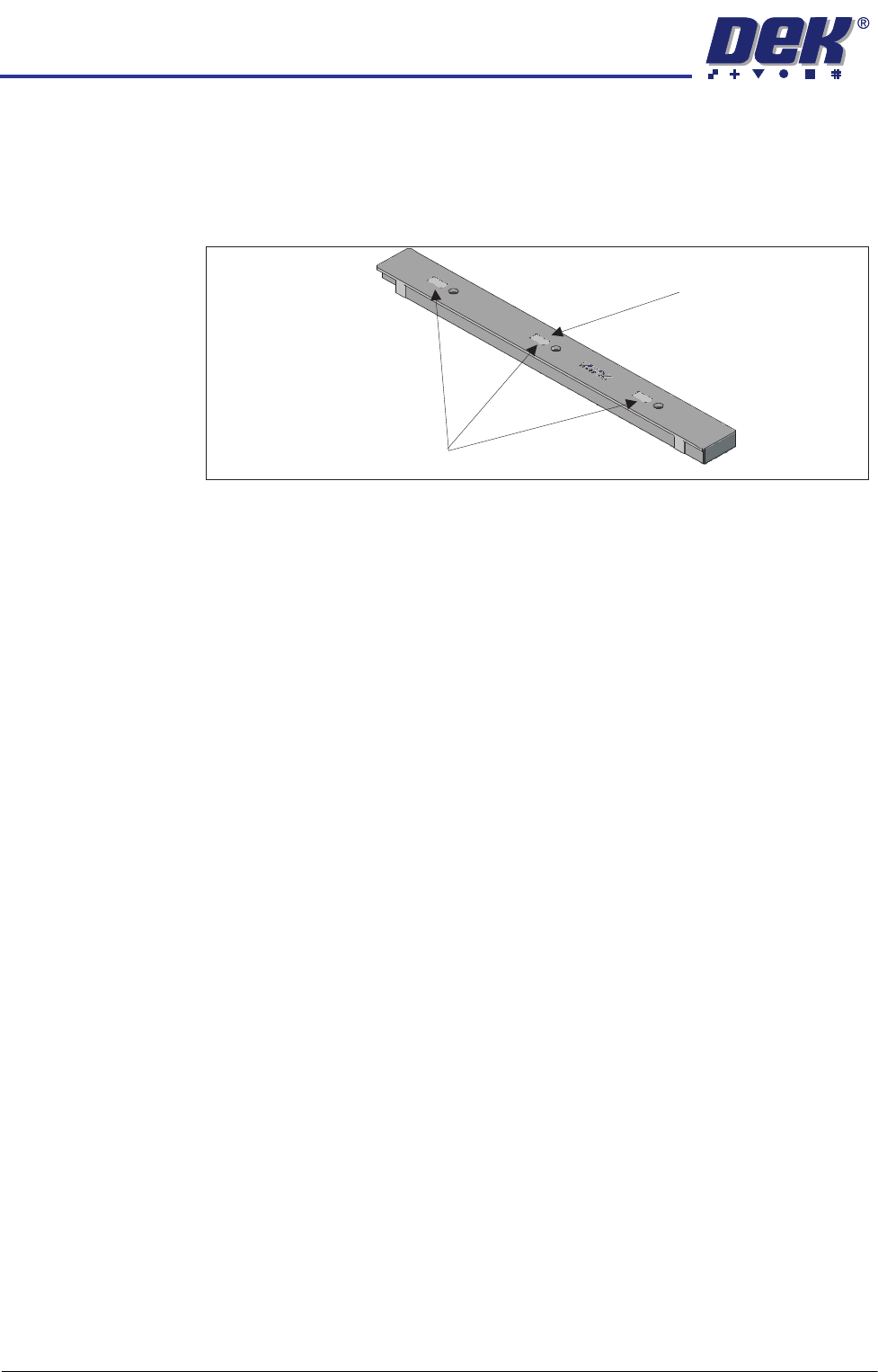
NOTE
All setting bars are marked with unique readings expressing the bar’s
flatness. The centre reading is always zero, the other readings are relative
to the centre. These markings are known as the setting bar flatness
calibration figures.
19. Remove the depth micrometer.
20. Move the setting bar forward in the chase, so that it is over the front beam
pallet support blocks.
21. Insert the depth micrometer into the left hole of the setting bar. The depth
Setting Bar Flatness Calibration Figures
Centre is Zero (0.00)