WaferTransportSolutionManual.pdf - 第48页
HEAVY PALLET RAILS ADJUSTMENTS & SETTINGS 1.40 Wafer Transport Solutio n Chapter Issue 1 August 11 a gap between the point of each screw and the lift cylinder arms. 25. Repeat S teps 20 and 2 1 to check the top plate…
HEAVY PALLET RAILS
ADJUSTMENTS & SETTINGS
Chapter Issue 1 August 11 Wafer Transport Solution 1.39
procedure for the rear top plate.
22. Place the gauge probe on the shim; the reading should be zero. Repeat the
step above along the 0.01mm line.
23. Make small adjustments, as required, to the front and rear top plate adjust-
ment screws, (do not unlock the associated locking screws) in the areas
which display out of tolerance results; only minor adjustments are neces-
sary.
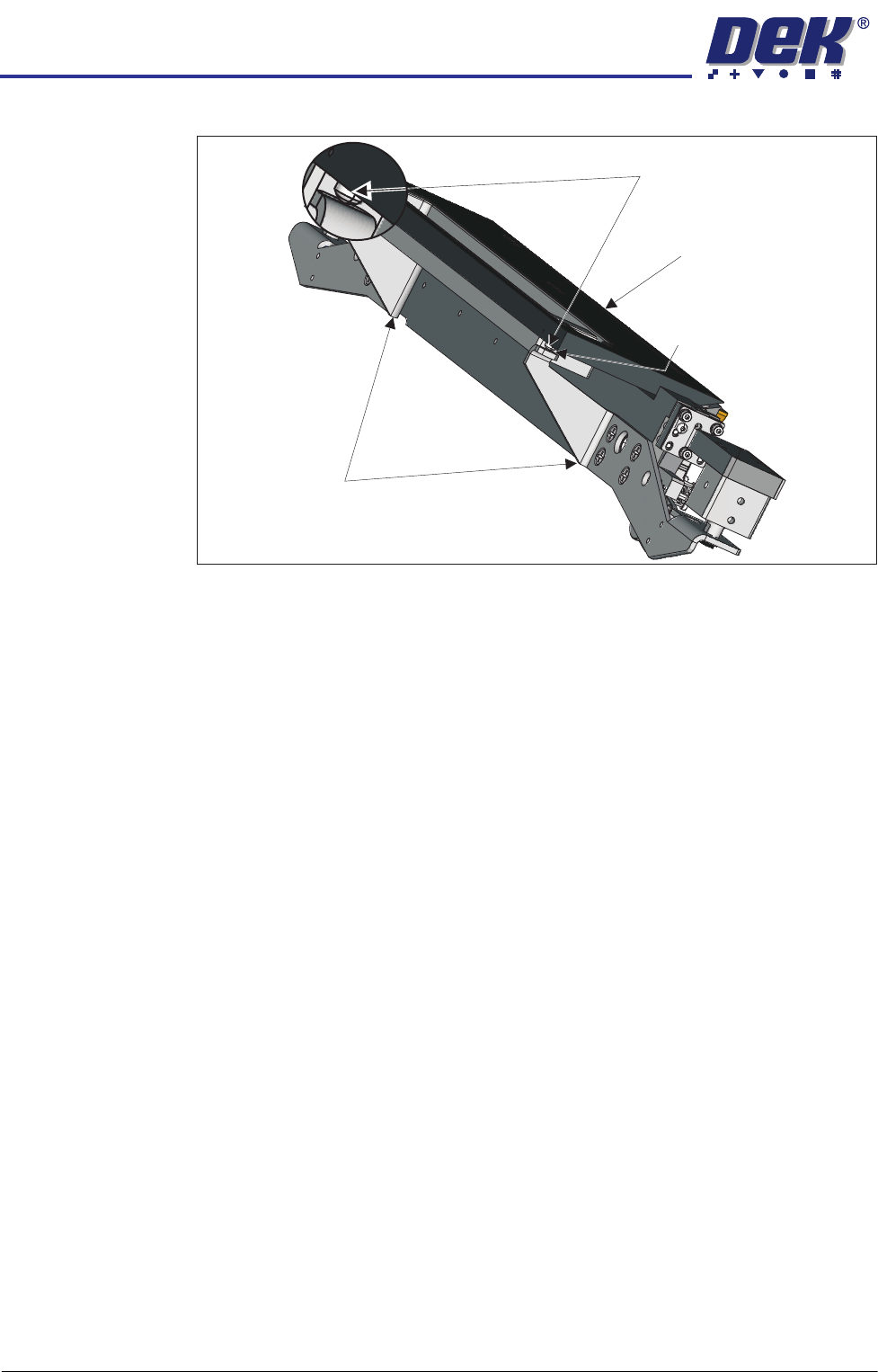
24. Wind the safety screws back down; use an 0.05mm feeler gauge to maintain
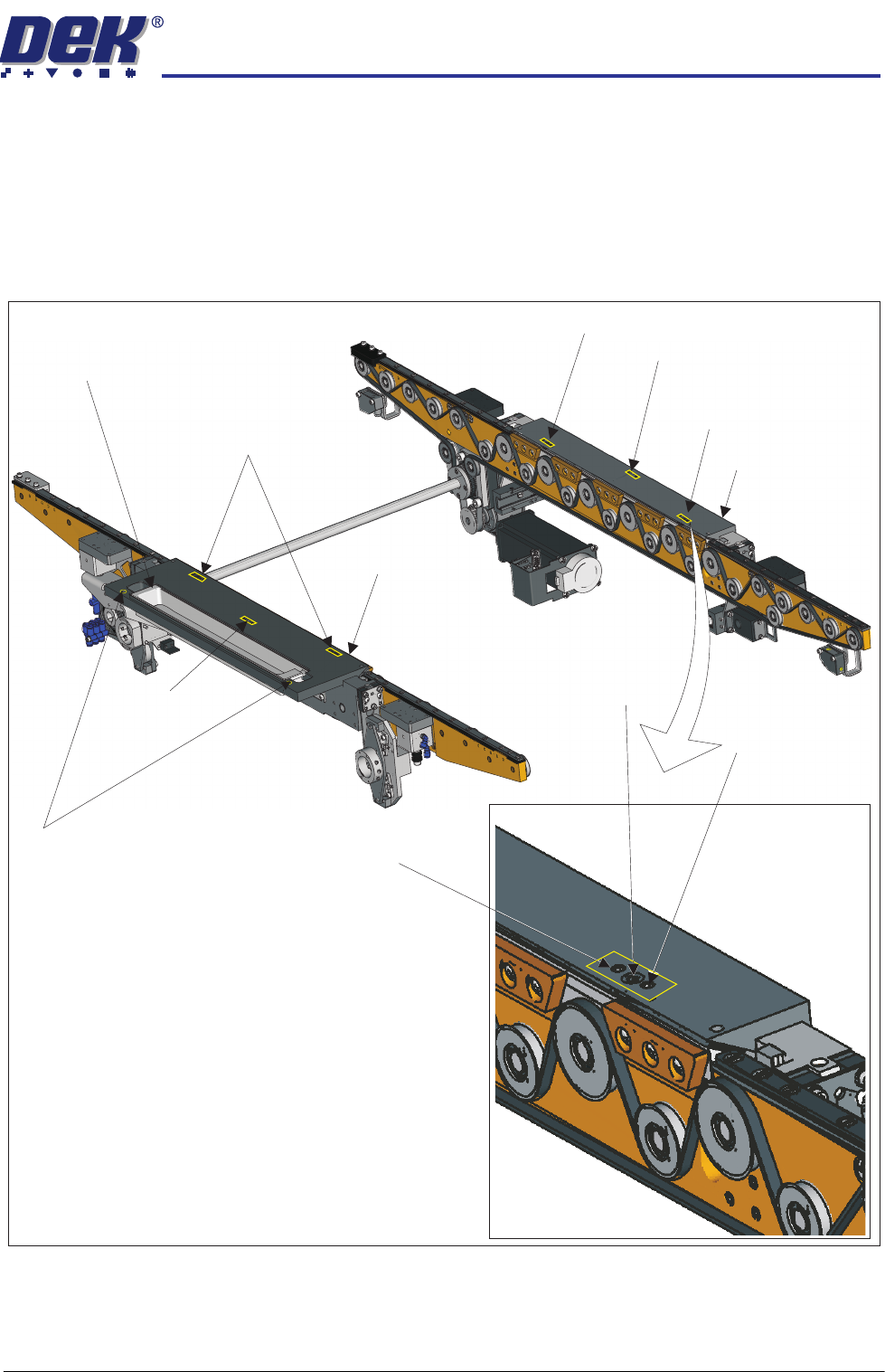
Adjustment (1) Screws (2)and Locking
Sphere Dump Tray
Rear Top Plate
Front Top Plate
Locking Screw
Locking Screw
Adjustment (1) and Locking Screws (2)
Adjustment (1) Screw
Adjustment (1) Screw
Safety Screws (2)
Adjustment (1)
Locking
and
Screws (2)
Adjustment Screw
HEAVY PALLET RAILS
ADJUSTMENTS & SETTINGS
1.40 Wafer Transport Solution Chapter Issue 1 August 11
a gap between the point of each screw and the lift cylinder arms.
25. Repeat Steps 20 and 21 to check the top plates remain within the stated
tolerance.
26. Remove the paper sheet and the gauge and the stand.
27. Close the printhead front cover.
28. Reset the E Stop.
29. Press the System button.
30. Select Toggle Board Clamps.
31. Open the printhead front cover.
32. Remove the pallet and shim.
33. Close the printhead front cover.
34. Press the System button.
Belt Tension This check is to set the correct transport belt tension.
Transport Belts
Front and Rear
Before proceeding, check that the transport belts are correctly wrapped onto the
pulleys.
1. Ensure that the stencil is removed from the machine.
2. Select the Rail System module in Diagnostics.
3. Using the Next/Previous buttons navigate to Belt Speed Calibration.
4. Set the front and rear belt speeds to 32000.
5. Select Incr. or Decr.
6. Confirm that the belt tracks correctly under tension and don’t ride up in the
pulleys.
7. Select Decr. or Incr. to reset to the correct value, prior to Step 5.
8. Select Exit.
Using a belt tension meter placed close to the lower section, in the centre of the
Lift Cylinder Arm
Maintain Gap0.05mm
Safety Screws
Rear Top Plate
HEAVY PALLET RAILS
ADJUSTMENTS & SETTINGS
Chapter Issue 1 August 11 Wafer Transport Solution 1.41
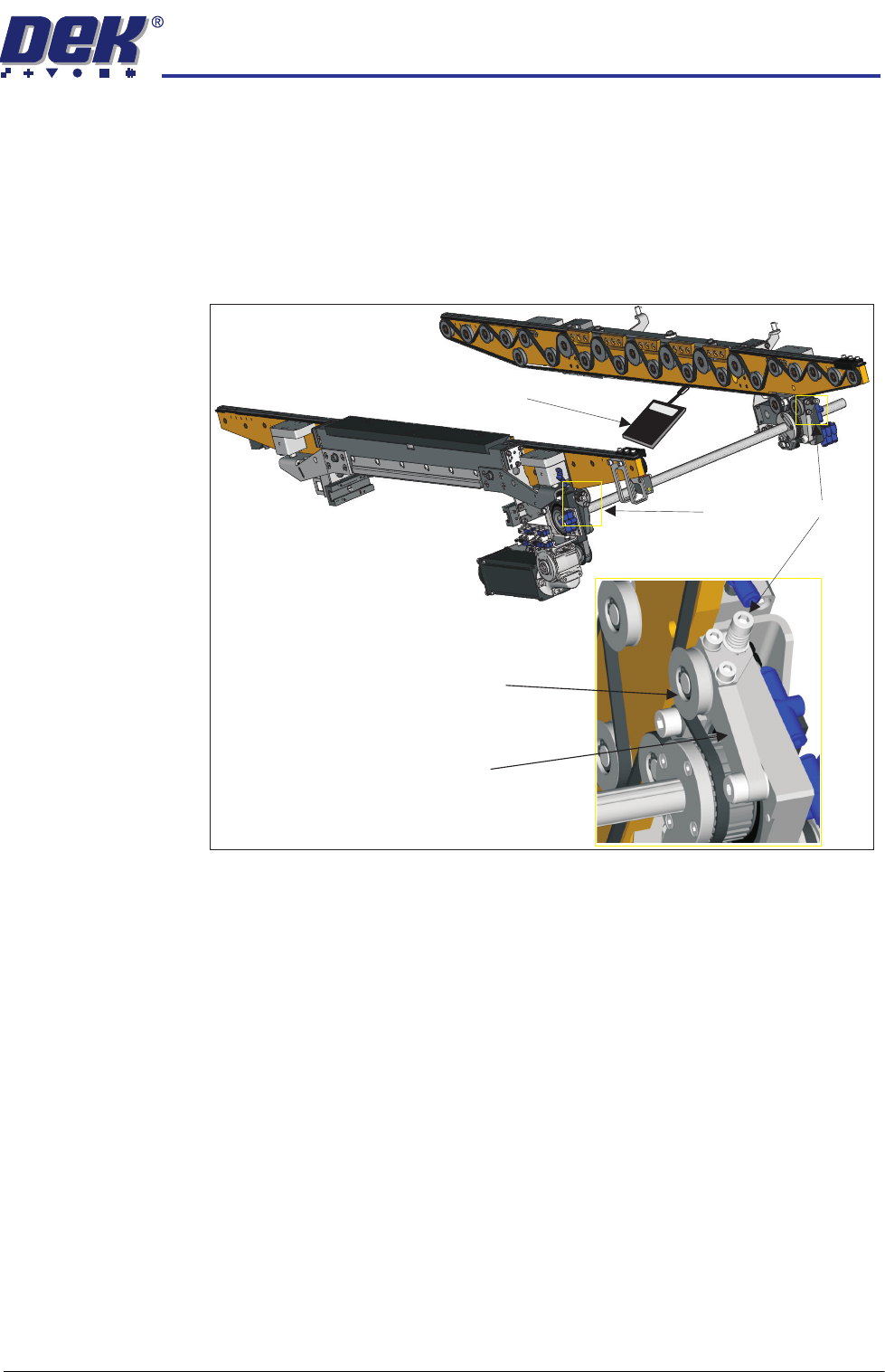
front belt, strum the belt and measure its frequency. The belt tension meter
should have a reading between 28Hz to 32Hz.
9. If adjustment is needed; adjust the belt tensioner screw until the belt tension
is in the range stated. Turning the belt tensioner screw clockwise decreases
the tension.
10. Repeat Steps 2 through 8 to confirm that the belts track correctly.
11. Repeat Steps 7 through 11 for the rear pulley.
12. Select Exit.
Belt Tensioner Screw
Tension Pulley
Tension Lever
030
Belt Tension Meter