WaferTransportSolutionManual.pdf - 第54页
HEAVY PALLET RAILS REPLACEMENT PROCEDURES 1.46 Wafer Transport Solutio n Chapter Issue 1 August 11 T ransport Belts T o replace a transport belt: 1. Ensure the drive shaft is out of the way , see previous procedure. 2. S…
HEAVY PALLET RAILS
REPLACEMENT PROCEDURES
Chapter Issue 1 August 11 Wafer Transport Solution 1.45
REPLACEMENT PROCEDURES
To update a machine from standard rails to the heavy pallet rail (HPR) system
or to replace assemblies, refer to document: Machine Performance Upgrade
reference number 602215*1 Document part number 201322.
Compatibility The Wafer Transport Solution is compatible with the following DEK machines:
• Galaxy
• Europa
• Photon
• Horizon 01iX/02iX/03iX
• Horizon ApiX
NOTE
The Wafer Transport Solution is not compatible with machines fittied with the
Rapid Transport Conveyor (RTC).
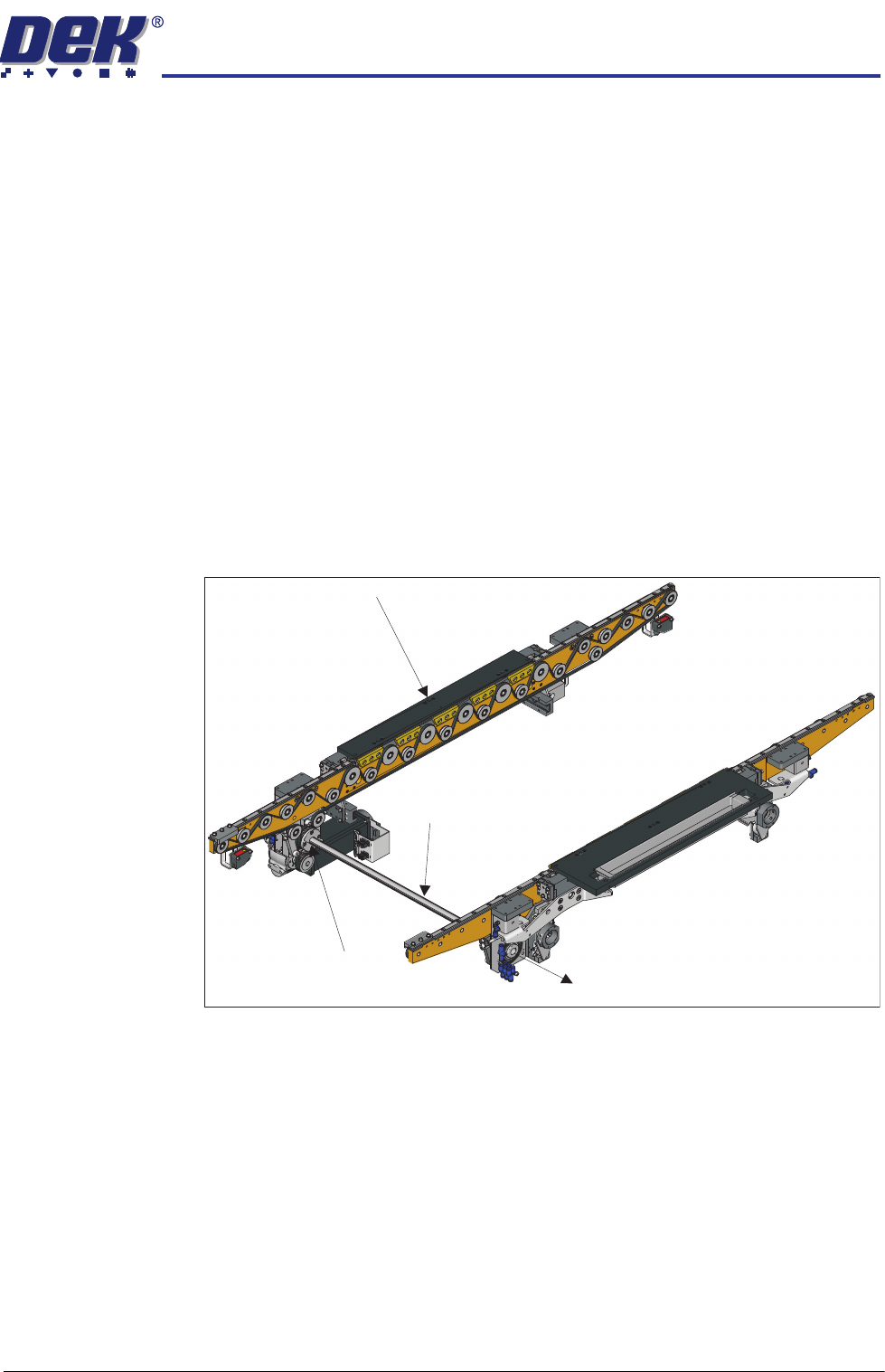
Belt Replacement To replace belts, first move the belt drive shaft, which couples the front and rear
transport belts, out of the way.
NOTE
Do not remove the drive shaft completely away from the rear transport rail
bearing.
1. On the front transport rail; remove the four drive shaft hub bolts using a 3mm
Allen key.
2. Carefully slide the drive shaft hub out of the way.
3. Slide the drive shaft through the rear transport rail bearing; leave about half
of its length so that it freely balances without support.
Moving the Drive Shaft
Drive Shaft Hub
Drive Shaft
Front Transport Rail
HEAVY PALLET RAILS
REPLACEMENT PROCEDURES
1.46 Wafer Transport Solution Chapter Issue 1 August 11
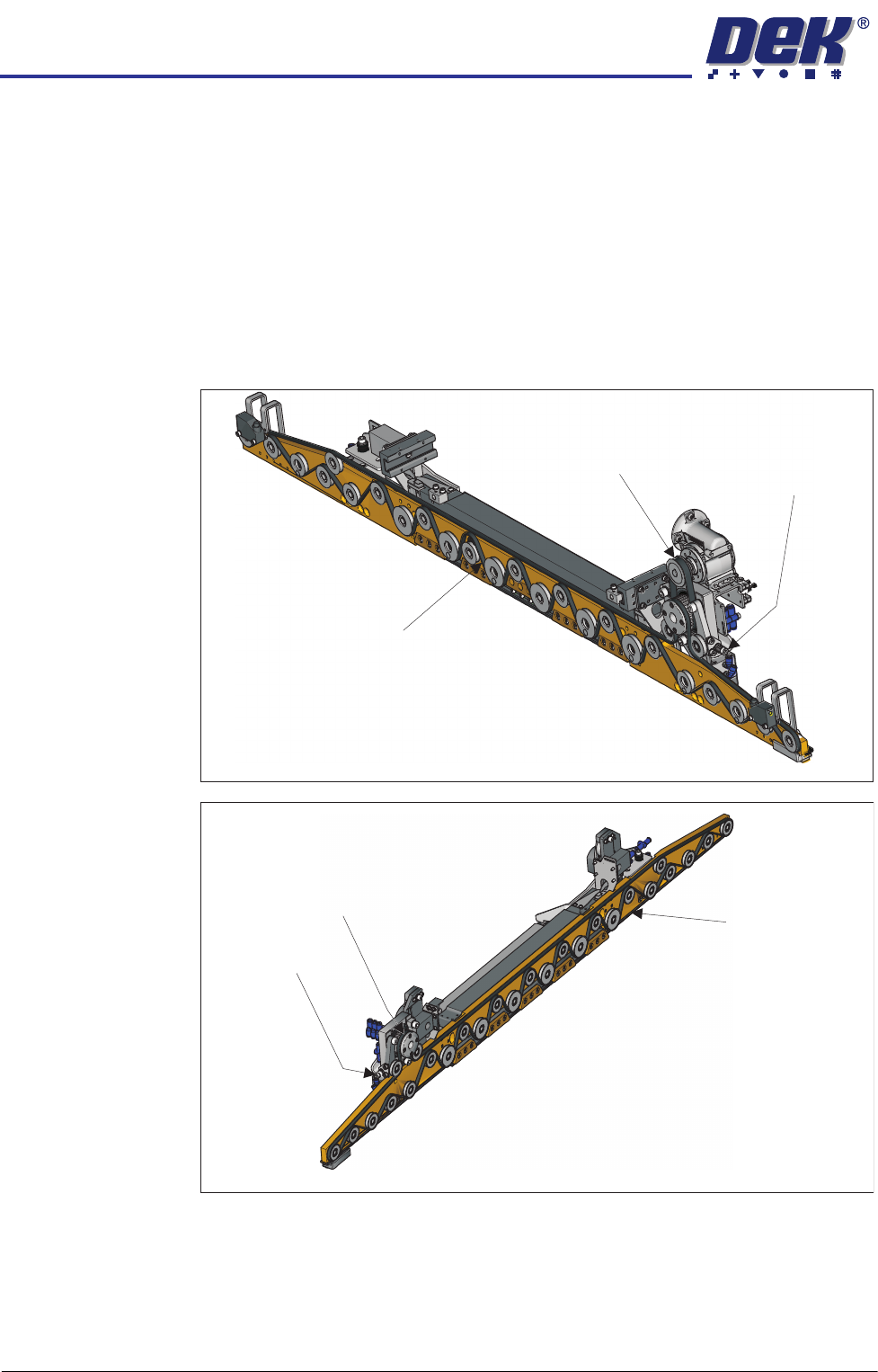
Transport Belts To replace a transport belt:
1. Ensure the drive shaft is out of the way, see previous procedure.
2. Slacken the transport belt tensioner by turning the bolt anti-clockwise using
a 5mm Allen key.
3. When slack, remove the belt from all of the pulleys, taking note of how to
reroute the belt for replacement.
4. Replace the belt; route it correctly around the pulleys and re-tension it. (See
belt tension settings in the Adjustments and Settings section of this Chapter
for details).
View on Underside of the Front Rail
Transport Belt
Tensioner
Drive Belt
Transport Belt
View on Underside of the Rear Rail
Transport Belt
Tensioner
Drive Belt
Transport Belt
HEAVY PALLET RAILS
REPLACEMENT PROCEDURES
Chapter Issue 1 August 11 Wafer Transport Solution 1.47
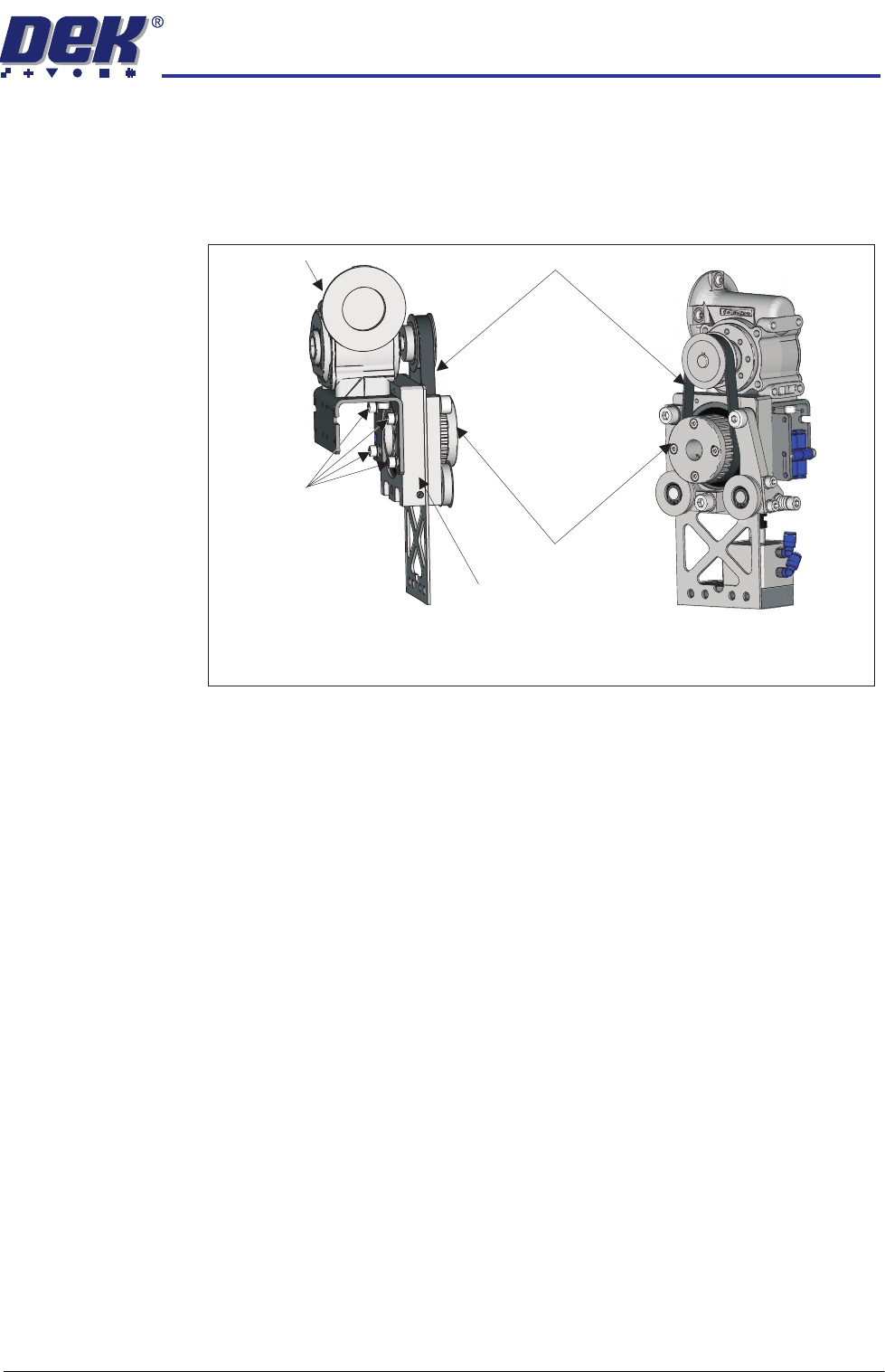
Front Drive Belt To replace the front drive belt:
1. Ensure that the front transport belt has been removed first, see the previous
procedure.
2. Slacken off the four mounting bracket bolts using a 4mm Allen key.
3. Support the weight of the motor and remove the belt.
4. Fit the replacement belt.
5. While supporting the weight of the motor, ensure the motor is horizontal.
6. Allow the weight of the motor to tension the belt so that it rests in the teeth
of both pulleys.
7. Tighten the four mounting bracket bolts; ensure that the belt is centralised.
8. Refit the transport belts.
9. Refit the drive shaft.
Running Check Having reassembled the assemblies, test that the belts all run smoothly.
1. Select the Rail System module in Diagnostics.
2. Select Toggle Heavy Rail Drop. Ensure that the rail is up.
3. Select Belt Speed Calibration.
4. Select Incr. or Decr.
5. Confirm that the belt tracks correctly under tension and do not ride up in the
pulleys.
6. Select Decr. or Incr. to reset to the correct value.
7. Select Exit.
8. Tension the belts in accordance with the belt tension settings in the Adjust-
ments and Settings section of this Chapter.
Drive Belt Mounting
Drive Mounting Viewed on Underside
Front Quarter View
Mounting
Bracket Bolts
Drive Belt
Driven Pulley Mount
Motor Mount
Driven Pulley