WaferTransportSolutionManual.pdf - 第80页
INSTALLATION OVERVIEW 3.4 Wafer Transport Solution Chapter Issue 1 Aug 11 Safety Users must comply with machine safety warnings and notices as listed in the various equipment manuals. The following safety instructions gi…
INSTALLATION
OVERVIEW
Chapter Issue 1 Aug 11 Wafer Transport Solution 3.3
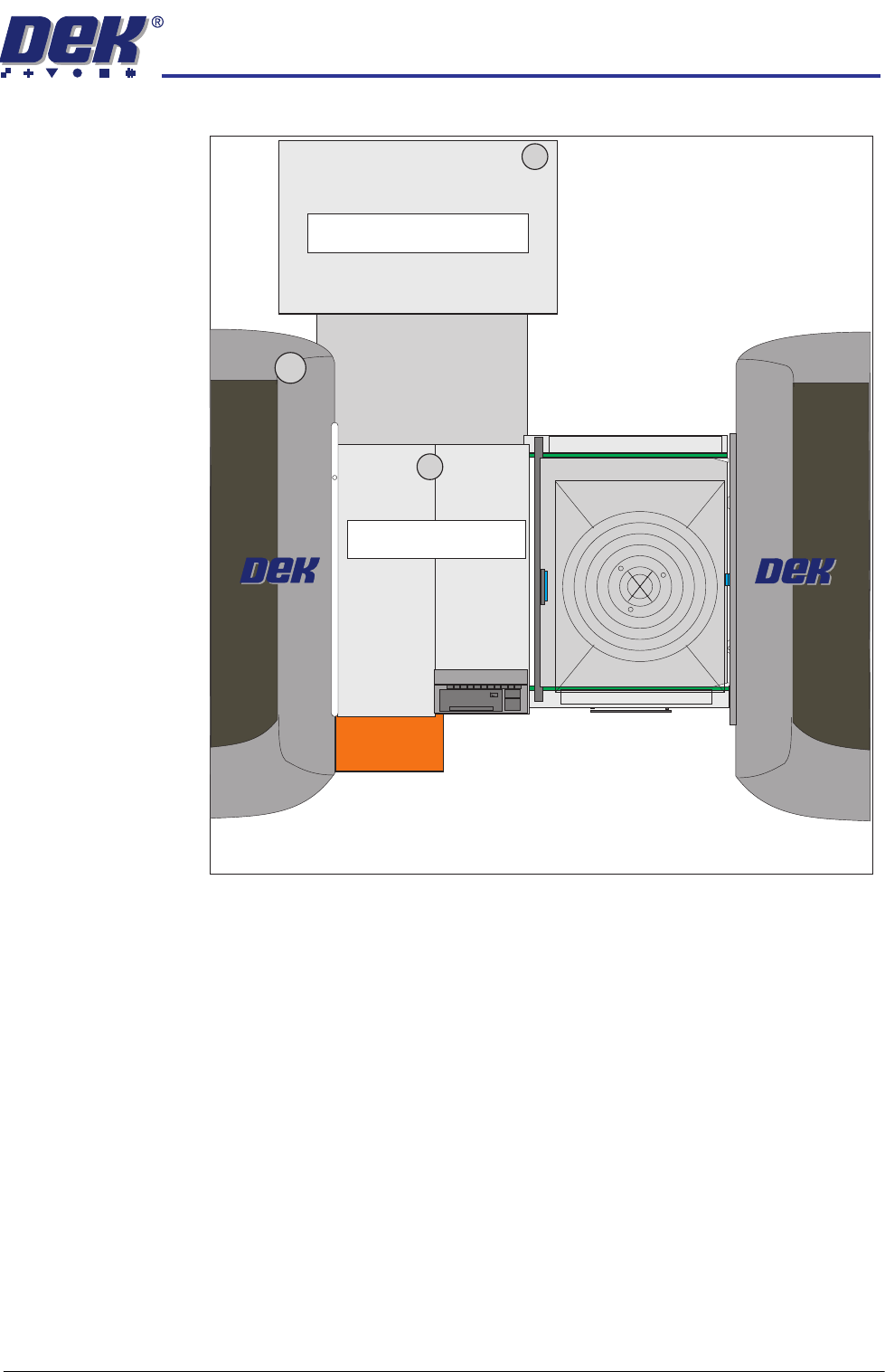
Figure 3-3 A Typical CHAD Production Layout
CHAD WaferMate with DEK Printers and Oven Line
CHAD WaferMate
Oven
FOUP
(Wafer Stack)
INSTALLATION
OVERVIEW
3.4 Wafer Transport Solution Chapter Issue 1 Aug 11
Safety Users must comply with machine safety warnings and notices as listed in the
various equipment manuals. The following safety instructions give additional
notices relevant to this application.
Pallets loaded into the printer and transfer stations can be up to 15Kg in
weight. Operators and maintainers should take care to use the correct lifting
practices when lifting pallets into and out of the printer, and/or the downline
pallet transfer station, or other equipment in the line.
Equipment Safety
Covers
The printer is designed with safety covers fitted to the printer’s side covers. In
normal operation, the covers prevent users from accessing areas where they
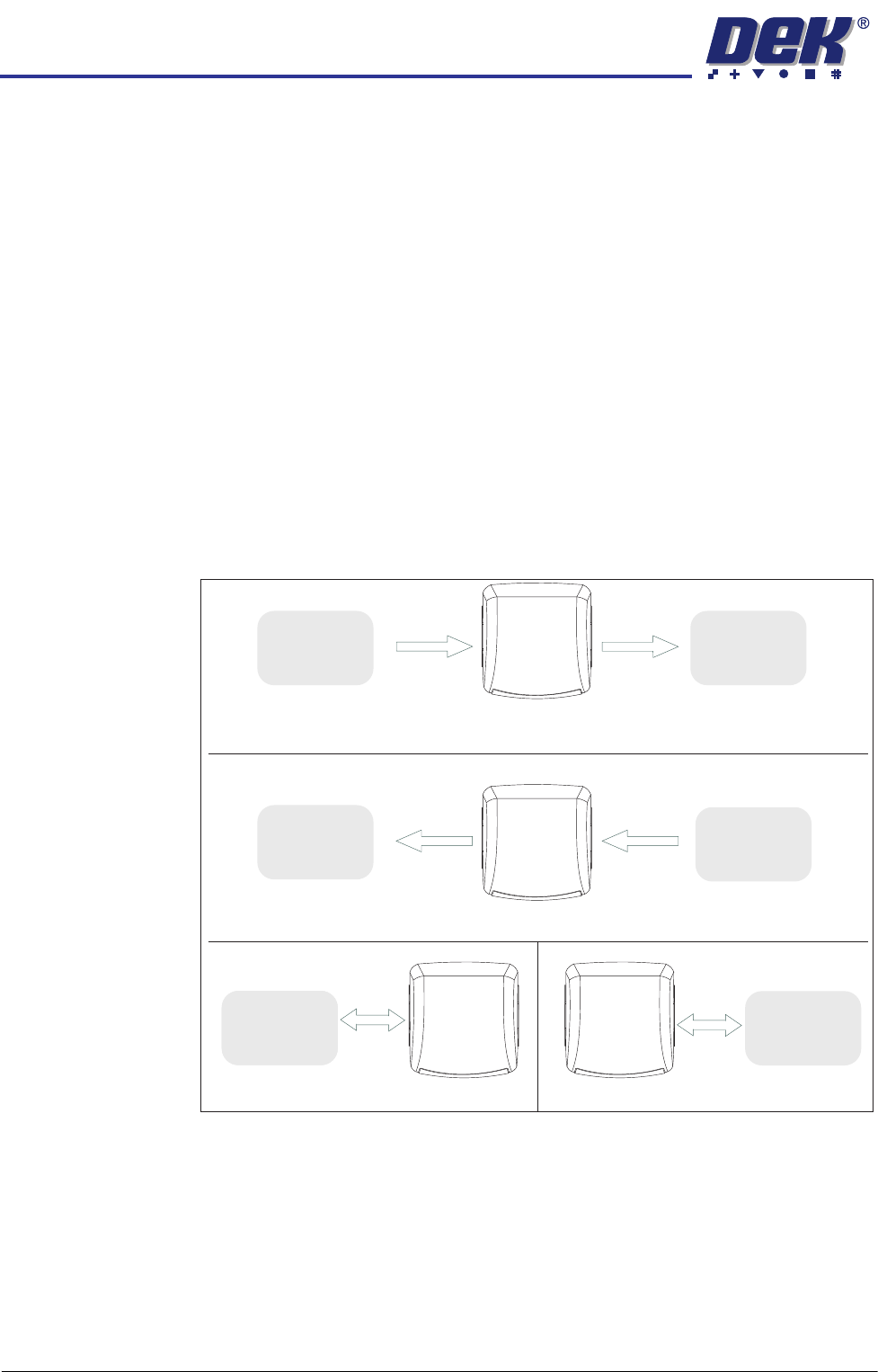
can be exposed to hazards. The printer can be operated in the following input/
output modes:
• Left to Right
• Right to Left
• Left to Left
• Right to Right
Figure 3-4 Process Direction Options
Left to Right Pallet Transfers
Right to Left Pallet Transfers
Downline
Downline
Downline
Left to Left Pallet Transfers
Right to Right Pallet Transfers
DEK
Machine
DEK
Machine
DEK
Machine
DEK
Machine
Adjacent
Machine/
Conveyor
NOTE
Pallets can be manually fed into the printer
Adjacent
Machine/
Conveyor
Adjacent
Machine/
Conveyor
Upline
Adjacent
Machine/
Conveyor
Upline
Adjacent
Machine/
Conveyor
Upline
Adjacent
Machine/
Conveyor
INSTALLATION
OVERVIEW
Chapter Issue 1 Aug 11 Wafer Transport Solution 3.5
In this application, because of the physical size of the pallets, it is not possible
to keep the safety covers in place and maintain the same level of operational
safety of a standard DEK printer. The line can be operated in manual, semi-
automatic or fully automatic feed modes. The safety cover(s) have to be
removed in the pallet loading areas. The safety cover(s) to be removed
depend upon the printer operation mode as described in the previous graphic.
Operators and maintainers should take care when working in or around the
loading areas of the printer as moving parts are present in these areas.
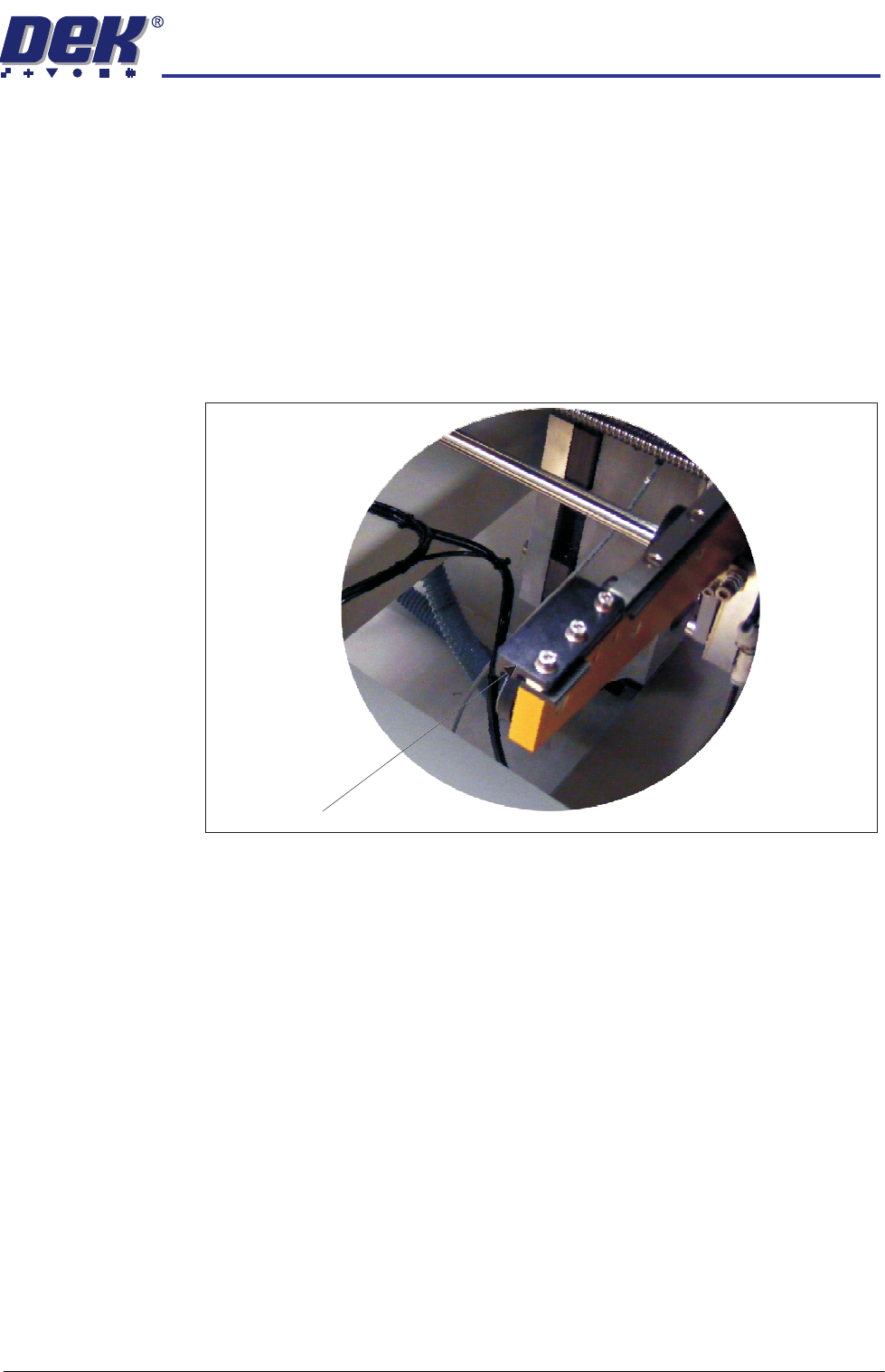
Safety Stops Safety stops are positioned on the rails at the opposite end to the pallet input.
They are fitted to each rail to physically prevent the pallet from running off the
rail ends should the user inadvertently change the transport rail direction.
Safety stops should only be fitted to the opposite end in a same feed/return
direction configuration:
• Right to Right (fit on the left)
• Left to Left (fit on the right)
Safety Stop