WaferTransportSolutionManual.pdf - 第82页
INSTALLATION OVERVIEW 3.6 Wafer Transport Solution Chapter Issue 1 Aug 11 Labels W arning labels are placed on the machine in areas where a potential hazard may exist. Situated behind the safety covers Situated on the sa…
INSTALLATION
OVERVIEW
Chapter Issue 1 Aug 11 Wafer Transport Solution 3.5
In this application, because of the physical size of the pallets, it is not possible
to keep the safety covers in place and maintain the same level of operational
safety of a standard DEK printer. The line can be operated in manual, semi-
automatic or fully automatic feed modes. The safety cover(s) have to be
removed in the pallet loading areas. The safety cover(s) to be removed
depend upon the printer operation mode as described in the previous graphic.
Operators and maintainers should take care when working in or around the
loading areas of the printer as moving parts are present in these areas.
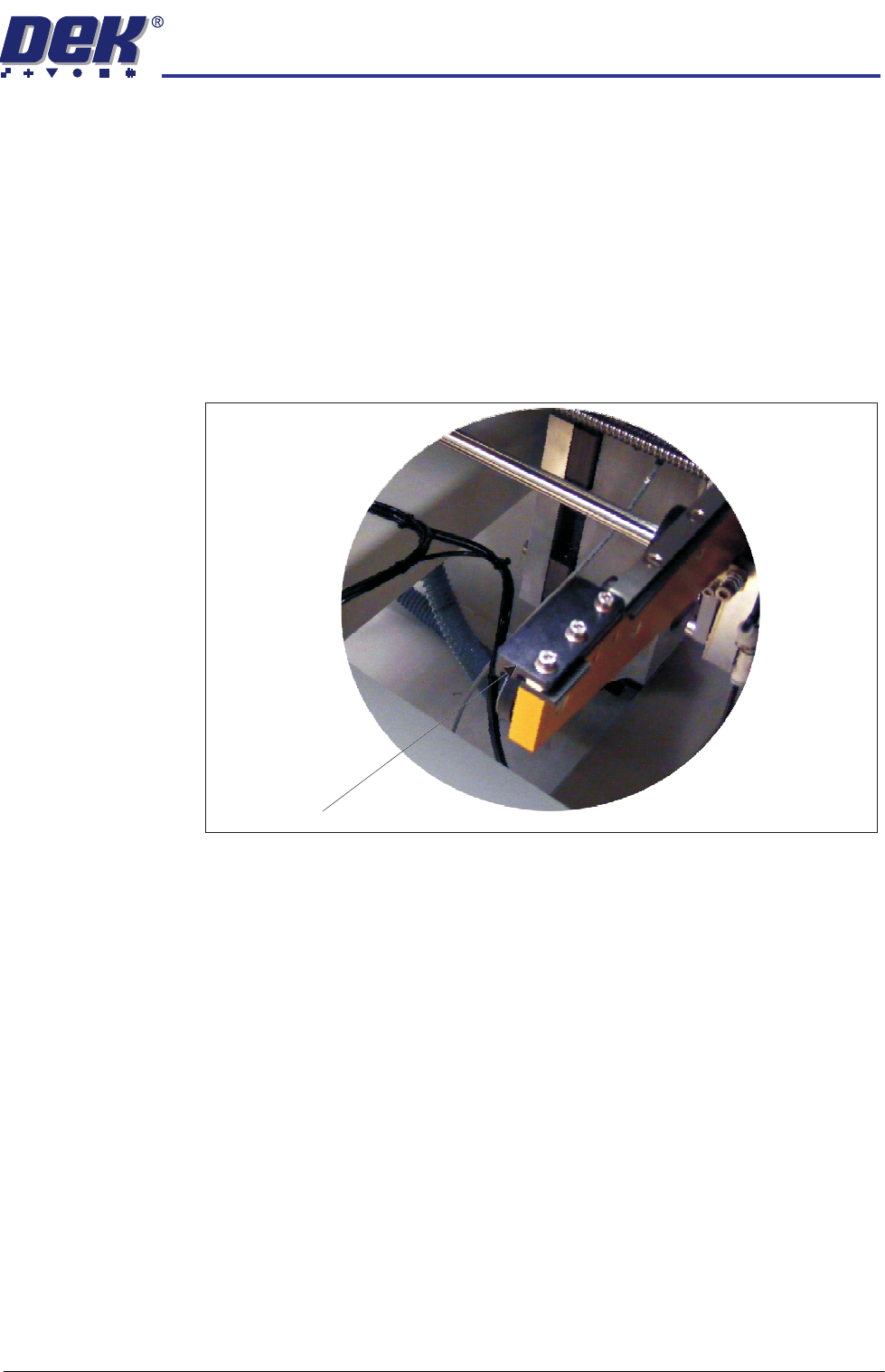
Safety Stops Safety stops are positioned on the rails at the opposite end to the pallet input.
They are fitted to each rail to physically prevent the pallet from running off the
rail ends should the user inadvertently change the transport rail direction.
Safety stops should only be fitted to the opposite end in a same feed/return
direction configuration:
• Right to Right (fit on the left)
• Left to Left (fit on the right)
Safety Stop
INSTALLATION
OVERVIEW
3.6 Wafer Transport Solution Chapter Issue 1 Aug 11
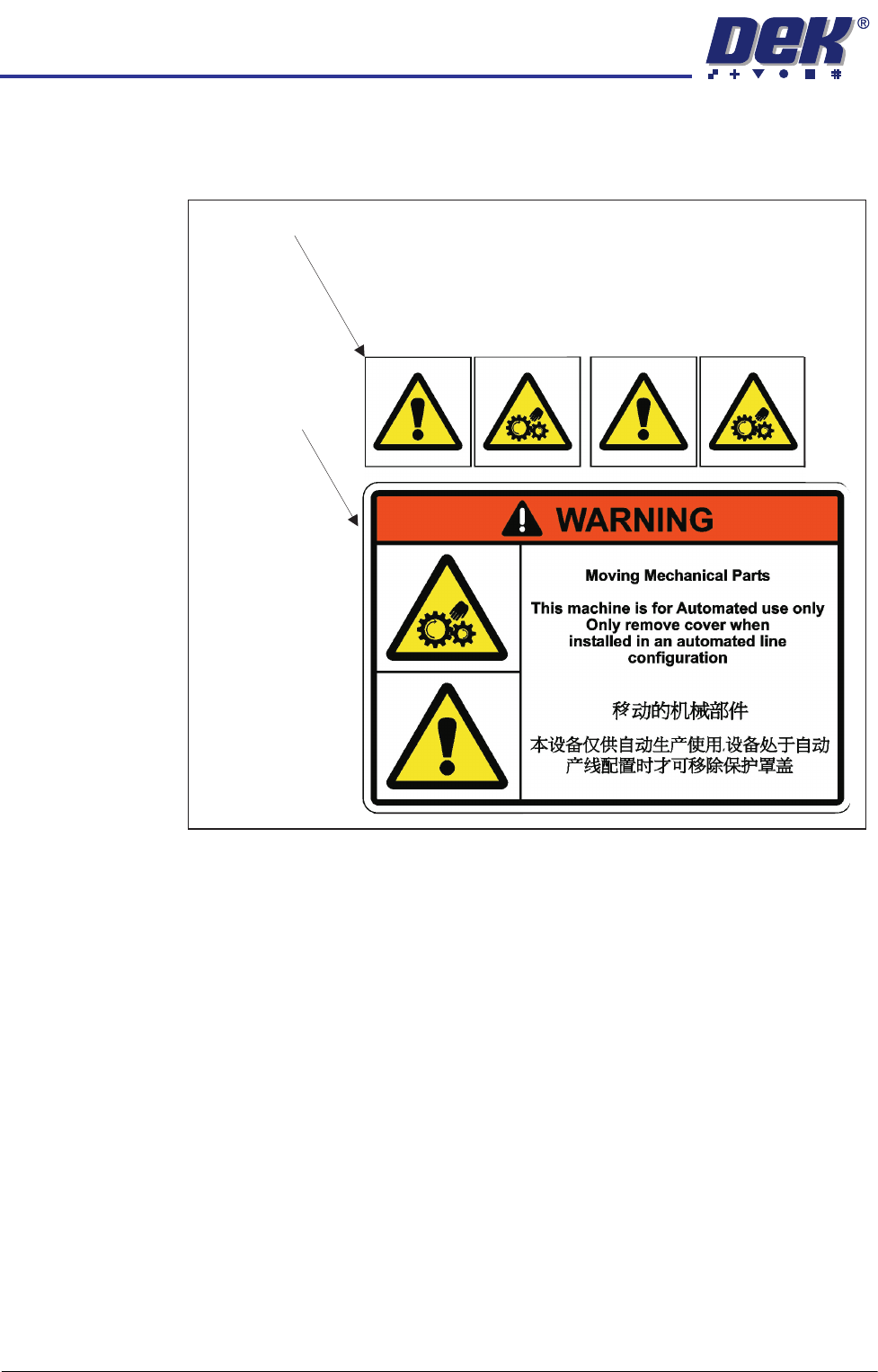
Labels Warning labels are placed on the machine in areas where a potential hazard
may exist.
Situated behind the safety covers
Situated on the
safety covers

INSTALLATION
EQUIPMENT INSTALLATION
Chapter Issue 1 Aug 11 Wafer Transport Solution 3.7
EQUIPMENT INSTALLATION
CHAD and NUTEK Equipment
Reference should be made to the technical and installation data provided by
the wafer handling equipment manufacturers. This manual gives a brief
overview of the specific equipment proposed by DEK for this application.
Information provided in this manual is for guidance only. DEK suggests that
users familiarise themselves with the specific instructions on safety,
installation, maintenance and operation of any equipment placed in-line with
the DEK printer(s).
The section below describes the services required to interface the wafer
handling equipment to the DEK printer.
Services In order for the conveyor to function correctly the following services must be
available:
• Electrical Supply
• Pneumatic Supply
• Upline/Downline Machine Interface (FMI)
The services required for both equipment types are shown below:
NUTEK Refer to linking conveyor manual: NTM410L-1000-1(S)
Electrical The mains input, to the linking conveyor, is fed directly from a separate factory
mains wall outlet.
The conveyor operates on 230VAC/50Hz single phase ac mains or 110VAC/
60Hz single phase ac mains.
Pneumatic The conveyor requires a pneumatic supply of clean, non lubricated air which
should maintain a minimum pressure 5 Bar and a maximum of 8 Bar.
The air should be to ISO 8573.1 standard, quality class 2.3.3, where:
• 2 dirt = 1 micron
• 3 water = -20°C pressure dewpoint
• 3 oil = 1mg/m3
The air supply, from the optional services panel at the rear of the host printer,
is fed to the input connector of the linking conveyor where it is directly
connected to the regulator. The regulator is set to 5 Bar.
Interface The conveyor interface (FMI) is via standard SMEMA protocol. The FMI pod
on the host printer connects via M28SK02 to a pair of connectors PLA/PLB of
the respective upstream and downstream connectors.