00198711-01_UM_X-Serie-S_EN.pdf - 第239页
Instruction manual SIPLACE X-Series S 5 Tasks at the placement machine From software version 713.0 Edition 11/2019 5.3 Switching on the SIPLACE line 239 5.3.4 Action of placemen t machine st art button The action perform…
5 Tasks at the placement machine Instruction manual SIPLACE X-Series S
5.3 Switching on the SIPLACE line From software version 713.0 Edition 11/2019
238
5
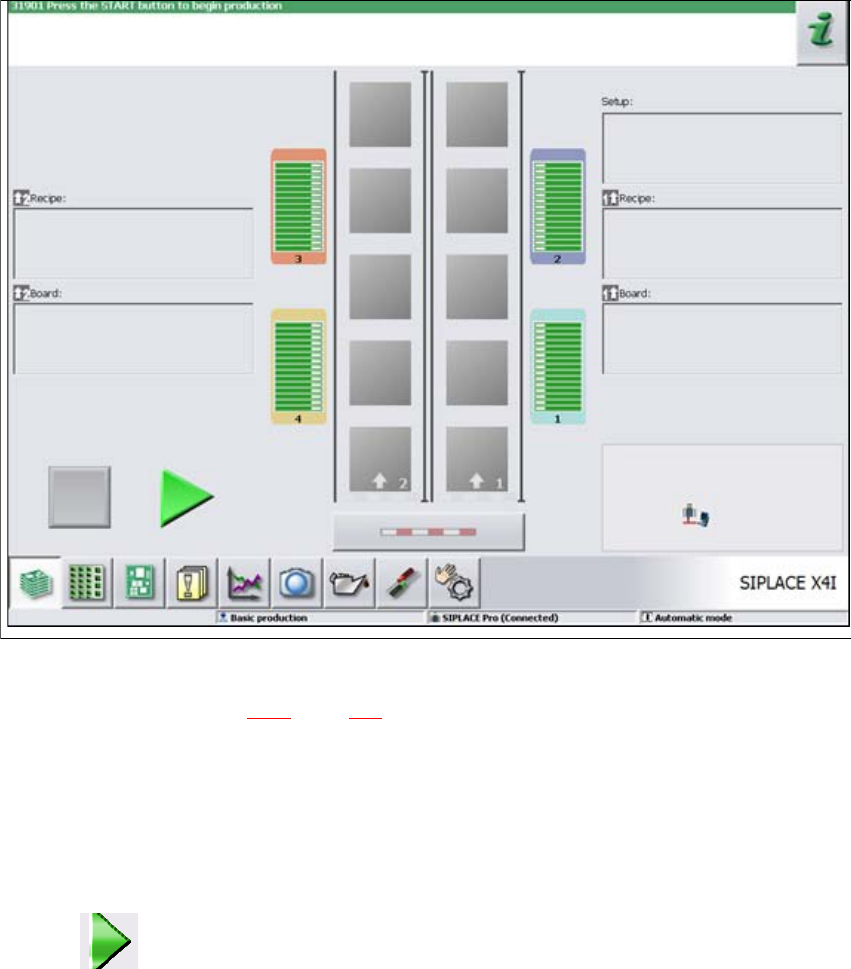
Fig. 5.3 - 1 "Production" view after loading the station software (example of SIPLACE X4i shown)
The status field (see section 5.5.1, page 243) shows the current status of the station and the action
to be performed.
Press the start button when you see the request "Press Start button".
Start buttons can be found on the input side, output side and on the operating panels to the
left and right of the station.
A reference run will be performed. After completion of this reference run, the station is ready
for operation.
The icon will be shown in the working area of the user interface (enabled).
Instruction manual SIPLACE X-Series S 5 Tasks at the placement machine
From software version 713.0 Edition 11/2019 5.3 Switching on the SIPLACE line
239
5.3.4 Action of placement machine start button
The action performed by the start button can be set.
Open the "Check sensors and functions" view (see section 5.5.3, page 243).
The following settings are possible:
Start production automatically 5
Standard setting.
Pressing the start button automatically begins the production process.
Do not change production status 5
This is used, for example, to calibrate and test the placement machine
Pressing the start button simply closes the electricity circuit; production is not started immediately.
5
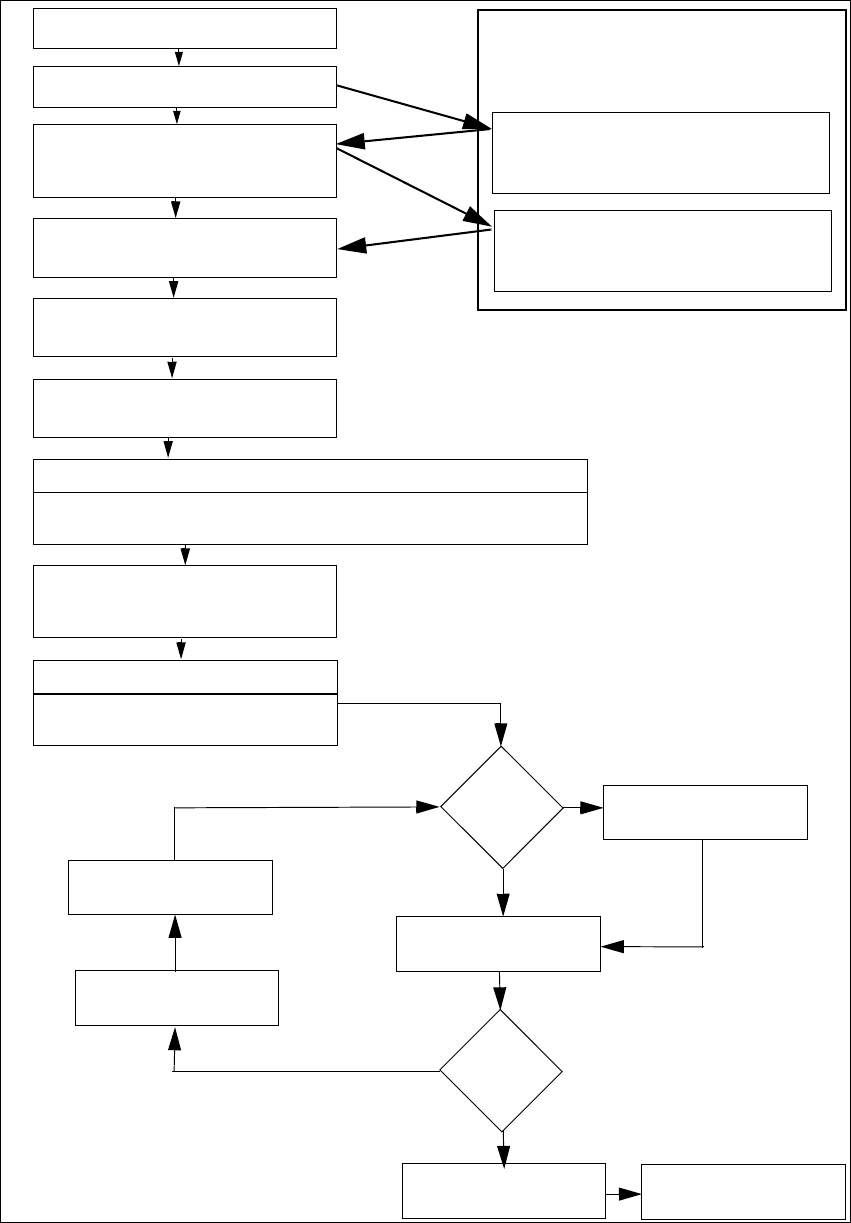
5.3.5 "Switching on the SIPLACE line" flow chart
The following flow diagram shows the actions performed after the SIPLACE line has been
switched on.
CAUTION
Machine functions can be directly started via the GUI, irrespective of the start button set-
ting. If the electrical circuit has already been closed, you do not need to confirm with the
placement machine start button.
5 Tasks at the placement machine Instruction manual SIPLACE X-Series S
5.3 Switching on the SIPLACE line From software version 713.0 Edition 11/2019
240
5
Fig. 5.3 - 2 Flow chart - switching on the "SIPLACE line"
Station computer
Switch on
Check setup
(configure feeder modules
Teach fiducials
Load board data
Press start button
Wait for reference run
Move board in
Wait for PCB
Check setup
(if table marked red
If required: change nozzle configuration
Nozzle check
Fiducials
OK?
Track error
Placement
Check setup
Fill up tracks
Placement
PCB in output conveyor
Italics: Performed or reported by the station
Yes
Yes
No
No
Presettings on the
placement ma-
chine
Download assistant
Programming system
Tasks
Confirm conversion in download as-
sistant
Bold lettering: job to be performed by op-
erator