00198711-01_UM_X-Serie-S_EN.pdf - 第282页
5 Tasks at the placement machine Ins truction manual SIPLACE X-Series S 5.14 Docking the component trolley in or out From software version 713.0 Edition 11/2019 282 5 Fig. 5.14 - 2 Component trolley - swivel handles up t…
Instruction manual SIPLACE X-Series S 5 Tasks at the placement machine
From software version 713.0 Edition 11/2019 5.14 Docking the component trolley in or out
281
5
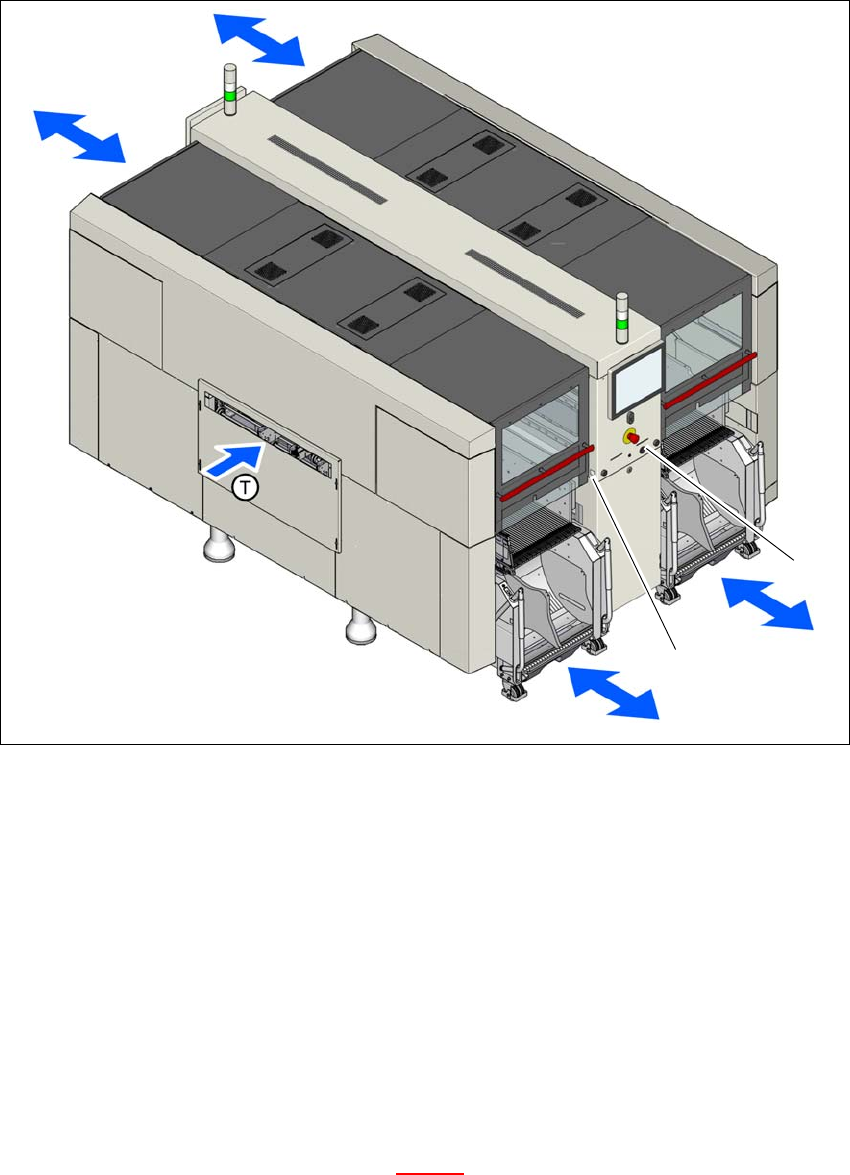
Fig. 5.14 - 1 Safety instructions for docking the component trolley in or out (example of SIPLACE X2 S / X3 S / X4 S
shown)
In addition, the component trolley can only be docked in if the protective
covers are closed.
(1) Button for docking and undocking the component trolley at location 1
(2) Button for docking and undocking the component trolley at location 2
(T) Direction of PCB transport
5.14.2 Docking out the component trolley
Press the docking/undocking button on the respective placement machine location until the
component trolley is completely undocked.
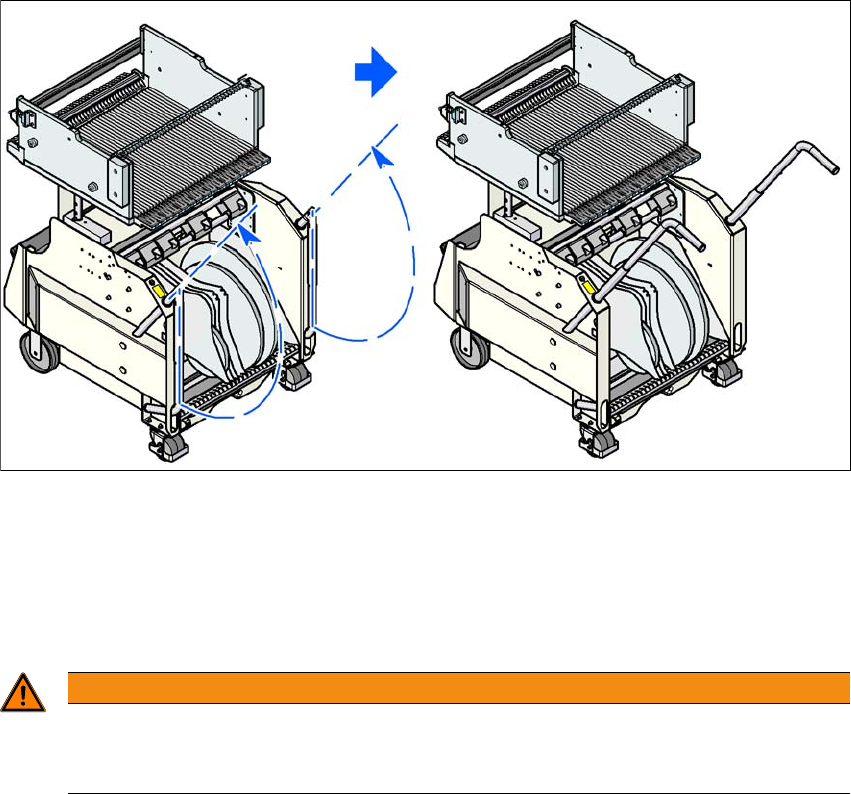
Swivel the two handles up (item 1 in fig. 5.14 - 2).
(1)
(2)
5 Tasks at the placement machine Instruction manual SIPLACE X-Series S
5.14 Docking the component trolley in or out From software version 713.0 Edition 11/2019
282
5
Fig. 5.14 - 2 Component trolley - swivel handles up to push
With both hands on the handles, pull the component trolley out of the placement machine.
5.14.3 Safety instructions for moving the component trolley
5
Always hold the handles with both hands when you want to move the component trolley.
Remember that a component trolley with the full complement of feeder modules can tip over
sideways or forward on gradients of 20° or more.
Make sure that the surface on which the trolley is moved has a significantly smaller gradient.
Be careful not to collide with obstacles. The trolley could tip forward if it is traveling fast
enough.
WARNING
Avoid accidents!
To prevent accidents, ALWAYS follow the rules listed below when you move the compo-
nent trolley.
Instruction manual SIPLACE X-Series S 5 Tasks at the placement machine
From software version 713.0 Edition 11/2019 5.14 Docking the component trolley in or out
283
5.14.4 Docking the component trolley
5
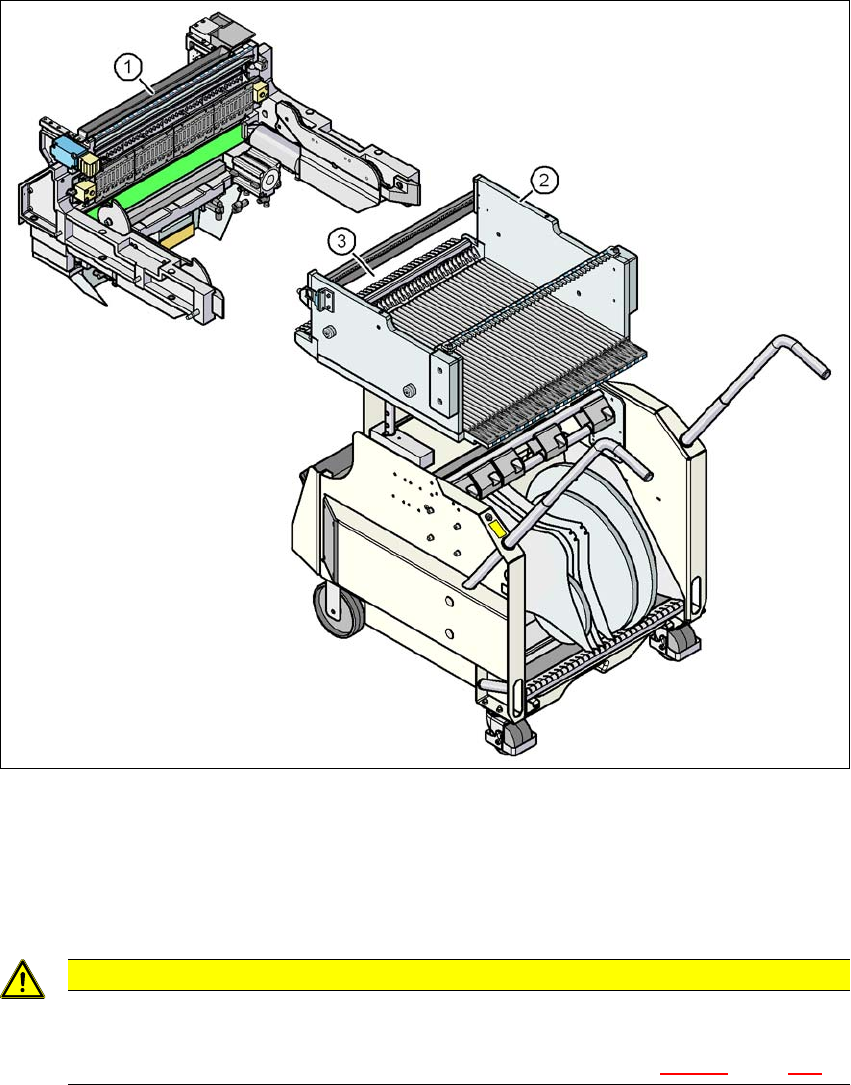
Fig. 5.14 - 3 Component trolley and COT insert, SIPLACE X-Series S
(1) Component trolley docking unit, SIPLACE X-Series S
(2) SIPLACE X-Series S component trolley
(3) Locking latches
5
CAUTION
Pushing in component trolley!
When pushing the component trolley into the placement machine, make sure that
you do not hit obstacles with the locking latches (item 3 in fig. 5.14 - 3
, page 283).