00198711-01_UM_X-Serie-S_EN.pdf - 第341页
Instruction manual SIPLACE X-Series S 6 Station extensions From software version 713.0 Edition 11/2019 6.13 Long board option (LBO) 341 6.13 Long board option (LBO) Item no. 519874-xx X- Series S, LBO license The "L…
6 Station extensions Instruction manual SIPLACE X-Series S
6.12 Smart Pin Support From software version 713.0 Edition 11/2019
340
6
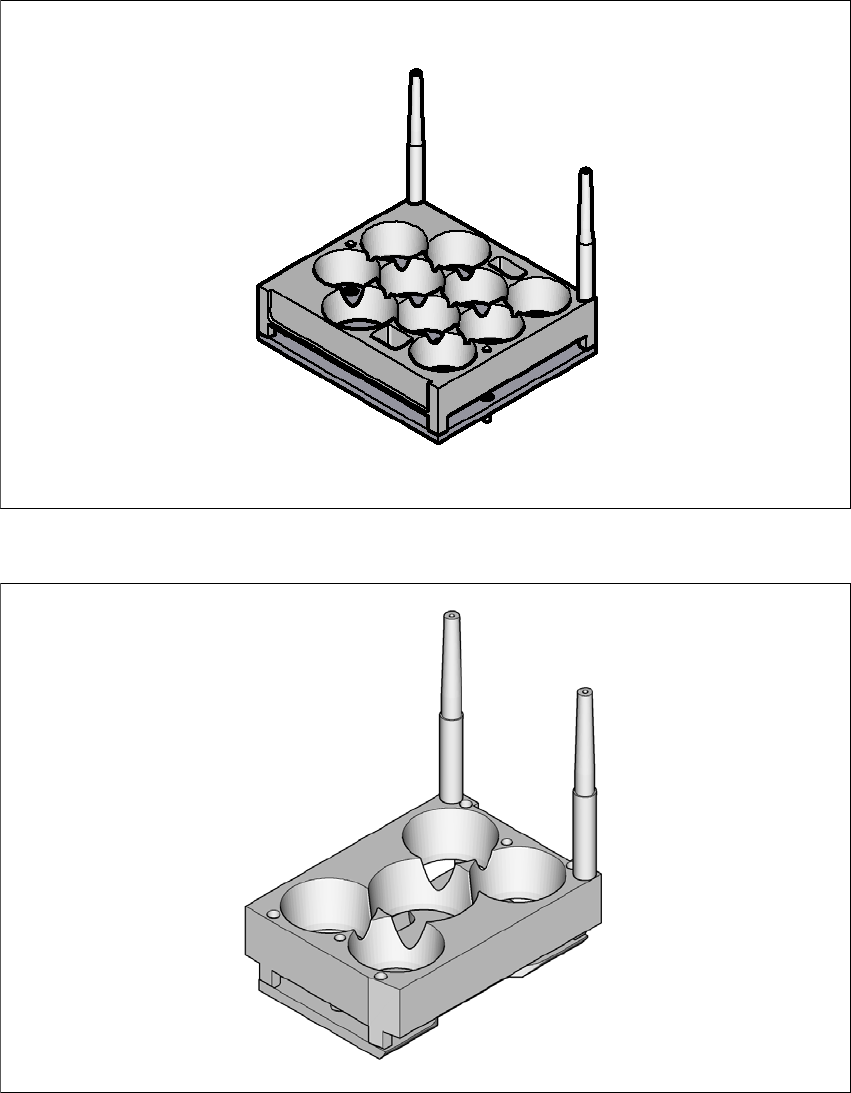
Fig. 6.12 - 3 Smart Pin Support - magazine type Q10
6
Fig. 6.12 - 4 Smart Pin Support - magazine type W5

Instruction manual SIPLACE X-Series S 6 Station extensions
From software version 713.0 Edition 11/2019 6.13 Long board option (LBO)
341
6.13 Long board option (LBO)
Item no. 519874-xx X-Series S, LBO license
The "Long board" option allows you to place boards which exceed the specified board length.
6
PLEASE NOTE
The function of this option depends on the board geometry.
6 Station extensions Instruction manual SIPLACE X-Series S
6.14 With LCD monitor and keyboard From software version 713.0 Edition 11/2019
342
6.14 With LCD monitor and keyboard
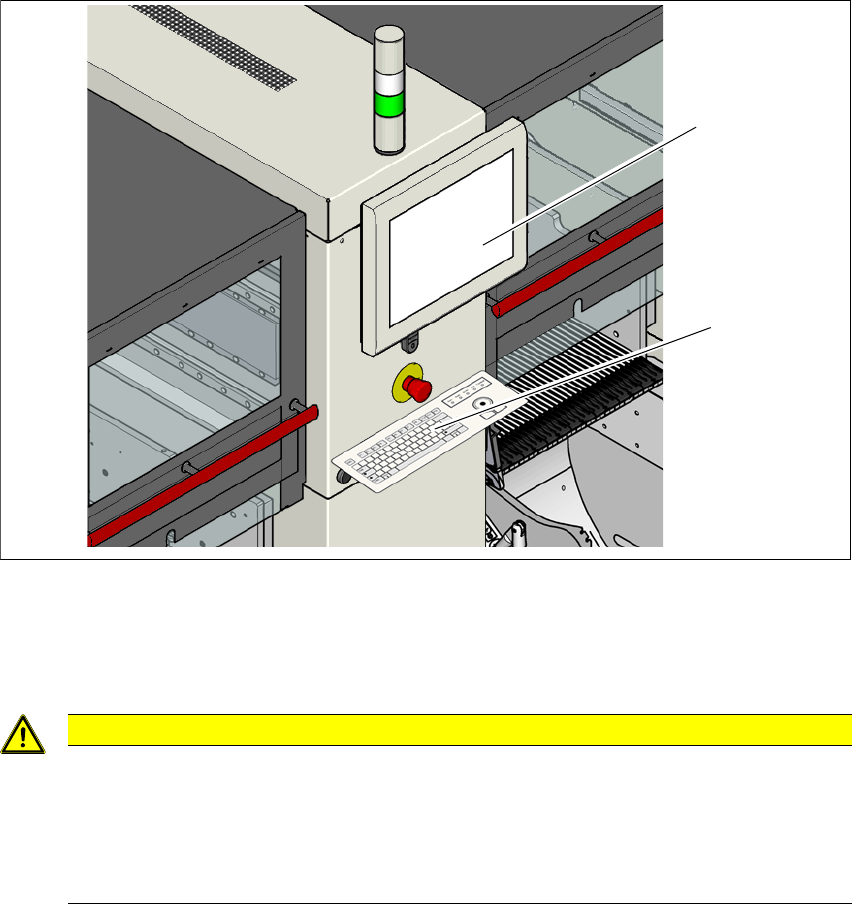
Instead of the standard multi-touch monitor, you can configure an 15" LCD monitor with keyboard
at each of the SIPLACE X-Series S operating panels.
6
Fig. 6.14 - 1 With LCD monitor and keyboard
(1) LCD Monitor
(2) Keyboard
6
CAUTION
Risk of bumping yourself on the monitor with keyboard!
When working on the component trolley, there is risk that you could collide with the mon-
itor and keyboard.
Turn the monitor and keyboard away to the side.
Make sure that you are not under the monitor and keyboard with your head.
(1)
(2)