00198711-01_UM_X-Serie-S_EN.pdf - 第342页
6 Station extensions Instruction manual SIPLACE X-Series S 6.14 With LCD monitor and keyboard From software version 713.0 Edition 11/2019 342 6.14 W ith LCD monitor and keyboard Instead of the sta ndard multi-t ouch moni…

Instruction manual SIPLACE X-Series S 6 Station extensions
From software version 713.0 Edition 11/2019 6.13 Long board option (LBO)
341
6.13 Long board option (LBO)
Item no. 519874-xx X-Series S, LBO license
The "Long board" option allows you to place boards which exceed the specified board length.
6
PLEASE NOTE
The function of this option depends on the board geometry.
6 Station extensions Instruction manual SIPLACE X-Series S
6.14 With LCD monitor and keyboard From software version 713.0 Edition 11/2019
342
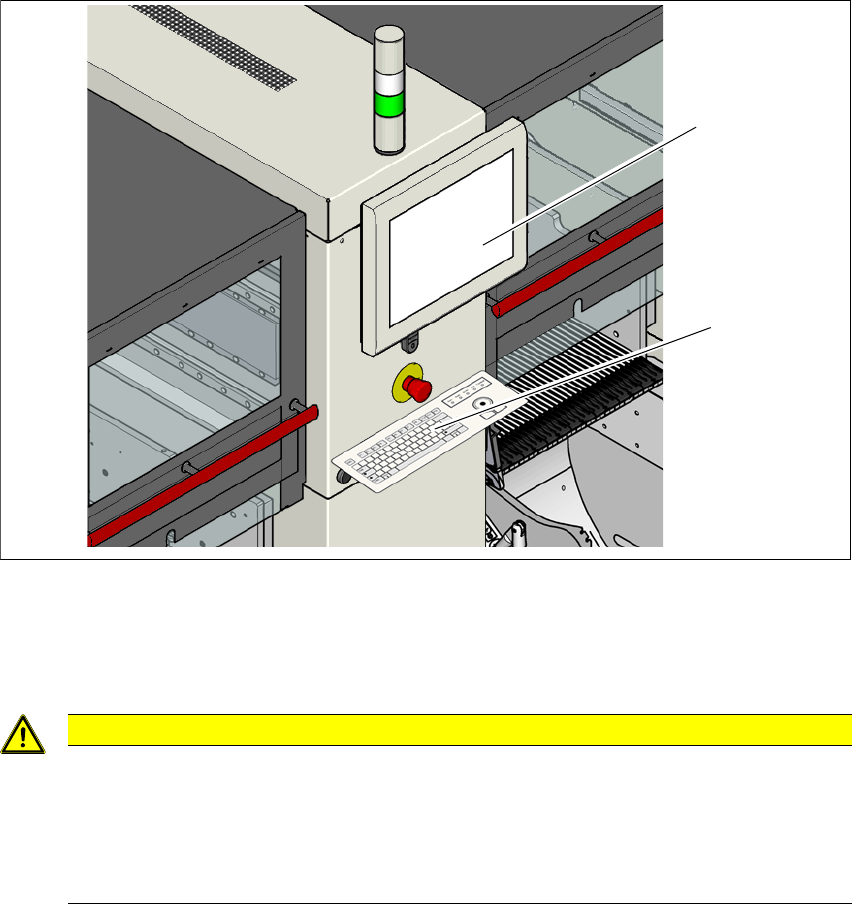
6.14 With LCD monitor and keyboard
Instead of the standard multi-touch monitor, you can configure an 15" LCD monitor with keyboard
at each of the SIPLACE X-Series S operating panels.
6
Fig. 6.14 - 1 With LCD monitor and keyboard
(1) LCD Monitor
(2) Keyboard
6
CAUTION
Risk of bumping yourself on the monitor with keyboard!
When working on the component trolley, there is risk that you could collide with the mon-
itor and keyboard.
Turn the monitor and keyboard away to the side.
Make sure that you are not under the monitor and keyboard with your head.
(1)
(2)

Instruction manual SIPLACE X-Series S 7 Maintenance
From software version 713.0 Edition 11/2019
343
7 Maintenance
To ensure that your SIPLACE placement machine always runs properly during production, we ad-
vise that you service the placement machine on a regular basis.
The SIPLACE TX maintenance documentation contains recommendations for the maintenance
tasks to be performed at each maintenance interval. Workflows have been defined for each main-
tenance interval. These combine the individual steps to form an efficient sequences of tasks in
order to optimize the "Uptime" for each maintenance task.
7
Maintenance workflows
We differentiate between four workflows which are to be performed independently of one another
per maintenance interval.
– Workflow 1: Weekly maintenance tasks.
– Workflow 2: Combination of weekly and 3-monthly maintenance tasks.
– Workflow 3: Combination of weekly and 6-monthly maintenance tasks.
– Workflow 4: Combination of weekly and 12-monthly maintenance tasks.
Planning workflows
Each workflow is supported with a document (job card), which guides you efficiently through the
maintenance work.
Example for the frequency of individual workflows over a period of one year:
– Workflow 1: 45 times / year
– Workflow 2: 4 times / year
– Workflow 3: 2 times / year
– Workflow 4: 1 time / year
PLEASE NOTE
Job cards for maintenance
All maintenance work is explained in detail in the corresponding job cards and clearly il-
lustrated in the diagrams.