00195467-01_Installation Manual Setup Center 2.2.pdf - 第22页
SIPLACE Setup Center 2.2 Installation Manual Select Install from a list or specific location .... Click on Next to continue. Select Don’t search. I will choose .... Click on Next to continue. Select Show All De…
Installation Manual SIPLACE Setup Center 2.2
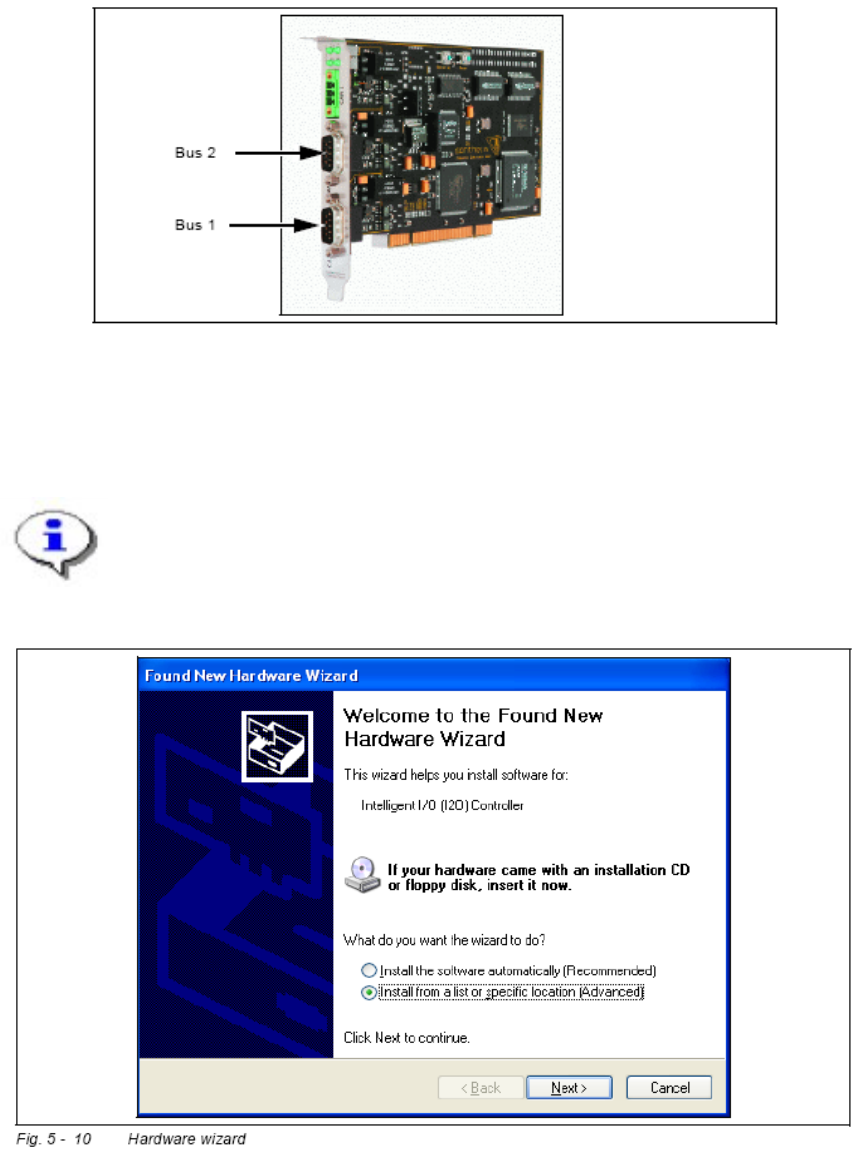
The drivers for the CAN card are contained on the SC software installation CD. These
need to be installed separately. For a detailed description, please see Section “Optional:
Installing CAN Drivers”.
Fig. 5-2 CAN card - power CAN PCI
5.2.3.2 Installing CAN Drivers
Note:
You require administrator rights for the installation procedure!
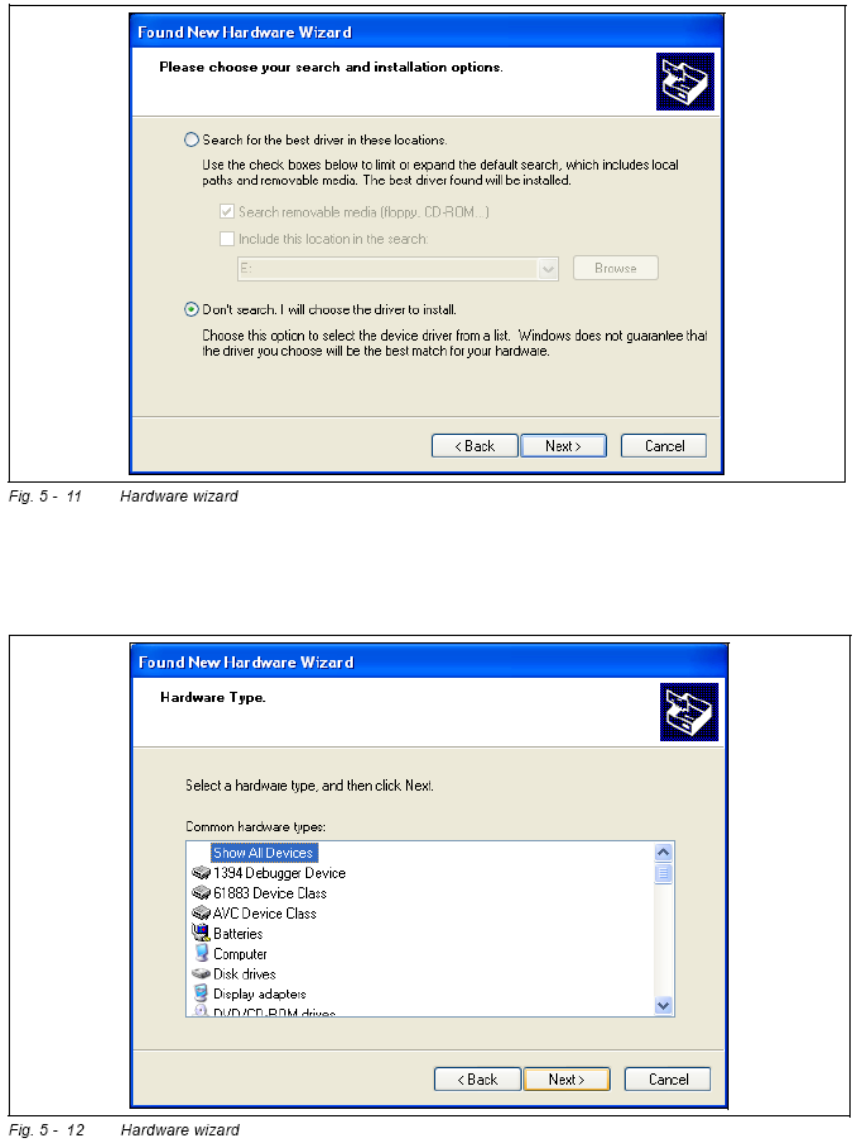
Switch on the SC PC. The hardware wizard will open.
21 of 90
-
SIPLACE Setup Center 2.2 Installation Manual
Select Install from a list or specific location ....
Click on Next to continue.
Select Don’t search. I will choose ....
Click on Next to continue.
Select Show All Devices and then click on Next.
22 of 90
Installation Manual SIPLACE Setup Center 2.2
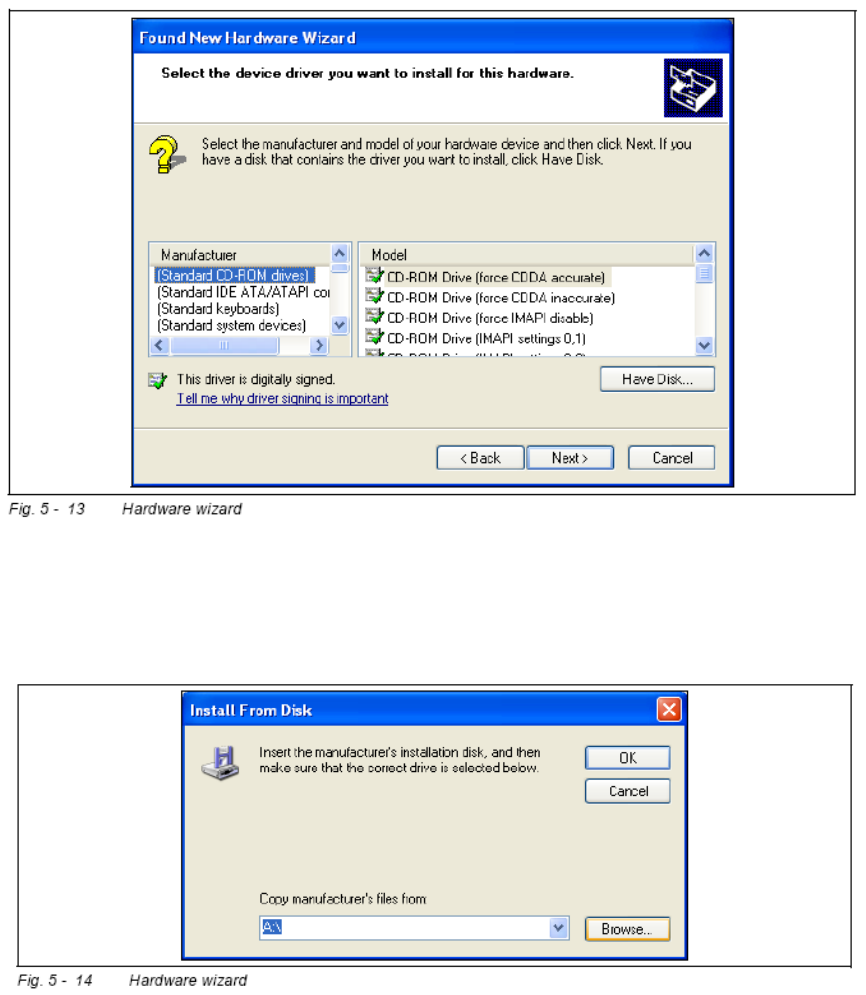
The software for the CAN card is contained on the SC ESS installation CD. This needs to
be inserted into the CD-ROM drive of your SC ESS PC.
Click on the Have Disk ... button.
Click on the Browse ... button.
23 of 90
-