00195467-01_Installation Manual Setup Center 2.2.pdf - 第31页
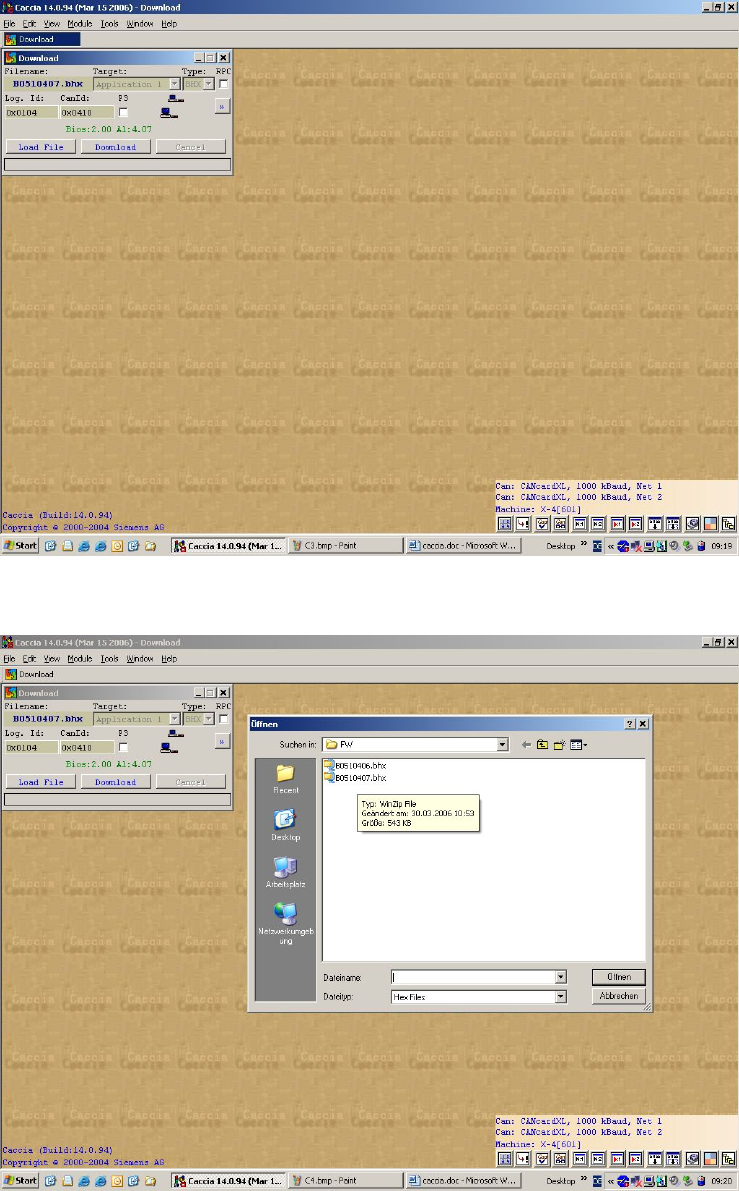
Installation Manual SIPLACE Setup Center 2.2 Enter the CAN ID of the X-DS. The cu rrent BIOS and application is displaye d. Load the required firmware 31 of 90 -
SIPLACE Setup Center 2.2 Installation Manual
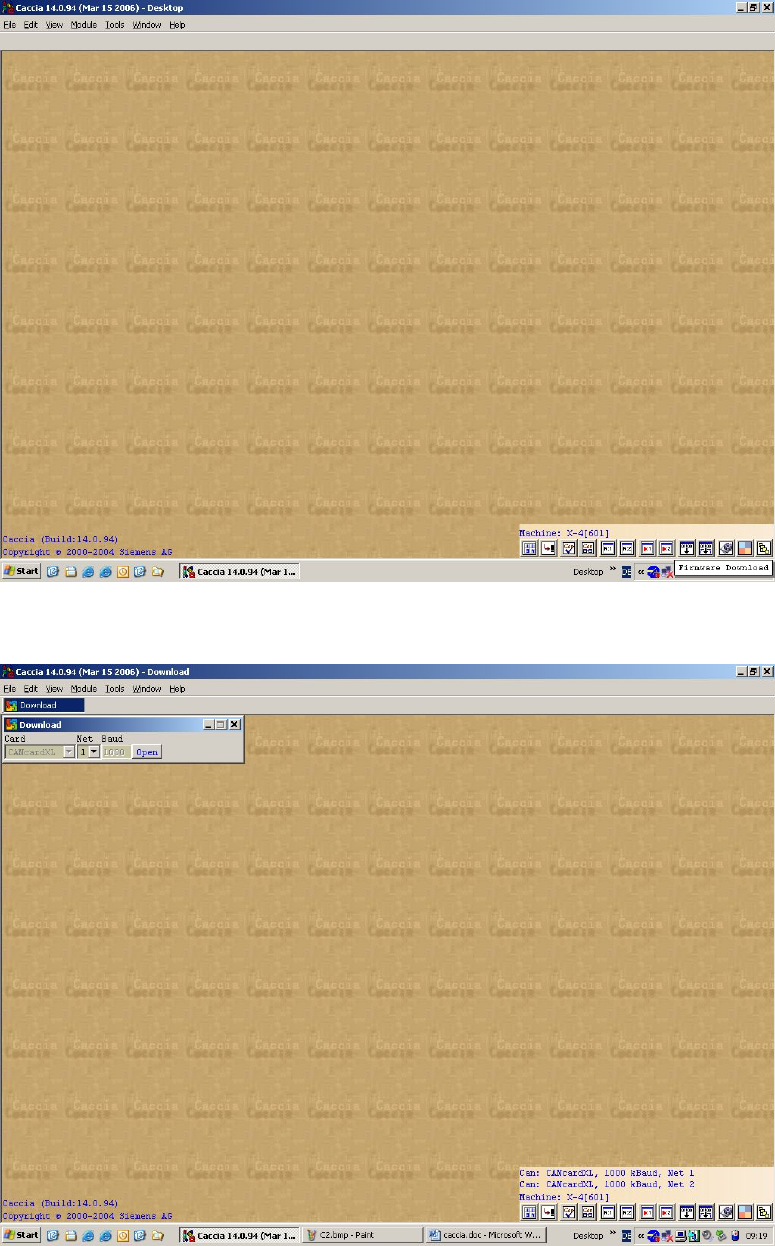
Click on the button firmware download
Select the CAN Network and then click on open
30 of 90
Installation Manual SIPLACE Setup Center 2.2
Enter the CAN ID of the X-DS. The current BIOS and application is displayed.
Load the required firmware
31 of 90
-
SIPLACE Setup Center 2.2 Installation Manual
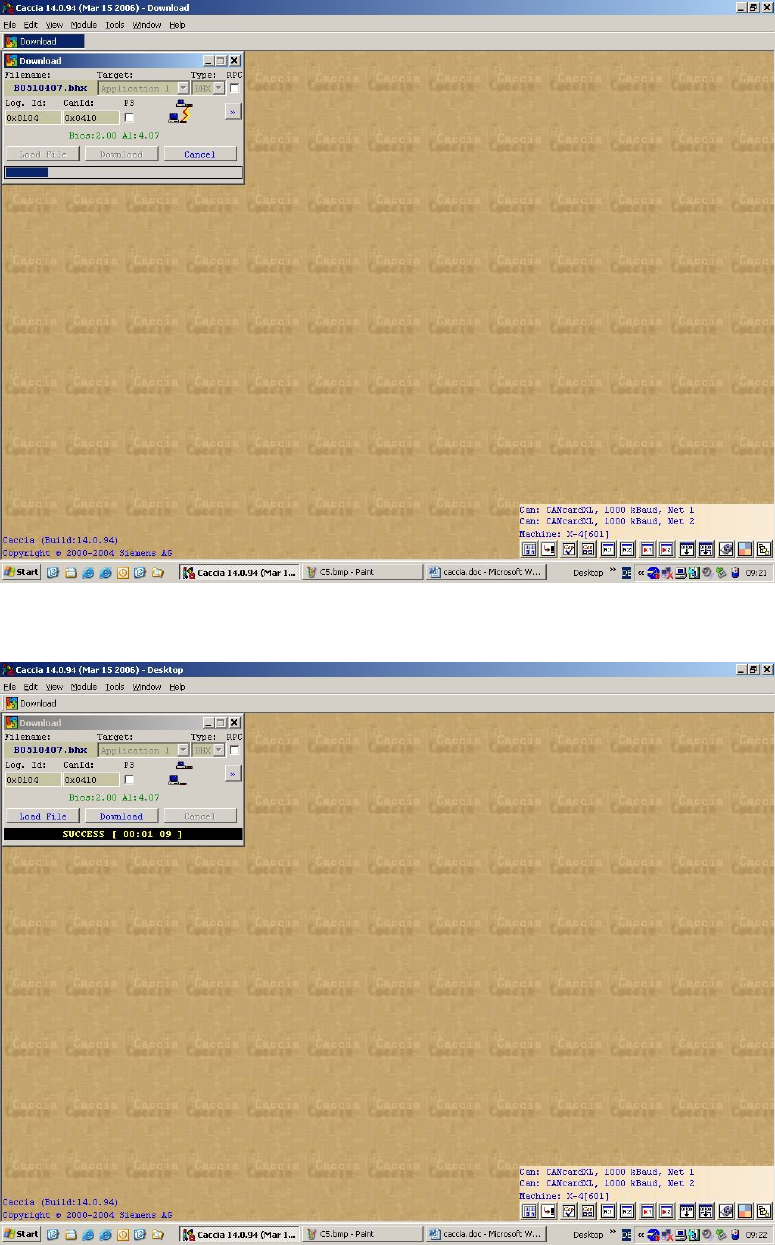
The download starts
The download finishes successfully
32 of 90