00195467-01_Installation Manual Setup Center 2.2.pdf - 第48页
SIPLACE Setup Center 2.2 Installation Manual Step 3 The figure you enter in the MB text box defines the initial size of the SIPLACE Setup Center database files (default: 50 ) which are to be created du ring the install…
Installation Manual SIPLACE Setup Center 2.2
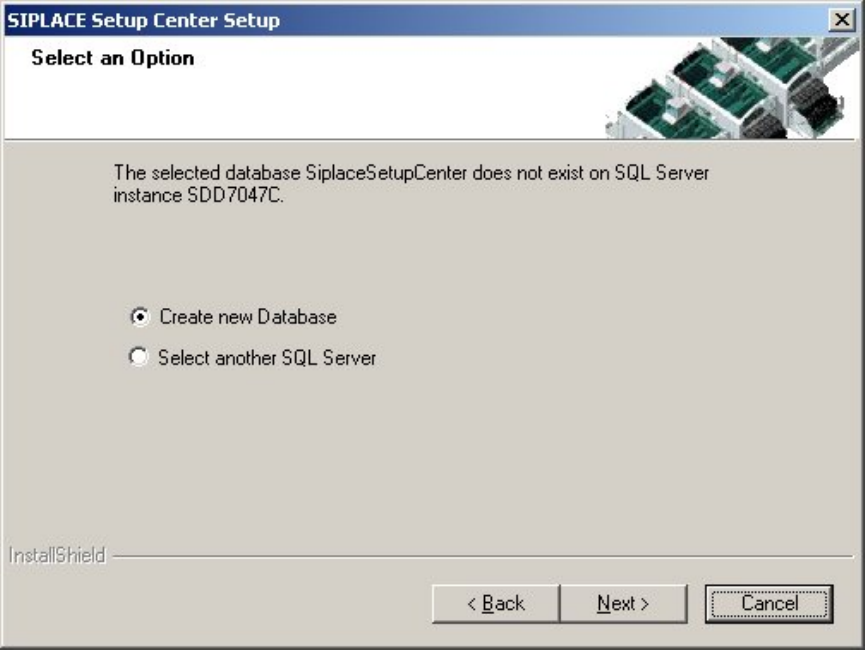
The following dialog appears, in case no database with the name "SiplaceSetupCenter" exists:
4
Figure 5-14 "Select an Option" dialog box
4
Choose Select another SQL Server instance you return to the previous dialog.
Click Next to create a new database.
47 of 90
-
SIPLACE Setup Center 2.2 Installation Manual
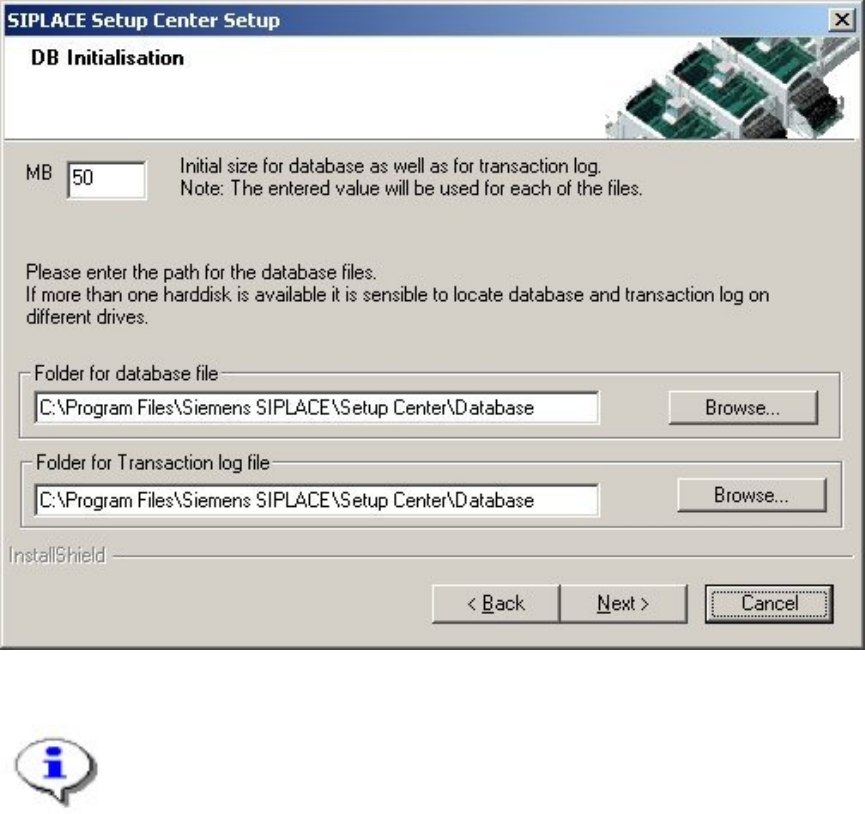
Step 3
The figure you enter in the MB text box defines the initial size of the SIPLACE Setup Center
database files (default: 50) which are to be created during the installation.
Confirm the default value or enter the size you want in the MB text box.
Figure 5-15 "DB Initialisation" dialog box
Note
The specified size is only an initial value. The database will grow automatically as
required. However, only intervention by the database administrator is capable of
freeing up unused disk space. In the "database files" edit field, enter the directory in
which the SIPLACESetupCenter.mdf file is to be created. In the transaction log
files edit field, enter the name of the directory in which the
SIPLACESetupCenter.mlf database file is to be created.
48 of 90
Installation Manual SIPLACE Setup Center 2.2
Step 4
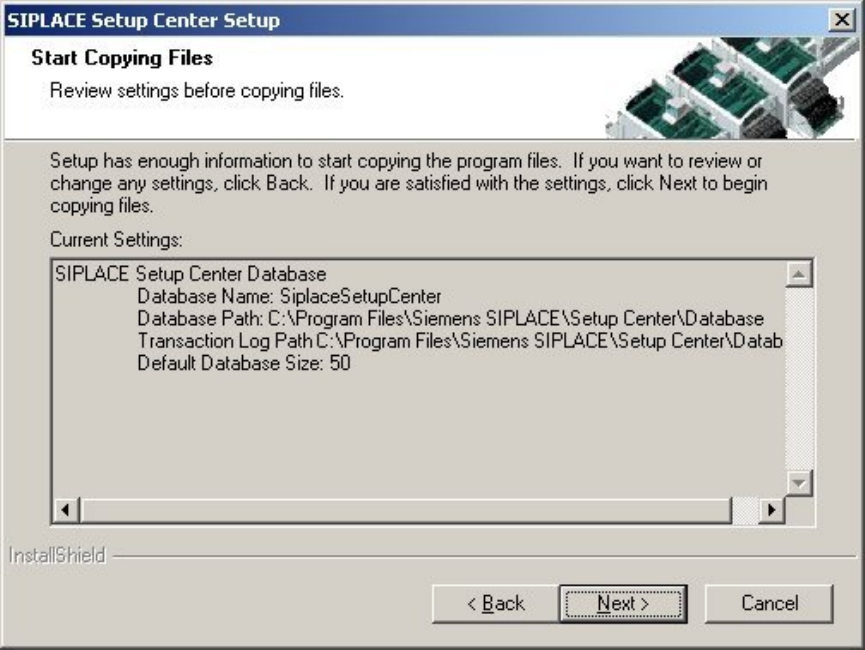
The "Start Copying Files" dialog box gives you a chance to check the information again,
which you have entered during the previous steps.
Figure 5-16 "Start Copying Files" dialog box
49 of 90
-