00195467-01_Installation Manual Setup Center 2.2.pdf - 第64页
SIPLACE Setup Center 2.2 Installation Manual Step 7 Traceability Note: Traceability settings can only be changed, if the Tractability Option is installed at the station. Here you can choose whet her the Traceability Da…
Installation Manual SIPLACE Setup Center 2.2
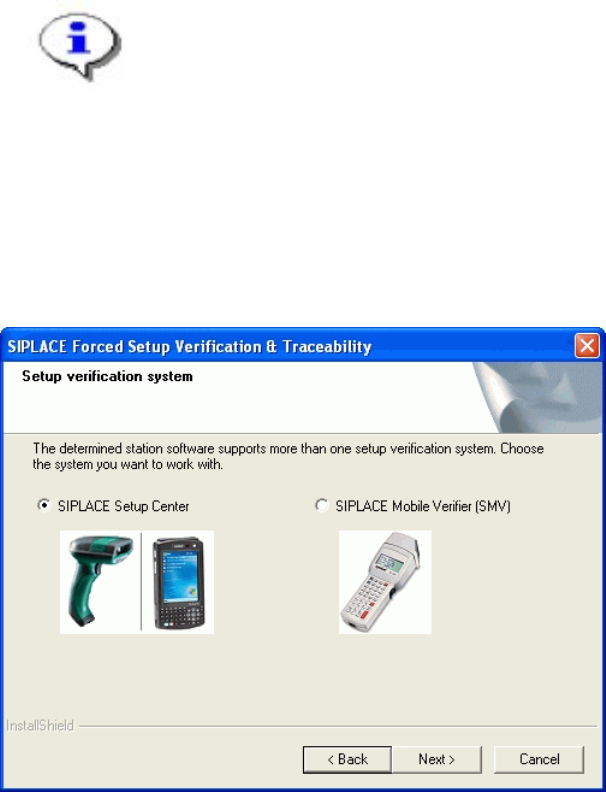
Step 6 Setup verification system
NOTE
This Dialog will only appear for the machine with the station-software version
408!
The station software version 408 offers two different interfaces to the Setup verification
system. By choosing the corresponding Setup verification system the interface will be
configured in the station-software accordingly.
Click Next to continue.
63 of 90
-
SIPLACE Setup Center 2.2 Installation Manual
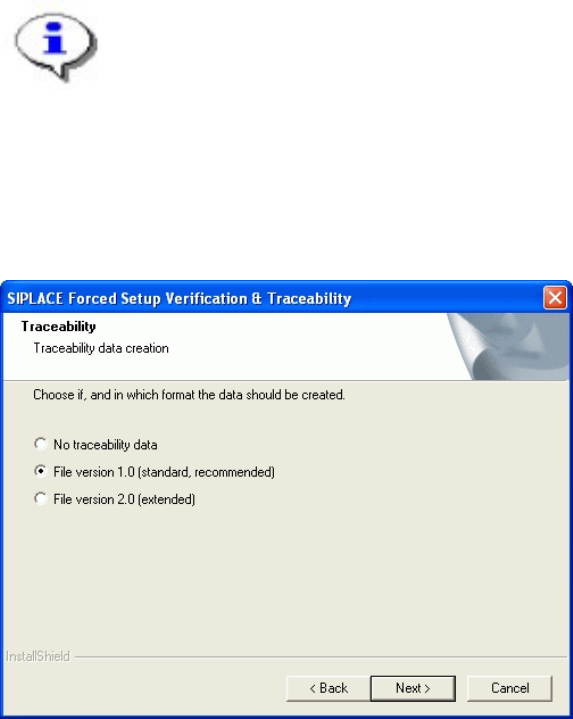
Step 7 Traceability
Note:
Traceability settings can only be changed, if the Tractability Option is installed at
the station.
Here you can choose whether the Traceability Data should be created.
Furthermore you can select the File version 1.0 for standard TRC file or the File version 2.0
for extended TRC file.
Click Next to continue. Wait until the next dialog box appears. It can be take a few minutes.
64 of 90
Installation Manual SIPLACE Setup Center 2.2
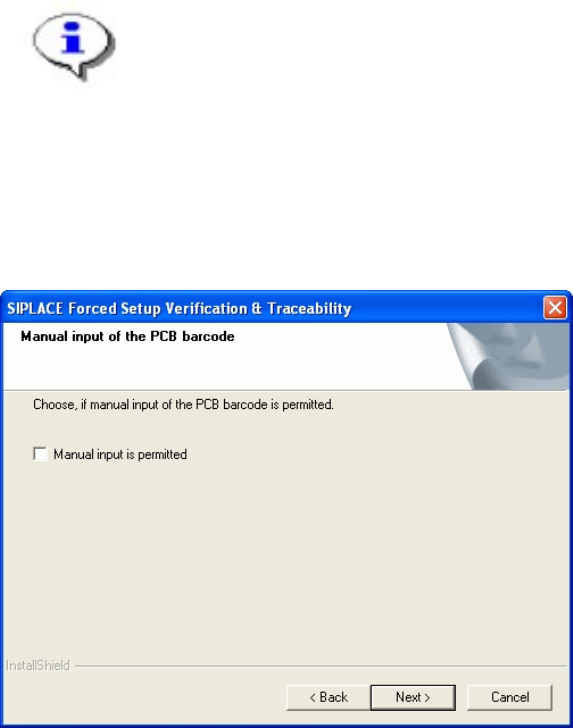
Step 8 Manual input of the PCB barcode
Note:
Traceability settings can only be changed, if the Tractability Option at the station
is installed.
If this checkbox is selected, the PCB barcode can be entered manually, in case that it was
not accepted from a barcode reader.
Click Next to continue.
65 of 90
-