00195467-01_Installation Manual Setup Center 2.2.pdf - 第71页
Installation Manual SIPLACE Setup Center 2.2 1 9 Tw o -W ays Display-off Timeout 9 0 71 of 90 -
SIPLACE Setup Center 2.2 Installation Manual
5.4.3.1 Scanner Configuration
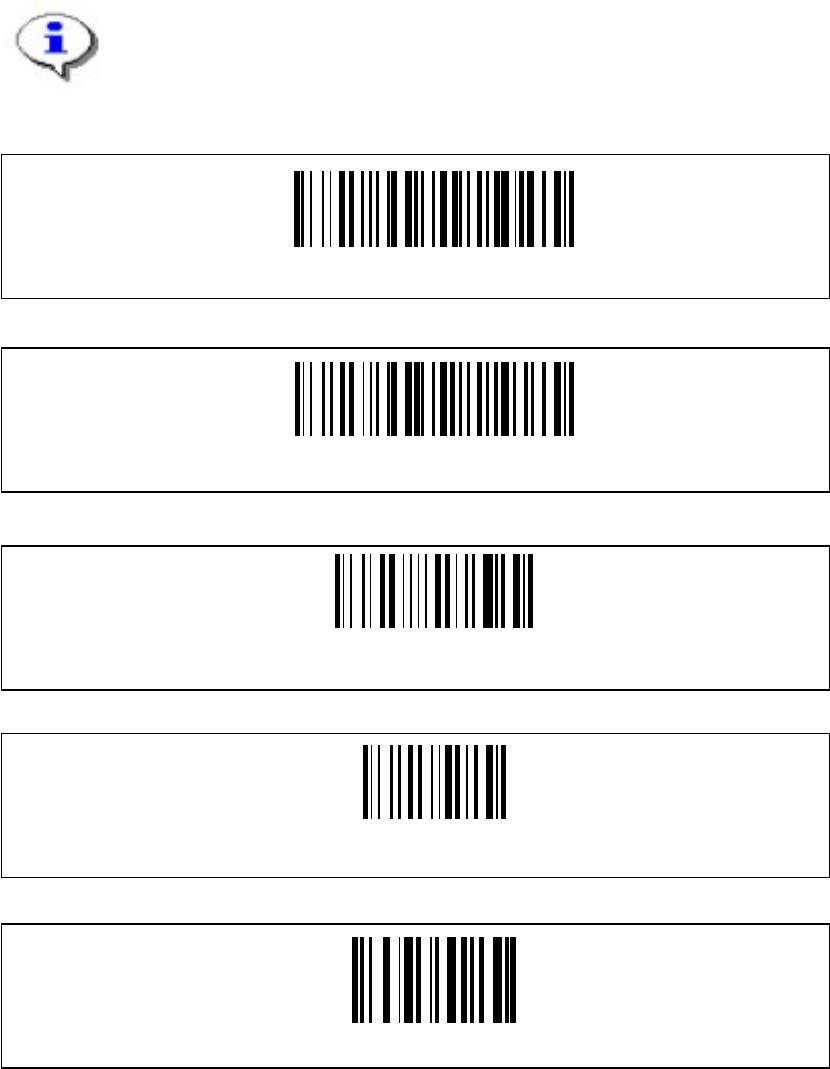
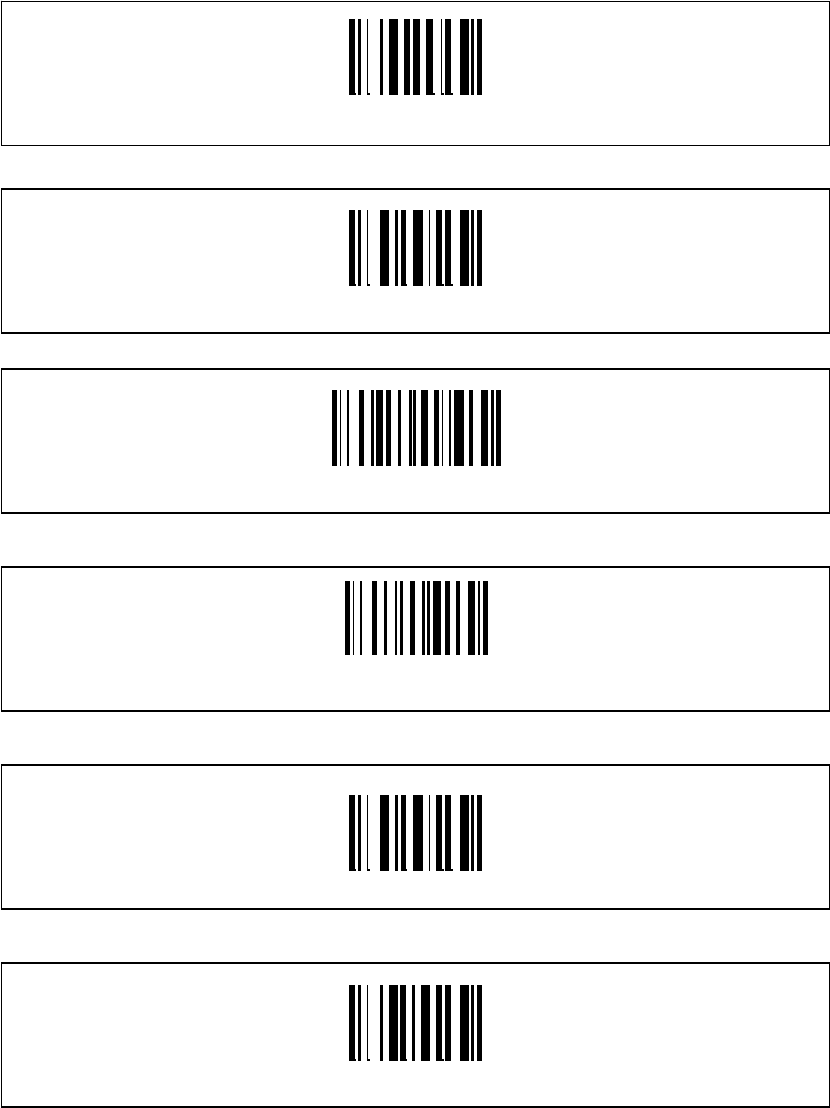
The new Scanner is setup up by scanning of a series of barcodes. Pull the trigger to switch the
scanner on and scan the following barcodes in the order they are printed:
Note
The configuration must be completed in one run. If it is halted or any problems
appear, all configuration steps have to be redone from the beginning.
Set DLL6000-R compatibility
Restore DRAGON ™ M standard configuration
Restore DRAGON ™ M default
Enter Configuration
Radio protocol timeout
70 of 90
Installation Manual SIPLACE Setup Center 2.2
1
9
Two-Ways
Display-off Timeout
9
0
71 of 90
-
SIPLACE Setup Center 2.2 Installation Manual
5.4.3.2 Setting of the scanner address
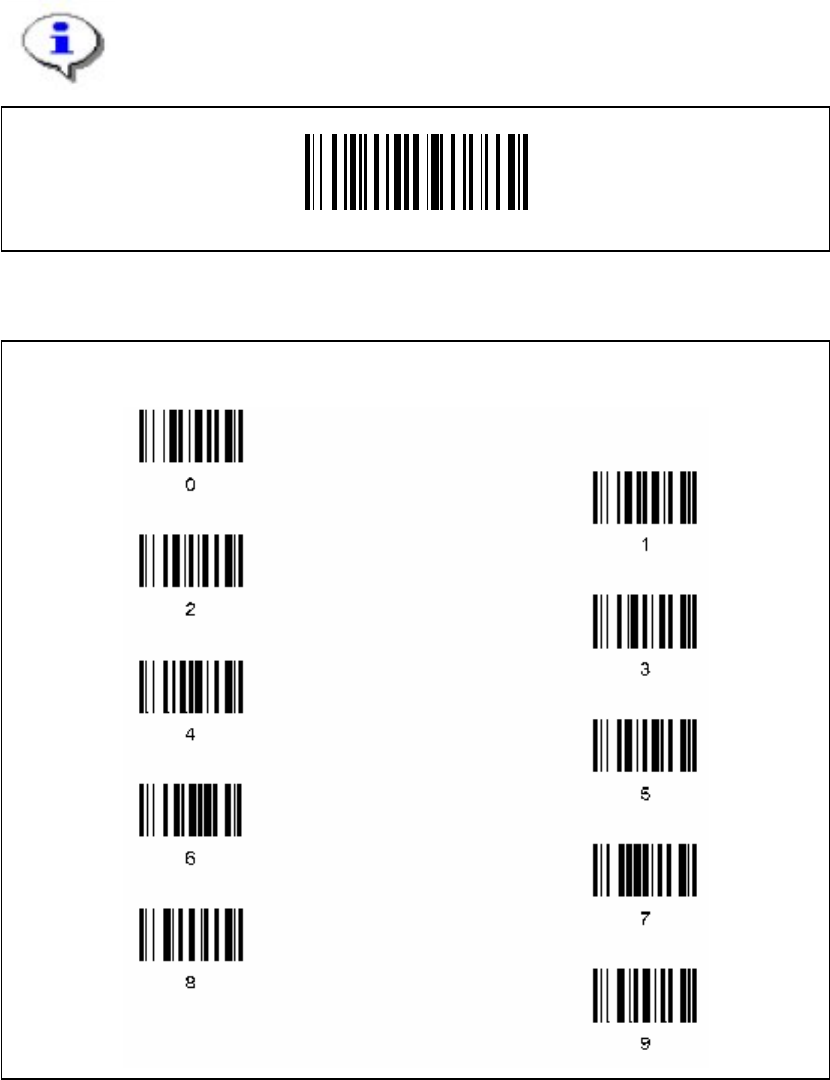
Each scanner requires a unique address.
Enter the following barcode and scan the four digits for the scanner address, e.g. ‘0’ ‘0’ ‘0’ ‘1’.
Note
The address must consist of four digits. Don’t forget to enter heading zeros.
Set Radio Address
Four digits for the DRAGON ™ M Address (from 0000 to 1999).
72 of 90