00195467-01_Installation Manual Setup Center 2.2.pdf - 第87页
Installation Manual SIPLACE Setup Center 2.2 8 Annex 8.1 CAN Bus Cable Connection Examples Connection Example 1 Figure 8-1Connection exam ple 1: CAN bus cable 87 of 90
SIPLACE Setup Center 2.2 Installation Manual
Click Start in the Windows start menu.
Click Settings.
Click Control Panel.
Click Administrative Tools.
Click Computer Management.
Expand the node “Device Manager” at the left side
Expand the node “CAN Hardware” at the right side
Right Click to pen the context menu for “C167D00N”
Choose “Uninstall…”
Confirm the deletion of the driver.
86 of 90
Installation Manual SIPLACE Setup Center 2.2
8 Annex
8.1 CAN Bus Cable Connection Examples
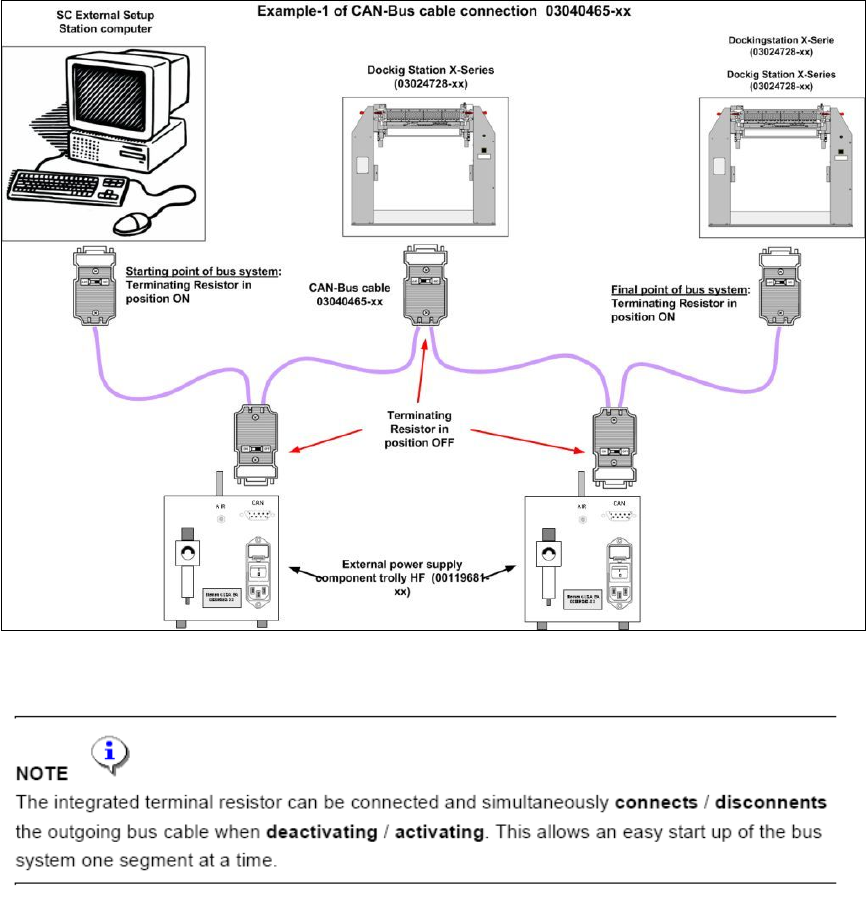
Connection Example 1
Figure 8-1Connection example 1: CAN bus cable
87 of 90
SIPLACE Setup Center 2.2 Installation Manual
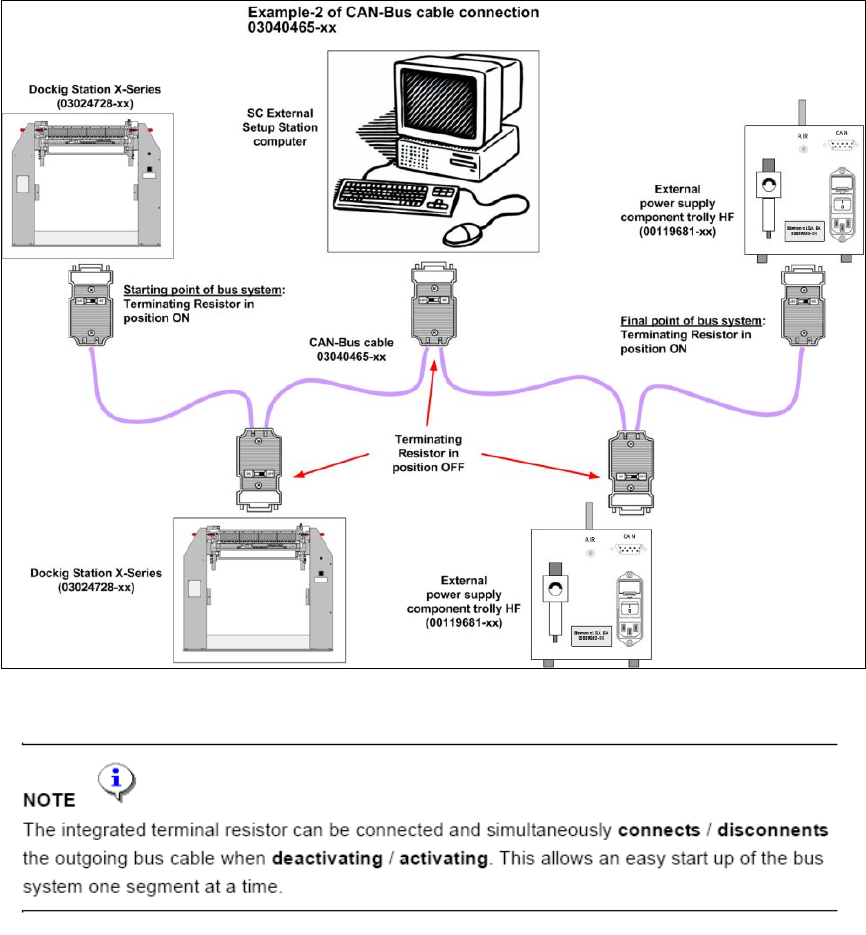
Connection Example 2
Figure 8-2 Connection example 2: CAN bus cable
88 of 90