00196378-0102_UM X-Feeder_EN.pdf - 第74页
Operating Tape Feeder Modules Removing the Feeder Module from the Componen t Table Setting the Language for 8 - 88 mm Feed er Modules 74 User Manual X Feeder Modules SIPLACE Family 4.4 Removing the Feeder Modul e from th…
Operating Tape Feeder Modules
Setting the Conveyor Speed for 8 - 88 mm Feeder Modules Using the Operator Panel
User Manual X Feeder Modules SIPLACE Family 73
4.3.4 Setting the Conveyor Speed for 8 - 88 mm Feeder Modules
4.3.5 Setting the Language for 8 - 88 mm Feeder Modules
The language of the texts that are displayed in the operator panel of the feeder module can be set at the
user interface of the station computer via the "
Language
" menu.
If a feeder module is logged in at a station computer, it will be initialized at first. During this process the
language of the feeder module is adapted to the user interface language of the station computer.
▪ If German is set as the language at the station computer, the feeder modules will also be set to Ger-
man.
▪ If any other language than German is set at the station computer, the feeder modules will ALWAYS
be set to English.
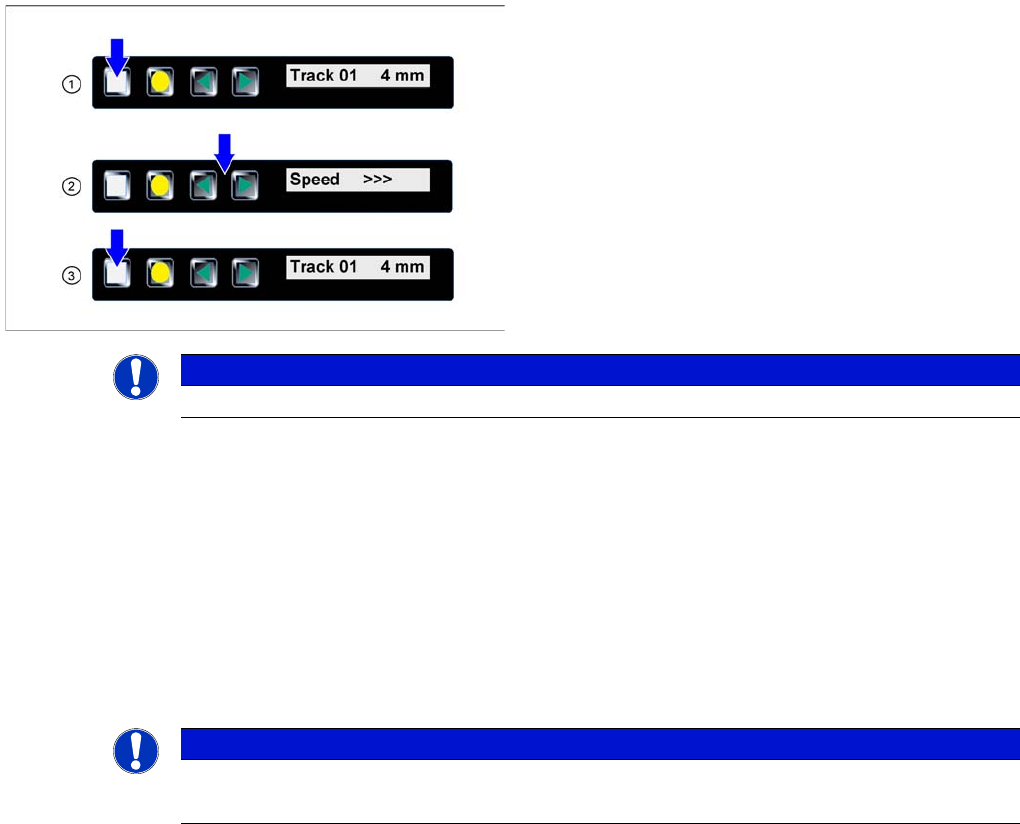
►(1) The display shows the start screen ("Track").
Press the Set button until the display shows "Speed."
►(2) Press the Forwards or Backwards button until
the display shows the value for the desired transport
speed.
⇨ > = very slow
⇨ >> = slow
⇨ >>> = standard transport speed
►(3) Repeatedly press the Set button to return to the
start screen.
The setting is retained automatically.
NOTICE
The feeder will also return to the start screen, if no button is pressed for 1 minute.
NOTICE
It is not possible to set the language at the feeder module itself.
The language set in SITEST does not influence the language shown on the feeder module.
Operating Tape Feeder Modules
Removing the Feeder Module from the Component Table Setting the Language for 8 - 88 mm Feeder Modules
74 User Manual X Feeder Modules SIPLACE Family
4.4 Removing the Feeder Module from the Component Table
There are the following ways to remove the feeder module from the placement machine.
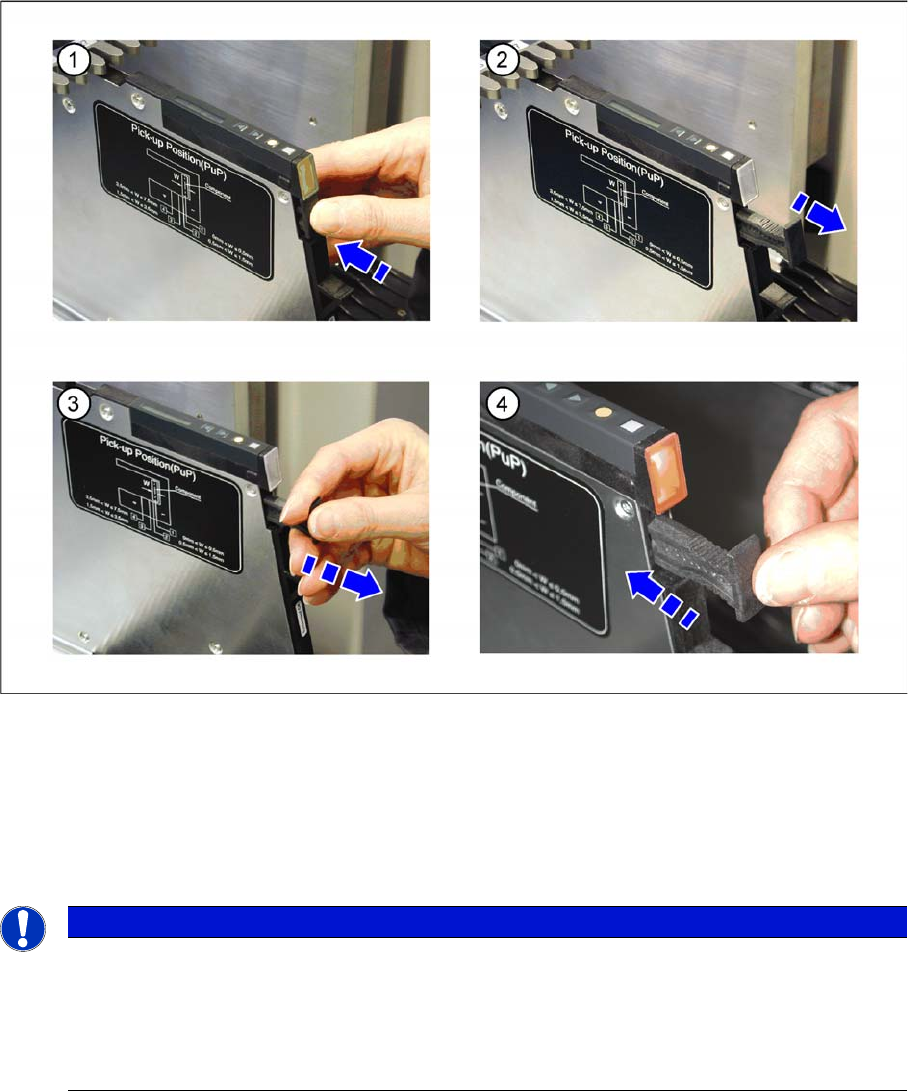
Feeder module logout via the handle
►(1) Press on the handle below the LED at the rear end of the feeder module.
►(2) The logout procedure for the feeder module is started, the status display is switched off and the
removal handle is released. All key data will be saved in the feeder module. After that the feeder
module is automatically logged out at the FCU and the FCU opens the mechanical lock at the com-
ponent table. As soon as the status displays are dark, the logout procedure is completed.
►(3) Use the removal handle to pull the feeder module out of the component table.
NOTICE
(4) If you hesitate too long (approx. 5 seconds), the status display lights up red and the feeder
module must be logged in again.
►Press the removal handle back into the feeder module.
The login procedure for the feeder module is started.
►Wait until the login procedure is completed and the status display lights up green.
Operating Tape Feeder Modules
Setting the Language for 8 - 88 mm Feeder Modules Removing the Feeder Module from the Component Table
User Manual X Feeder Modules SIPLACE Family 75
Feeder module logout via the GUI
►Log out the feeder module at the station computer via the user interface --> Feeder --> Unlock
track´.
The FCU will mechanically unlock the module at the component table, even if there is no current
communication between the FCU and the feeder module.
Removal of the component table
If there is no communication between the FCU and the feeder module, the module can also be removed
manually.
►Move the component table out of the placement machine and manually release it at its front side.
After that, the module can be removed from the component table.