00196378-0102_UM X-Feeder_EN.pdf - 第79页
Messages Module Error: Error Messages Concerning the Control Unit o f the Feeder Module Messages for 2x8 mm Feeder Modules User Manual X Feeder M odules SIPLACE Family 79 5 Messages 5.1 Messages for 2x8 mm Feeder Modules…
Operating Tape Feeder Modules
Regular Maintenance Regular Maintenance on 8 - 88 mm Feeder Modules
78 User Manual X Feeder Modules SIPLACE Family
Messages
Module Error: Error Messages Concerning the Control Unit of the Feeder Module Messages for 2x8 mm Feeder Modules
User Manual X Feeder Modules SIPLACE Family 79
5 Messages
5.1 Messages for 2x8 mm Feeder Modules
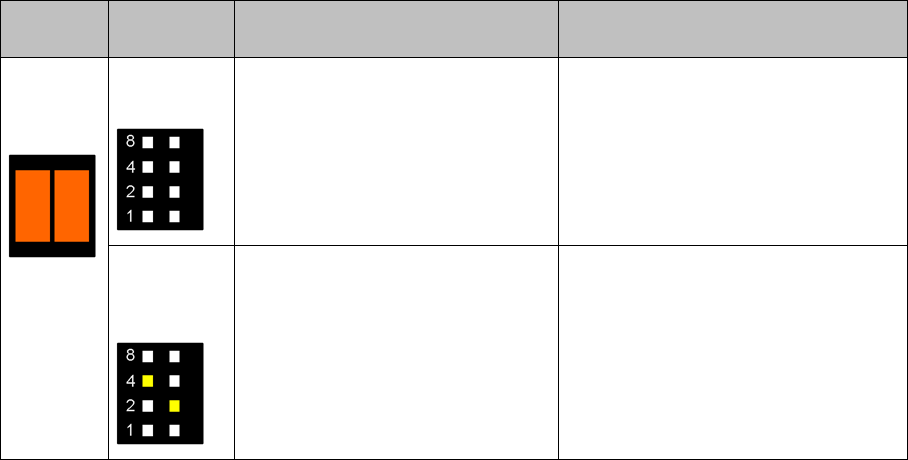
5.1.1 Module Error: Error Messages Concerning the Control Unit of the Feeder Module
Status Dis-
play
Pitch display Cause Solution
Both LEDs
light up or-
ange
All LEDs are
off
24 V supply voltage has not
reached the switching on threshold
after being switched on.
Check the power supply of the FCU
and the EDIF.
One LED per
track lights
up
After the removal handle has been
released, the feeder module has
logged out at the FCU and waits for
being switched off.
Usually this status is only briefly dis-
played when the feeder module is
logging out.
Should this status be displayed for a
longer time, there is a communication
failure between the feeder module and
the FCU. In this case the feeder
module must be unlocked via the GUI.
Messages
Messages for 2x8 mm Feeder Modules Module Error: Error Messages Concerning the Control Unit of the Feeder Module
80 User Manual X Feeder Modules SIPLACE Family
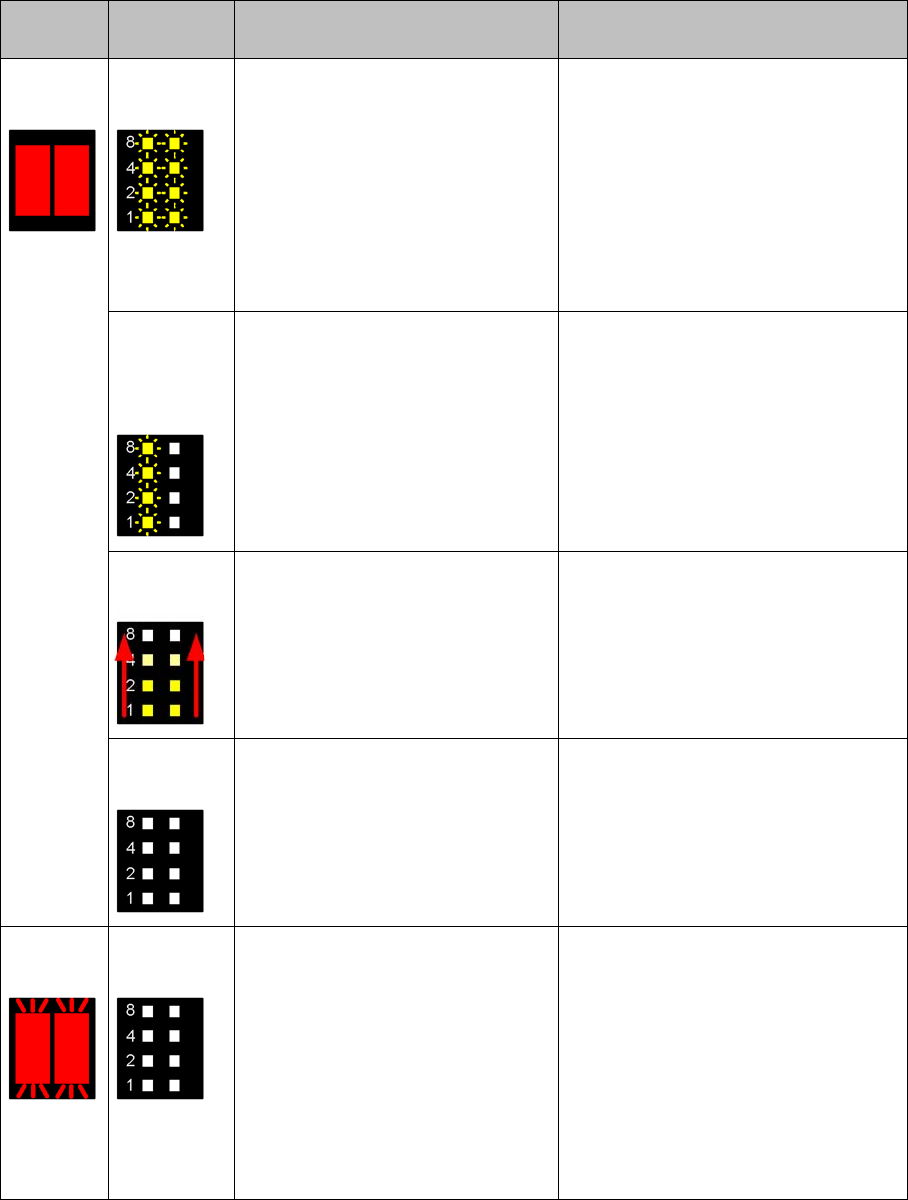
Both LEDs
light up red
All LEDs
flash slowly
CAN bus error
The feeder module is unable to
communicate with the machine
(FCU).
Log the module out and then on again
(perhaps only possible via the GUI).
Check the interface of the fibre optic
cable (EDIF) and clean it, if necessary.
If these measures do not succeed,
please send the feeder module to the
manufacturer for repair.
Note: Include the FCU in your error
search!
All LEDs of
track Land R
slowly flash
alternately
Fatal error when saving or restoring
the necessary operation data (e. g.
offset of the pickup position, feeder
ID).
Please send the feeder module to the
manufacturer for repair.
Running
light forward
The feeder module has been
logged in but the removal handle
has not yet been engaged (pushed
in).
Push the removal handle into the
feeder module.
If the displayed status persists, even if
the handle has engaged properly,
send the feeder module to the manu-
facturer for repair.
All LEDs are
off
24 V supply voltage has exceeded
the switching on threshold and has
then collapsed.
Usually this status is only briefly dis-
played after the feeder module has
logged out.
If this status is displayed for a longer
time, check the power supply of the
FCU and the EDIF.
Both LEDs
flash red
All LEDs are
off
The feeder module is unable to start
the application.
Reload the application software. To do
this, place the feeder module on the
placement machine and perform a
software download in SITEST.
Note: If the application software is not
available or if it is defective, only the
basic program or so-called boot loader
will be active. However, the boot load-
er is unable to access the display
which will remain dark.
Status Dis-
play
Pitch display Cause Solution