00197483-02_VD_SIPLACE-OIB-3.3_EN.pdf - 第28页
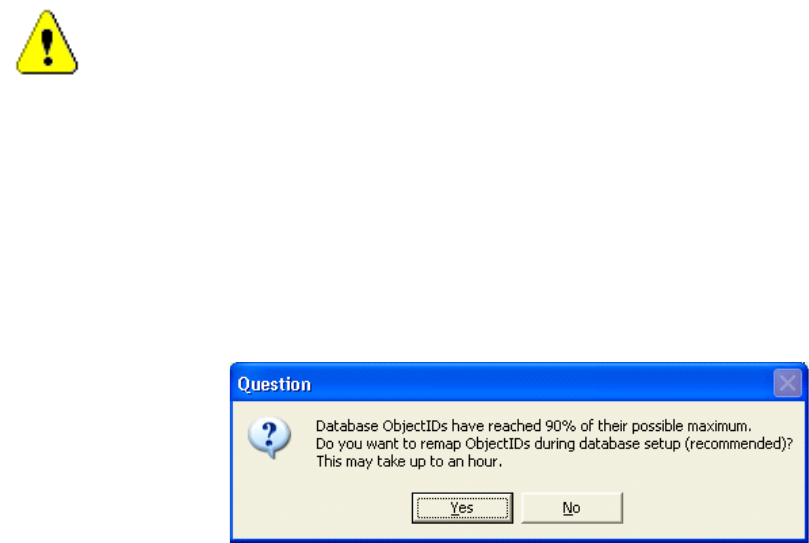
Version Descripti on SIPLAC E OI B 3.3 04/2014 E dition 28 → → If the SIPL ACE Pro databa se allocates over 80% of the a vailable in dices t he re - in dexing is re quire d and the cus tomer will be i nform ed with th e …
Version Description
SIPLACE OIB 3.3 04/2014 Edition
27
13.2 Re-indexing the Object IDs in OIB, when SIPLACE Pro performed the
re-indexing
For customers which are using large databases in SIPLACE Pro it can happen that the internal Object ID
counter can exceed the upper limit. Therefore a check has been added in SIPLACE Pro to perform a re-
indexing in the database. This functionality is available for SIPLACE Pro 9.3 and higher and SIPLACE OIB
2.5 and higher.
Background
The SIPLACE OIB Line Control Adapter stores the Configuration Manager references to the SIPLACE Pro
Databases with each download. This information is normally consistent, because the object ids will not
change inside SIPLACE Pro. When the re-mapping is performed to reuse formerly used Ids of already
deleted objects in SIPLACE Pro these references will break. Therefore the remapping in the SIPLACE OIB
database has to be performed.
Caution
If several instances of a SIPLACE Pro server are installed in a factory these procedure applies
to each installation separately. The adjustments in OIB must be performed for each SIPLACE
Pro installation separately when necessary.
Perform re-indexing in SIPLACE Pro
→
SIPLACE Pro checks during the installation, either update or maintenance if the threshold for issuing a
warning or forced re-indexing has been reached. The installation will perform the re-indexing and
create a file at the end. This file will be the input for the OIB re-indexing.
→
If the SIPLACE Pro database allocates 70% - 80% of the available indices then the waning dialog pops
up. The customer can still skip the re-indexing.
Version Description
SIPLACE OIB 3.3 04/2014 Edition
28
→
→
If the SIPLACE Pro database allocates over 80% of the available indices the re-indexing is required
and the customer will be informed with the above dialog.
→
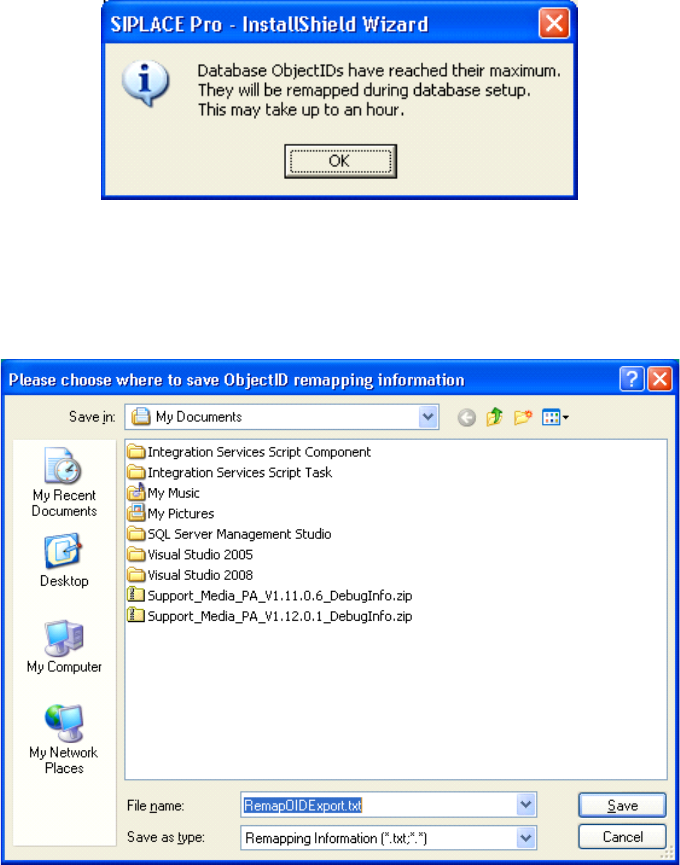
The installation will ask for a filename and path where you want to save the remapping information.
After that the installation will continue and perform the re-indexing, which might take some time.
Version Description
SIPLACE OIB 3.3 04/2014 Edition
29
→
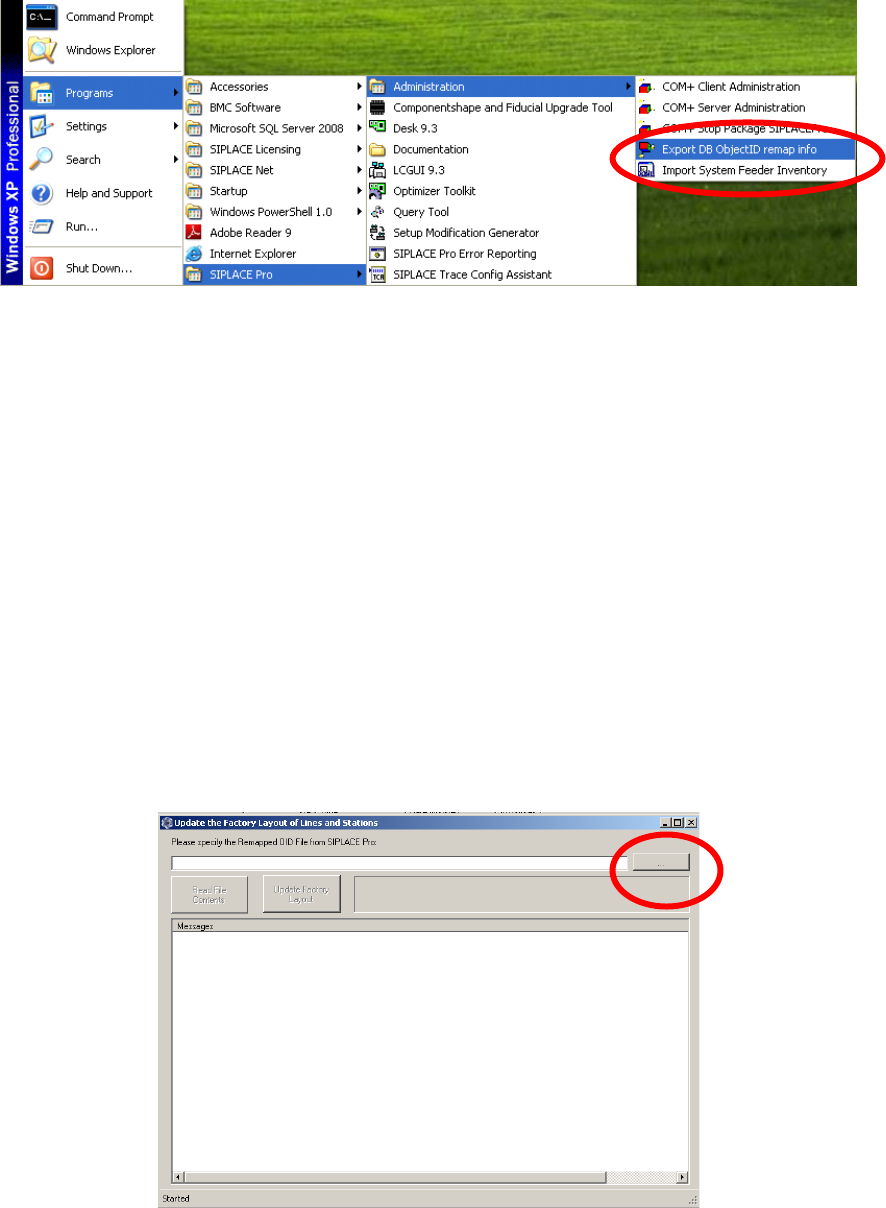
The re-indexing information is stored in the database and can be exported at any time. This can be
done via Programs->SIPLACE Pro->Administration->Export DB ObjectID remap info.
Adjust the Indices in OIB
The adjustments of the Re-indexing will be performed on the computer where the SIPLACE OIB Core is
installed.
→
Ensure that SIPLACE OIB 2.5 or higher is installed on the computer.
→
Navigate to the folder „C:\Program Files\SIPLACE\SIPLACE OIB\Tools\ID Remapper“.
→
Start the program “UpdateFactoryLayoutFromRemappedSIPLACEProOids.exe”
→
Select the browse button and select the file in the file selection dialog. You will find the file under the
location where the SIPLACE Pro re-indexing procedure has stored it.