00197483-02_VD_SIPLACE-OIB-3.3_EN.pdf - 第29页
Version Descripti on SIPLAC E OI B 3.3 04/2014 E dition 29 → The re - index ing inf orm ation is stored in the databas e and can be exporte d at an y time. T his c an be done via Programs - >SIPL ACE Pro - >Admin i…
Version Description
SIPLACE OIB 3.3 04/2014 Edition
28
→
→
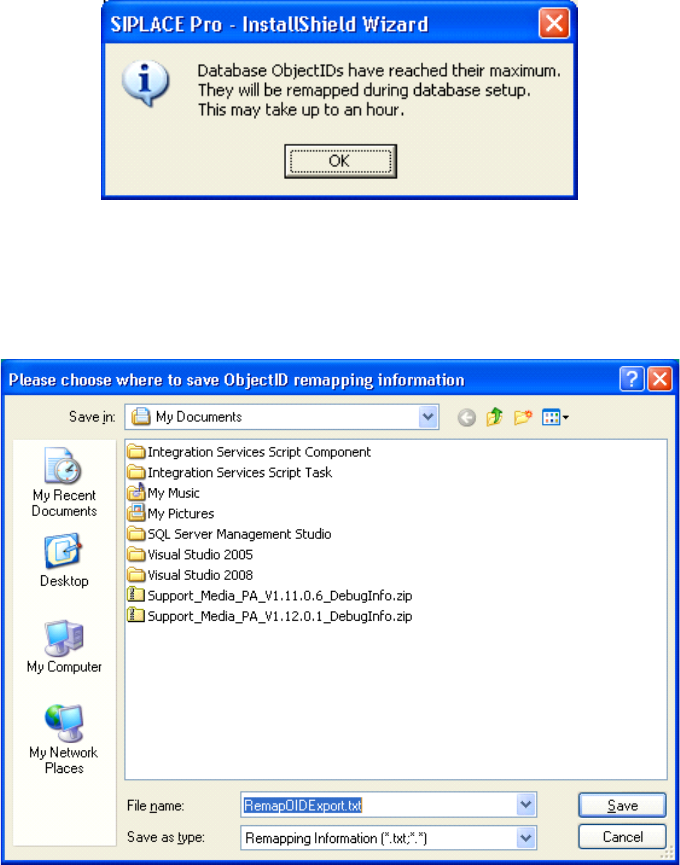
If the SIPLACE Pro database allocates over 80% of the available indices the re-indexing is required
and the customer will be informed with the above dialog.
→
The installation will ask for a filename and path where you want to save the remapping information.
After that the installation will continue and perform the re-indexing, which might take some time.
Version Description
SIPLACE OIB 3.3 04/2014 Edition
29
→
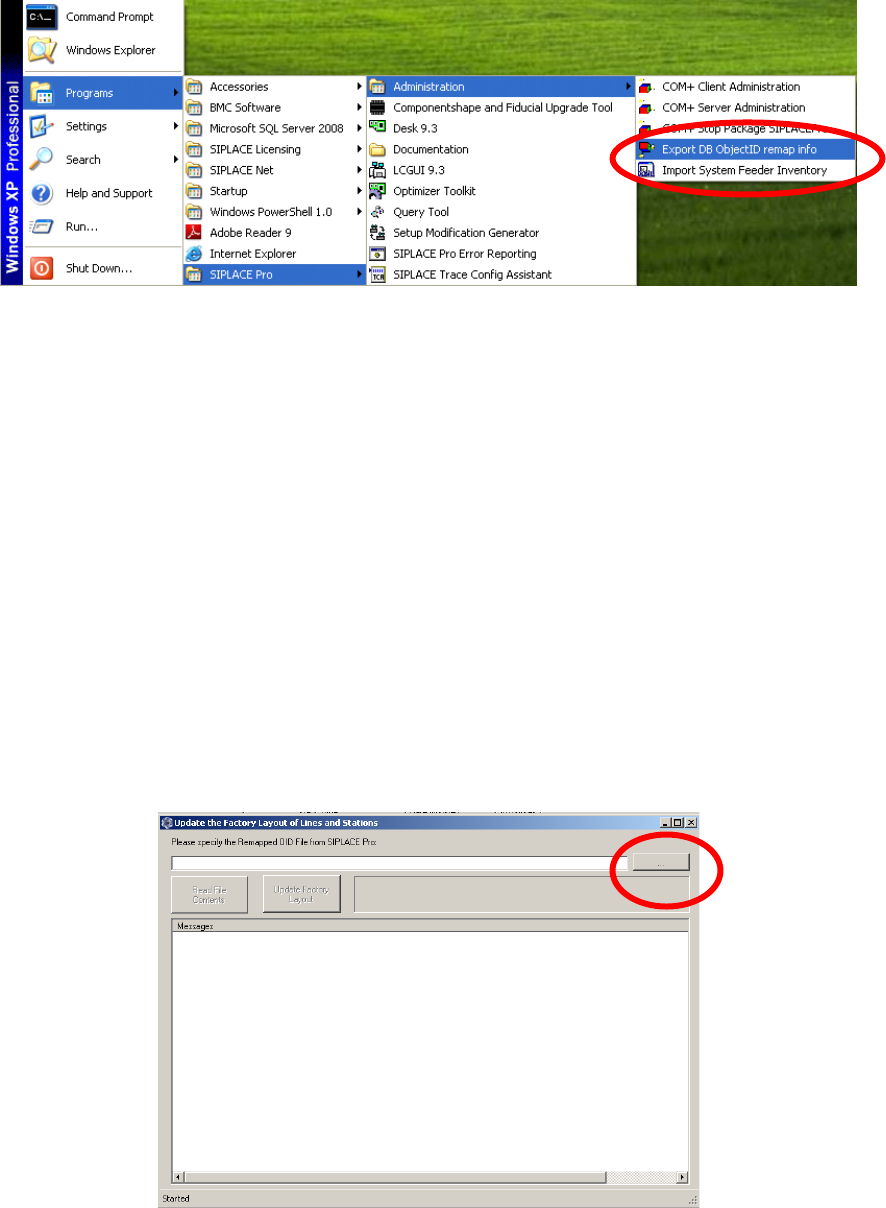
The re-indexing information is stored in the database and can be exported at any time. This can be
done via Programs->SIPLACE Pro->Administration->Export DB ObjectID remap info.
Adjust the Indices in OIB
The adjustments of the Re-indexing will be performed on the computer where the SIPLACE OIB Core is
installed.
→
Ensure that SIPLACE OIB 2.5 or higher is installed on the computer.
→
Navigate to the folder „C:\Program Files\SIPLACE\SIPLACE OIB\Tools\ID Remapper“.
→
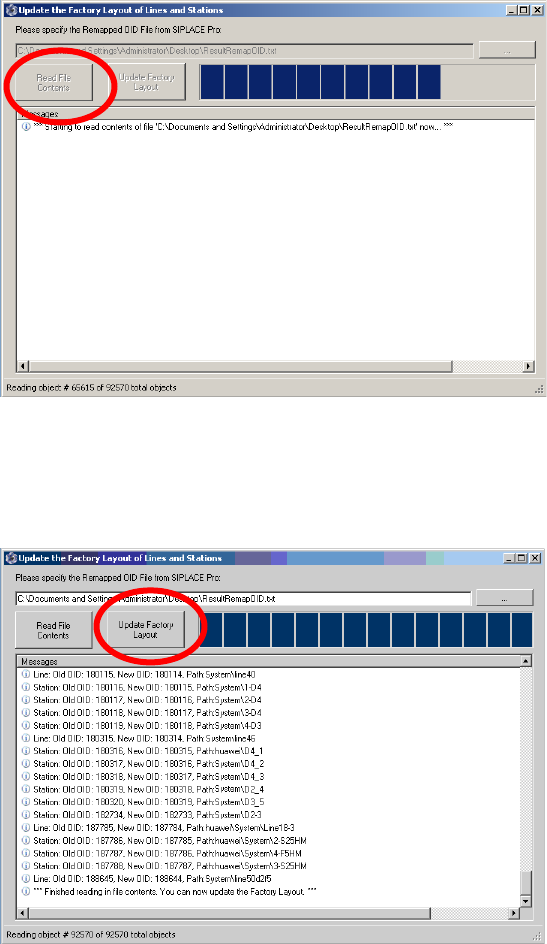
Start the program “UpdateFactoryLayoutFromRemappedSIPLACEProOids.exe”
→
Select the browse button and select the file in the file selection dialog. You will find the file under the
location where the SIPLACE Pro re-indexing procedure has stored it.
Version Description
SIPLACE OIB 3.3 04/2014 Edition
30
→
→
Select the “Read file content” button to the read the mapped information.
→
Wait until all mapping information has been read.
→
Select the “Update Factory Layout” button to update the data in the SIPLACE OIB Configuration
Manager. The tool will provide feedback which data has been updated.