H02 Head Operation Manual R4a.pdf.pdf - 第7页
Page 7 of 9 5. Cautions for the H02 Head during Production 5.1. Y -axis movement restriction Holder B can only move so far in the Y -direct ion due to mechanical limit ations. This limitation is shown below . 5.1.1. Plac…

Page 6 of 9
4.3. Using custom nozzles in production
When using standard nozzles, it is possible to have both holders perform pre-rotation in a
single pick and place cycle regardless of the placing angle. Therefore, pre-rotation is always
used irrespective of the [Do Prerotation] setting in the shape data.
When using custom nozzles, it may not be possible to have both holders perform pre-rotation
in a single pick and place cycle because it depends on the placing angle. When this occurs,
split the pick and place cycle so that the pre-rotation setting can be turned on or off in the job.
The default setting is “Yes”. Change this to “No” if you want to give cycle time priority.
Fuji Flexa settings
[Shape Data]-[Shape Process]-[Process]-[Do Prerotation for Custom Nozzle]
When using custom nozzles, this setting determines whether the part is rotated to the angle
for placement before vision processing.
Specify [Yes] or [No]
4.4. Using the tray remover in production
Usable tray removers
H02 compatible remover (AA6GX00)
Tray removers that cannot be used
Initial type remover (AA3WH09)
Remover with modified pickup (AA3WH10)
Use the tray unit-L with the H02 compatible remover.
An error (????4716) will occur after pushing START, if the tray unit-L has an initial type
remover or a modified pickup remover,
Page 7 of 9
5. Cautions for the H02 Head during Production
5.1. Y-axis movement restriction
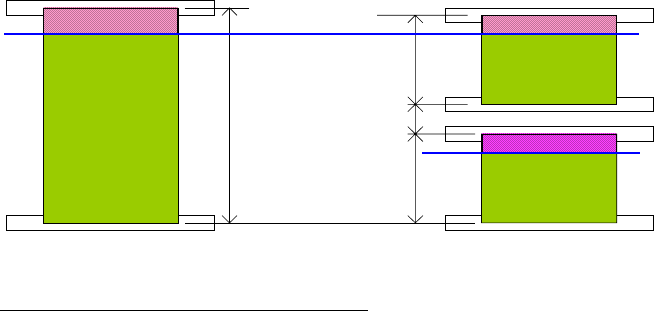
Holder B can only move so far in the Y-direction due to mechanical limitations. This limitation
is shown below.
5.1.1. Placement area for the NXT
280
280
47
610
H02 holder B limit
Area where holder B cannot place parts
Double conveyor – 7 mm from the far side of the panel
Single conveyor – 10 mm from the far side of the panel
Only holder A can place parts in this area. Therefore, the Fuji Flexa optimizer ensures that
parts are placed in this area using holder A. However, if the part is too large to be placed with
holder A then it cannot be placed in this area. A data check error will result and a H01 head
should be used in this case.

Page 8 of 9
5.2. Single nozzle operation
Depending on the part size and nozzle for pickup, if there is a risk of collision between the
nozzles, parts or part and nozzle on the two holders, production is performed using a single
nozzle in a single pick and place cycle (single nozzle operation).
Furthermore, the nozzle not used in production is moved to a retract position. However, if
there is a risk of collision even when moving the nozzle to the retract position, the nozzle is
returned to the nozzle station.
Cautions
• When the head is setup so that there is a risk of nozzles colliding, a data check error
occurs.
• There is a restriction to the part size for each holder pickup when there is a risk of
collision between the picked up part and mark camera. If the restriction is exceeded, a
data check error occurs.
5.3. Using the AVL function in production
The AVL cautions in the AVL User Manual states that the part number added to a single AVL
should be selected so that pickup occurs with the same nozzle. Therefore, for the H02 head,
the operator should consider the part height and use the same nozzle length and not just
consider the nozzle diameter.
If a different nozzle is used for a part number added to a single AVL, a data check error
occurs.