00194579-0202.pdf - 第47页
Retrofit instructions Wide board 242 / 508 mm SIPLACE HS-60 / D4 08/2006 Edition 49 : If this is not the case, loosen the clamping ring s on the hexagonal shaft s of the sta tionary con- veyor side wall ( see photograph)…
Retrofit instructions Wide board 242 / 508 mm SIPLACE HS-60 / D4
08/2006 Edition
48
2.6.6 Setting the extended conveyor configuration "Position of stationary side
wall“ to "Wide HS-60“ / "Wide HF series“ / "Standard width“
This describes how to move the "stationary conveyor side wall outside" to the maximum possible
position (Wide HS-60) or to the standard width. The same applies to machine type HS-60. 2
There are three widths available for selection for machines from the HF series: Standard width,
Wide HS-60 and Wide HF series. 2
Requirement: The machine must have been started and "SITEST“ must be started. No mapping
width must be set. 2
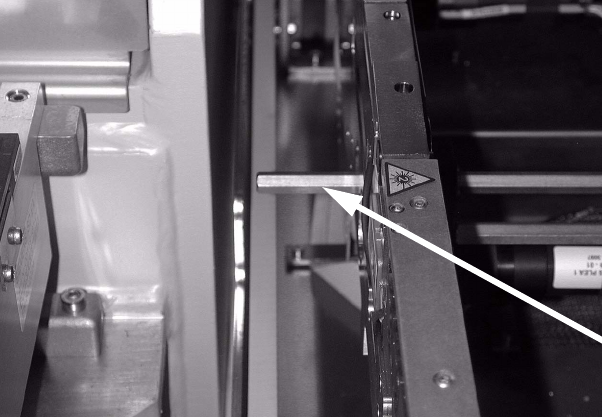
: Check whether the hexagonal shafts are set for the maximum conveyor width. The hexagonal
shaft should connect to the conveyor tray at the outer movable conveyor side wall.
2
2
2
2
2
2
2
2
2
2
2
2
Hexagonal shafts
Retrofit instructions Wide board 242 / 508 mm SIPLACE HS-60 / D4
08/2006 Edition
49
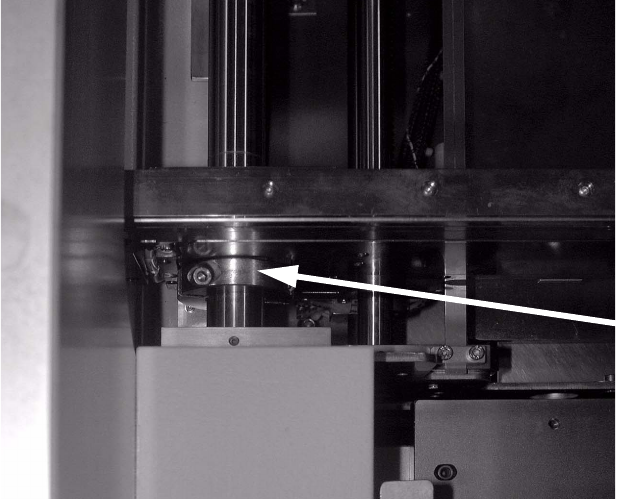
: If this is not the case, loosen the clamping rings on the hexagonal shafts of the stationary con-
veyor side wall (see photograph).
WARNING: The clamping ring can stick on the hexagonal shaft.
Insert the hexagonal shafts as described above. Then fix the hexagonal shaft once more using
the clamping rings.
: Remove the clamping ring for the conveyor side wall of the outer stationary side wall.
2
2
2
2
2
2
2
2
2
2
2
2
2
2
Clamping rings
Retrofit instructions Wide board 242 / 508 mm SIPLACE HS-60 / D4
08/2006 Edition
50
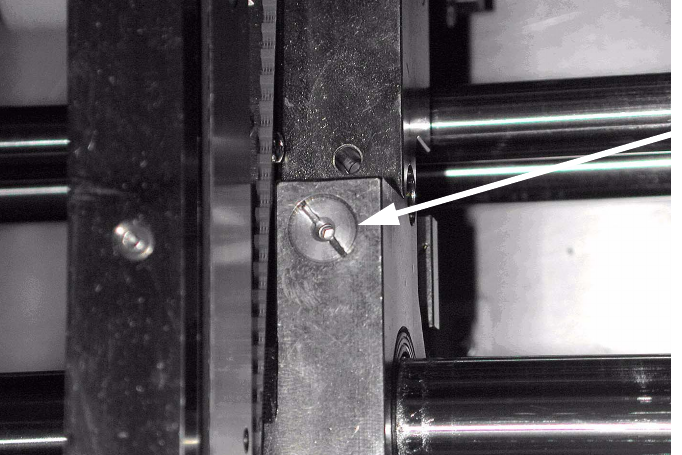
: Release the clamp on the stationary side using the grub screw.
Remember to tighten the grub screw once more after changing the conveyor width.
2
2
: Switch to service engineer mode in SITEST.
2
2
2
2
2
2
2
2
2
2
2
2
2
2
2
Grub screw
clamp